

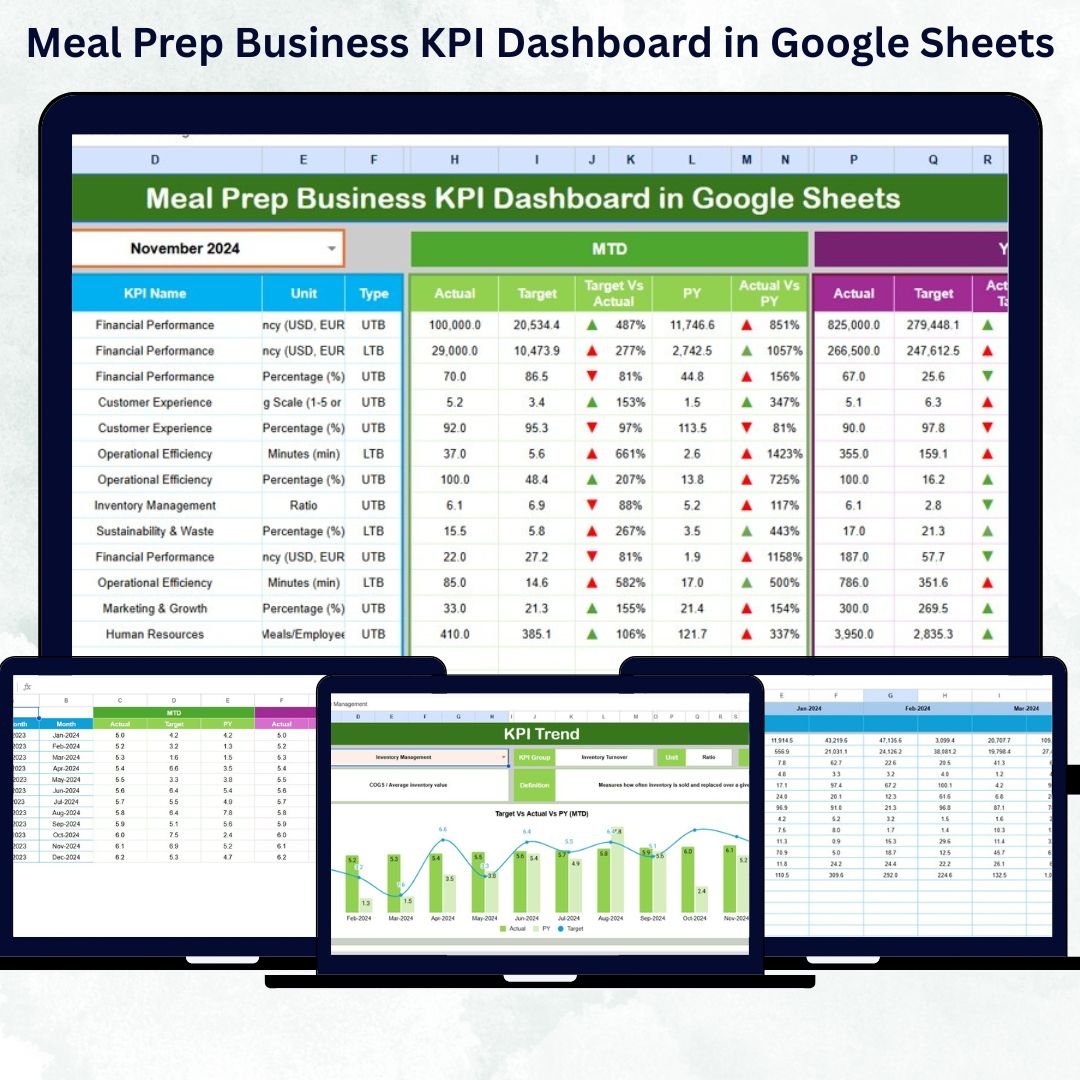

Running a meal prep business means juggling multiple priorities — from recipe planning and customer satisfaction to managing costs and delivery times. But what if you could track all your business metrics in one place? Introducing the Meal Prep Business KPI Dashboard in Google Sheets — your all-in-one solution for tracking, analyzing, and improving your performance.
This ready-to-use dashboard gives you real-time visibility into your key performance indicators (KPIs) — helping you make faster, smarter decisions without needing complex software or coding skills.
✨ Key Features of the Meal Prep Business KPI Dashboard in Google Sheets
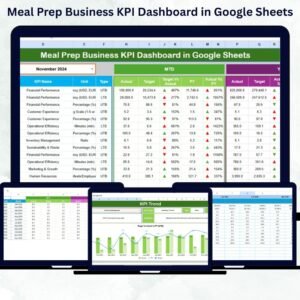
✅ 📊 All-in-One KPI Dashboard: Monitor every business metric in a single Google Sheets file — from customer acquisition to food cost and delivery efficiency.
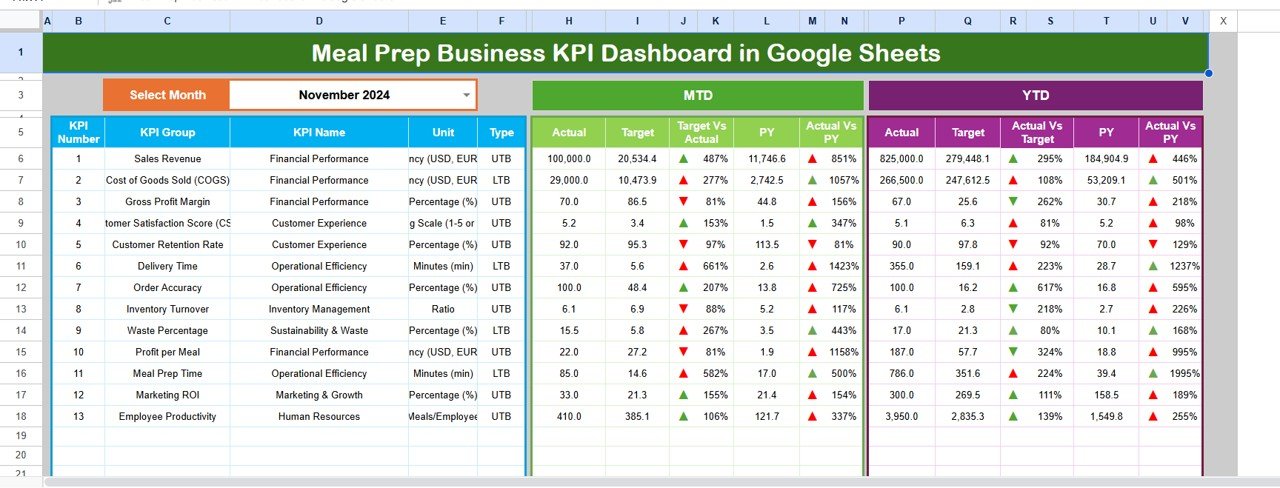
✅ 📅 MTD & YTD Analysis: Instantly view Month-to-Date (MTD) and Year-to-Date (YTD) actuals, targets, and previous year comparisons.
✅ 📈 Visual Trend Analysis: Beautiful charts and up/down arrows help you understand performance progress in seconds.
✅ 🎯 Goal Tracking: Compare actual vs. target performance across every KPI with color indicators.
✅ 🧠 Fully Automated Calculations: All formulas, charts, and metrics are pre-built — just input your data and see instant results.
✅ 🧩 100% Customizable: Add your own KPIs, formulas, and visuals without breaking the structure.
✅ 🌍 Cloud-Based Access: View, edit, and share in real time with your team anywhere in the world.
✅ 💰 Cost-Effective: No licenses or software fees — just Google Sheets.
📊 What’s Inside the Meal Prep Business KPI Dashboard in Google Sheets
This dashboard includes six smartly designed worksheets, each serving a unique purpose:
1️⃣ Dashboard Sheet Tab:
Your control center — displays MTD/YTD performance with comparative visuals and dropdown month selection.
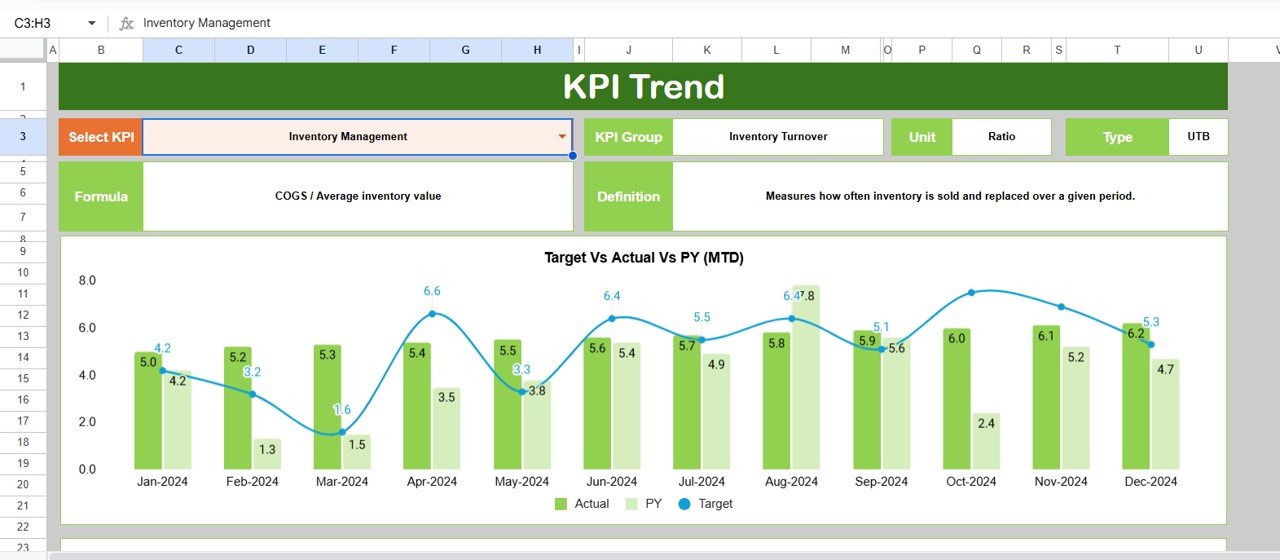
2️⃣ Trend Sheet Tab:
Analyze month-wise KPI performance using interactive charts and KPI details (Group, Unit, Formula, and Definition).
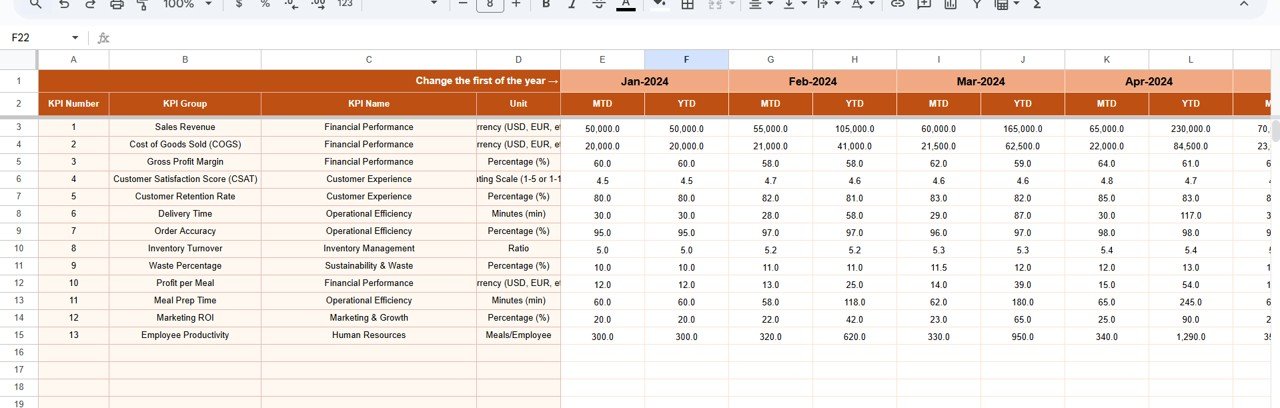
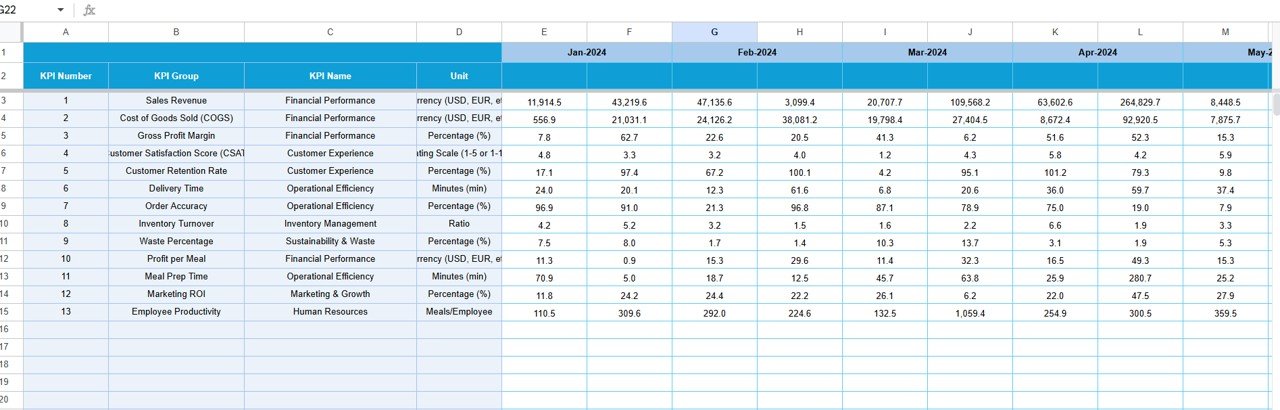
3️⃣ Actual Numbers Input Tab:
Enter real performance data. Once entered, all numbers automatically update across sheets.
4️⃣ Target Sheet Tab:
Set measurable monthly and yearly goals for each KPI to keep your business performance-driven.
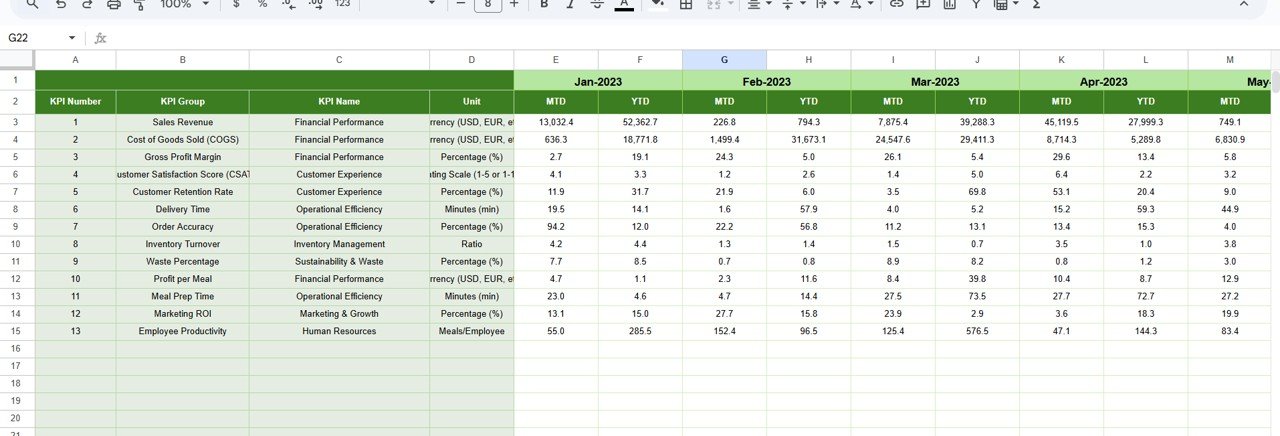
5️⃣ Previous Year Number Tab:
Record historical data to compare growth and performance trends over time.
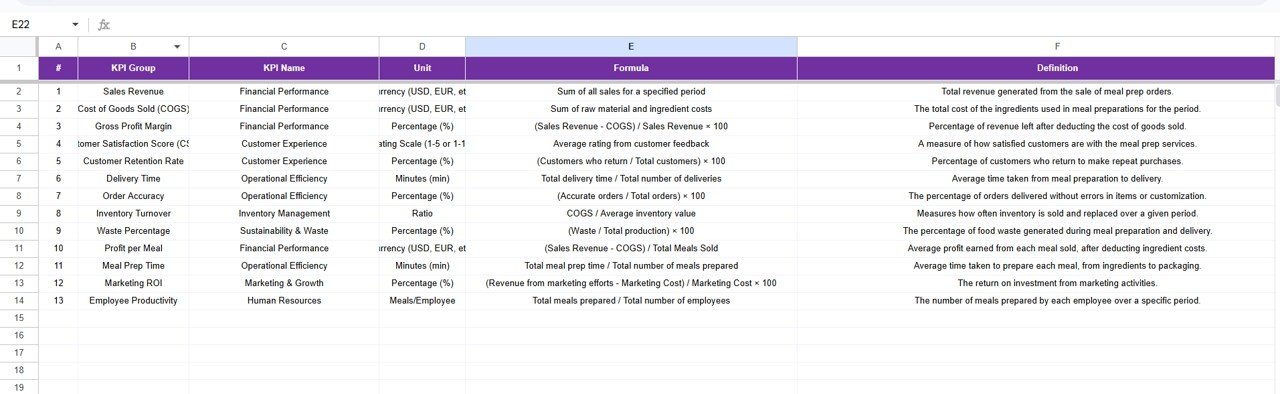
6️⃣ KPI Definition Sheet Tab:
Define every KPI with its group, unit, formula, and explanation for clarity and team alignment.
Each sheet is interconnected, so every change reflects across your entire dashboard automatically.
⚙️ How to Use the Meal Prep Business KPI Dashboard in Google Sheets
🪄 Getting started is simple — no coding, no setup hassle:
1️⃣ Download or Copy the template to your Google Drive.
2️⃣ Input Your Data: Enter actual, target, and previous year metrics in the respective sheets.
3️⃣ Select Month: Use the dropdown menu in the dashboard to view specific monthly results.
4️⃣ Customize KPIs: Add or rename KPIs, adjust formulas, or modify chart colors.
5️⃣ Share & Collaborate: Allow your team to view or edit data in real time.
6️⃣ Review Insights: Monitor underperforming KPIs and create action plans instantly.
💡 Within minutes, your business gains a complete performance snapshot — from marketing results to kitchen efficiency.
🎯 Who Can Benefit from This Meal Prep Business KPI Dashboard
👨🍳 Meal Prep Entrepreneurs: Track costs, deliveries, and customer growth easily.
🏢 Operations Managers: Identify inefficiencies, delays, and process gaps.
💼 Business Owners: Monitor company-wide performance and make quick, data-driven decisions.
📦 Logistics Teams: Optimize delivery schedules and routes.
📊 Finance Teams: Control budgets, margins, and cash flow effectively.
💡 Marketing Managers: Measure customer acquisition, retention, and campaign success.
👥 Startups and SMEs: Ideal for small teams needing an affordable, automated reporting system.
Click here to read the Detailed Blog Post
Watch the step-by-step video tutorial:
Visit our YouTube Channel to learn step-by-step video tutorials.
Compatibility and Requirements
- Works in Google Sheets. You need a free Google account and a web browser.
- You pick the month from a dropdown on the Dashboard sheet. Google explains dropdowns in Create an in-cell dropdown list.
Frequently Asked Questions
Which sheets are included?
Six sheets: Dashboard, Trend, Actual Numbers, Target, Previous Year Number and KPI Definition.
How do I update the dashboard?
Enter your actual figures in the Actual Numbers sheet and your goals in the Target sheet. Then select a month from the dropdown on the Dashboard sheet and the results update.
Does it show month-to-date and year-to-date results?
Yes. The Dashboard sheet shows MTD and YTD actuals, targets and previous year figures, with up and down arrows and color indicators.
Can I add my own KPIs?
Yes. You can add or rename KPIs, adjust formulas and change chart colors. The KPI Definition sheet lists the group, unit, formula and definition of each KPI.
Is there an Excel version?
Yes. See the Meal Prep Business KPI Dashboard in Excel and the Meal Prep Business KPI Scorecard in Excel.
Related Meal Prep and KPI Templates
- Meal Prep Business KPI Dashboard in Excel: the same dashboard in Excel
- Meal Prep & Batch Cooking Tracker in Google Sheets: a tracker for batch cooking
- Weekly Meal Prep Checklist in Google Sheets: a weekly prep checklist
- SaaS Business KPI Dashboard in Google Sheets: another business KPI dashboard in Google Sheets
- Small Business Owner Essentials: 12 templates for owners in one download
Browse all Google Sheets KPI dashboards.
















Reviews
There are no reviews yet.