In today’s data-driven policy environment, think tanks must manage research programs, funding utilization, publications, regional activities, and policy impact simultaneously. However, when information is spread across multiple spreadsheets and manual reports, organizations struggle to gain clear insights and make timely strategic decisions.
The Think Tanks Dashboard in Power BI provides a modern, centralized analytics solution that transforms complex research data into interactive visual intelligence. Instead of compiling reports manually, decision-makers can monitor performance instantly through dynamic dashboards, KPI visuals, and real-time analytics.
This ready-to-use Power BI dashboard helps research organizations improve transparency, optimize funding strategies, and strengthen policy outcomes using structured data visualization.
⭐ Key Feature of Think Tanks Dashboard in Power BI
📊 Centralized Research Analytics – Monitor funding, publications, regions, and policy impact in one platform.
⚡ Interactive Power BI Visuals – Dynamic charts update instantly with slicer selections.
🎯 Executive KPI Cards – Get quick organizational performance summaries.
🌍 Regional Performance Analysis – Compare research output across locations.
💰 Funding Source Insights – Evaluate funding effectiveness and allocation impact.
📚 Research Area Tracking – Identify high-impact policy domains.
📅 Monthly Trend Monitoring – Analyze performance changes over time.
🔄 Automatic Data Refresh – Always work with updated analytics.
📂 What’s Inside the Think Tanks Dashboard in Power BI
The dashboard includes five powerful analytical pages, each designed to answer critical organizational questions.
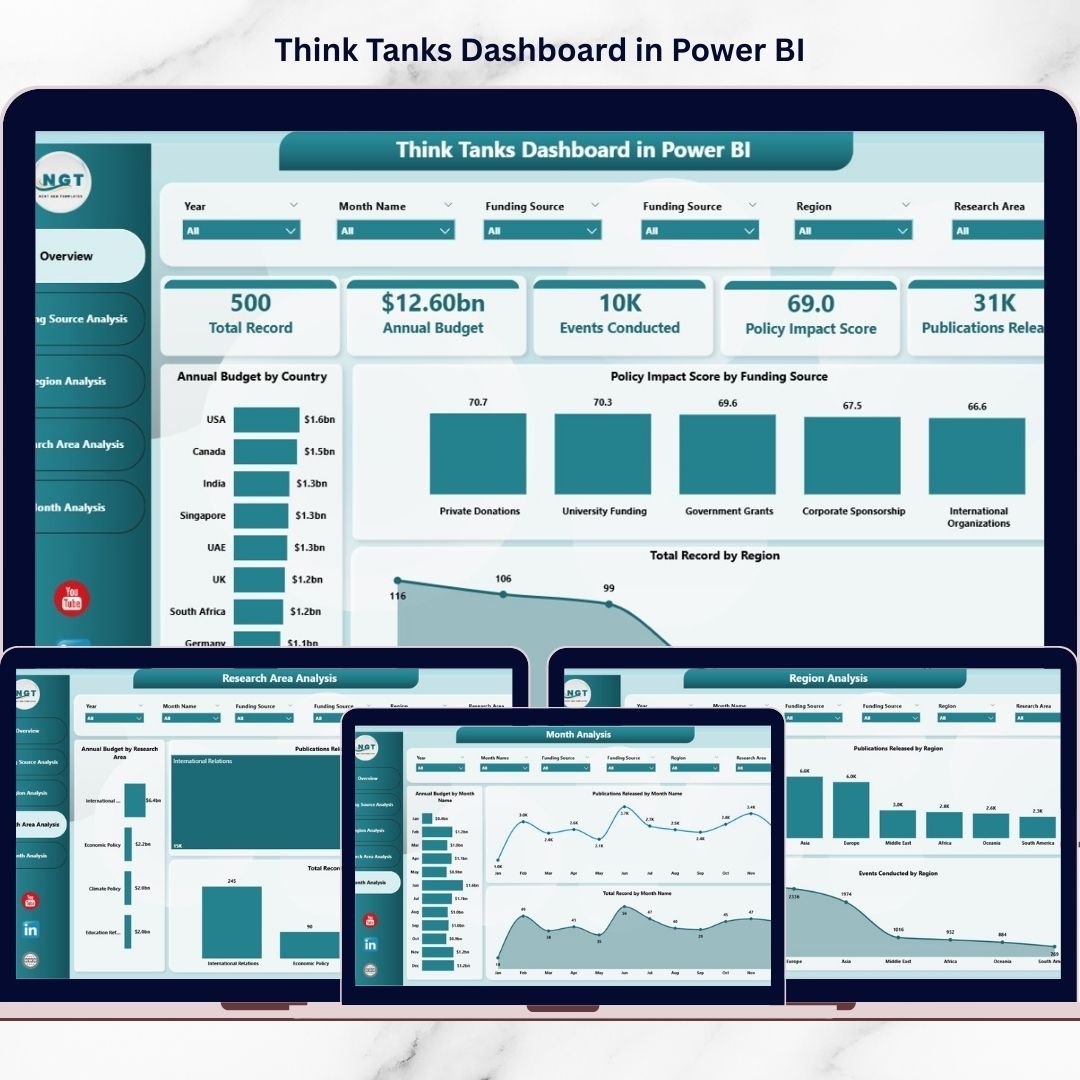
🏠 Overview Page – Organizational Performance Snapshot
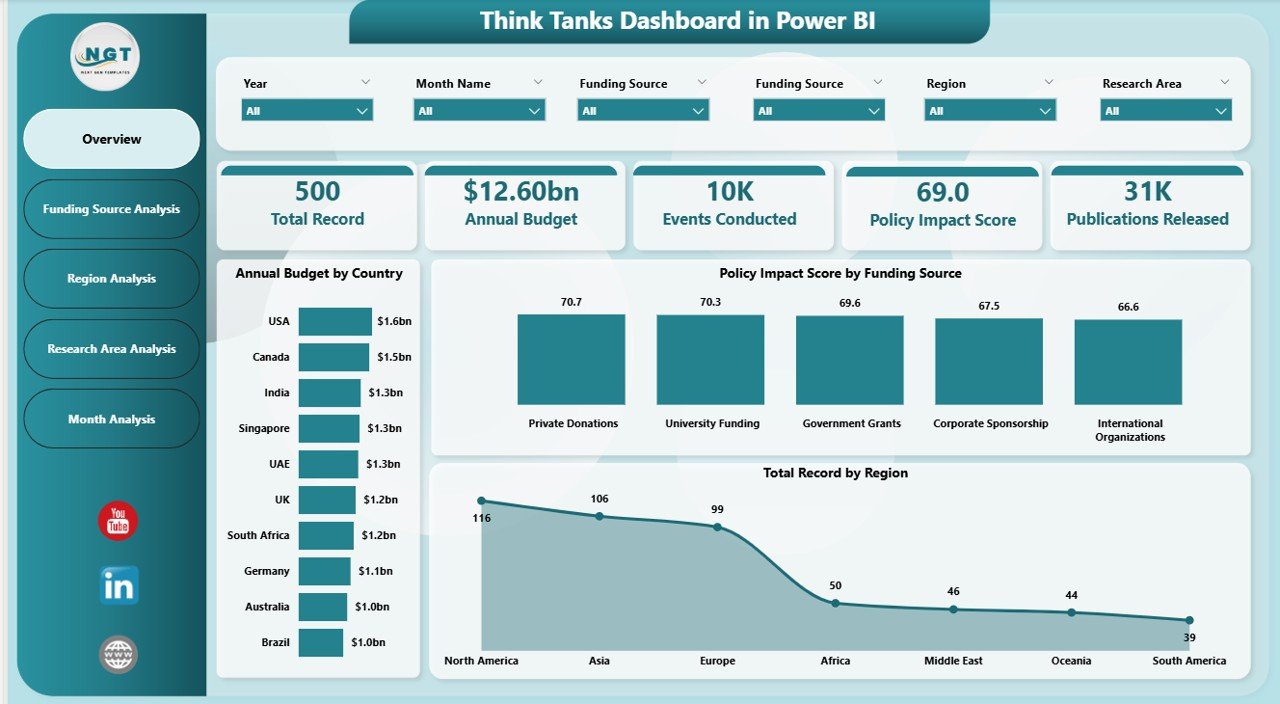
The Overview Page acts as the central command center for leadership.
Main Components
-
Interactive slicers for filtering data
-
KPI performance cards
-
High-level analytical visuals
Key Visuals
-
Annual Budget by Country
-
Policy Impact Score by Funding Source
-
Total Records by Region
-
Performance summary indicators
This page enables executives to understand performance instantly without reviewing multiple reports.
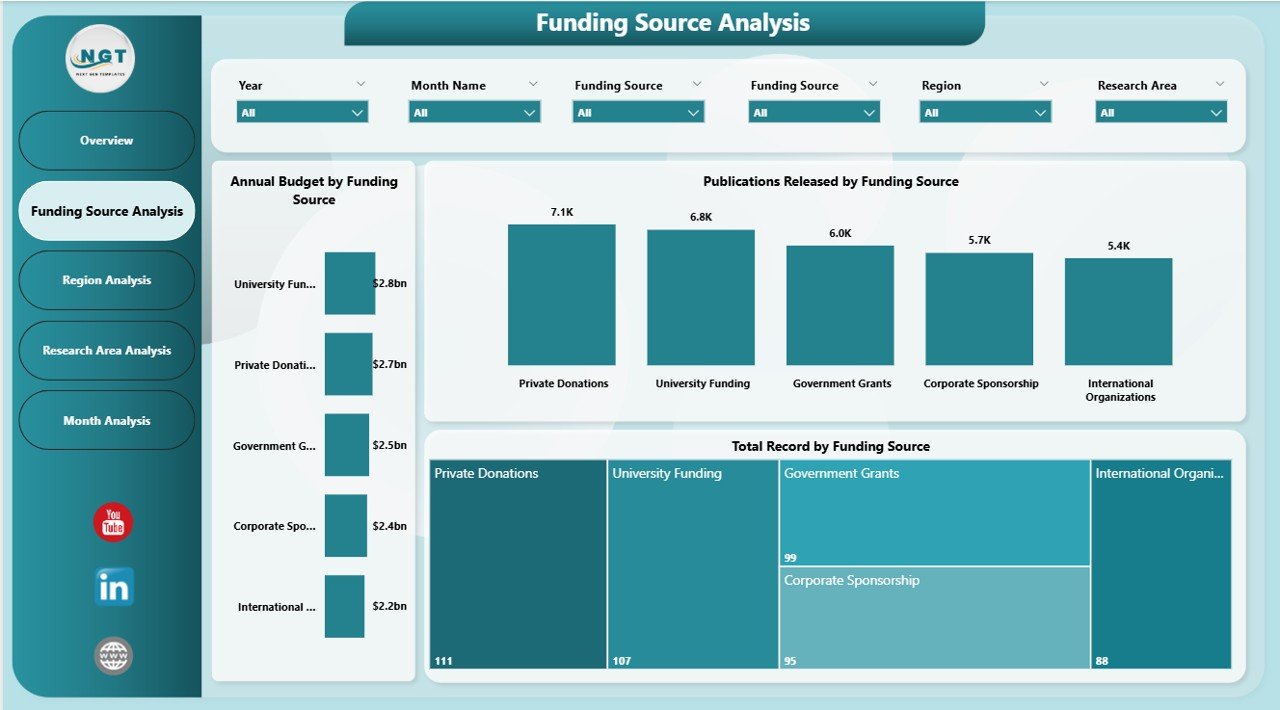
💰 Funding Source Analysis – Funding Effectiveness Insights
Funding drives research output and policy influence. This page evaluates funding performance clearly.
Charts Included
-
Annual Budget by Funding Source
-
Total Records by Funding Source
-
Publications Released by Funding Source
Insights Generated
-
Which funding sources drive results
-
Relationship between funding and publications
-
Donor effectiveness analysis
Organizations can optimize funding strategies using data-backed insights.
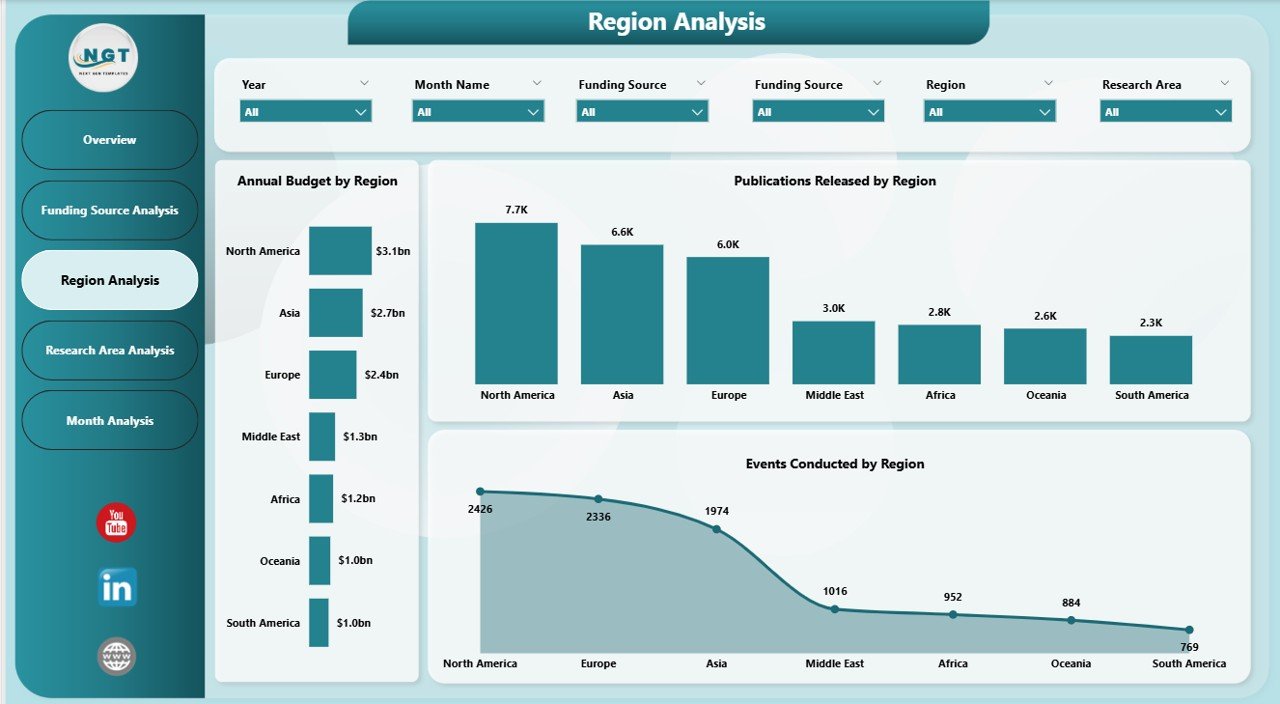
🌍 Region Analysis – Geographic Performance Evaluation
Designed for organizations operating across multiple regions.
Key Charts
-
Annual Budget by Region
-
Events Conducted by Region
-
Publications Released by Region
Benefits
-
Identify high-performing regions
-
Compare research productivity geographically
-
Improve regional investment planning
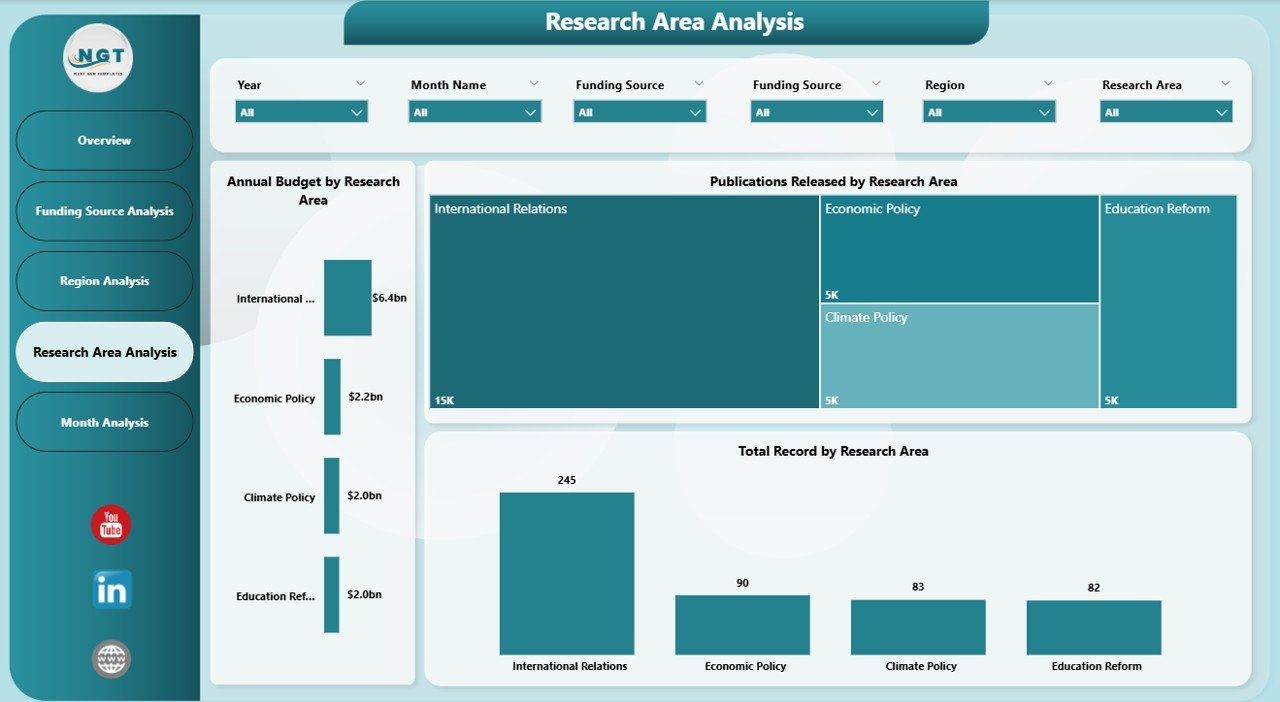
🧠 Research Area Analysis – Policy Topic Performance
Research domains determine strategic direction. This page evaluates performance by research area.
Visuals Included
-
Annual Budget by Research Area
-
Total Records by Research Area
-
Publications Released by Research Area
Insights
-
Most impactful research topics
-
Funding distribution by domain
-
Publication productivity trends
Leadership can prioritize initiatives that create measurable policy influence.
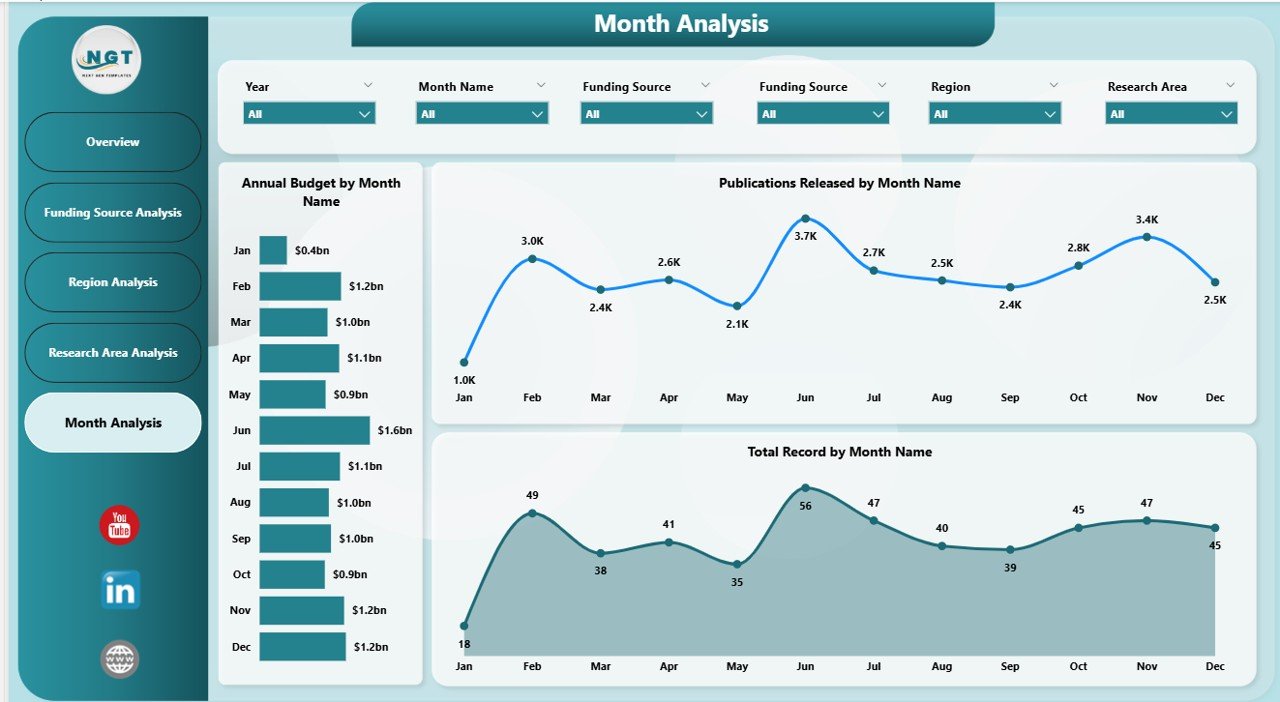
📅 Month Analysis – Time-Based Performance Trends
Trend analysis helps forecast organizational performance.
Charts Included
-
Annual Budget by Month
-
Total Records by Month
-
Publications Released by Month
What You Learn
-
Seasonal research activity patterns
-
Publication cycles
-
Monthly funding behavior
This analysis supports better planning and forecasting.
🗂 Data Requirements
The dashboard works using structured datasets such as:
-
Country
-
Region
-
Funding Source
-
Research Area
-
Publication Count
-
Event Details
-
Budget Allocation
-
Policy Impact Score
-
Month / Date
Once connected, Power BI automatically generates interactive analytics.
🚀 How to Use the Think Tanks Dashboard in Power BI
1️⃣ Import structured datasets into Power BI
2️⃣ Validate relationships between tables
3️⃣ Refresh data connections
4️⃣ Apply slicers for analysis
5️⃣ Review insights across analytical pages
6️⃣ Take data-driven strategic actions
👥 Who Can Benefit from This Dashboard
-
Policy Research Organizations
-
Non-Profit Think Tanks
-
Government Advisory Bodies
-
Academic Research Institutes
-
International Development Agencies
-
Strategy & Policy Consultants
Both technical and non-technical users can easily operate the dashboard.
✅ Advantages of Think Tanks Dashboard in Power BI
📊 Unified performance monitoring
⚡ Faster executive decision-making
🔍 Interactive data exploration
💰 Improved funding transparency
📈 Better research accountability
🔄 Real-time analytics visibility
🌐 Scalable enterprise-level reporting
💡 Best Practices for Maximum Value
-
Define clear KPIs (publications, funding utilization, policy impact)
-
Maintain clean and standardized datasets
-
Use consistent naming conventions
-
Avoid overcrowded visuals
-
Schedule regular data refresh cycles
-
Focus dashboards on storytelling insights
🧠 How This Dashboard Improves Research Management
With automated analytics:
-
Analysts update data once
-
Visuals refresh automatically
-
Leadership reviews insights instantly
-
Stakeholders access shared dashboards
As a result, teams spend less time reporting and more time influencing policy outcomes.
🏁 Conclusion
The Think Tanks Dashboard in Power BI transforms research management by converting complex datasets into actionable intelligence. Instead of relying on manual reporting, organizations gain a centralized analytical environment that tracks funding, publications, regional performance, and policy impact in real time.
With its structured five-page design — Overview, Funding Source Analysis, Region Analysis, Research Area Analysis, and Month Analysis — leaders gain complete organizational visibility.
Ultimately, this dashboard empowers think tanks to make faster, smarter, and more transparent policy decisions using data-driven insights.
### Click hare to read the Detailed blog post
Visit our YouTube channel to learn step-by-step video tutorials
👉 Youtube.com/@PKAnExcelExpert