


Telehealth has reshaped healthcare delivery by making consultations faster, more accessible, and more convenient for patients. Telehealth KPI Scorecard in Excel However, managing telehealth operations without structured performance tracking often leads to missed insights, declining service quality, and inefficient use of clinical resources. Many healthcare organizations still rely on disconnected reports and manual tracking, which makes decision-making reactive instead of proactive.
That is exactly why the Telehealth KPI Scorecard in Excel becomes a powerful and practical management solution 📊💻.
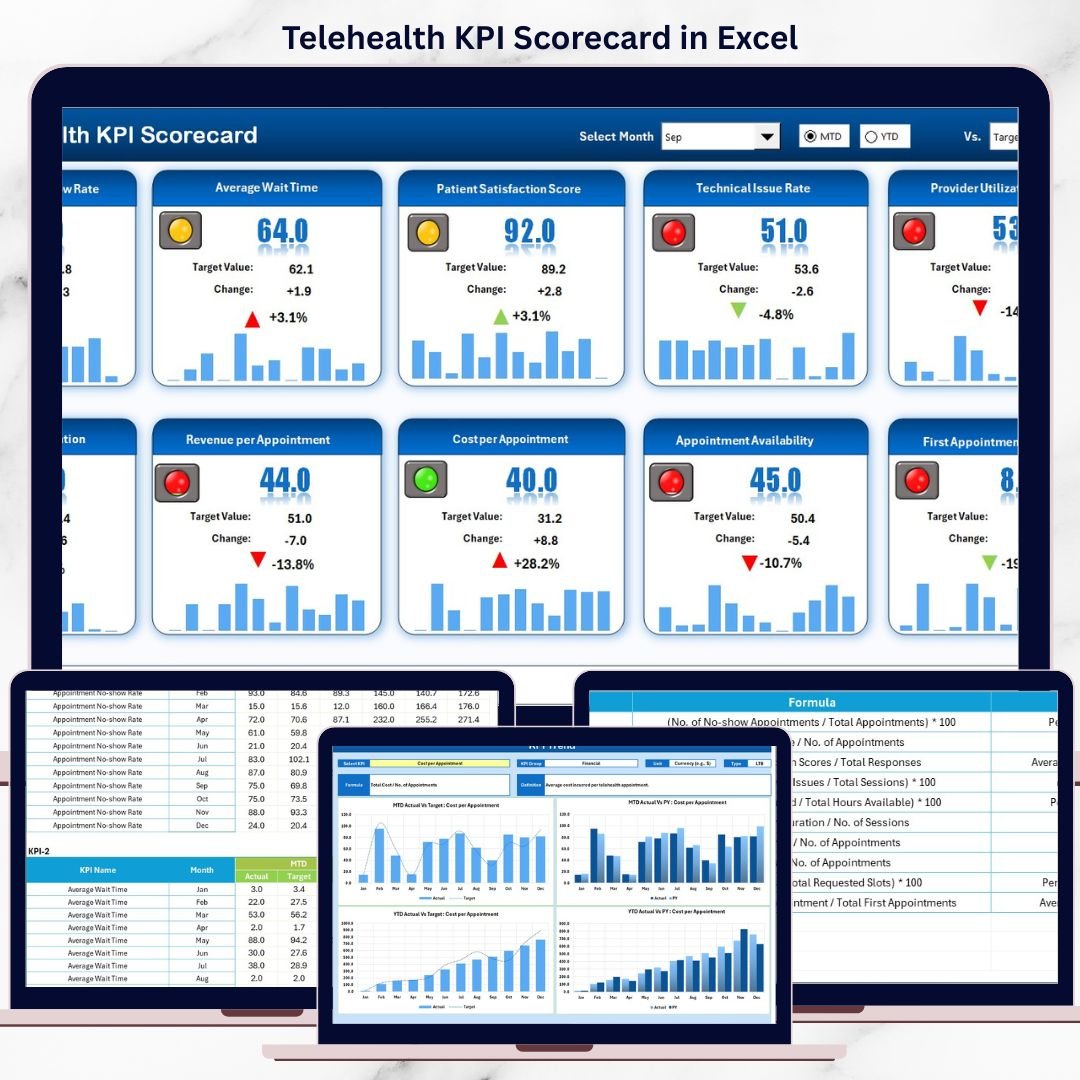
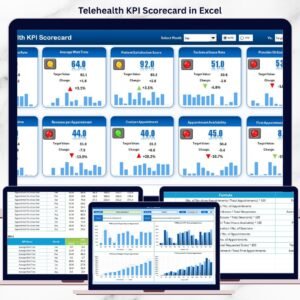
Telehealth KPI Scorecard in Excel This ready-to-use Excel scorecard transforms raw telehealth data into clear, visual, and actionable insights. Instead of reviewing multiple reports, healthcare leaders can track Month-to-Date (MTD) and Year-to-Date (YTD) performance from one centralized scorecard. Because the solution is built entirely in Microsoft Excel, it remains easy to use, flexible, and cost-effective—without requiring complex systems or advanced technical skills.
Designed for clinics, hospitals, and telehealth providers, this scorecard helps organizations move from reactive issue handling to proactive performance management.
⭐ Key Features of Telehealth KPI Scorecard in Excel
📊 Centralized KPI Monitoring
Track all telehealth performance metrics in one structured scorecard.
📅 MTD & YTD Performance Views
Analyze short-term activity and long-term performance side by side.
🎯 Actual vs Target Comparison
Instantly see whether telehealth KPIs meet expectations.
📈 Trend Analysis with Charts
Visualize performance patterns and detect issues early.
🧭 User-Friendly Excel Design
No advanced Excel skills required—simple and intuitive layout.
🧩 Customizable KPI Structure
Easily add, remove, or modify KPIs as telehealth services evolve.
📦 What’s Inside the Telehealth KPI Scorecard in Excel
This professionally designed Excel workbook includes four well-organized worksheets, each serving a specific purpose:
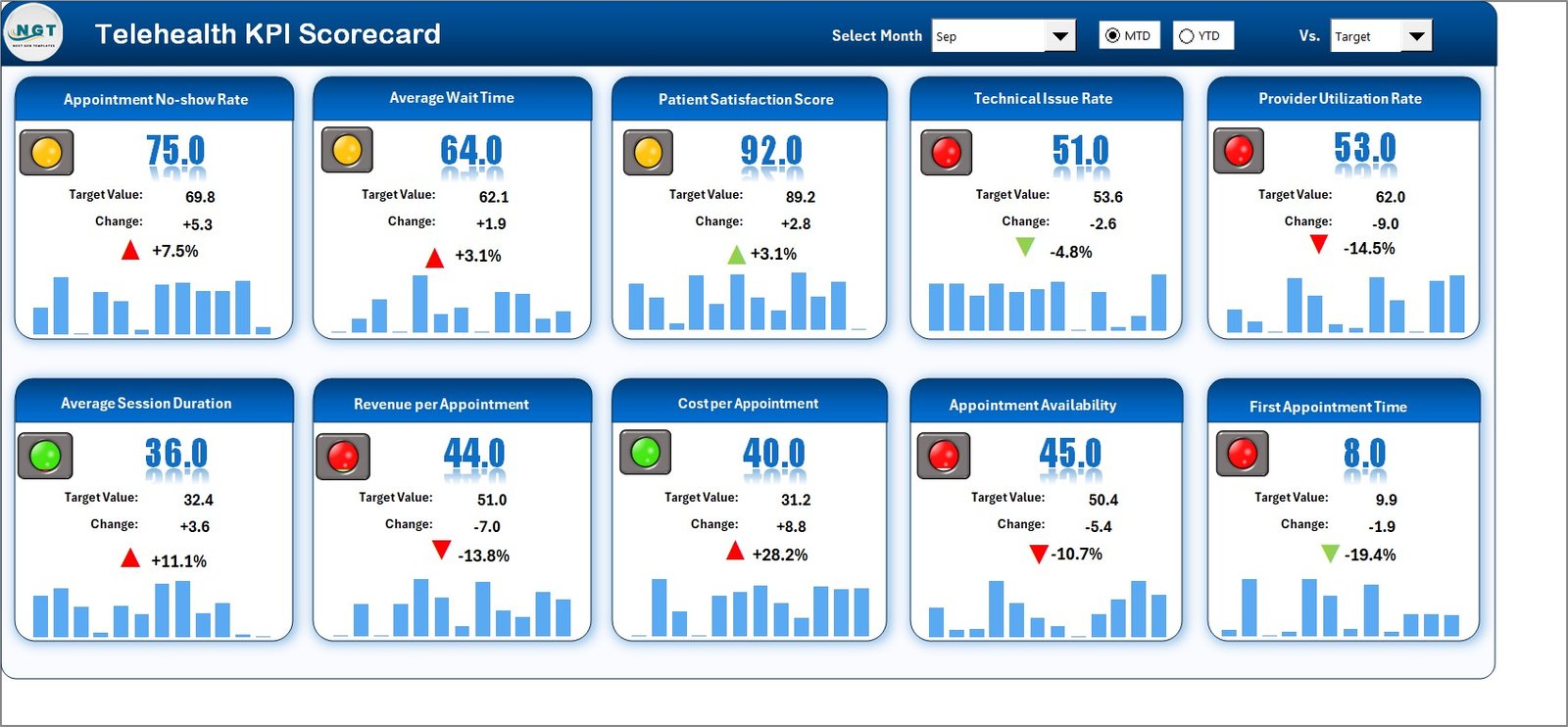
📊 Scorecard Sheet
The main performance view that displays:
-
Month selection option
-
Toggle between MTD and YTD views
-
Actual vs Target KPI values
-
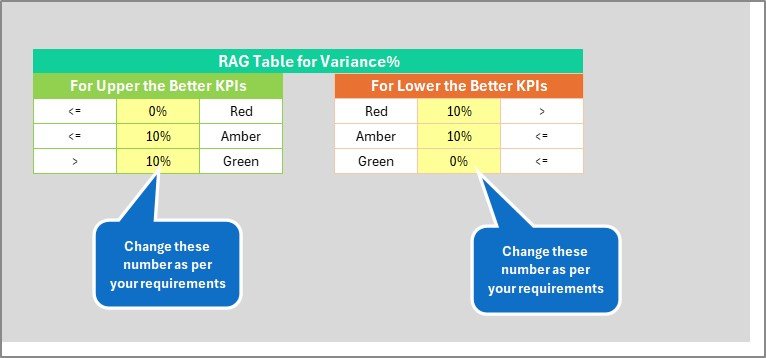
Color-coded indicators and conditional formatting for quick interpretation
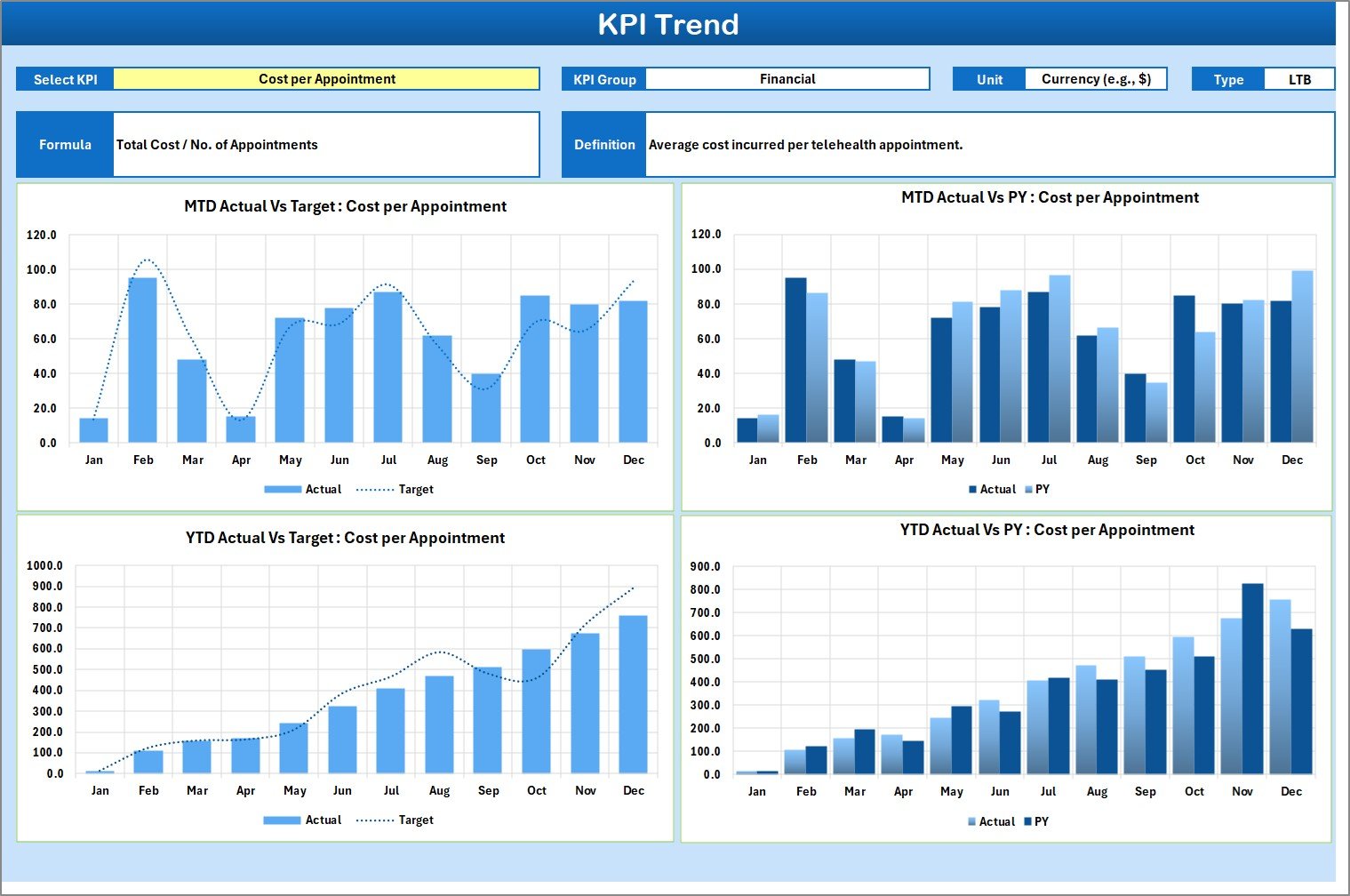
📈 KPI Trend Sheet
Supports deep KPI analysis with:
-
KPI selection drop-down
-
KPI group, unit, type (LTB/UTB), formula, and definition
-
MTD and YTD trend charts comparing Actual, Target, and Previous Year values
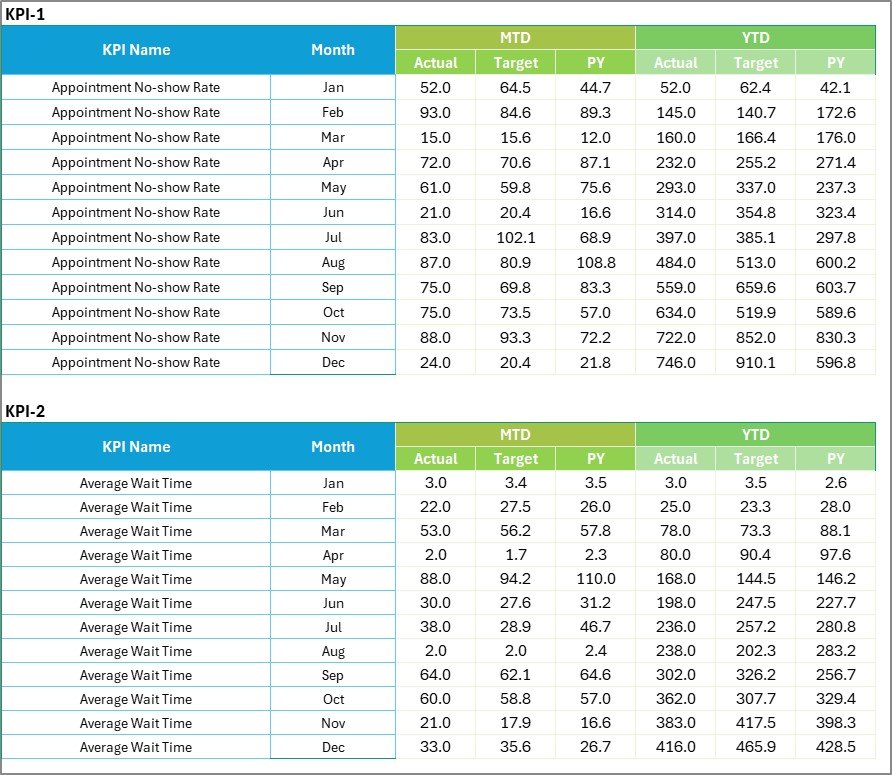
📝 Input Data Sheet
The central data entry point where users input:
-
Monthly Actual values
-
Monthly Target values
-
Structured KPI data for accurate calculations
📘 KPI Definition Sheet
Acts as a reference guide containing:
-
KPI Name
-
KPI Group
-
Unit of measurement
-
KPI Formula
-
KPI Definition
This structure ensures clarity, consistency, and transparency across teams.
🛠️ How to Use the Telehealth KPI Scorecard in Excel
Using the scorecard is simple and efficient:
1️⃣ Enter telehealth Actual and Target data in the Input Data sheet
2️⃣ Select the reporting month
3️⃣ Choose MTD or YTD view
4️⃣ Review KPI performance and visual indicators
5️⃣ Analyze trends and take action
Because calculations and visuals update automatically, teams save time and reduce reporting errors.
👥 Who Can Benefit from This Telehealth KPI Scorecard in Excel
This scorecard is ideal for:
🩺 Telehealth Program Managers
🏥 Healthcare Administrators
📋 Clinical Operations Teams
📊 Quality & Compliance Teams
🧠 Hospital Leadership
📈 Healthcare Analysts
Whether managing a small clinic or a large healthcare network, this scorecard adapts to your operational needs.


















Reviews
There are no reviews yet.