

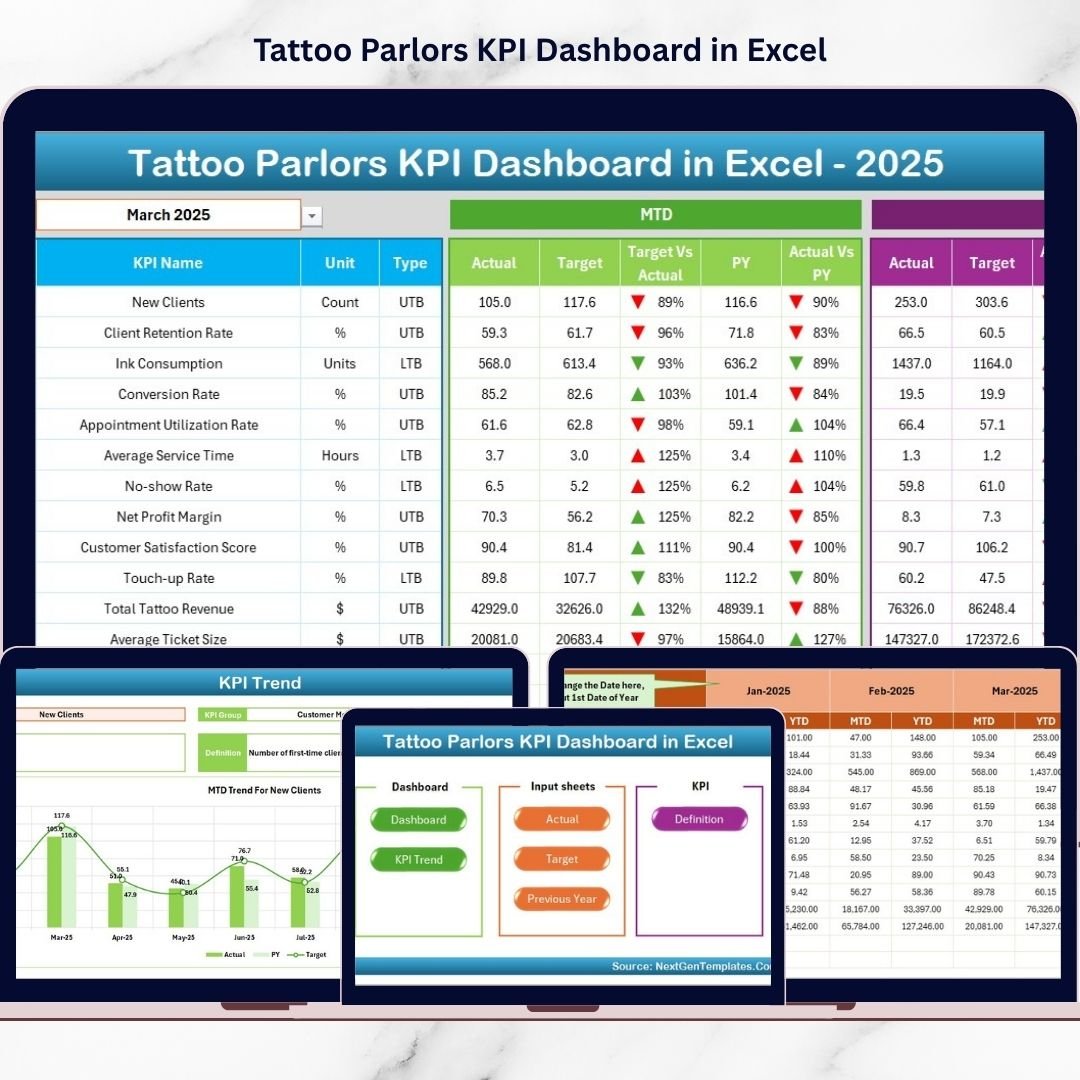
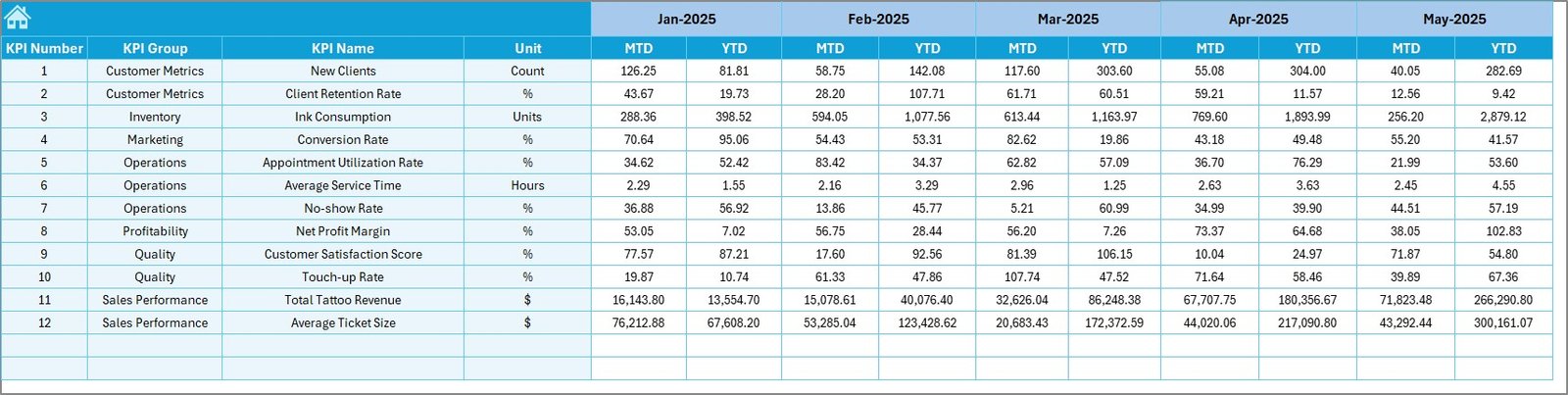
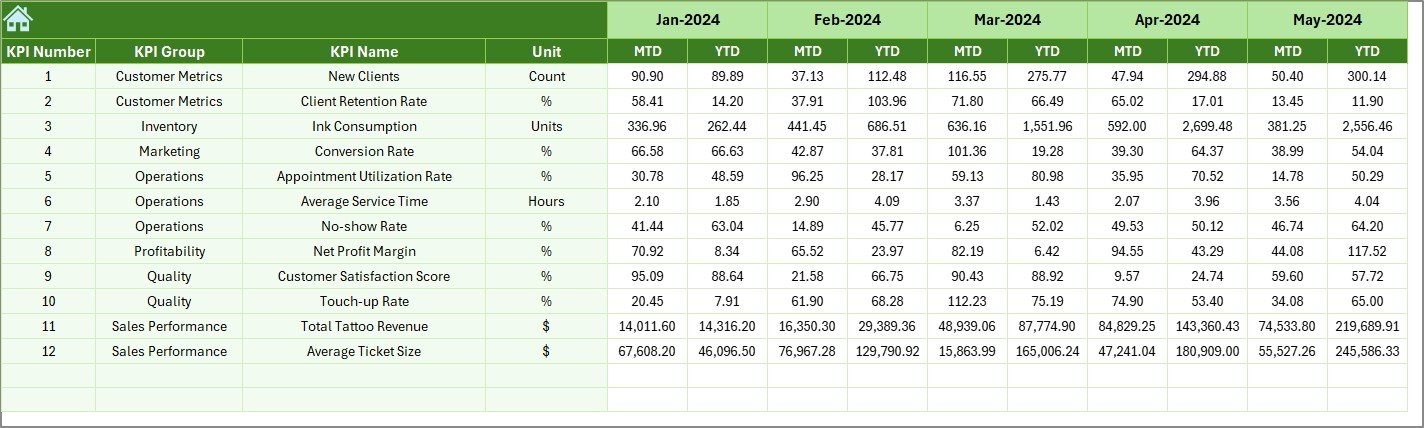
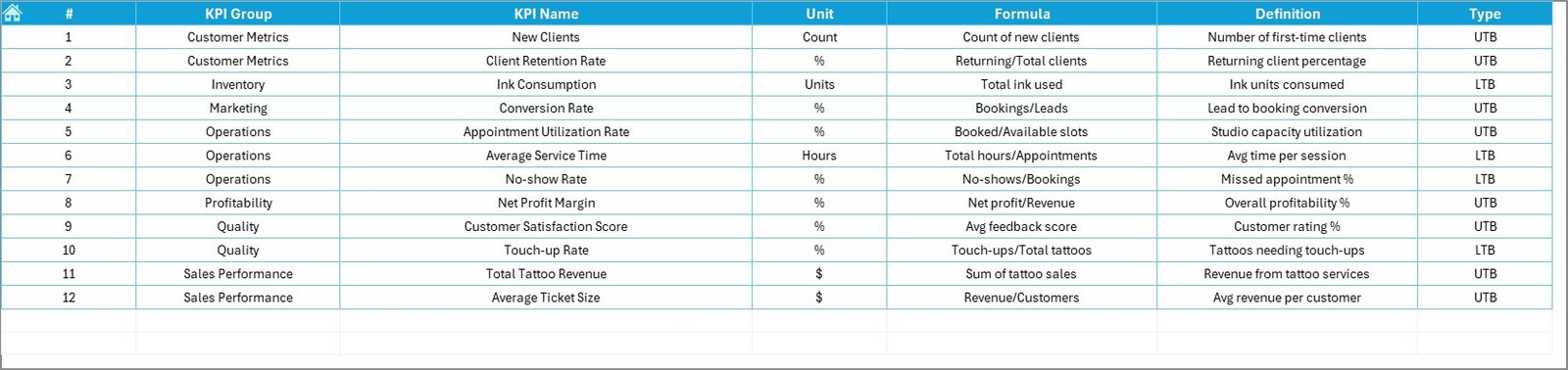
Running a successful Tattoo Parlors KPI Dashboard more than artistic talent — it requires clear visibility into revenue, appointments, customer behavior, and artist productivity. However, many tattoo parlors still rely on scattered spreadsheets or manual records. As a result, owners struggle to see the complete business picture and often make decisions based on guesswork.
That’s why we created the Tattoo Parlors KPI Dashboard in Excel — a powerful, ready-to-use performance management tool designed specifically for tattoo businesses.
This professional Excel dashboard transforms your raw studio data into meaningful, visual insights. With real-time KPI tracking, automated comparisons, and smart conditional formatting, you can instantly understand what’s working and what needs attention. Therefore, you gain clarity, control, and confidence to grow your tattoo business faster.
Whether you run a single studio or multiple branches, this dashboard helps you manage operations like a true data-driven business.
🔑 Key Feature of Tattoo Parlors KPI Dashboard in Excel
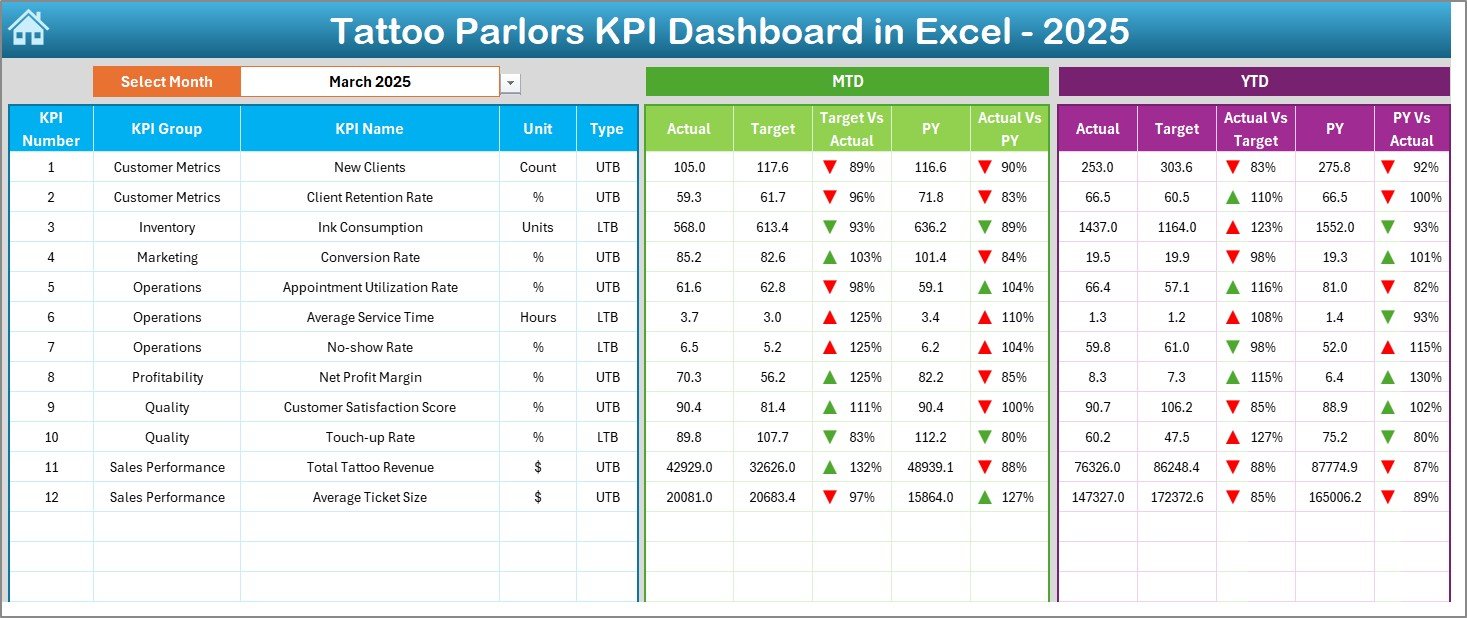
✨ Dynamic Executive Dashboard
Monitor all KPIs in one consolidated view with automatic updates and visual indicators.
📊 Smart Month Selector (Cell D3)
Switch months instantly and watch the entire dashboard refresh automatically.
🎯 MTD & YTD Performance Tracking
Compare Actual vs Target vs Previous Year with powerful variance analysis.
📈 Conditional Formatting Intelligence
Traffic lights, up/down arrows, and color coding highlight performance gaps instantly.
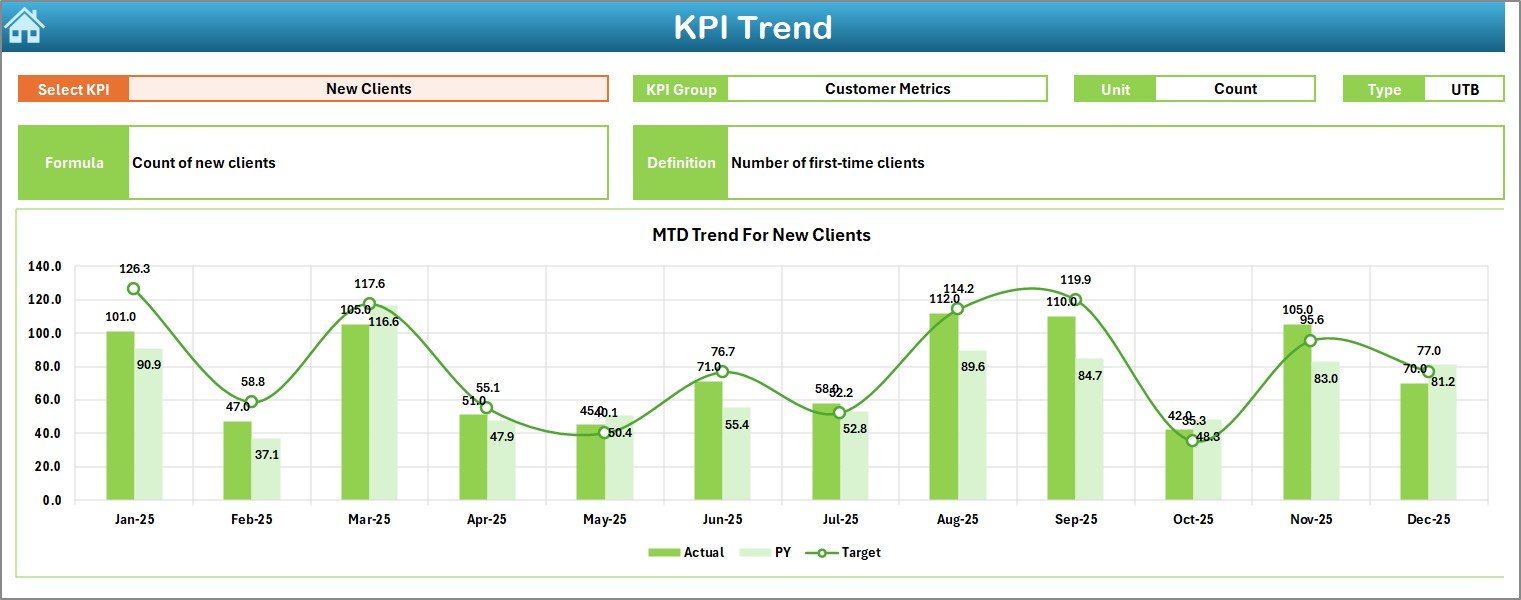
🔍 KPI Trend Deep Dive
Analyze any KPI using dynamic dropdown selection in the Trend sheet.
🧭 User-Friendly Home Navigation
Six clickable buttons allow smooth movement across worksheets.
⚡ Fully Automated Calculations
Minimal manual work — the template handles complex calculations automatically.
🧩 100% Excel-Based Solution
No advanced tools required — works smoothly in Microsoft Excel.
📦 What’s Inside the Tattoo Parlors KPI Dashboard in Excel
This template includes 7 professionally structured worksheets to give you complete analytical control.
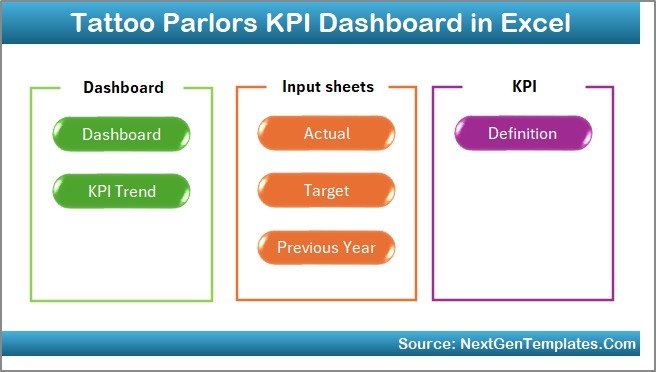
✔️ Home Sheet (Navigation Hub)
✔️ Dashboard Sheet (Main KPI Overview)
✔️ KPI Trend Sheet (Detailed Analysis)
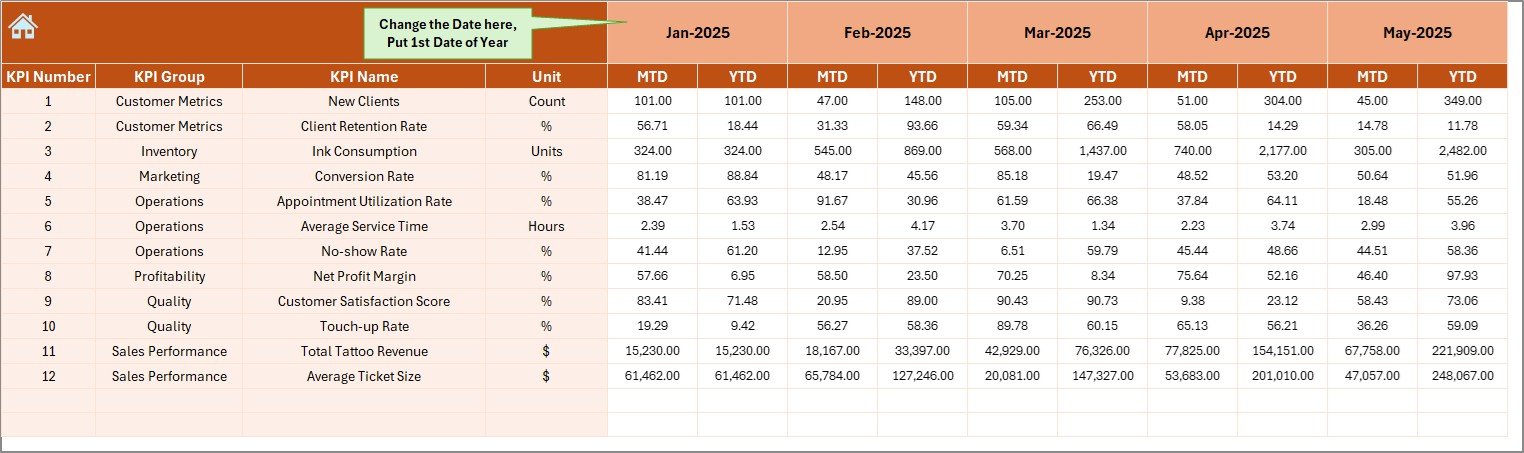
✔️ Actual Numbers Input Sheet
✔️ Target Sheet
✔️ Previous Year Numbers Sheet
✔️ KPI Definition Sheet
Everything is pre-configured so you can start tracking performance immediately.
🛠️ How to Use the Tattoo Parlors KPI Dashboard in Excel
Getting started is quick and beginner-friendly.
Step 1: Download and open the Excel file
Step 2: Enter your actual data in the Actual Numbers sheet
Step 3: Update targets and previous year data
Step 4: Select the month from cell D3
Step 5: Review KPI performance and trends
Within minutes, your tattoo studio will have a professional performance command center.
🎯 Who Can Benefit from This Tattoo Parlors KPI Dashboard in Excel
This dashboard is ideal for tattoo businesses that want structured performance monitoring.
✅ Tattoo Studio Owners
✅ Multi-Branch Tattoo Businesses
✅ Studio Managers
✅ Operations Teams
✅ Franchise Operators
✅ Business Consultants
If you want to scale your tattoo business with data-driven decisions, this tool is essential.
Why This Dashboard Is a Game-Changer
Unlike manual tracking methods, this dashboard provides:
✔️ Complete studio visibility
✔️ Real-time KPI monitoring
✔️ Automated variance analysis
✔️ Artist productivity tracking
✔️ Customer retention insights
✔️ Faster monthly reviews
As a result, your studio moves from guesswork to precision management.
### Click hare to read the Detailed blog post
📺 Visit our YouTube channel to learn step-by-step video tutorials
👉 Youtube.com/@PKAnExcelExpert






























