
Customer renewals are the backbone of every successful SaaS business. While acquiring new customers is important, long-term growth depends on how effectively you retain, renew, and expand existing subscriptions. Unfortunately, many SaaS teams still track renewals through scattered spreadsheets, CRM exports, and manual reports. This lack of structure hides churn risks, delays renewals, and causes revenue leakage.SaaS Renewal KPI Dashboard in Google Sheets
The SaaS Renewal KPI Dashboard in Google Sheets solves this problem by giving revenue teams complete visibility into renewal performance. This ready-to-use dashboard tracks renewal rates, churn signals, revenue retention, customer health, and year-over-year trends in one centralized Google Sheets file.
Because it runs in Google Sheets, it stays simple, flexible, collaborative, and easy to maintain—without depending on costly BI tools or complex systems.
✅ Key Features of the SaaS Renewal KPI Dashboard
🔹 MTD & YTD Renewal Performance Tracking
🔹 Target vs Actual Renewal Analysis
🔹 Year-over-Year (YoY) Benchmarking
🔹 KPI Trend Analysis with Visual Charts
🔹 Clearly Defined SaaS Renewal KPIs
🔹 UTB / LTB Performance Indicators
🔹 Fully Automated Calculations
🔹 100% Built in Google Sheets
This dashboard turns renewal data into clear, actionable insights for sales, customer success, and leadership teams.
📂 What’s Inside the SaaS Renewal KPI Dashboard
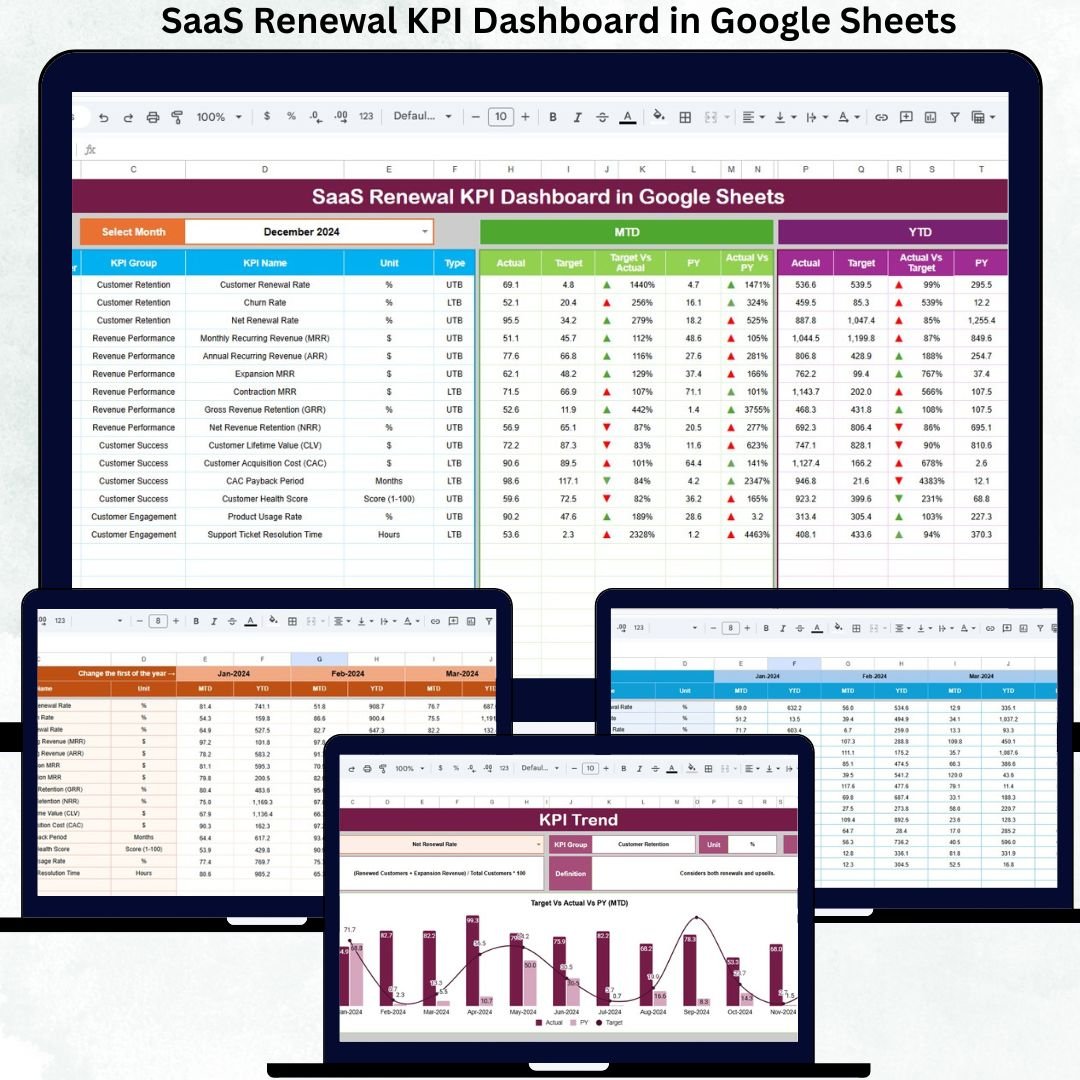
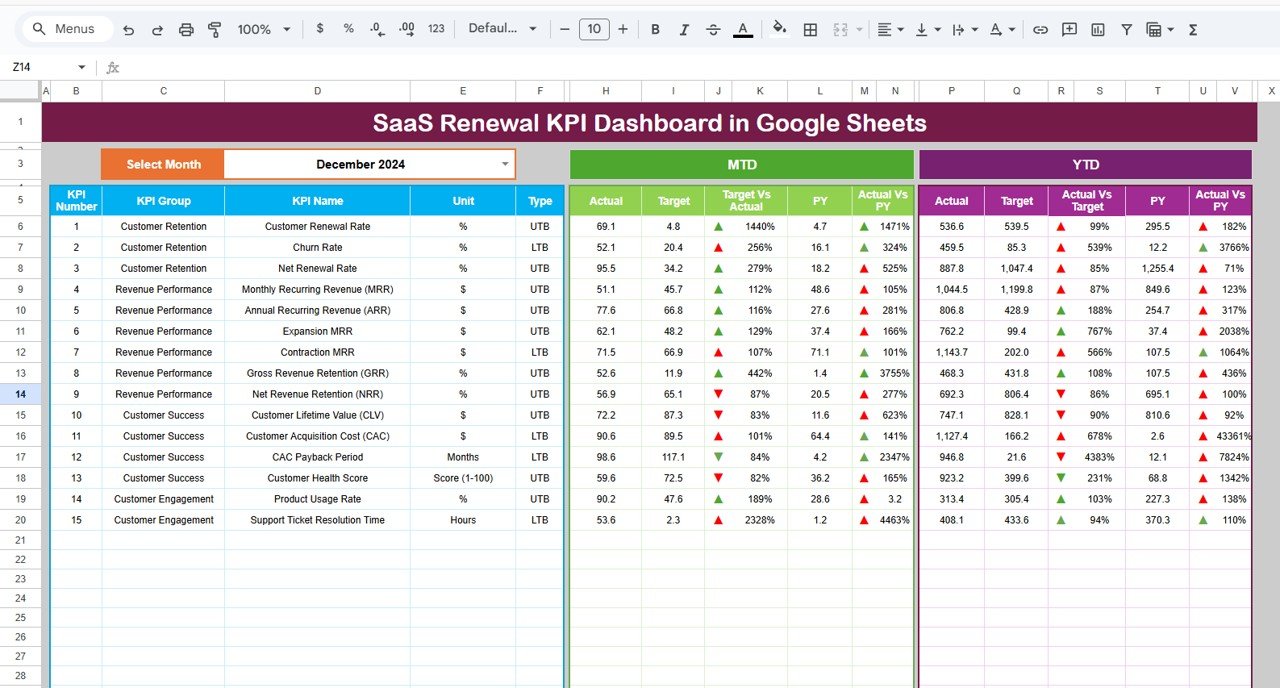
📊 Dashboard Sheet Tab – Renewal Control Center
This is the main executive dashboard.
👉 Select the Month from the dropdown in cell D3, and all KPIs update automatically.
MTD Section Shows:
• Actual
• Target
• Previous Year
• Target vs Actual
• PY vs Actual
YTD Section Shows:
• Actual
• Target
• Previous Year
• Target vs Actual
• PY vs Actual
📈 Up & Down arrows clearly indicate whether performance is improving or declining based on KPI logic (Upper the Better / Lower the Better).
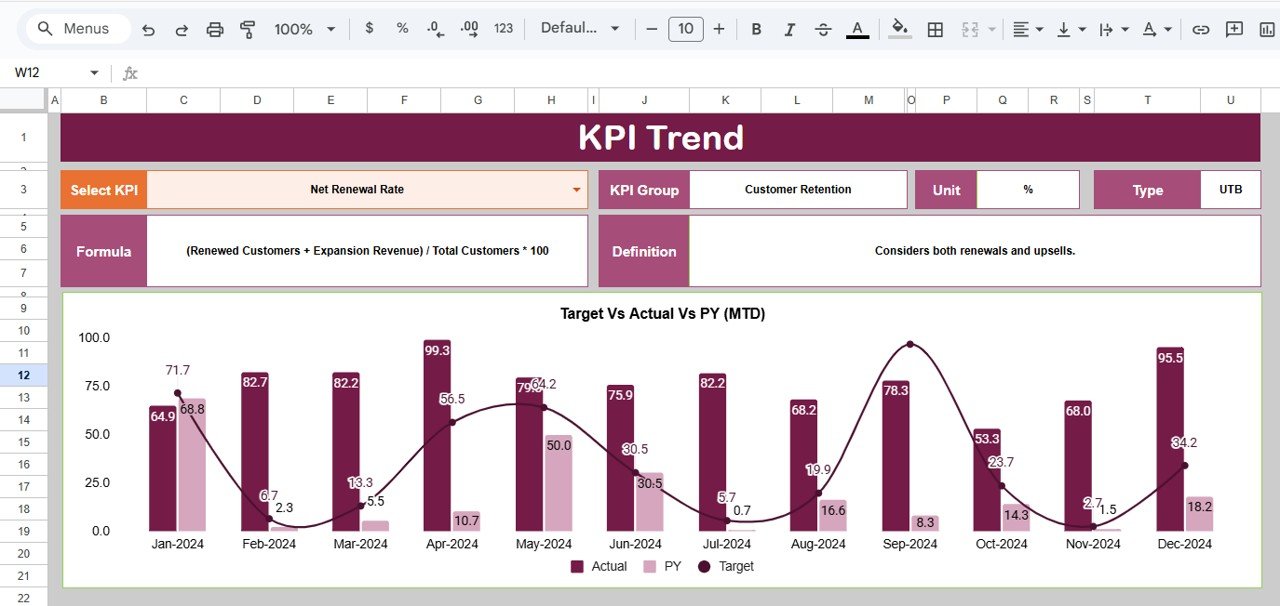
📈 KPI Trend Sheet Tab – KPI Transparency & Trends
Select any KPI from the dropdown in cell C3 to view:
• KPI Group
• KPI Unit
• KPI Type (UTB / LTB)
• KPI Formula
• KPI Definition
A dynamic month-wise trend chart shows how renewal performance is moving over time—helping teams detect churn risk early.
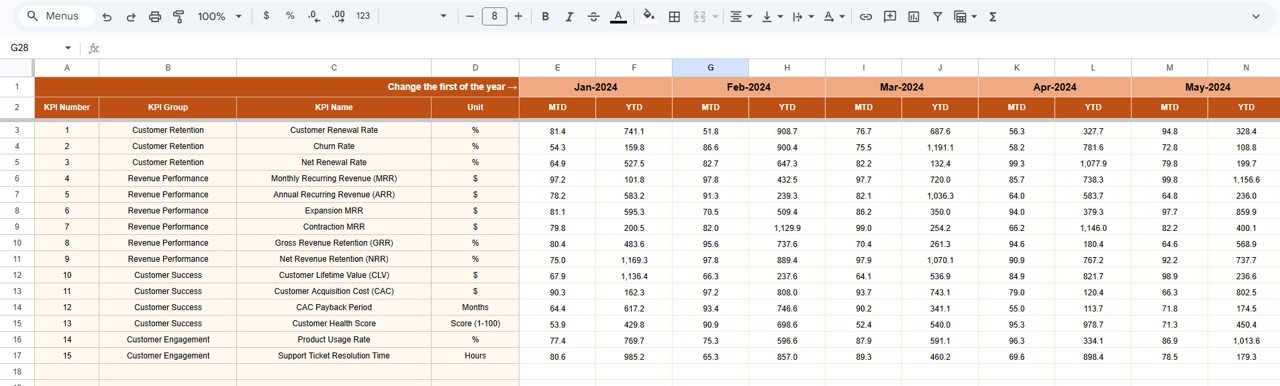
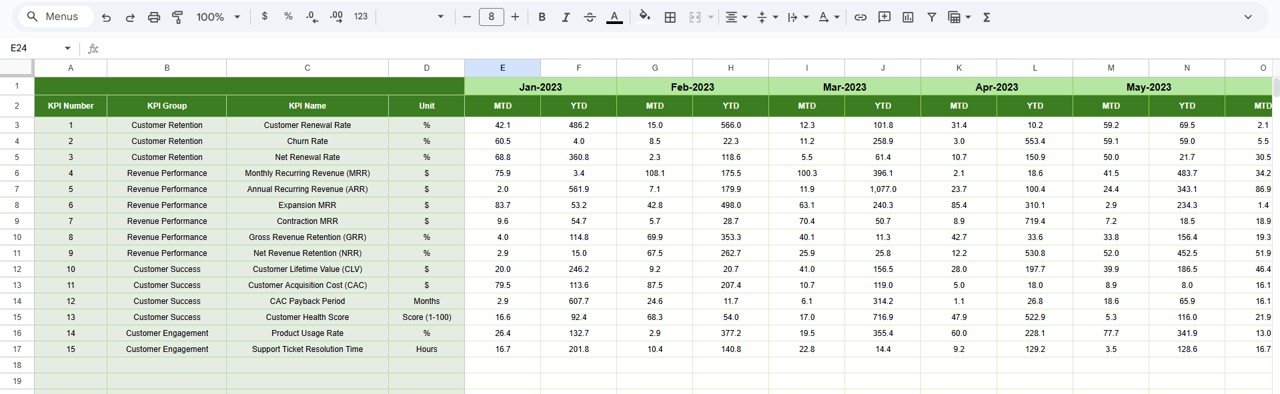
🧮 Actual Number Sheet – Data Entry Made Simple
This sheet captures actual renewal performance values.
• Select the first month of the year in cell E1
• Enter MTD Actual and YTD Actual values
• YTD calculates automatically
This keeps raw data clean and error-free.
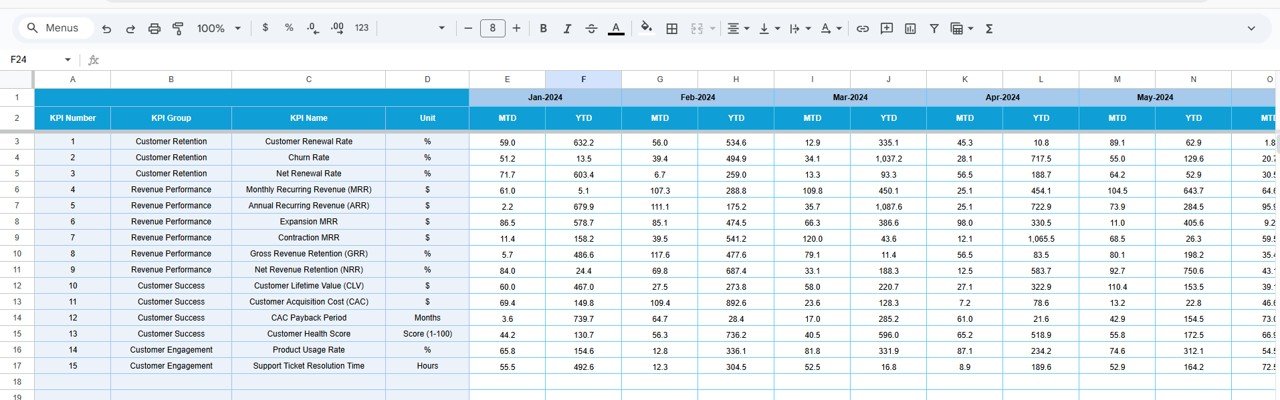
🎯 Target Sheet – Renewal Goal Management
Define your renewal goals here:
• Monthly renewal targets (MTD)
• Annual renewal targets (YTD)
All targets automatically reflect on dashboard KPIs and trend analysis.
📅 Previous Year Number Sheet – YoY Comparison
This sheet stores last year’s renewal performance.
It helps teams:
✅ Compare renewal improvement
✅ Assess revenue stability
✅ Set realistic renewal goals
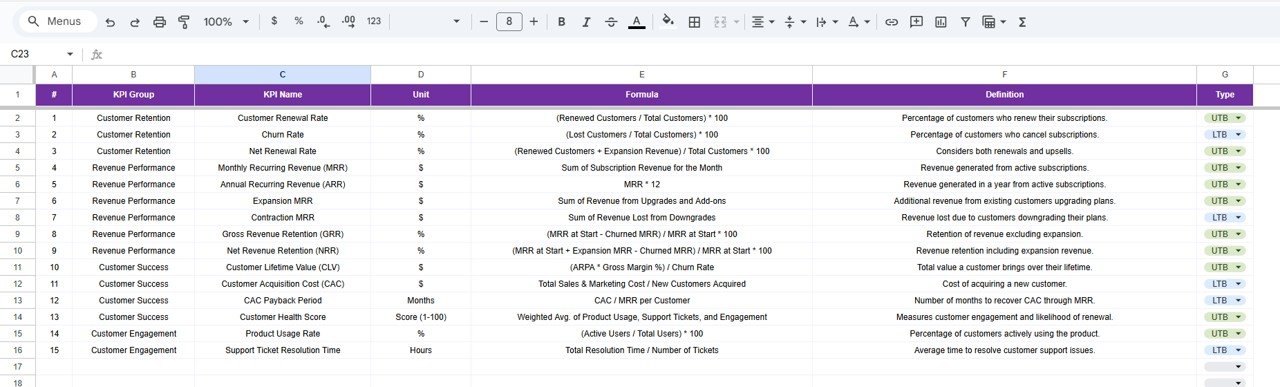
📚 KPI Definition Sheet – The Backbone
This is the most critical sheet.
It contains:
• KPI Name
• KPI Group
• Unit
• Formula
• KPI Definition
All calculations flow from this sheet, ensuring clarity, consistency, and scalability.
🎯 Who Can Benefit from This Dashboard
✅ SaaS Founders
✅ Revenue & Growth Teams
✅ Customer Success Managers
✅ Account Managers
✅ Subscription & Finance Teams
Perfect for B2B SaaS, subscription businesses, and recurring revenue models.
🔥 Why This Dashboard Is a Game-Changer
✔ Predict churn before renewal dates
✔ Improve renewal conversations
✔ Increase net revenue retention
✔ Align Sales & Customer Success
✔ Reduce revenue leakage
✔ Make renewal tracking proactive—not reactive
🧠 Best Practices for Using This Dashboard
✅ Update KPIs monthly
✅ Review at-risk renewals weekly
✅ Keep KPI definitions standardized
✅ Align targets with ARR goals
✅ Use trends—not instincts—for decisions
✅ Conclusion
The SaaS Renewal KPI Dashboard in Google Sheets gives SaaS teams full control over subscription renewals. By combining KPI definitions, targets, actual performance, trends, and YoY benchmarks into one file, it turns renewal tracking into a strategic growth system.
When used consistently, this dashboard protects revenue, improves retention, and boosts customer lifetime value.
### 📖 Click here to read the Detailed Blog Post’
Watch the step-by-step video tutorial:






























Reviews
There are no reviews yet.