

Innovation fuels business growth, but without proper visibility, research and development activities often suffer from budget overruns, missed milestones, and hidden risks. That is exactly why the Research and Development Dashboard in Excel is a must-have solution for modern organizations.
This ready-to-use Excel dashboard transforms complex R&D data into clear, actionable insights. Instead of managing scattered spreadsheets and manual reports, you get one centralized, interactive dashboard that helps you track budgets, timelines, risks, quality metrics, and innovation outcomes with ease. As a result, decision-makers gain clarity, teams improve accountability, and organizations accelerate innovation.
Designed for simplicity and power, this dashboard uses Excel formulas, pivot tables, and dynamic charts. Therefore, you can monitor performance in real time without needing advanced technical skills. Whether you manage multiple departments, locations, or product lines, this dashboard keeps everything structured and easy to analyze.
✨ Key Features of Research and Development Dashboard in Excel
📊 Comprehensive R&D Overview
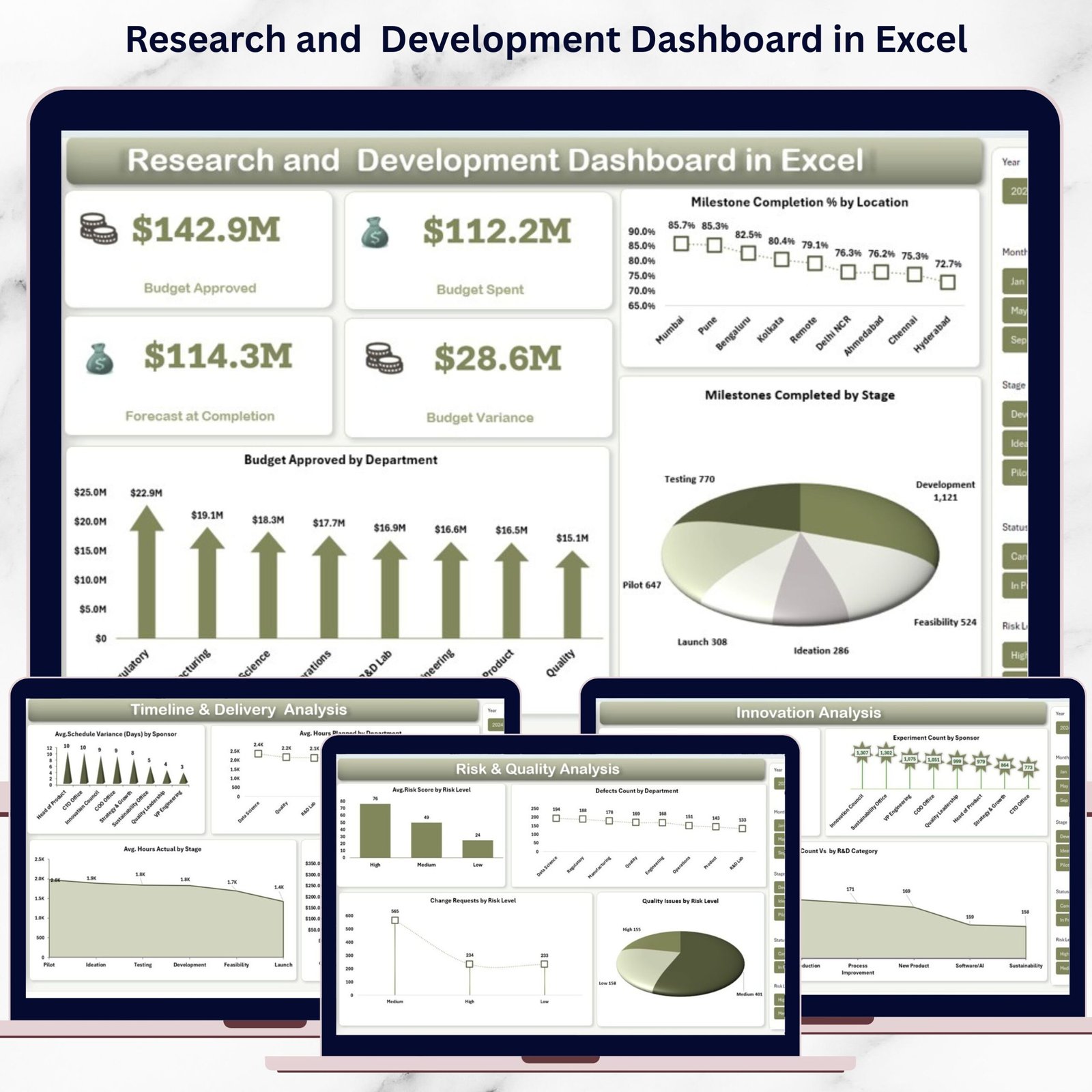
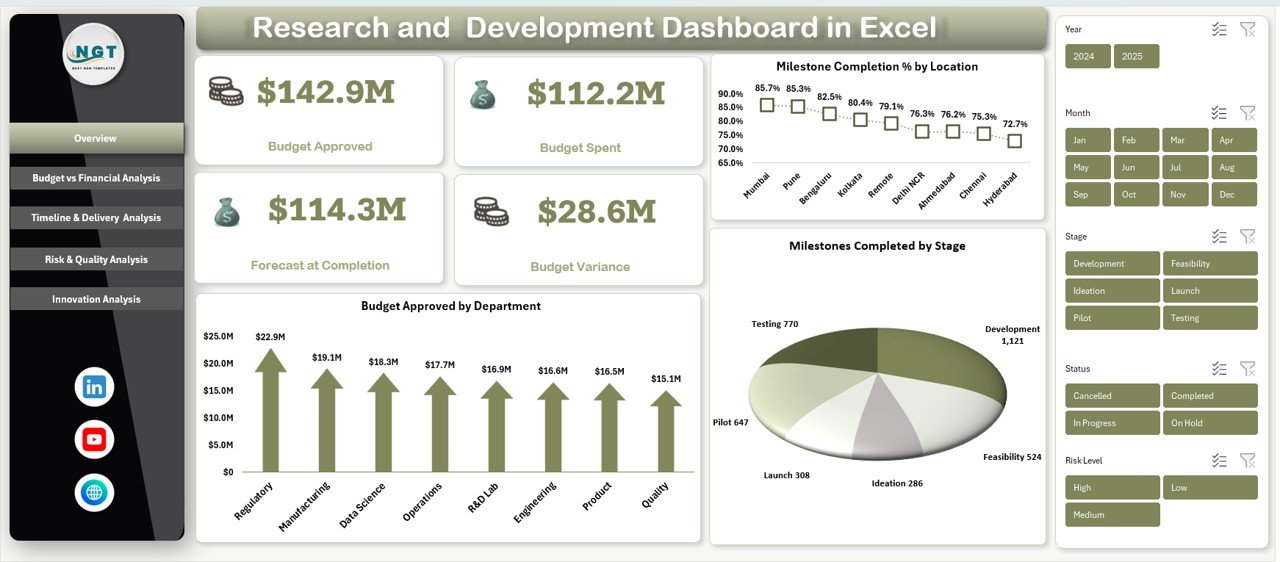
Get instant visibility into Budget Approved, Budget Spent, Forecast at Completion, and Budget Variance to understand overall R&D health at a glance.
📍 Milestone & Location Tracking
Analyze Milestone Completion % by Location and Milestones Completed by Stage to monitor progress across regions and development phases.
💰 Budget vs Financial Analysis
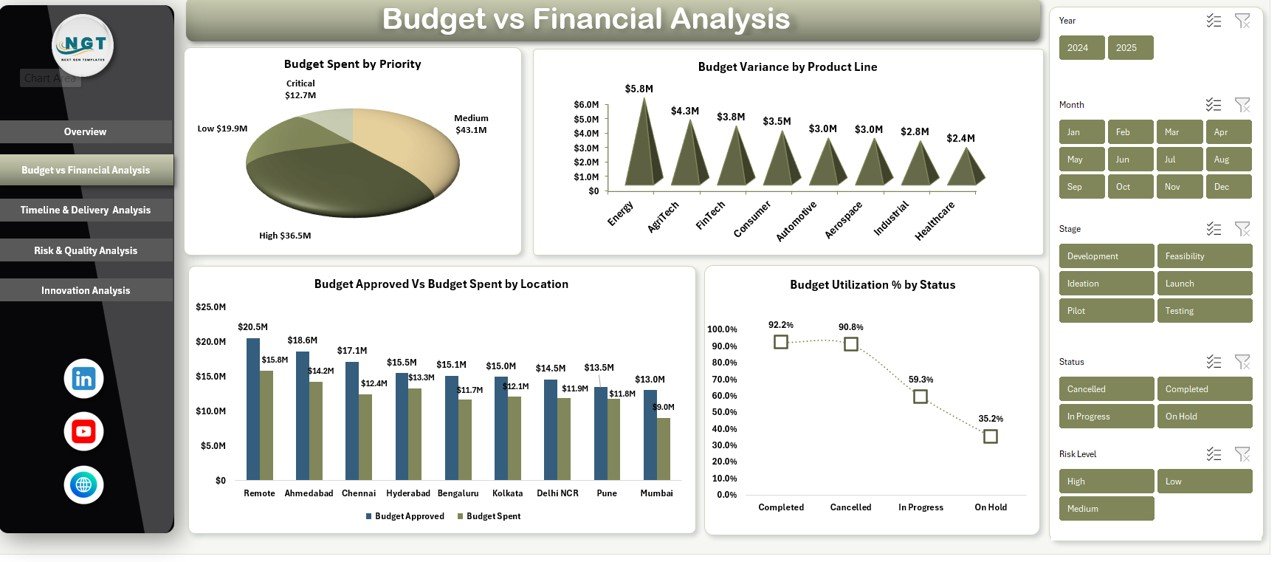
Track Budget Spent by Priority, Budget Approved vs Budget Spent by Location, Budget Variance by Product Line, and Budget Utilization % by Status to maintain cost control.
⏱️ Timeline & Delivery Insights
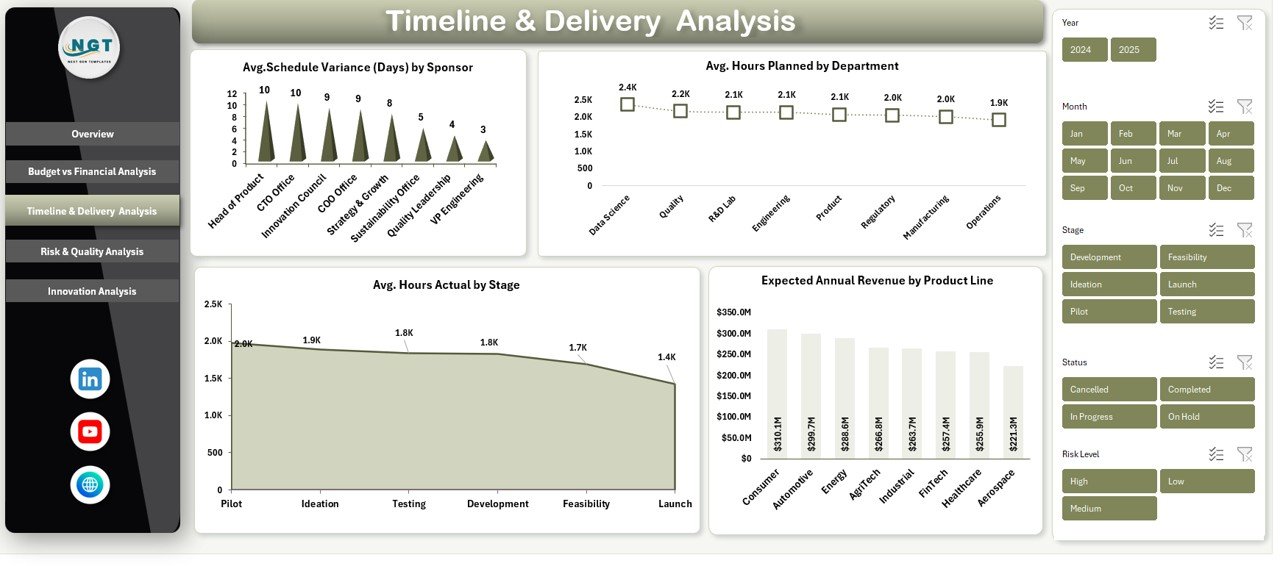
Measure Average Schedule Variance by Sponsor, compare Planned vs Actual Hours, and link timelines with Expected Annual Revenue by Product Line.
⚠️ Risk & Quality Monitoring
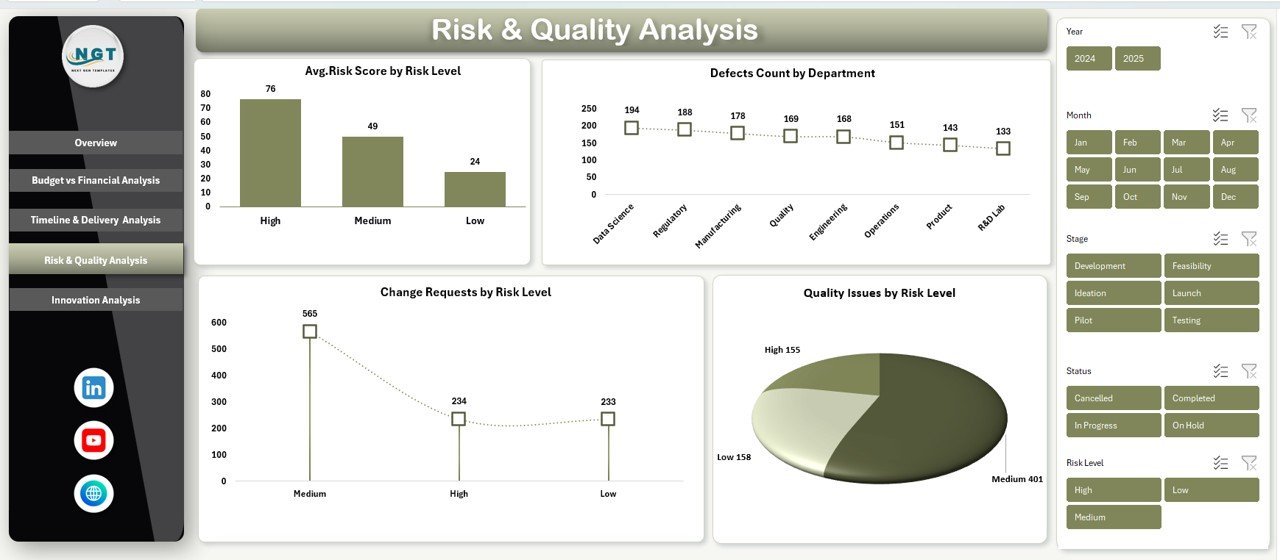
Identify Average Risk Score, Change Requests, Quality Issues by Risk Level, and COGS % by Region to reduce failures early.
🚀 Innovation Performance Analysis
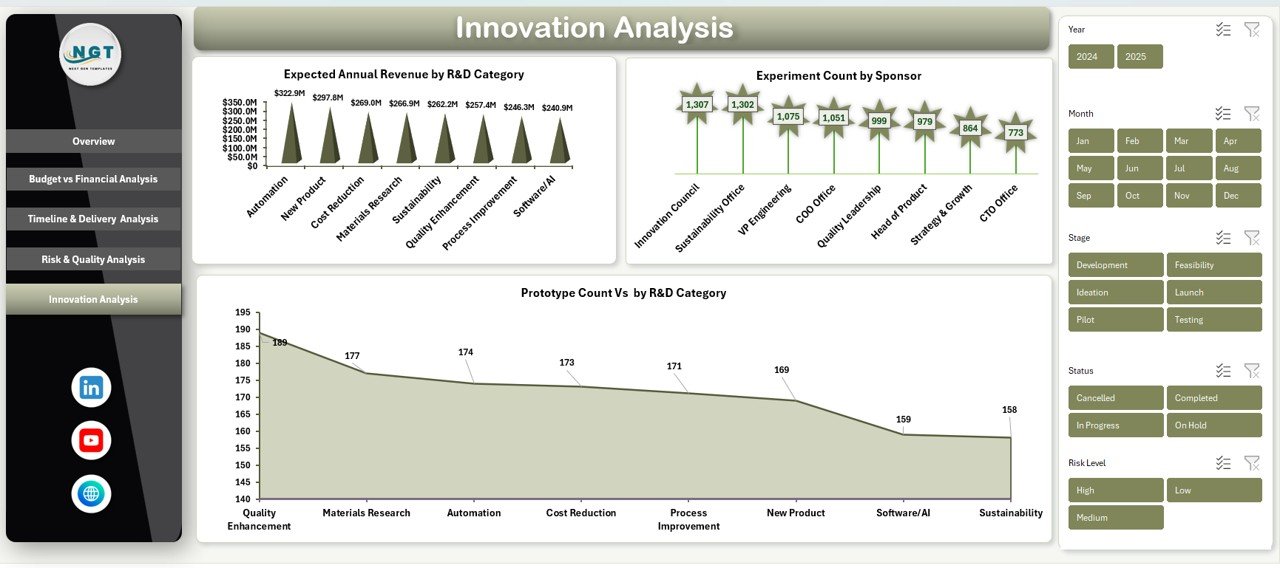
Evaluate Expected Annual Revenue by R&D Category, Prototype Count, and Experiment Count by Sponsor to measure innovation output.
🔄 Dynamic Filters & Slicers
Filter data by Location, Department, Product Line, Sponsor, Risk Level, and R&D Category for deep-dive analysis.
📦 What’s Inside the Research and Development Dashboard in Excel
📁 Overview Sheet
A high-level snapshot showing budgets, milestones, and departmental performance.
📁 Budget vs Financial Analysis Section
Detailed visuals to track spending efficiency and budget utilization.
📁 Timeline & Delivery Analysis Section
Charts that highlight schedule variance, workload distribution, and revenue expectations.
📁 Risk & Quality Analysis Section
Focused analysis to monitor risks, quality issues, and cost efficiency.
📁 Innovation Analysis Section
Insights into prototypes, experiments, and innovation-driven revenue potential.
📁 Structured Data Tables
Well-organized tables designed for seamless pivot-table analysis.
🧭 How to Use the Research and Development Dashboard in Excel
📝 Step 1: Enter Your Data
Input R&D budgets, milestones, risks, quality issues, and innovation metrics into the provided tables.
📊 Step 2: Refresh Pivot Tables
Update pivot tables to instantly reflect the latest data across all charts.
🔍 Step 3: Apply Filters & Slicers
Slice data by department, location, product line, or sponsor to explore insights.
📈 Step 4: Analyze & Decide
Use visuals and KPIs to control budgets, improve timelines, and optimize innovation strategy.
🔁 Step 5: Update Regularly
Keep data updated weekly or monthly for accurate performance tracking.
👥 Who Can Benefit from This Research and Development Dashboard in Excel
👨🔬 R&D Managers
Track milestones, manage workloads, and monitor innovation output effectively.
💼 Finance & Budget Teams
Control R&D spending, analyze variance, and support financial forecasting.
🏢 Senior Leadership & Executives
Evaluate ROI, reduce risks, and align R&D initiatives with business strategy.
📌 Project Sponsors & Program Heads
Monitor delivery performance, experiments, and expected revenue.
🏭 Organizations of Any Size
From startups to large enterprises, anyone managing R&D portfolios benefits from this dashboard.



















Reviews
There are no reviews yet.