
Logistics efficiency can make or break a business. Every late delivery, rising freight cost, or underutilized vehicle directly impacts profitability and customer trust. Yet many organizations still track logistics performance using scattered spreadsheets or manual reports—leading to delays, blind spots, and poor decisions.
That is exactly why the Logistics Efficiency KPI Scorecard in Excel is a must-have solution.
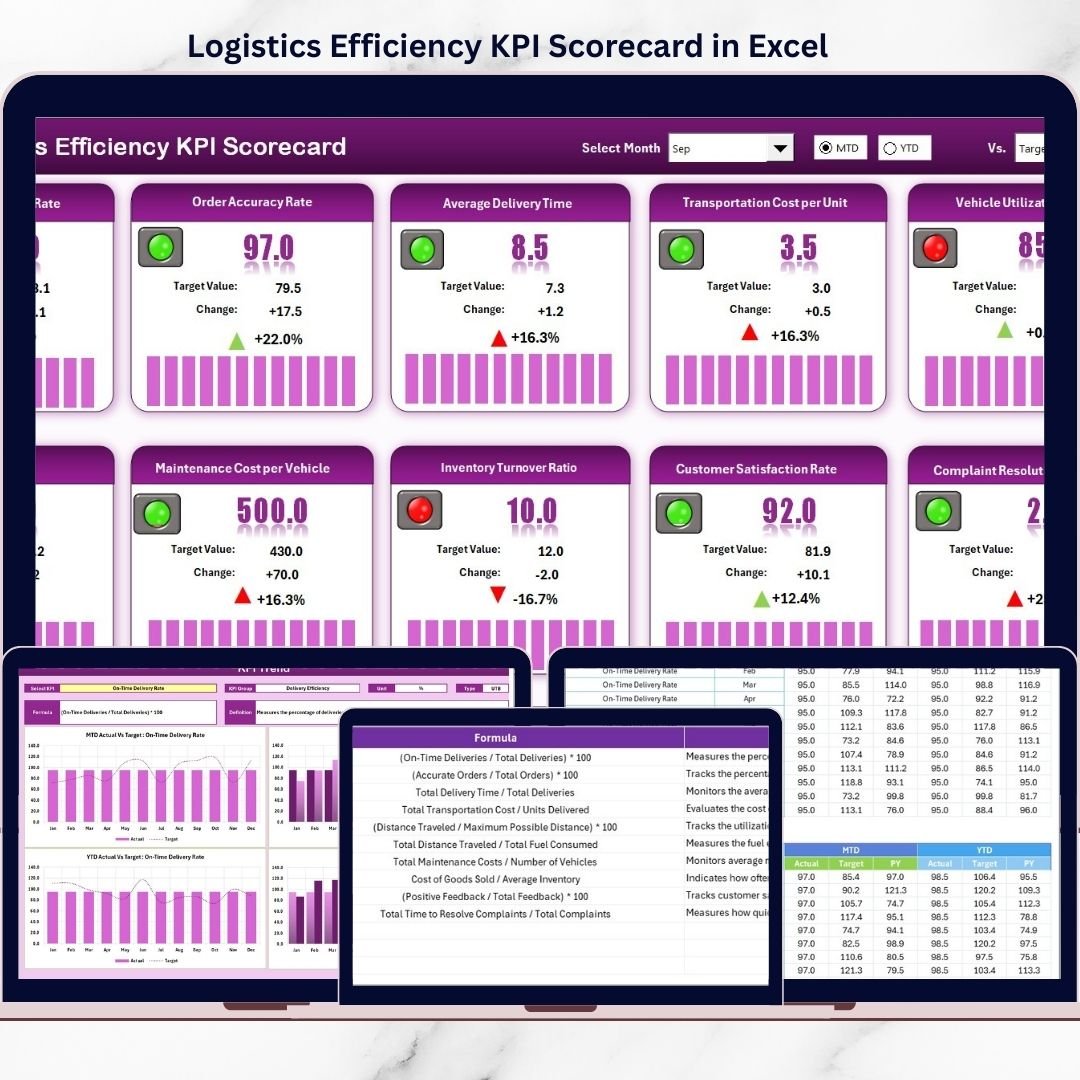
This ready-to-use Excel scorecard helps you track, monitor, and improve logistics performance using clearly defined KPIs, automated calculations, and visual indicators. Instead of guessing what is going wrong, you get instant clarity on delivery performance, costs, utilization, and operational efficiency—all in one structured Excel file.
Designed for simplicity and impact, this scorecard enables logistics teams to move from reactive problem-solving to proactive performance management—without complex tools or expensive software.
🚀 Key Features of Logistics Efficiency KPI Scorecard in Excel
✅ Centralized KPI Tracking
Track all logistics KPIs in one structured Excel file instead of scattered reports.
📊 Actual vs Target Comparison
Instantly compare actual performance against defined targets for each KPI.
📈 MTD & YTD Performance Analysis
Monitor Month-to-Date and Year-to-Date trends with dynamic calculations.
🎯 Visual Performance Indicators
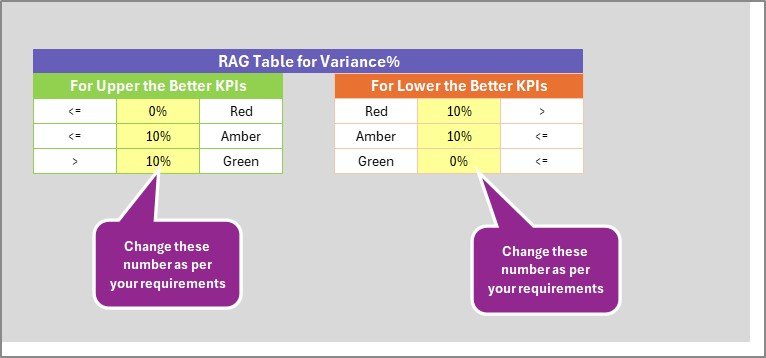
Color-coded indicators quickly highlight target met, missed, or at-risk KPIs.
📉 Trend Analysis with Charts
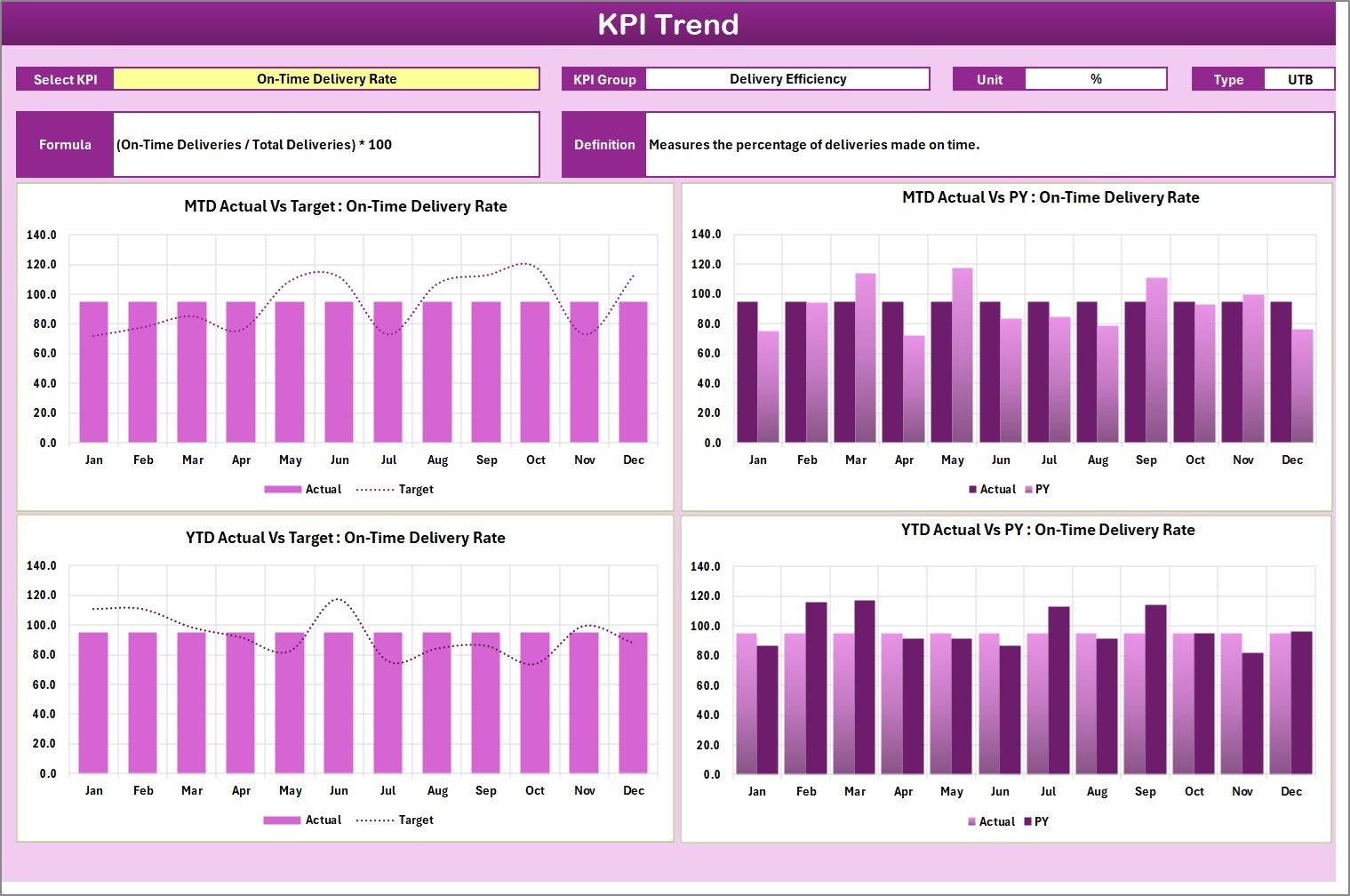
Analyze KPI trends over time using automated MTD and YTD charts.
⚙️ Easy to Update & Customize
Update data effortlessly and modify KPIs as business needs evolve.
🧠 No Advanced Excel Skills Required
Built using standard Excel features—simple, user-friendly, and intuitive.
⏱️ Time-Saving Reporting
Reduce manual reporting effort with automated calculations and visuals.
📦 What’s Inside the Logistics Efficiency KPI Scorecard in Excel
This digital product includes four professionally structured Excel worksheets; each designed for a specific purpose:
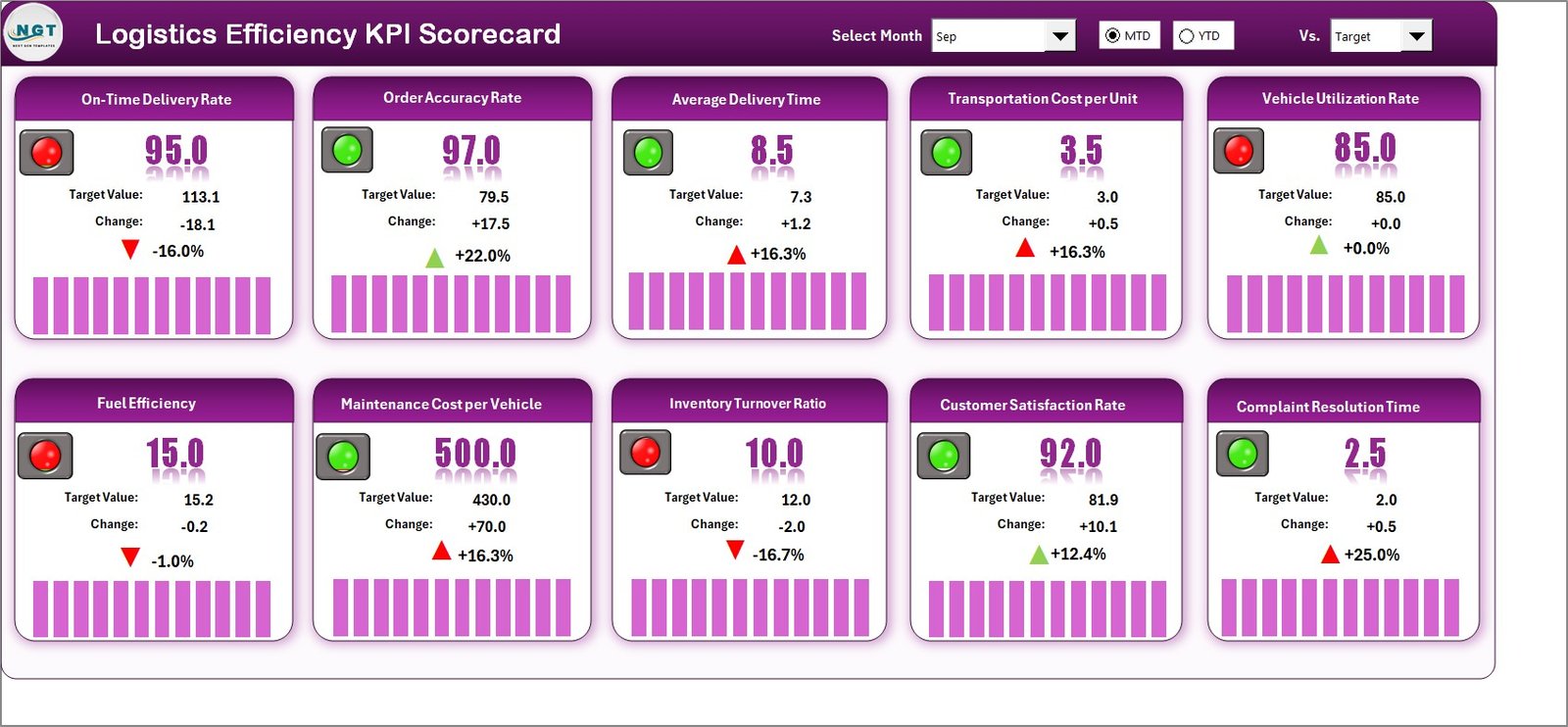
📌 Scorecard Sheet
A consolidated view of all logistics KPIs with dropdowns, actual vs target values, variances, and visual indicators.
📌 KPI Trend Sheet
Analyze individual KPI performance over time with MTD and YTD trend charts for Actual, Target, and Previous Year data.
📌 Input Data Sheet
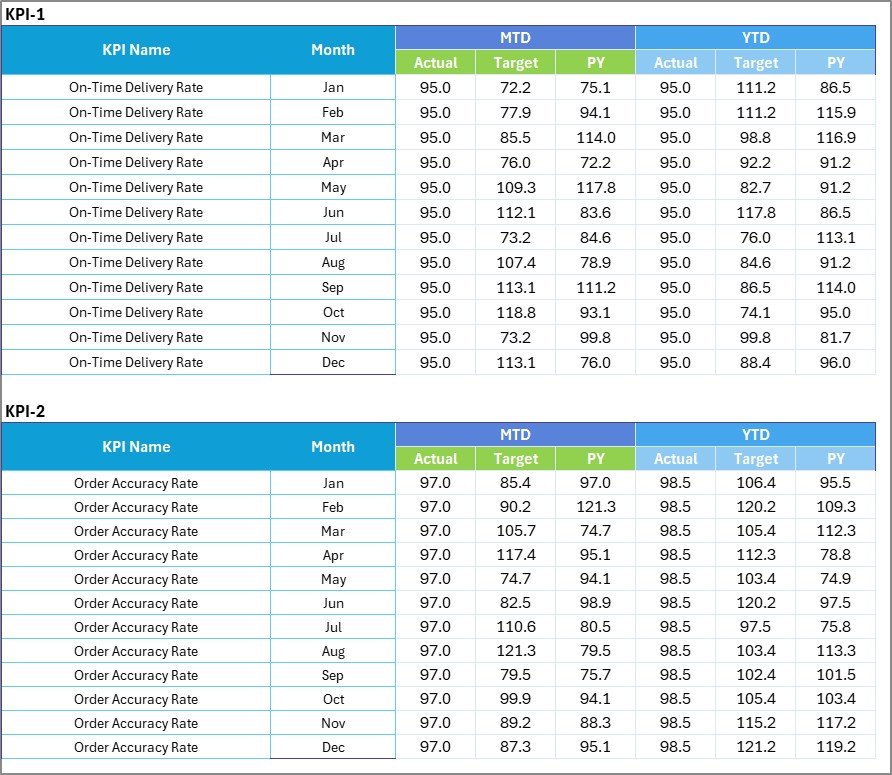
A clean and flexible data entry area to record actual and target values for each KPI.
📌 KPI Definition Sheet
A reference guide capturing KPI name, group, unit, formula, definition, and KPI type (LTB / UTB) for clarity and consistency.
Together, these sheets ensure transparency, accuracy, and actionable insights.
🛠️ How to Use the Logistics Efficiency KPI Scorecard in Excel
Using this scorecard is simple and straightforward:
1️⃣ Enter actual and target values in the Input Data Sheet
2️⃣ Select the reporting period (Month / MTD / YTD) from dropdowns
3️⃣ Review performance on the Scorecard Sheet
4️⃣ Analyze trends using the KPI Trend Sheet
5️⃣ Refer to the KPI Definition Sheet for clarity and consistency
No complex setup. No macros. Just update the data and analyze instantly.
👥 Who Can Benefit from This Logistics Efficiency KPI Scorecard
This scorecard is ideal for:
🚚 Logistics Managers – Track delivery efficiency and cost control
📦 Supply Chain Analysts – Analyze trends and identify bottlenecks
🏭 Warehouse Managers – Improve inventory movement and utilization
📊 Operations Heads – Monitor performance across logistics functions
🏢 Business Owners – Gain visibility without investing in costly tools
🧠 Consultants & Analysts – Deliver structured logistics insights to clients
Whether you are a large enterprise or a growing SMB, this Excel scorecard adapts easily to your needs.
🔗 Click here to read the Detailed blog post
🎥 Visit our YouTube channel to learn step-by-step video tutorials
👉 https://youtube.com/@PKAnExcelExpert




























Reviews
There are no reviews yet.