
Managing intellectual property has become a strategic business function, not just a legal requirement. Organizations must track patents, trademarks, copyrights, renewals, filings, approvals, timelines, costs, and compliance accurately. However, when IP data remains scattered across emails, spreadsheets, and teams, visibility reduces and risks increase.
That is exactly where the Intellectual Property (IP) KPI Dashboard in Excel becomes a powerful and practical solution 📊⚖️.
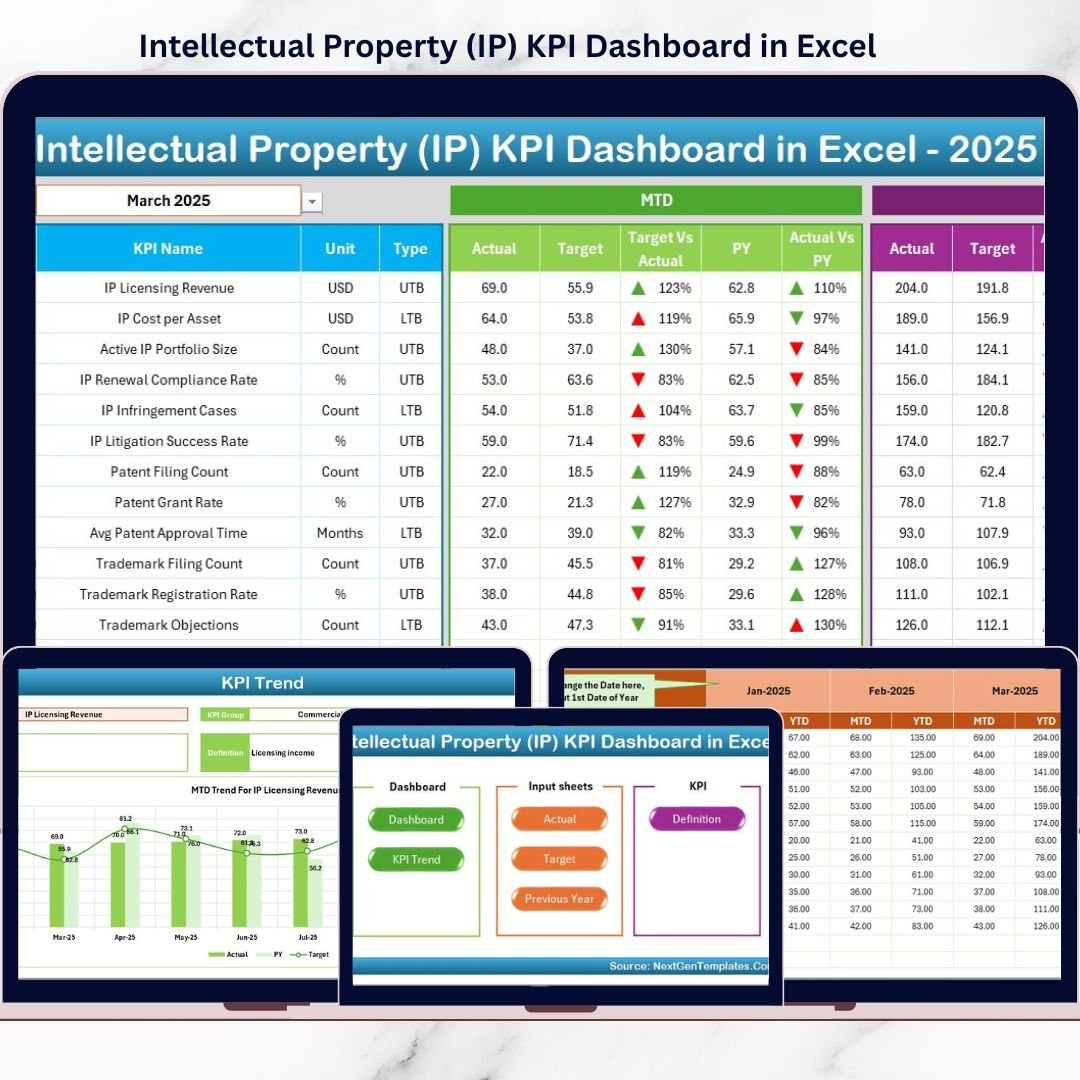
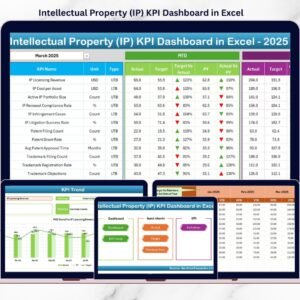
This ready-to-use Excel dashboard helps organizations monitor IP performance in a structured, visual, and measurable way. Instead of manually compiling reports, this dashboard provides MTD, YTD, Target vs Actual, and Previous Year comparisons—all in one professional Excel file.
Designed for IP teams, legal departments, R&D leaders, and management, this dashboard transforms IP tracking from a reactive activity into a data-driven performance management system. Because it is built entirely in Excel, it remains easy to use, cost-effective, and fully customizable, without the need for complex BI tools.
## Key Features of Intellectual Property (IP) KPI Dashboard in Excel 🚀
This dashboard is designed specifically for IP governance and performance tracking.
📌 Centralized IP KPI Monitoring
Track all intellectual property KPIs in one consolidated dashboard.
📊 MTD & YTD Performance Tracking
Monitor Month-to-Date and Year-to-Date performance effortlessly.
🎯 Target vs Actual Comparison
Instantly identify KPIs meeting or missing targets.
📅 Previous Year Benchmarking
Compare current performance with last year for trend analysis.
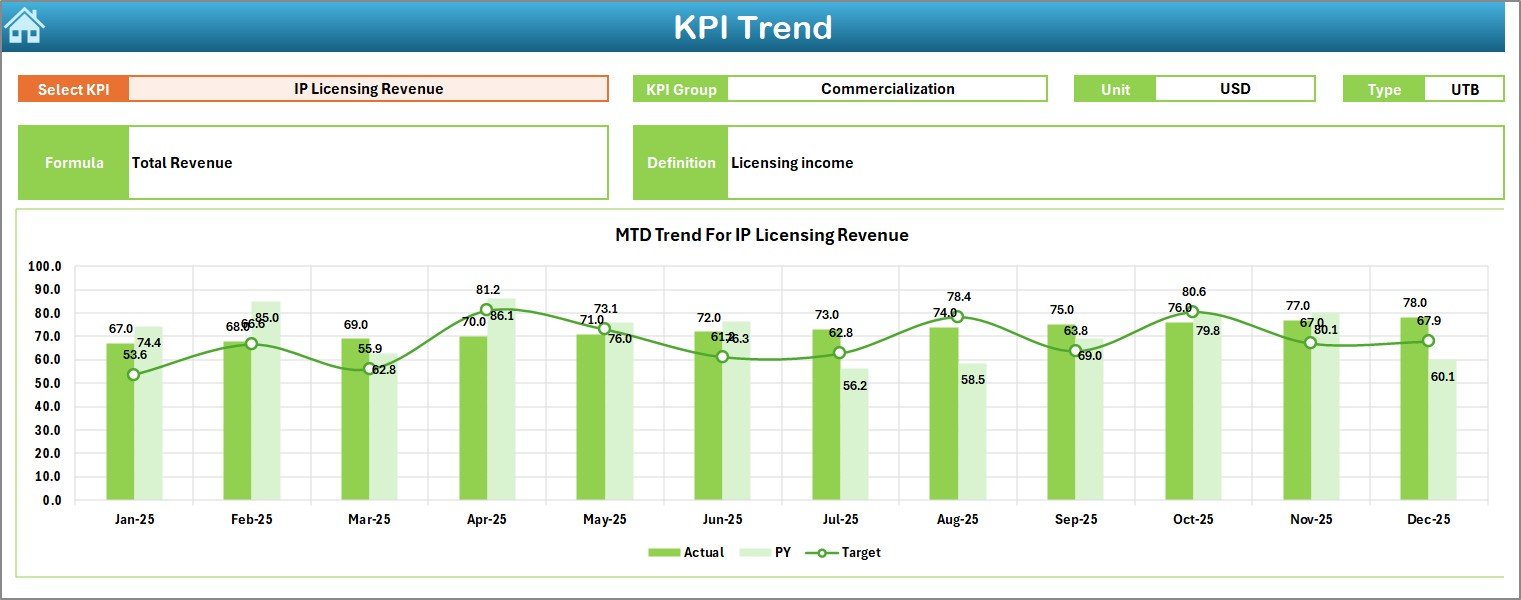
📈 KPI Trend Analysis
Visual MTD and YTD trend charts for deep performance insights.
🔺 LTB & UTB KPI Logic
Supports both Lower the Better and Upper the Better KPIs.
🧭 Easy Navigation with Home Sheet
Quick access to all sheets using one-click navigation buttons.
🛠️ Fully Customizable Excel Template
Add, remove, or modify KPIs easily without technical skills.
## What’s Inside the Intellectual Property (IP) KPI Dashboard in Excel 📂
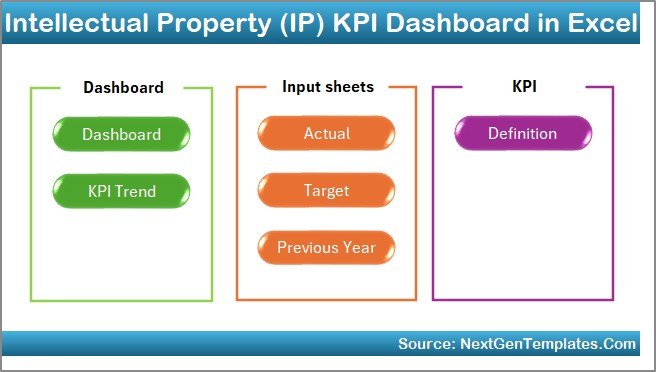
This dashboard includes 7 professionally structured Excel worksheets, each serving a specific purpose.
🟦 Home Sheet (Index Page)
Provides a clean navigation interface with buttons to access all sheets instantly.
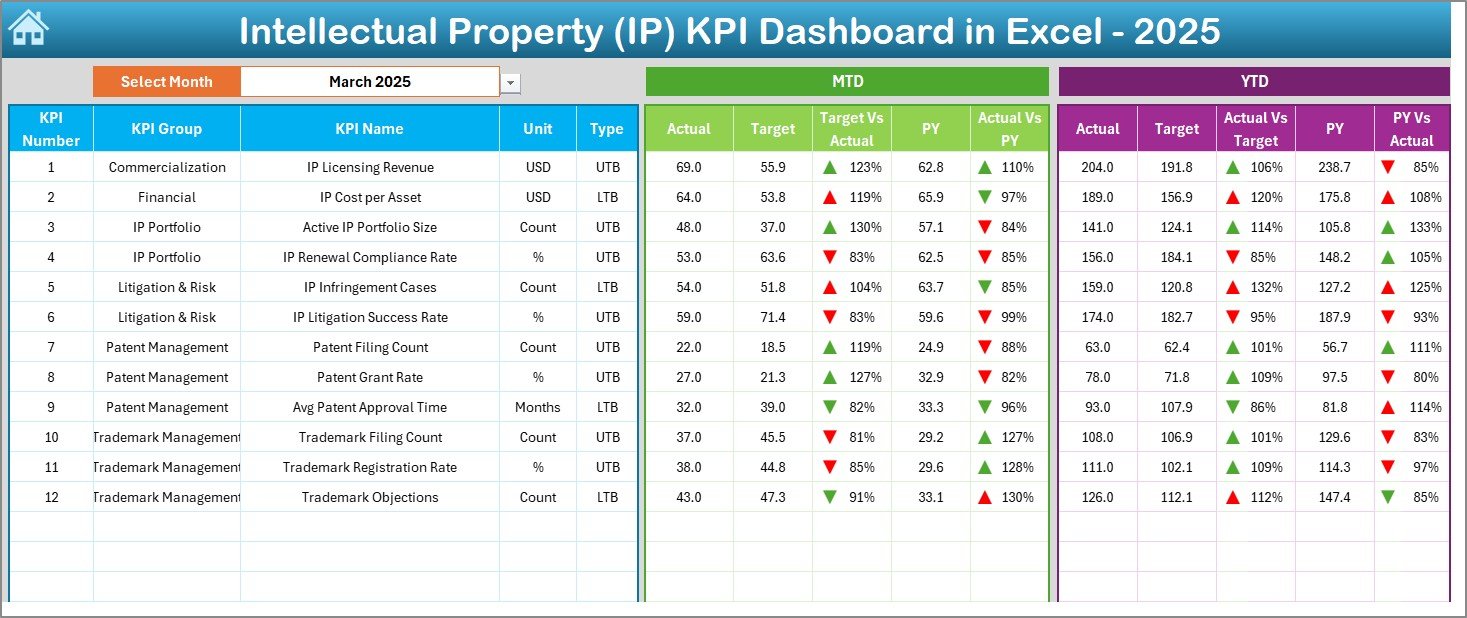
🟦 Dashboard Sheet
Displays overall KPI performance with MTD and YTD views, Target vs Actual, and Previous Year comparisons using visual indicators.
🟦 KPI Trend Sheet
Allows deep analysis of individual KPIs with trend charts and KPI definitions.
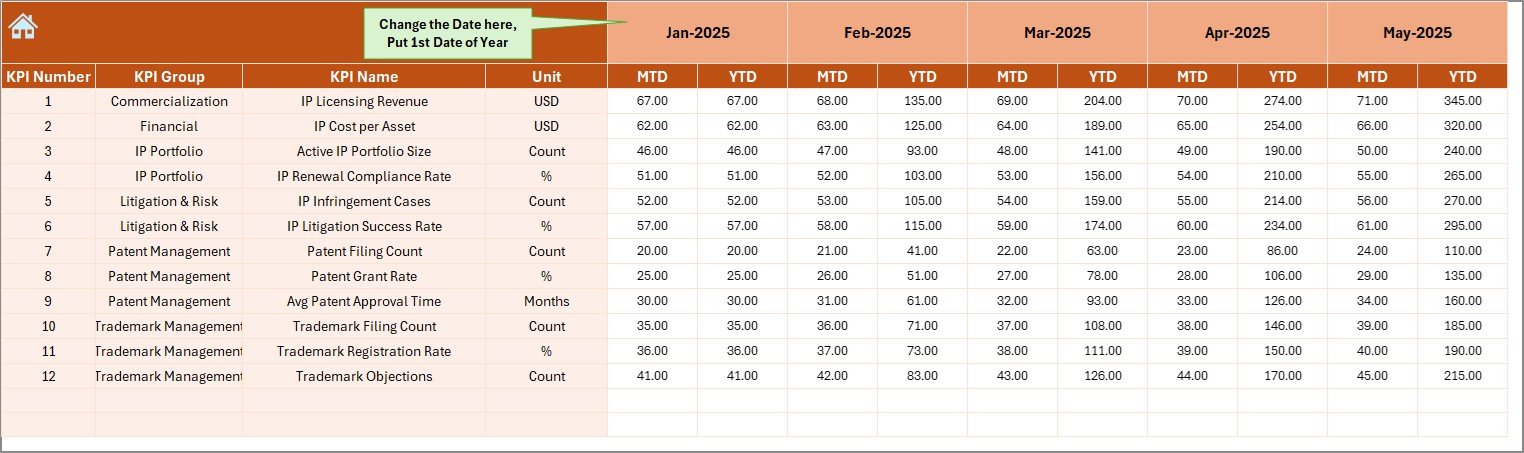
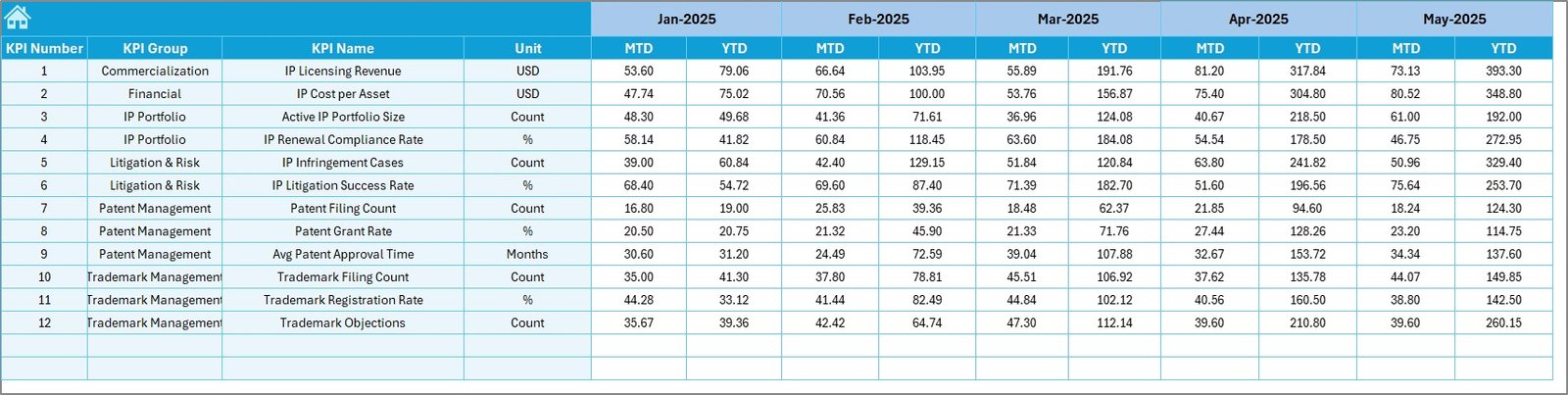
🟦 Actual Numbers Input Sheet
Simple data entry sheet to record actual MTD and YTD performance.
🟦 Target Sheet
Defines monthly and yearly performance targets for each KPI.
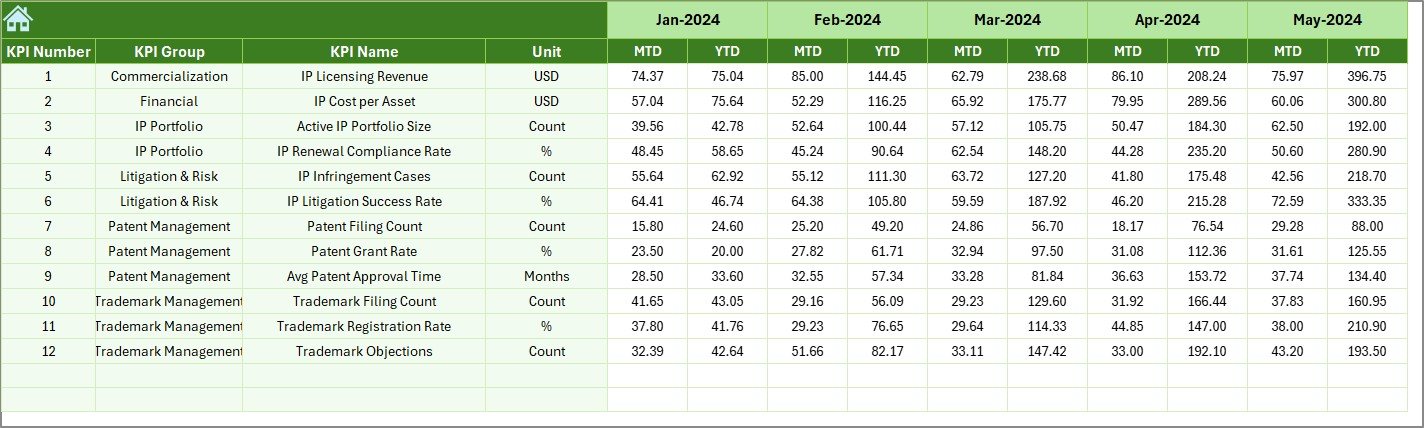
🟦 Previous Year Number Sheet
Stores historical data for accurate year-over-year comparison.
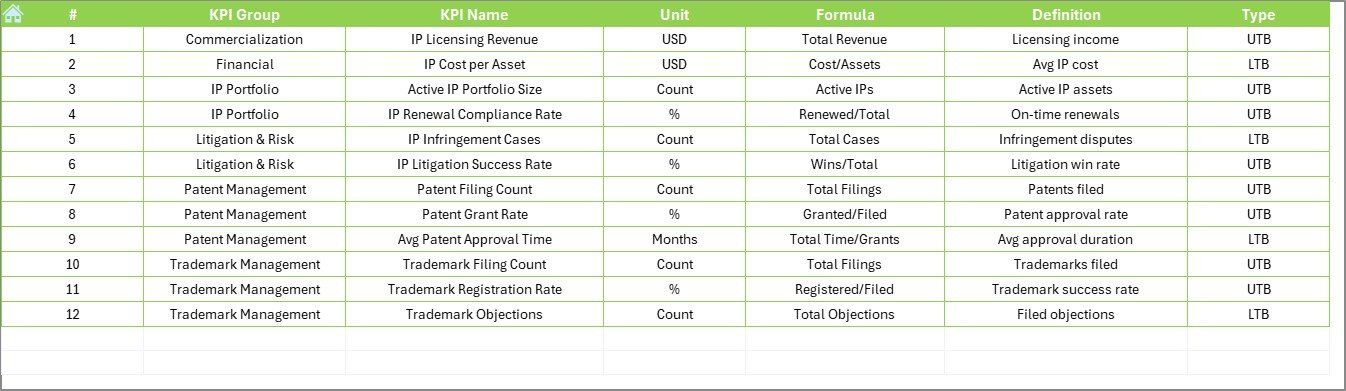
🟦 KPI Definition Sheet
Documents KPI name, group, unit, formula, definition, and KPI type.
Together, these sheets create a complete IP performance management system.
## How to Use the Intellectual Property (IP) KPI Dashboard in Excel 🧩
Using the dashboard is simple and efficient:
1️⃣ Define your IP KPIs in the KPI Definition Sheet
2️⃣ Enter actual performance data monthly
3️⃣ Set KPI targets for MTD and YTD
4️⃣ Add previous year data for benchmarking
5️⃣ Select the reporting month from the dashboard
6️⃣ Instantly review KPIs, trends, and comparisons
Excel automatically updates all calculations, visuals, and indicators—so you focus on insights, not manual work.
## Who Can Benefit from This Intellectual Property (IP) KPI Dashboard 👥
This dashboard is ideal for:
✔️ Intellectual Property Teams
✔️ Legal & Compliance Departments
✔️ R&D and Innovation Teams
✔️ Patent & Trademark Offices
✔️ Corporate Legal Functions
✔️ IP Managers & General Counsels
✔️ Senior Leadership & Executives
Both technical and non-technical users can use it confidently.
### Click here to read the Detailed blog post
Visit our YouTube channel to learn step-by-step video tutorials
👉 https://youtube.com/@PKAnExcelExpert






























Reviews
There are no reviews yet.