

In today’s data-driven insurance landscape, success depends on how well you track, analyze, and optimize key metrics 📊. Claims, policies, renewals, and customer satisfaction all determine your company’s profitability — and that’s where the Health Insurance KPI Dashboard in Excel becomes your game-changer.
This ready-to-use Excel template is built to simplify performance monitoring across your insurance operations. It turns complicated data into easy-to-read visuals, allowing managers, analysts, and executives to make faster, smarter, and more accurate business decisions.
Whether you’re analyzing claim settlement ratios, tracking policy renewals, or reviewing premium collection trends, this dashboard gives you a clear view of your company’s performance — without expensive software or technical expertise.
⚙️ Key Features of Health Insurance KPI Dashboard in Excel
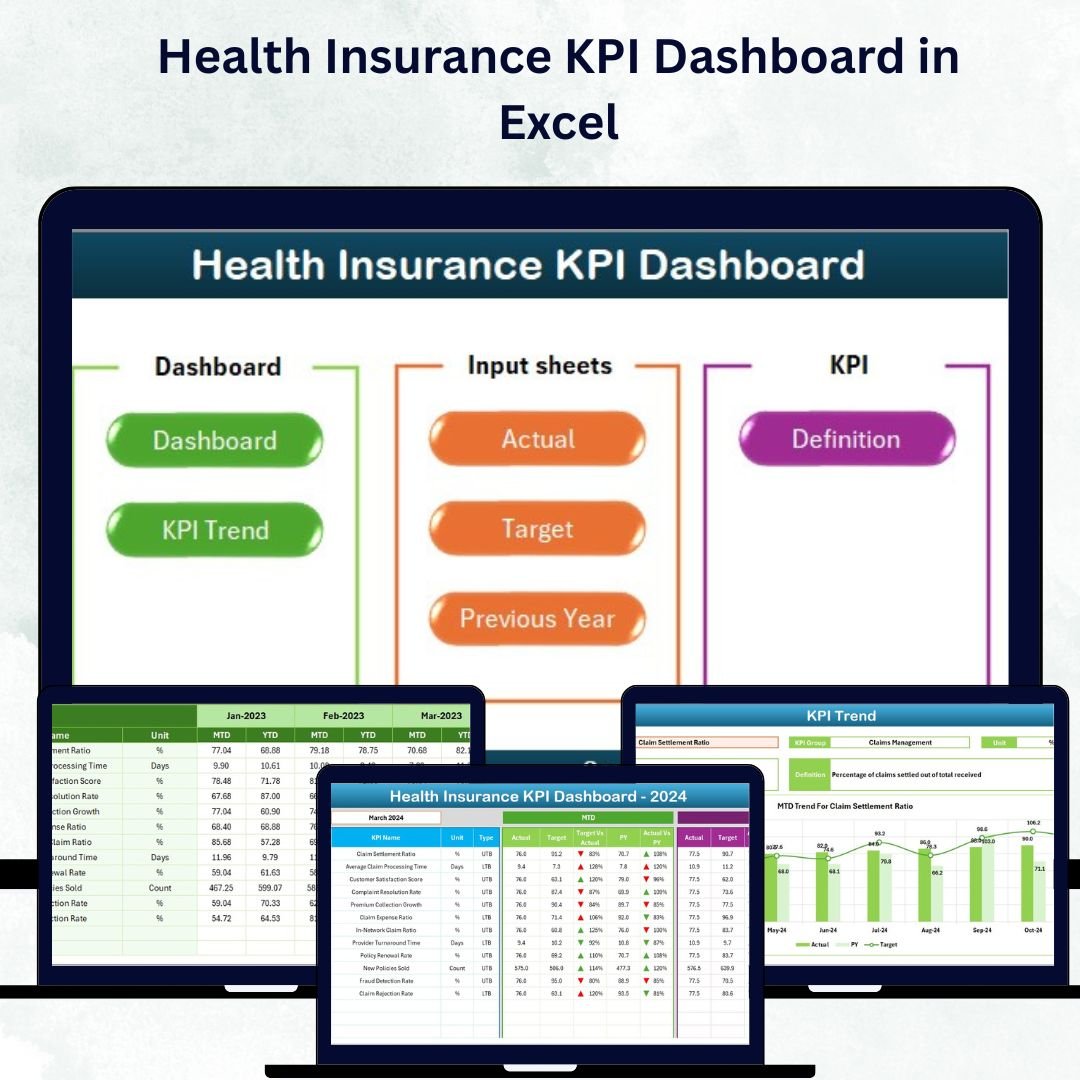
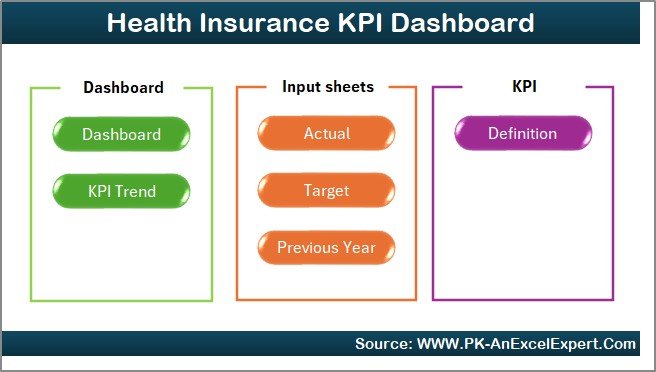
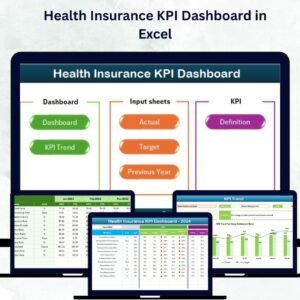
🏠 7 Smartly Designed Sheets – Includes Home, Dashboard, KPI Trend, Actual Numbers, Target, Previous Year, and KPI Definition sheets.
📈 MTD & YTD Performance Tracking – Compare Month-to-Date and Year-to-Date metrics for any KPI.
🎯 Actual vs Target vs Previous Year – Instantly identify where you’re performing above or below target.
📊 Visual Indicators – Arrows (▲▼) and color codes make performance interpretation easy.
🧮 Automated Calculations – No complex formulas required — everything updates automatically.
💼 Cross-Functional Monitoring – Covers all key departments: claims, underwriting, finance, and customer service.
🧩 Customizable KPIs – Add, edit, or remove KPIs easily based on your organization’s needs.
💰 100% Excel-Based – No add-ons, subscriptions, or extra tools required.
📦 What’s Inside the Dashboard
1️⃣ Home Sheet – The main navigation page with quick-access buttons to each module. Add your logo and corporate colors for brand alignment.
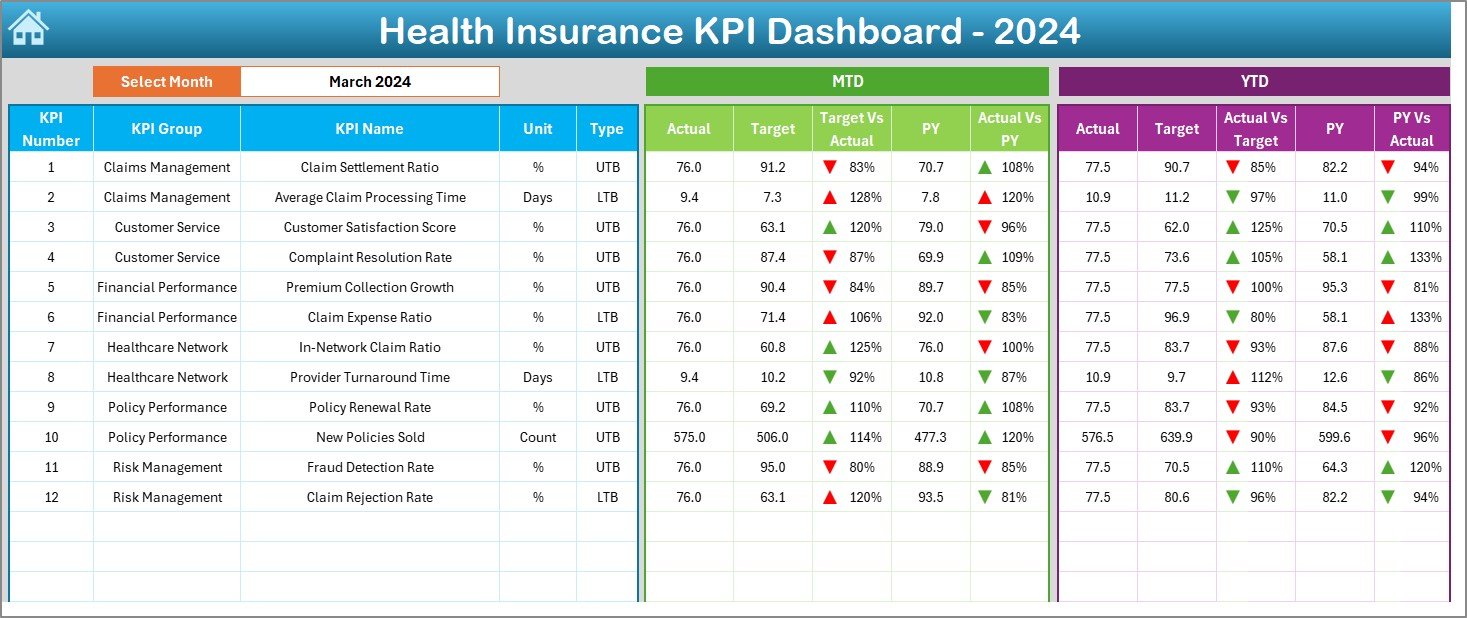
2️⃣ Dashboard Sheet – The heart of your reporting tool 💡.
-
Select a month from a dropdown menu to view all key results.
-
Analyze MTD and YTD Actual vs Target and Previous Year performance.
-
View improvement and decline indicators instantly.
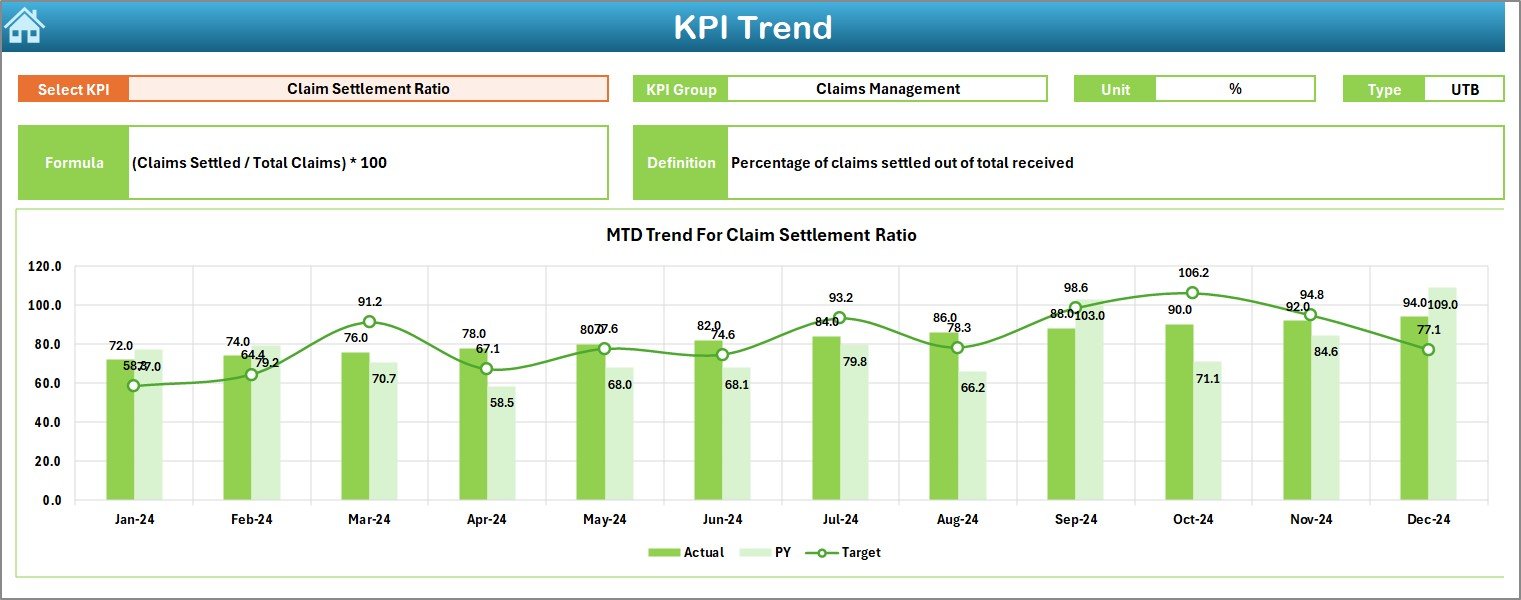
3️⃣ KPI Trend Sheet – Dive deeper into any KPI using dropdown filters (cell C3).
-
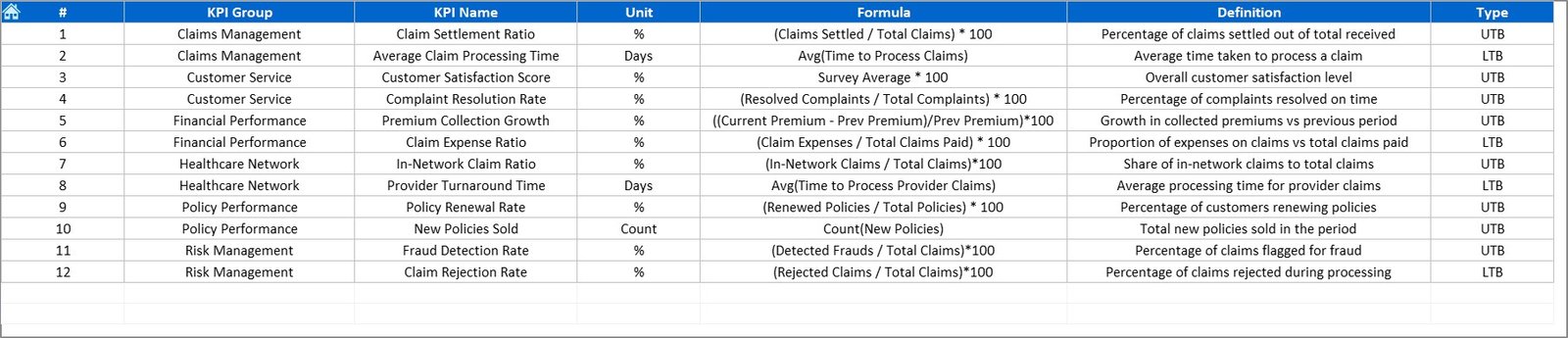
See KPI details like Group, Unit, Type (UTB or LTB), Formula, and Definition.
-
Visualize Actual, Target, and PY data through MTD and YTD charts.
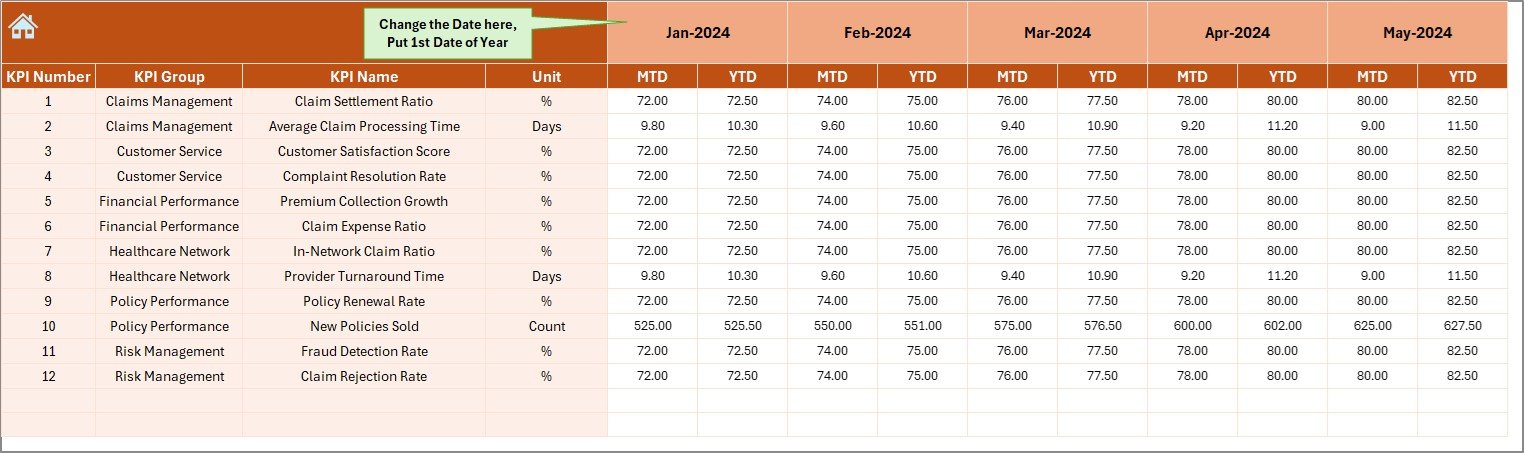
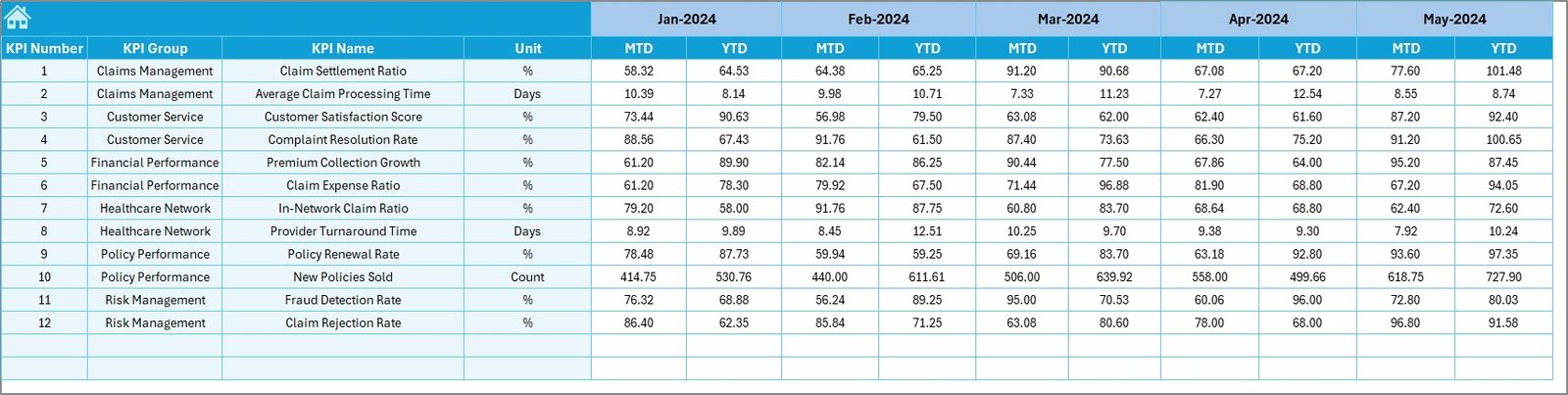
4️⃣ Actual Numbers Input Sheet – The data entry sheet where you record your monthly performance.
-
Enter MTD & YTD actuals — the dashboard updates automatically.
-
Define your fiscal start month (cell E1) for accurate reporting.
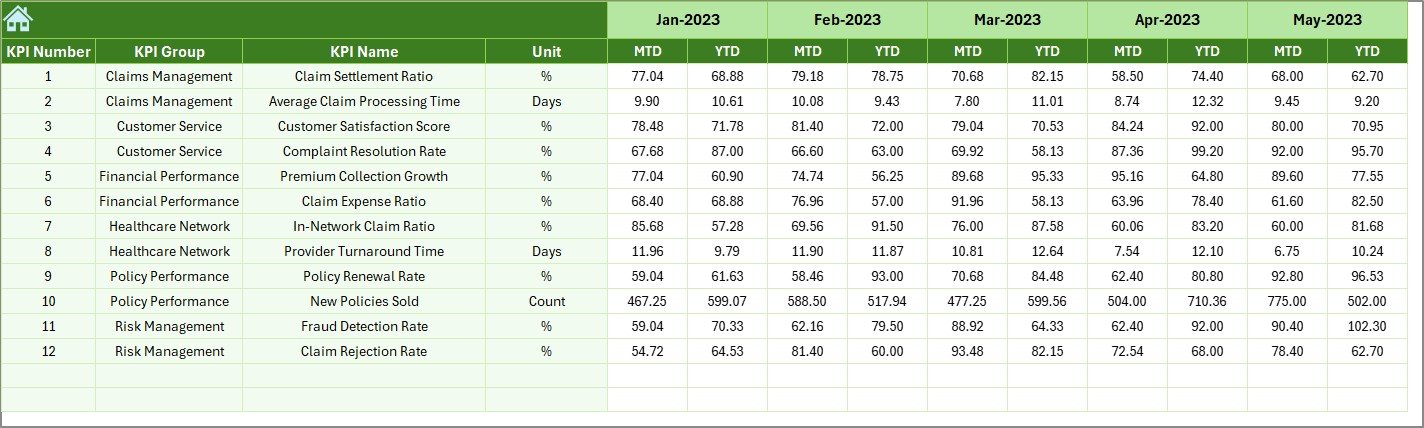
5️⃣ Target Sheet – Set realistic monthly goals for each KPI.
-
Track performance progress throughout the year.
6️⃣ Previous Year Numbers Sheet – Store last year’s performance to enable year-over-year comparisons.
7️⃣ KPI Definition Sheet – Your reference library of all KPIs with formulas and definitions for standardization.
🧭 How to Use the Dashboard
1️⃣ List Your KPIs – Add all performance metrics with clear formulas and definitions.
2️⃣ Set Targets – Define monthly targets for each KPI in the Target Sheet.
3️⃣ Enter Actual Data – Record performance values in the Actual Numbers sheet.
4️⃣ Select Month – Use the dropdown on the Dashboard Sheet to view reports.
5️⃣ Analyze Trends – Identify improvement areas in the KPI Trend Sheet.
6️⃣ Take Action – Use insights to optimize claims, renewals, or policy operations.
With this tool, your health insurance business can finally move from guesswork to data-driven decision-making ✅.
👥 Who Can Benefit from This Dashboard
🏢 Insurance Executives: Gain instant visibility into overall company performance.
📊 Data Analysts: Access ready-made visualizations and trend reports.
📞 Claims Managers: Track settlement ratios and processing times with precision.
📈 Sales Teams: Monitor policy growth and renewal performance.
💰 Finance Departments: Measure premium collections, loss ratios, and expenses.
📋 Compliance Officers: Ensure adherence to industry and audit standards.
This dashboard helps every department make informed, measurable, and timely decisions.






























Reviews
There are no reviews yet.