
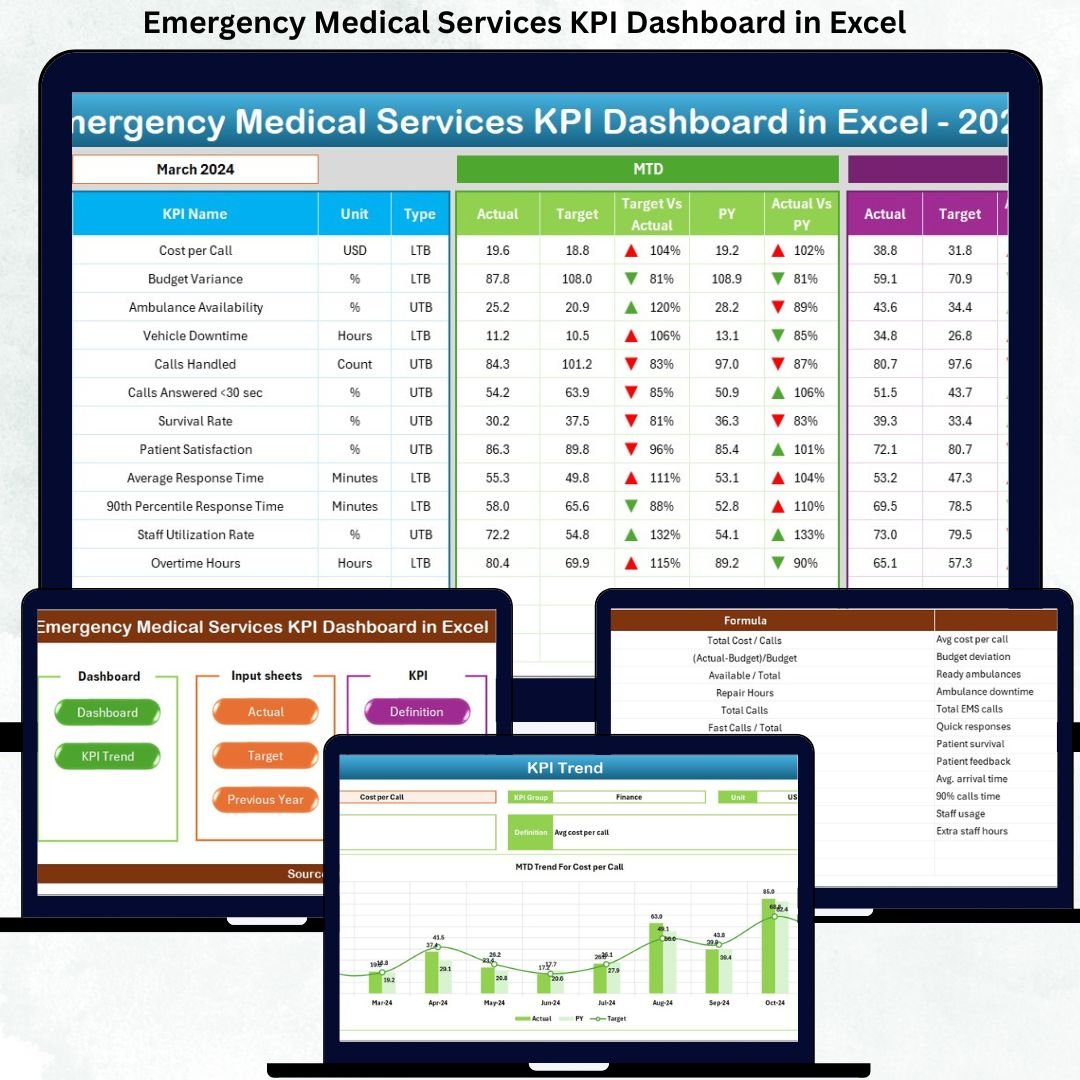

Emergency Medical Services teams work in life-critical situations where speed, accuracy, and performance directly impact patient outcomes. However, tracking response times, crew availability, call volumes, and service quality using scattered spreadsheets often creates confusion and delays.
That is where the Emergency Medical Services KPI Dashboard in Excel becomes a game-changing solution.
This ready-to-use Excel dashboard transforms complex EMS data into clear KPIs, actionable insights, and real-time performance comparisons. It helps EMS leaders, hospital administrators, and operations managers monitor efficiency, identify bottlenecks, and improve service delivery without relying on expensive BI tools.
Built entirely in Excel, this dashboard remains simple, flexible, and easy to customize for organizations of any size.
🔑 Key Features of Emergency Medical Services KPI Dashboard in Excel
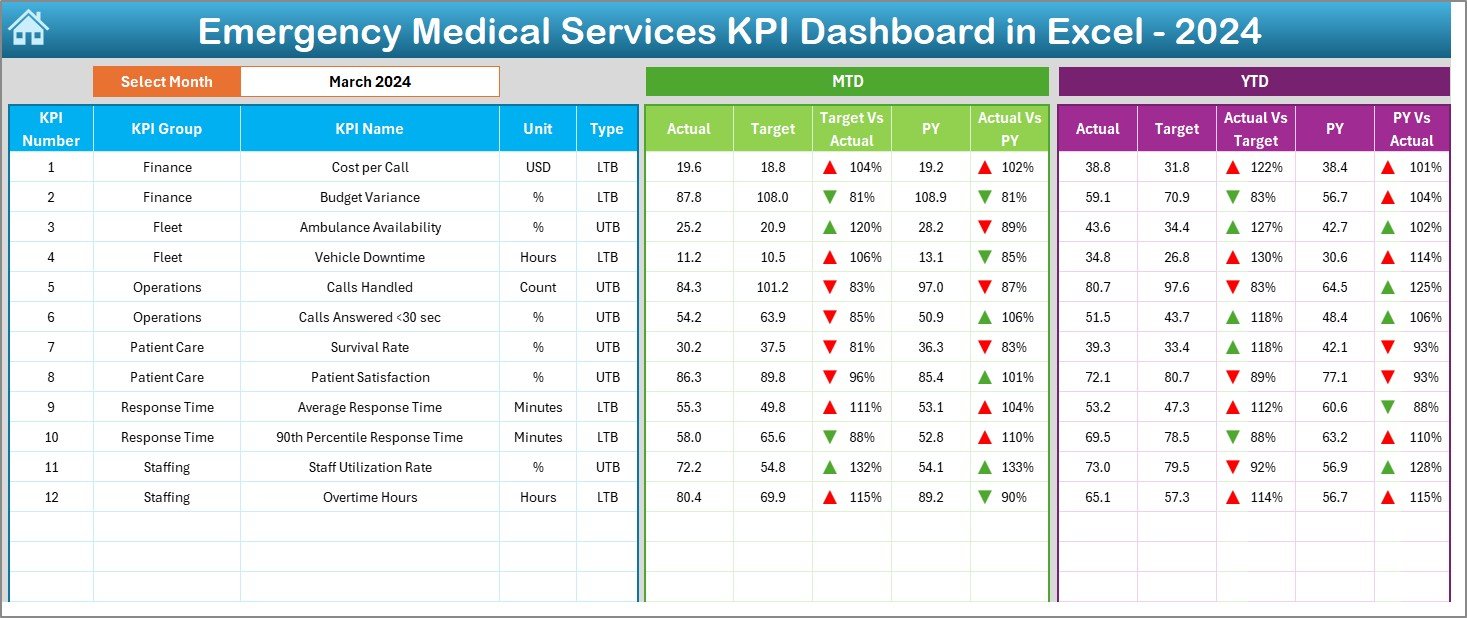
🚀 Dynamic Month Selection – Instantly switch months using a dropdown and view updated KPIs in real time
📊 MTD, YTD & Previous Year Analysis – Compare current performance with targets and historical data
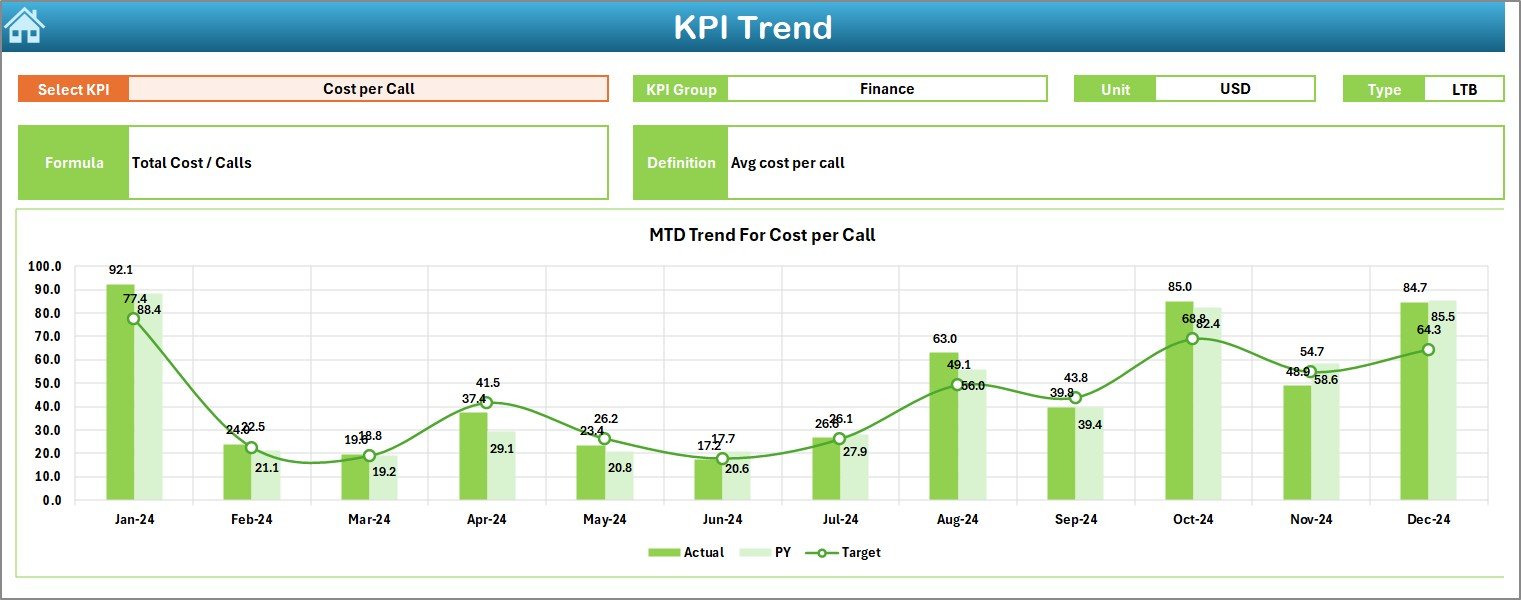
📈 Trend Analysis – Identify patterns and performance shifts using interactive trend charts
🎯 Target vs Actual Tracking – Quickly spot gaps with clear variance indicators
🔄 Fully Automated Calculations – No manual formulas or complex setup required
📌 User-Friendly Navigation – One-click buttons for smooth movement across worksheets
💡 Excel-Based & Cost-Effective – No Power BI or advanced technical skills needed
📦 What’s Inside the Emergency Medical Services KPI Dashboard in Excel
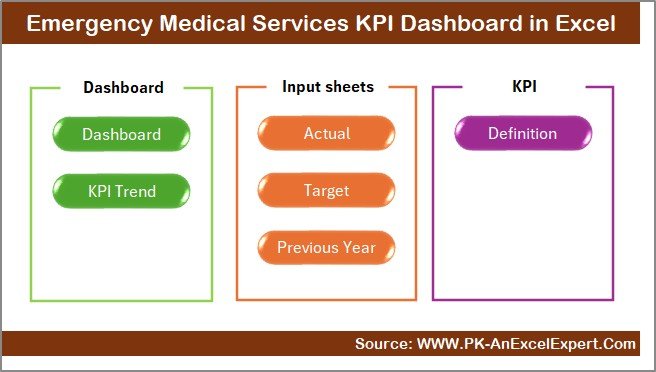
This professional dashboard includes 7 well-designed Excel worksheets, each with a clear purpose:
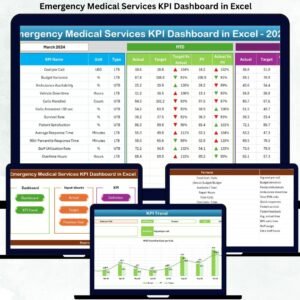
📍 Summary Page – Acts as the navigation hub with buttons to access key analytical sheets
📍 Dashboard Sheet – Displays all EMS KPIs with MTD, YTD, Target, and Previous Year comparisons
📍 Trend Sheet – Shows KPI-level trends with Actual, Target, and PY data for better forecasting
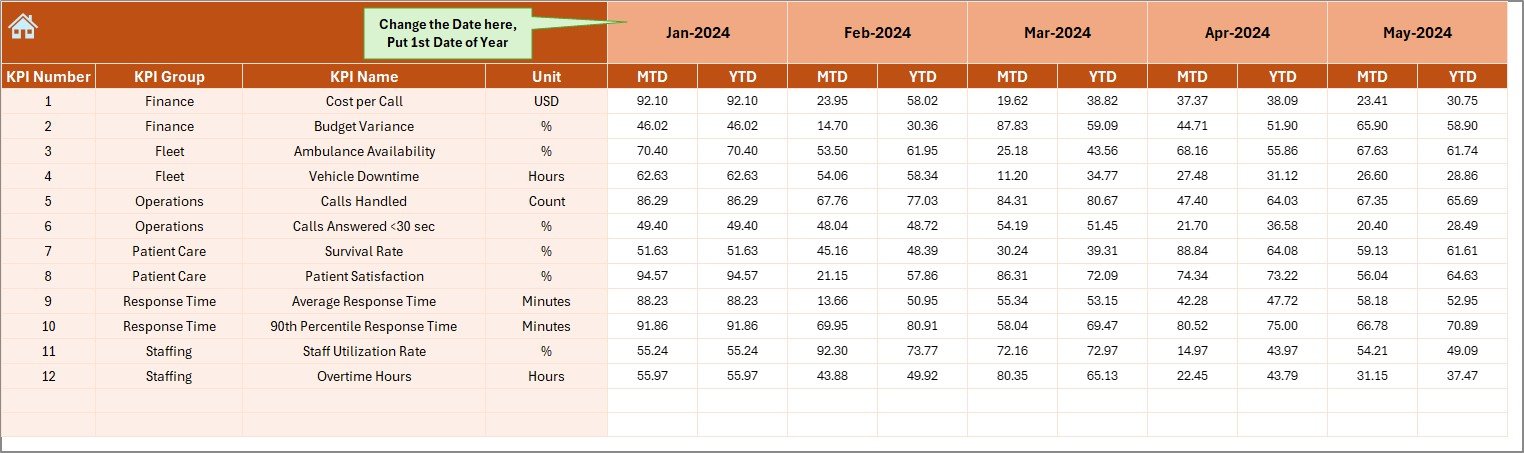
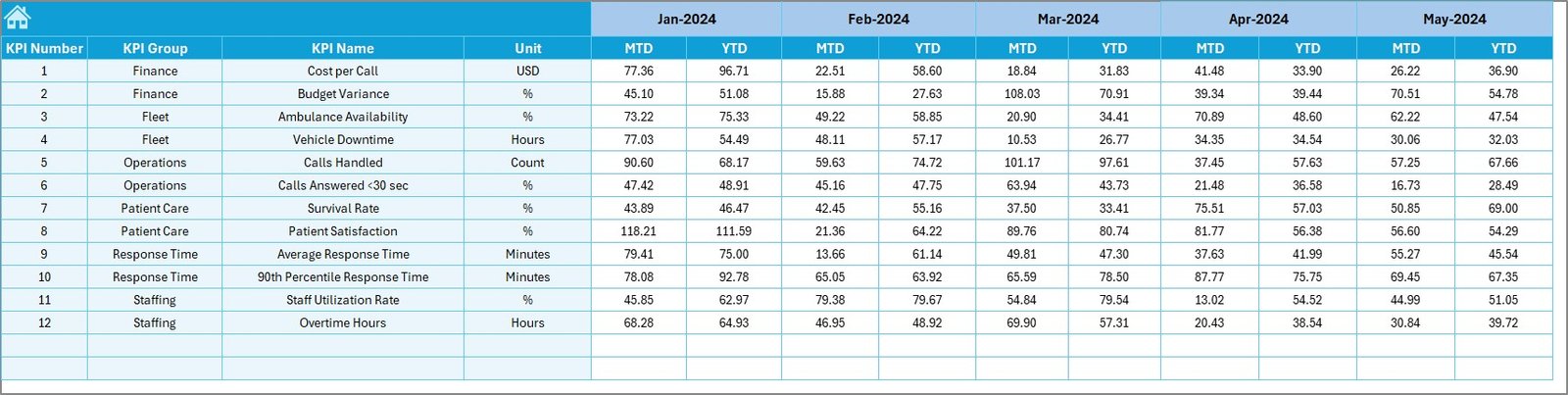
📍 Actual Numbers Input Sheet – Enter real EMS performance data in a structured format
📍 Target Sheet – Define monthly and yearly performance targets
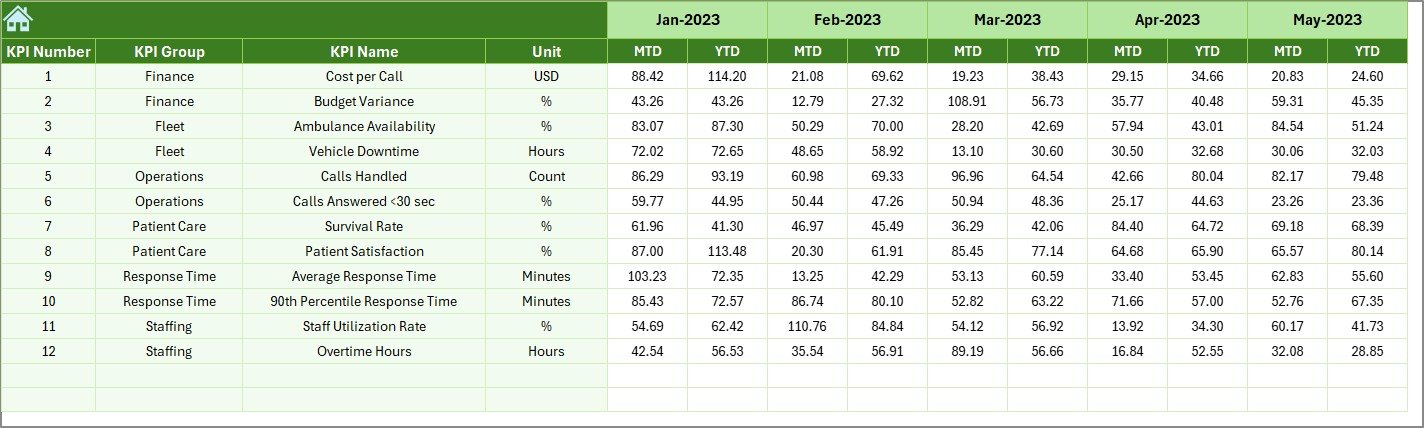
📍 Previous Year Numbers Sheet – Store historical data for year-over-year comparison
📍 KPI Definition Sheet – Maintain KPI names, formulas, units, and definitions for consistency
Each sheet works together to deliver a smooth, professional, and decision-ready experience.
🛠 How to Use the Emergency Medical Services KPI Dashboard in Excel
Using this dashboard is simple and requires no technical expertise:
1️⃣ Enter actual EMS data in the Actual Numbers Input Sheet
2️⃣ Define targets in the Target Sheet
3️⃣ Add previous-year values for benchmarking
4️⃣ Select the desired month from the dropdown
5️⃣ Instantly view updated KPIs, trends, and performance gaps
Because everything runs inside Excel, users stay in full control of data, structure, and customization.
🎯 Who Can Benefit from This Emergency Medical Services KPI Dashboard in Excel
This dashboard is ideal for:
🚑 EMS Operations Managers
🏥 Hospital & Healthcare Administrators
📋 Emergency Department Heads
📊 Performance & Quality Analysts
🚓 Ambulance Service Providers
🏛 Government & Public Health Agencies
Anyone responsible for EMS performance, compliance, or reporting will gain immediate value.
Click here to read the Detailed Blog Post
Watch the step-by-step video tutorial:




























Reviews
There are no reviews yet.