In today’s fast-paced electronics industry, performance must be tracked with precision and speed. However, many companies still depend on disconnected spreadsheets and manual reporting. As a result, managers struggle to monitor sales trends, production efficiency, inventory turnover, and profitability in one unified view.
That is exactly why the Electronics KPI Scorecard in Google Sheets is a game-changing solution.
This ready-to-use and fully interactive template provides a centralized KPI monitoring system designed specifically for electronics manufacturers, retailers, distributors, and service providers. Instead of reviewing multiple reports, you can evaluate all critical performance indicators in one dynamic scorecard.
Because it runs in Google Sheets, your team can collaborate in real time from anywhere — without expensive software or complicated setups.
🚀 Key Feature of Electronics KPI Scorecard in Google Sheets
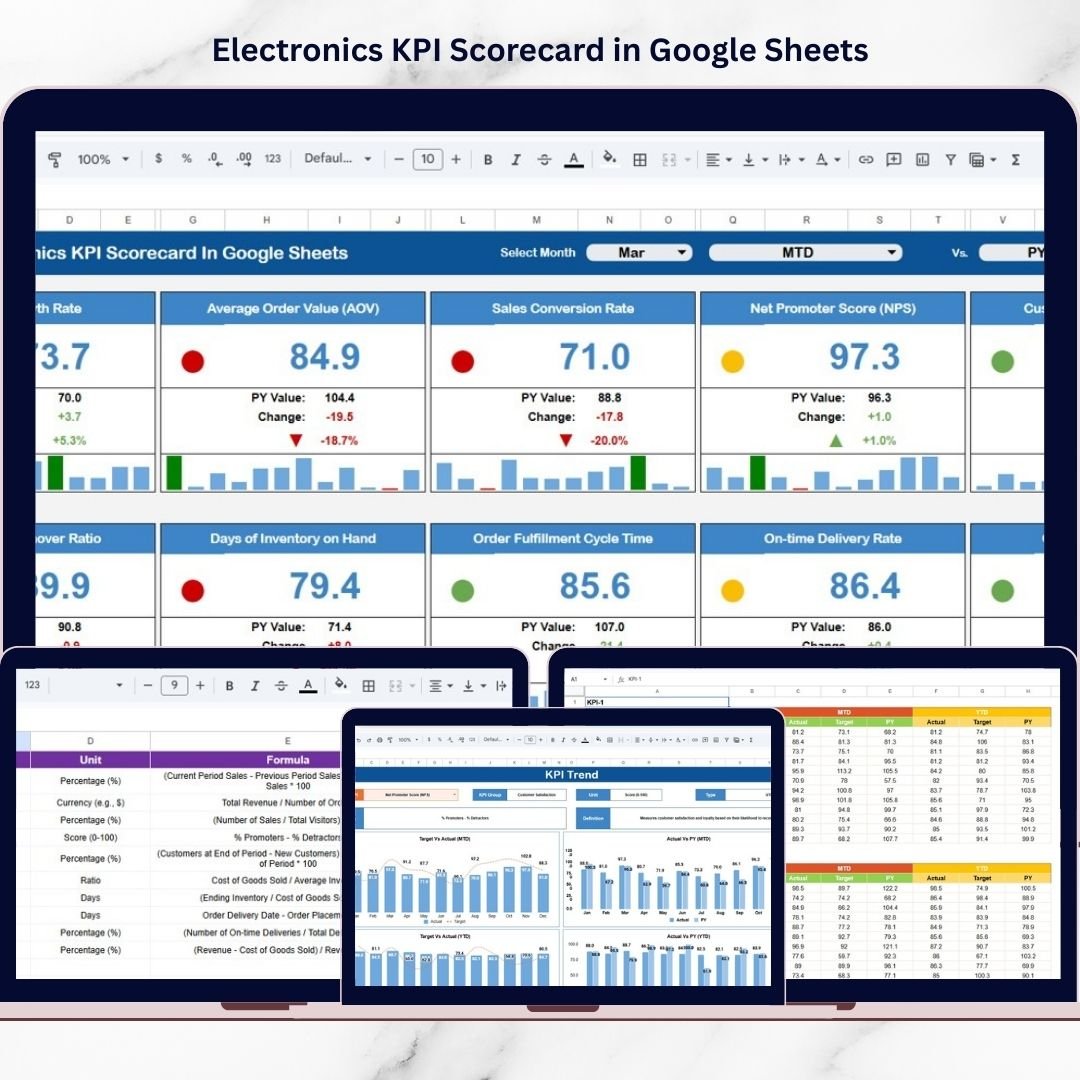
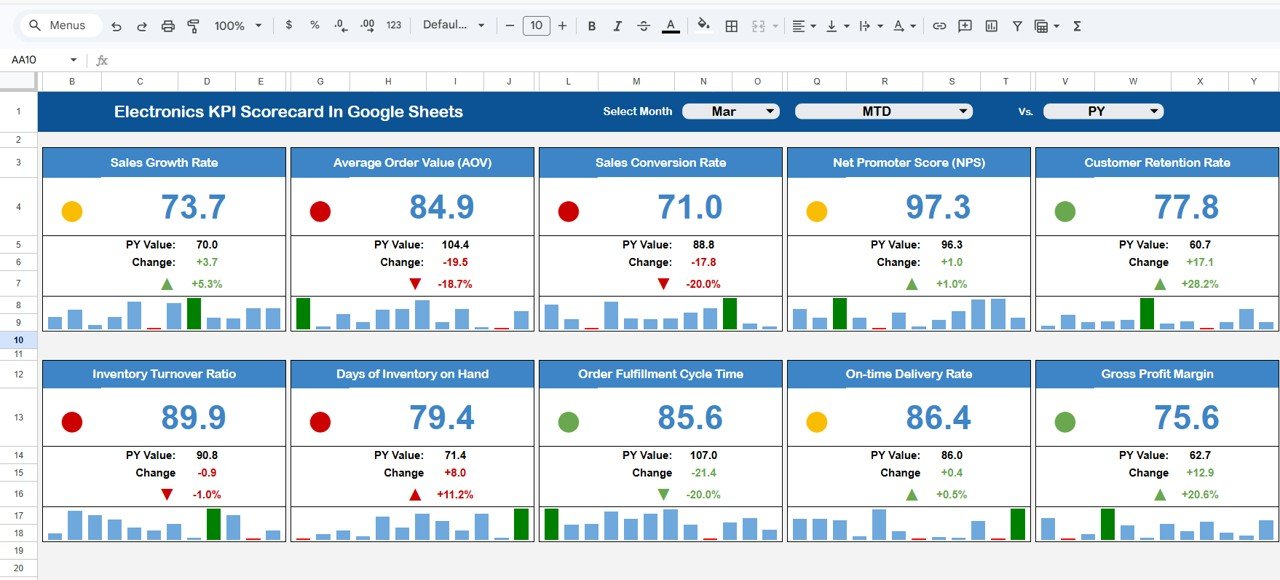
✅ Interactive Monthly Scorecard View – Select any month from the dropdown and watch the dashboard update instantly.
✅ MTD & YTD Analysis Toggle – Seamlessly switch between Month-to-Date and Year-to-Date performance.
✅ Traffic Light Performance Indicators – Instantly detect strong and weak performance areas.
✅ Up & Down Growth Arrows – Visual percentage changes highlight performance trends.
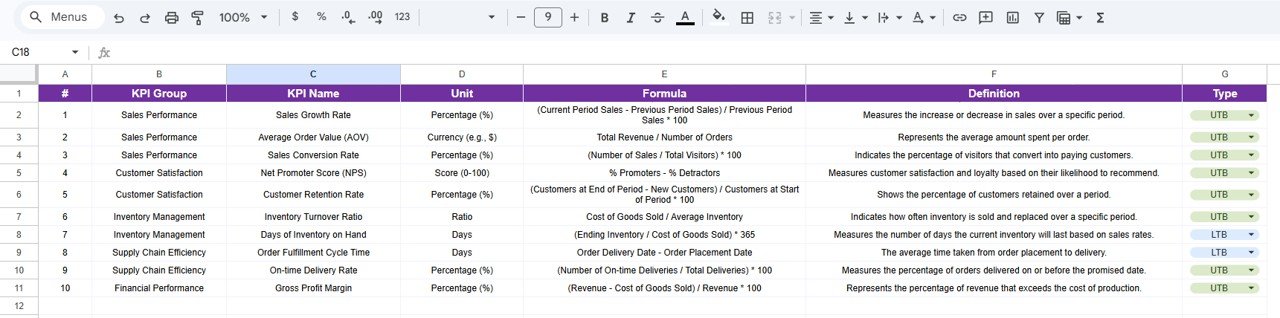
✅ Dynamic KPI Intelligence Panel – View KPI group, unit, formula, and performance type (LTB/UTB).
✅ Automated Variance Calculations – Compare actual vs target without manual formulas.
✅ Google Sheets Collaboration – Work with teams in real time across departments.
Because of these features, your electronics business gains complete performance visibility in minutes.
📦 What’s Inside the Electronics KPI Scorecard in Google Sheets
This professionally structured template includes 5 powerful worksheets that create a complete KPI monitoring framework.
1️⃣ Dashboard Sheet – Main Scorecard Page
The central performance view that includes:
-
Month dropdown selector
-
Automatic data refresh
-
MTD and YTD performance blocks
-
Traffic light indicators (Green, Yellow, Red)
-
Percentage variance arrows
When you change the month, the entire scorecard updates automatically — enabling instant performance analysis.
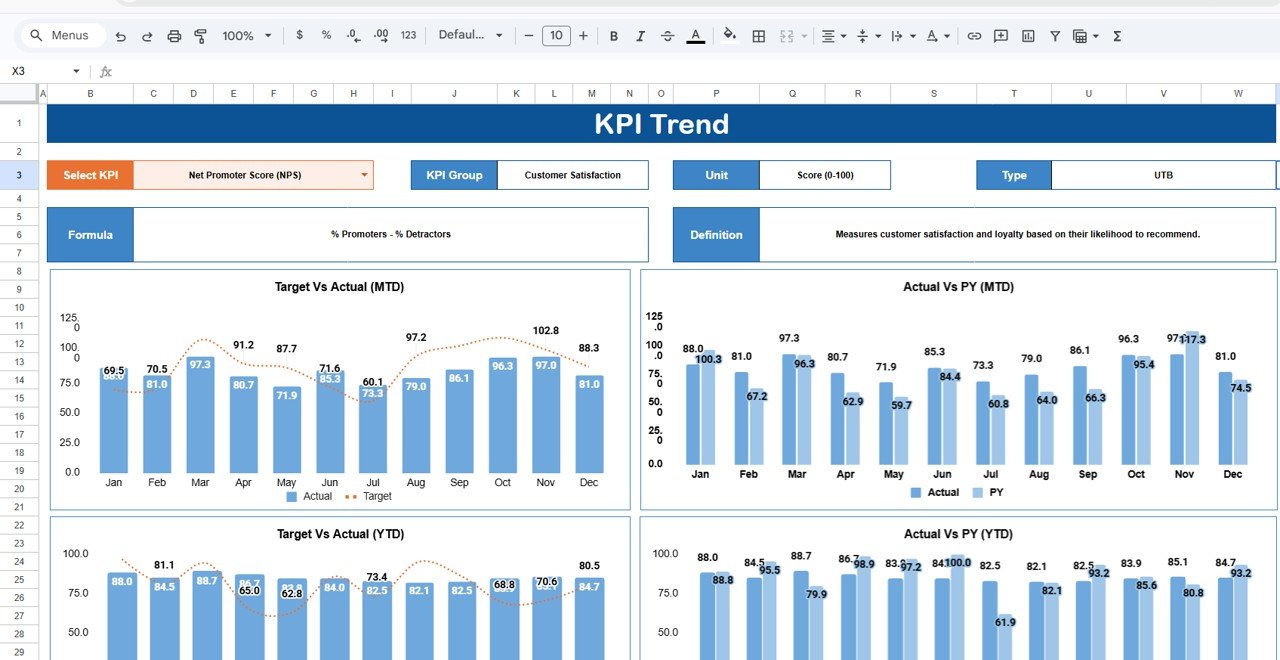
2️⃣ KPI Trend Sheet – Deep Performance Analysis
Select any KPI from the dropdown (cell C3) to view:
-
KPI Group
-
Unit of measurement
-
KPI Type (Lower the Better / Upper the Better)
-
KPI Formula
-
KPI Definition
-
Monthly performance trend charts
This sheet allows long-term trend monitoring and strategic insight.
3️⃣ KPI Definition Sheet – KPI Documentation Hub
Standardizes KPI logic by storing:
-
KPI Name
-
KPI Group
-
Unit
-
Formula
-
KPI Definition
This ensures clarity, consistency, and cross-team alignment.
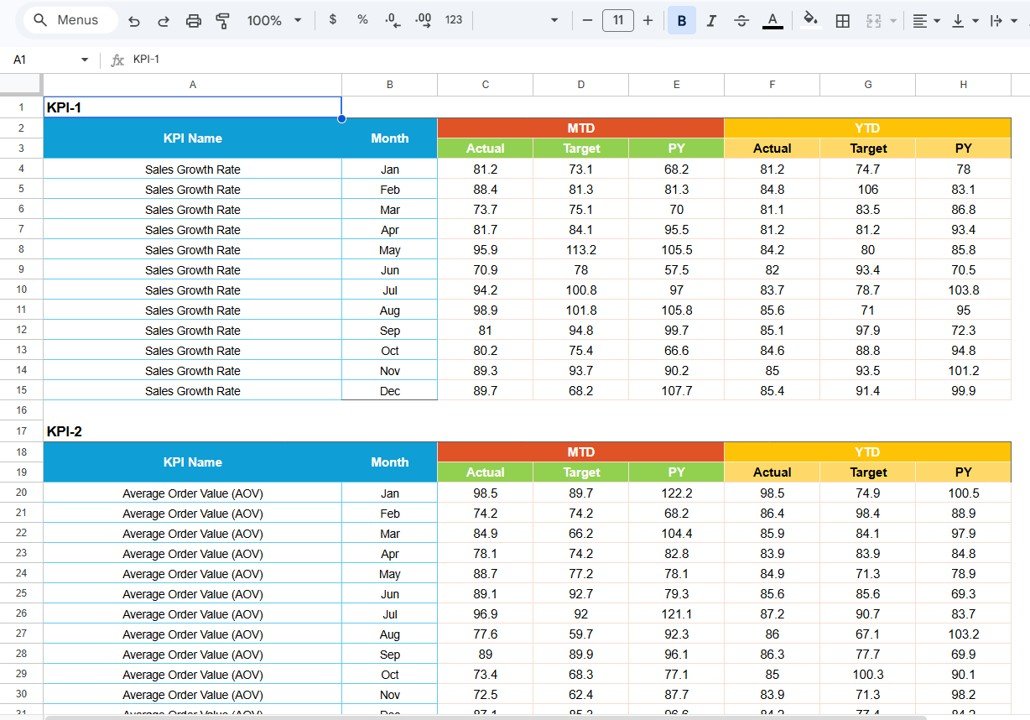
4️⃣ Data Input Sheet – Raw Performance Entry
Enter:
-
Monthly MTD values
-
Monthly YTD values
-
KPI-specific data
Once entered, the dashboard updates automatically.
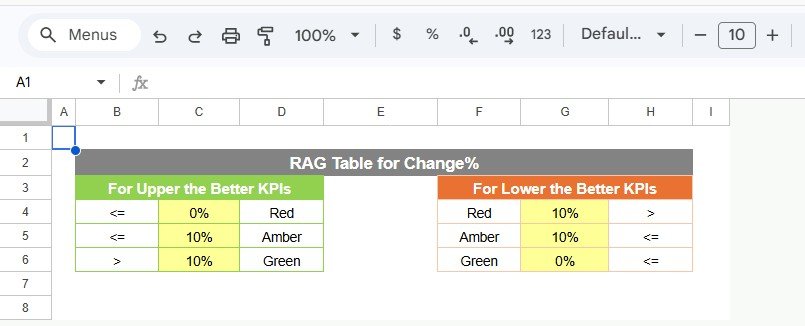
5️⃣ Colour Settings Sheet – Visual Rule Control
Customize:
-
Green performance thresholds
-
Yellow warning levels
-
Red alert conditions
Because LTB and UTB KPIs behave differently, the color logic adjusts accordingly.
Together, these sheets create a structured and intelligent electronics performance management system.
⚙️ How to Use the Electronics KPI Scorecard in Google Sheets
Getting started is simple:
-
Open the Google Sheets template
-
Define KPIs in the KPI Definition sheet
-
Set color thresholds in Colour Settings
-
Enter targets and actual values in Data Input
-
Select your desired month on the Dashboard
-
Toggle between MTD and YTD views
-
Review instant performance insights
Within minutes, your electronics data transforms into executive-ready intelligence.
👥 Who Can Benefit from This Electronics KPI Scorecard in Google Sheets
This scorecard is ideal for electronics businesses seeking structured control.
Perfect for:
-
📱 Electronics Manufacturers
-
🏪 Retail Store Owners
-
🚚 Distributors
-
📊 Operations Managers
-
💰 Finance Teams
-
📈 Sales Managers
-
🧠 Business Analysts
Because the template runs in Google Sheets, collaboration remains smooth and efficient.
By implementing the Electronics KPI Scorecard in Google Sheets, your organization gains:
-
Real-time KPI visibility
-
Faster performance reviews
-
Automated monthly & yearly comparisons
-
Clear target tracking
-
Improved operational control
-
Centralized KPI documentation
-
Cost-effective analytics
In the competitive electronics market, reactive management is risky. You need proactive, data-driven performance tracking.
This KPI scorecard delivers exactly that.
🔗 Click here to read the Detailed blog post
Watch the step-by-step video tutorial: