
Managing documents may look easy — until compliance fails, approvals get delayed, and audit findings start increasing. If your organization handles large volumes of files, reports, and approvals, you need more than folders and shared drives.You need visibility. You need control. You need measurable performance.The Document Management KPI Scorecard in Excel is a powerful, ready-to-use performance tracking template designed to monitor document control activities using structured KPIs. Instead of juggling multiple reports, you get everything in one centralized Excel file — complete with MTD, YTD, Target vs Actual, and Previous Year comparisons.
This is not just an Excel file. It is your document control command center.
🚀 Key Feature of Document Management KPI Scorecard in Excel
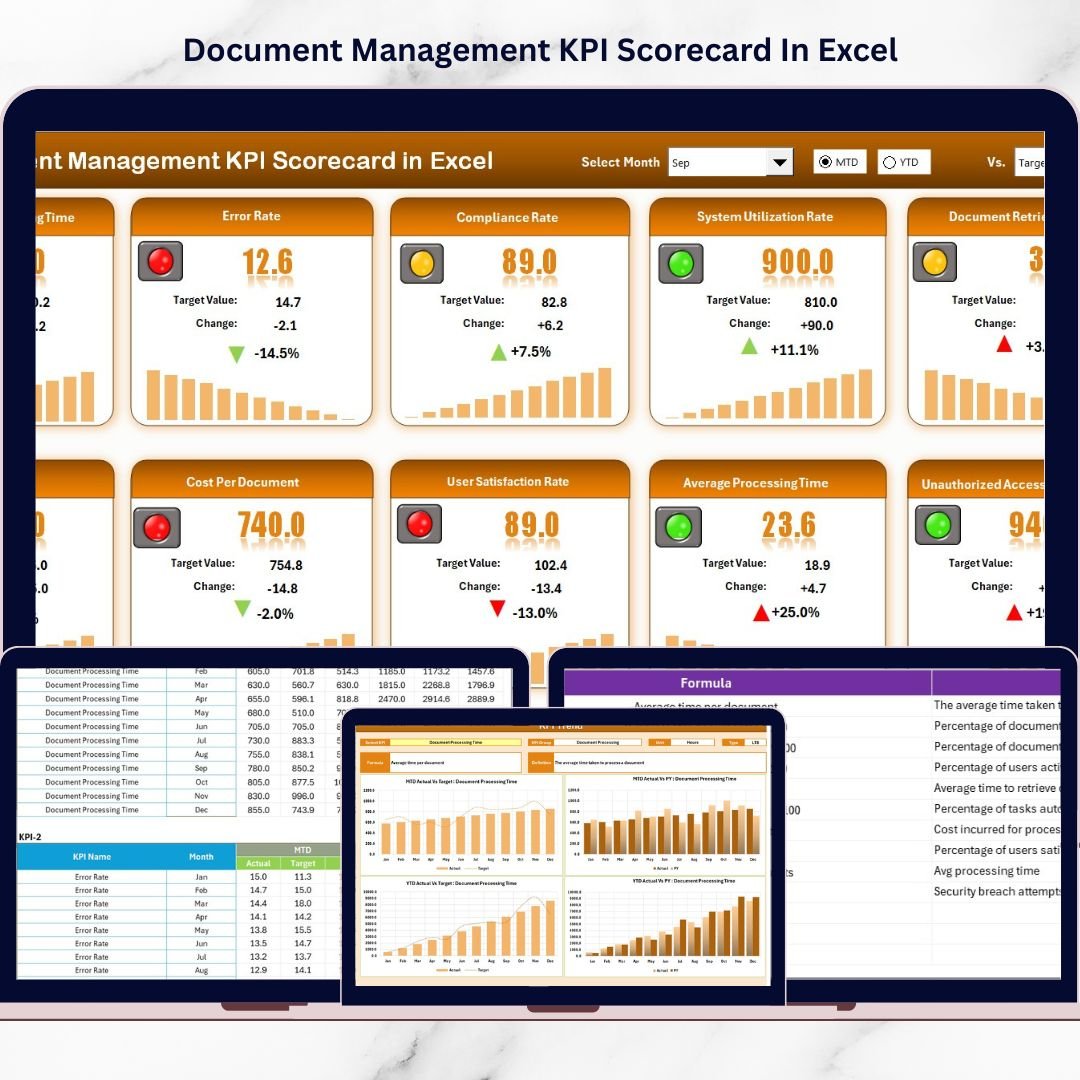
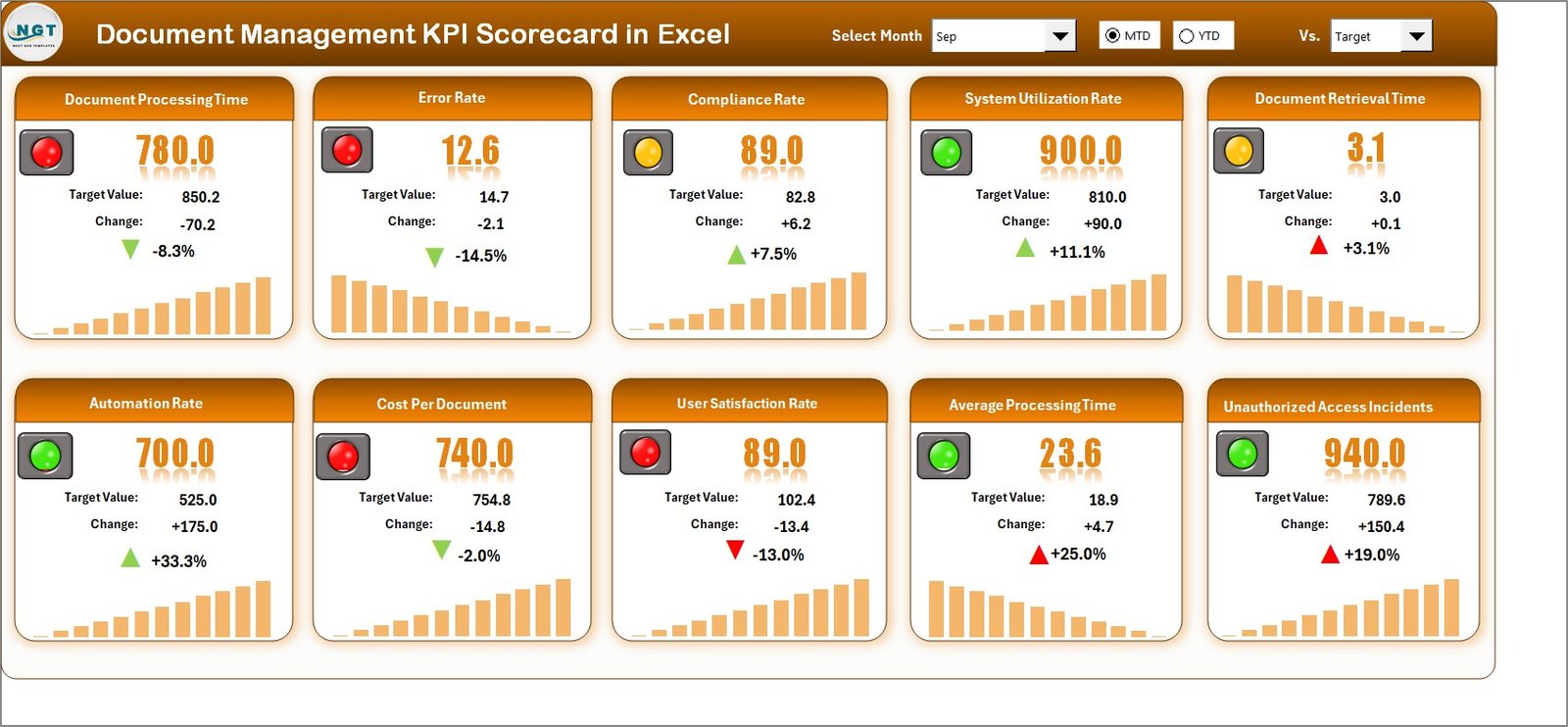
✨ Smart Scorecard Dashboard
Instantly track 10 critical KPIs in one consolidated view with automatic updates.
📅 Month Selection with MTD & YTD Tracking
Select any month and instantly view Month-to-Date and Year-to-Date performance.
🎯 Actual vs Target Comparison
Quickly identify which KPIs meet expectations and which require corrective action.
📊 Previous Year Comparison (PY)
Analyze trends and measure year-over-year improvement.
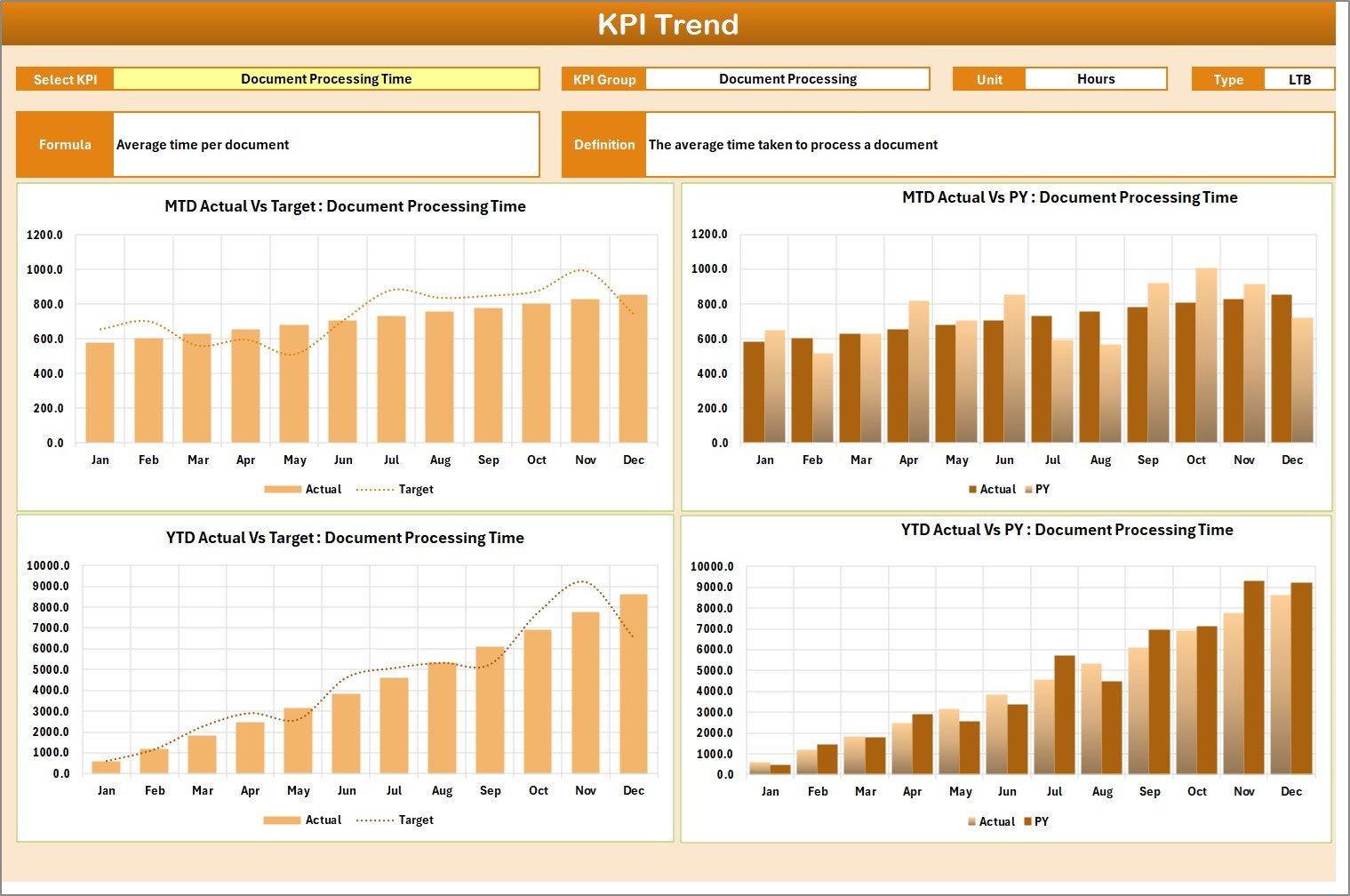
📈 Interactive KPI Trend Analysis
Visual trend charts help detect patterns early and support proactive decisions.
🟢🔴 Visual Performance Indicators
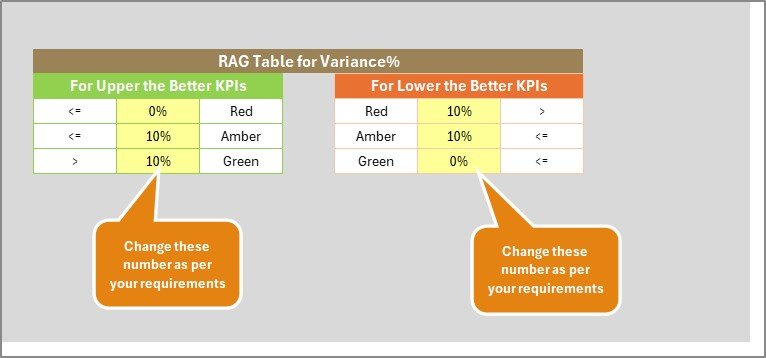
Color coding and conditional formatting make decision-making fast and effortless.
🧾 Structured KPI Definitions
Clearly defined KPIs with formulas and units improve transparency and audit readiness.
📦 What’s Inside the Document Management KPI Scorecard in Excel
This ready-to-use template includes 4 structured worksheets:
📊 Scorecard Sheet
The main dashboard where you track all KPIs in one place. It shows MTD Actual, Target, YTD performance, and Previous Year comparisons with visual indicators.
📈 KPI Trend Sheet
Select any KPI and analyze monthly movement with trend charts. View KPI group, unit, formula, and type (LTB or UTB).
📝 Input Data Sheet
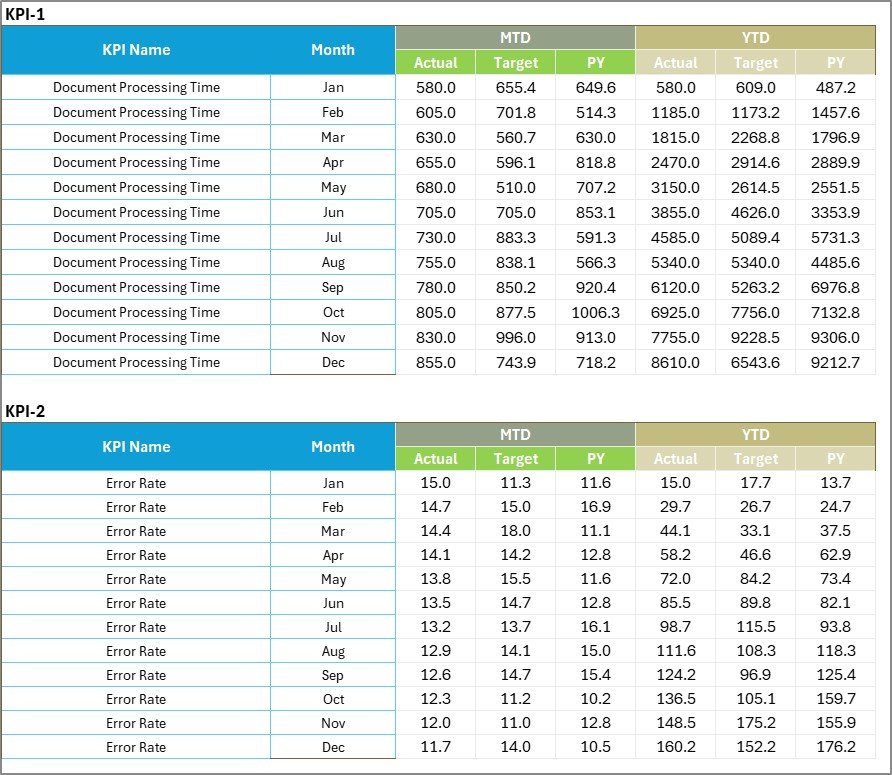
Enter monthly Actual and Target values in a structured format. The entire scorecard updates automatically.
📘 KPI Definition Sheet
Maintain complete clarity with KPI names, groups, formulas, units, and definitions for transparency and audit compliance.
🛠 How to Use the Document Management KPI Scorecard in Excel
Using this template is simple and requires only basic Excel knowledge.
1️⃣ Enter your monthly Actual and Target data in the Input Sheet.
2️⃣ Define or customize KPIs in the KPI Definition Sheet if required.
3️⃣ Select the desired month in the Scorecard Sheet.
4️⃣ Instantly review MTD, YTD, and Previous Year comparisons.
5️⃣ Use the KPI Trend Sheet to analyze performance movement.
Because everything updates automatically, you save hours of manual reporting.
👥 Who Can Benefit from This Document Management KPI Scorecard?
This scorecard is ideal for:
📂 Document Control Managers
📑 Compliance Officers
🛡 Quality Assurance Teams
🏢 Operations Managers
📋 Project Managers
💻 IT Document Administrators
If your organization manages approvals, revisions, audits, or regulatory documents, this tool will give you clarity and control.
This KPI scorecard improves visibility, enhances compliance, supports faster decision-making, and encourages accountability. Instead of reacting to audit issues, you proactively manage document performance.
Stop guessing. Start measuring. Start improving.
Click here to read the Detailed blog post
Watch the step-by-step video tutorial: