
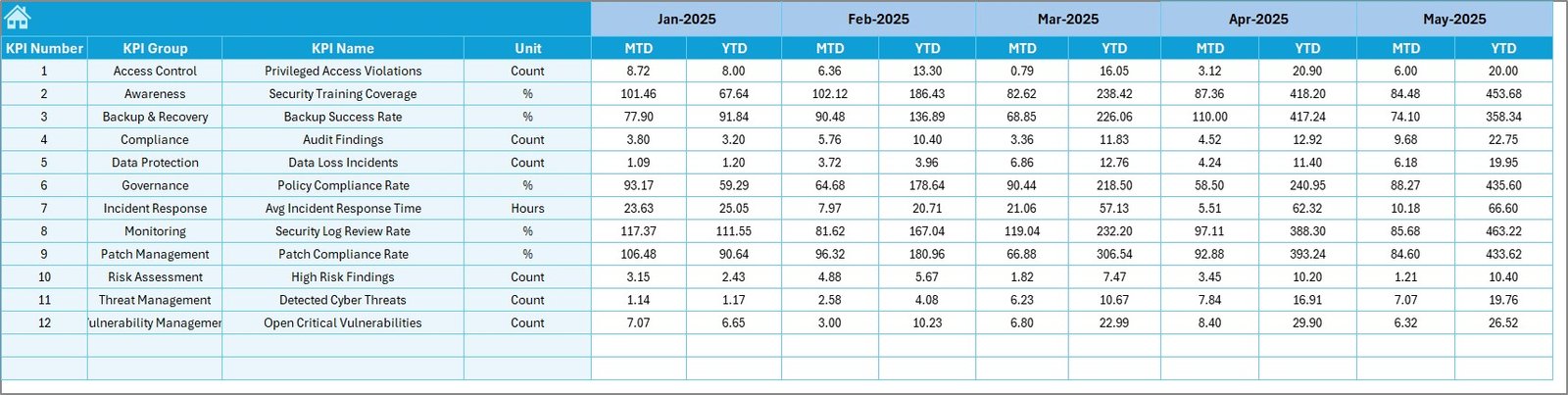
Cyber risks are growing in volume, complexity, and business impact. Organizations now face constant threats such as data breaches, ransomware attacks, system vulnerabilities, and regulatory non-compliance. In such an environment, relying on static reports or scattered spreadsheets is no longer enough.
That is exactly where the Cyber Risk Management KPI Dashboard in Excel delivers real value.
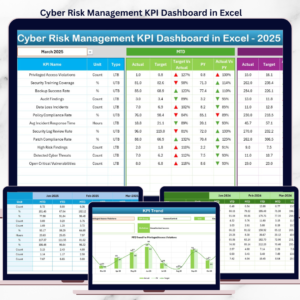
This ready-to-use Excel dashboard helps organizations monitor cyber risk performance continuously using clear KPIs, visual indicators, and trend analysis. Instead of reacting after incidents occur, cyber risk and security teams gain real-time visibility into risk posture, control effectiveness, and performance gaps.
Designed for clarity, governance, and proactive decision-making, this Excel dashboard transforms complex cyber risk data into actionable insights—without expensive tools or complex systems.
✅ Key Features of Cyber Risk Management KPI Dashboard in Excel
-
🔐 Centralized Cyber Risk KPI Tracking – Monitor all cyber risk KPIs in one Excel dashboard
-
🎯 Actual vs Target Comparison – Identify gaps in risk controls instantly
-
📅 MTD & YTD Performance Analysis – Track short-term movements and long-term trends
-
⬆️⬇️ Visual Risk Indicators – Up/down arrows highlight risk improvement or deterioration
-
📈 Detailed KPI Trend Analysis – Analyze cyber risk trends over time
-
📘 Standardized KPI Definitions – Ensure clarity, consistency, and governance
-
⚙️ Excel-Based & Cost-Effective – No additional software or licenses required
📦 What’s Inside the Cyber Risk Management KPI Dashboard in Excel
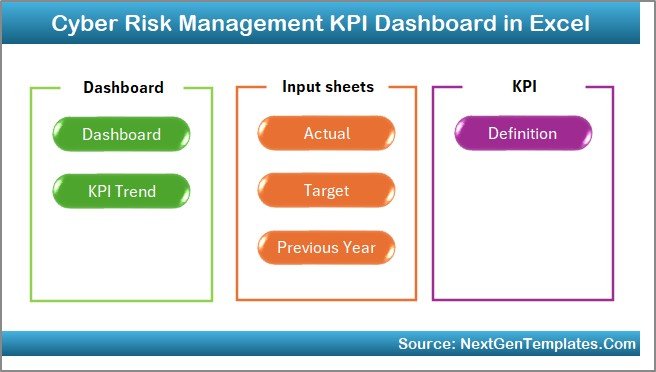
This ready-to-use dashboard includes seven structured worksheets, each designed to support effective cyber risk monitoring:
🏠 Home Sheet – Navigation Center
Acts as the control hub of the dashboard with six navigation buttons:
-
Dashboard
-
KPI Trend
-
Actual Numbers Input
-
Target Sheet
-
Previous Year Numbers
-
KPI Definition
This index-style design makes navigation easy for all users.
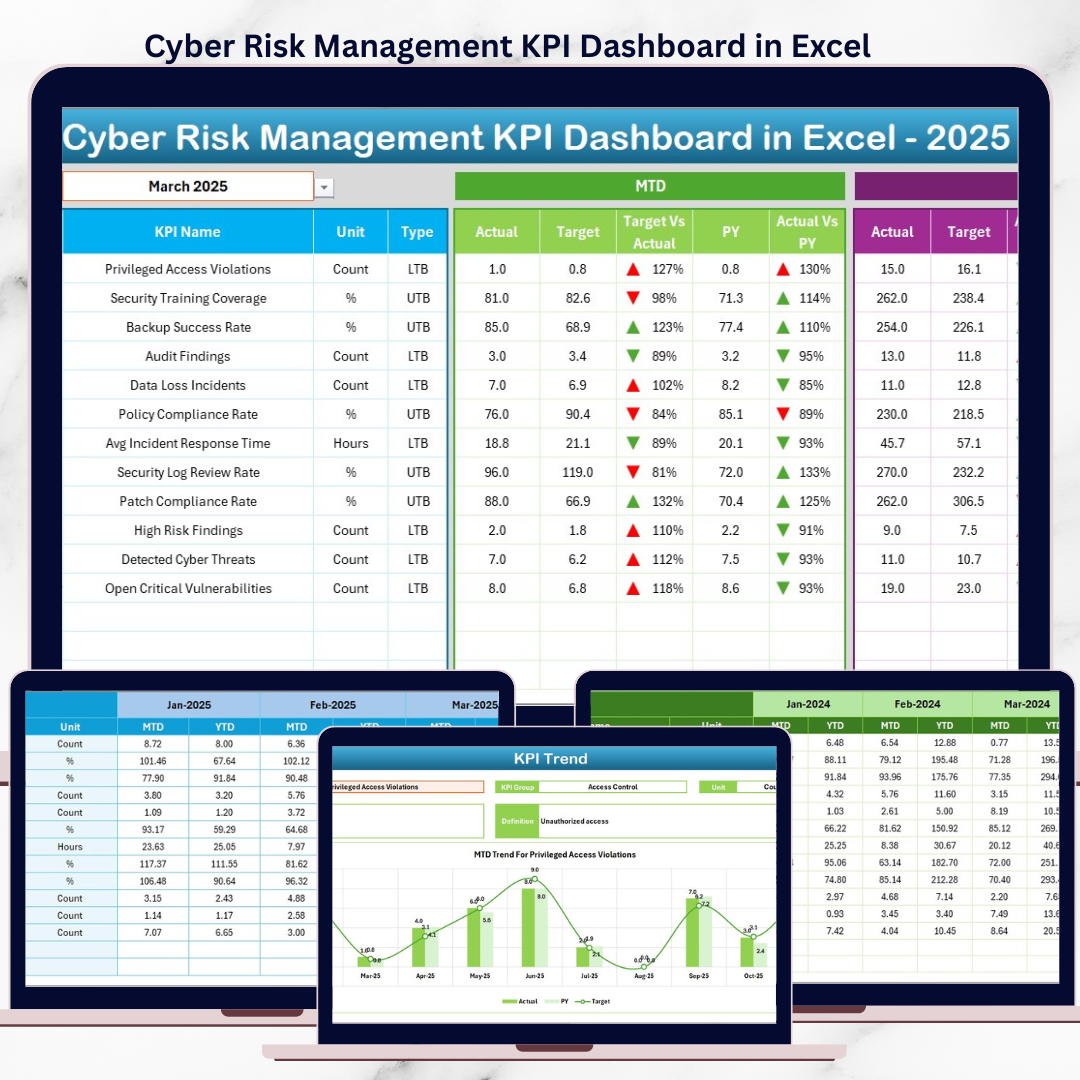
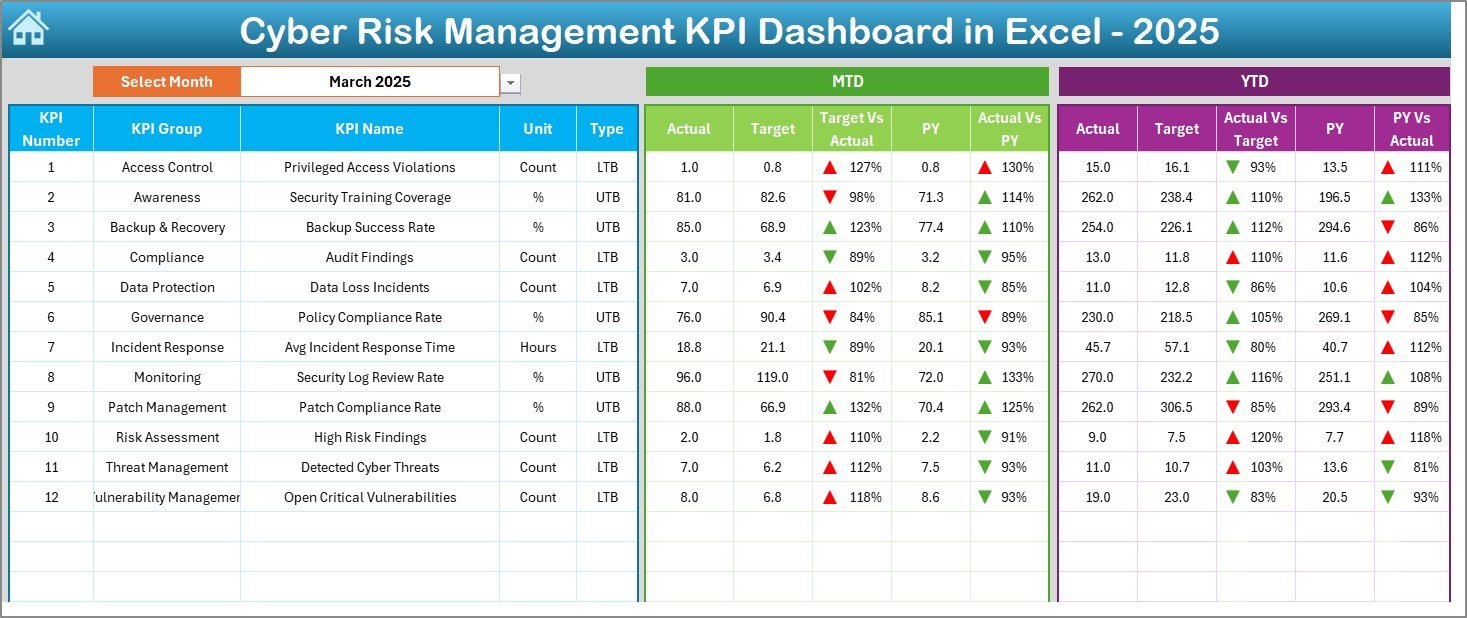
📊 Dashboard Sheet – Executive Risk Overview
The main reporting interface of the dashboard.
Key highlights:
-
Month selection dropdown (Cell D3)
-
MTD & YTD Actual, Target, and Previous Year values
-
Target vs Actual and PY vs Actual comparisons
-
Conditional formatting with up/down arrows
This sheet gives leadership instant clarity on cyber risk status.
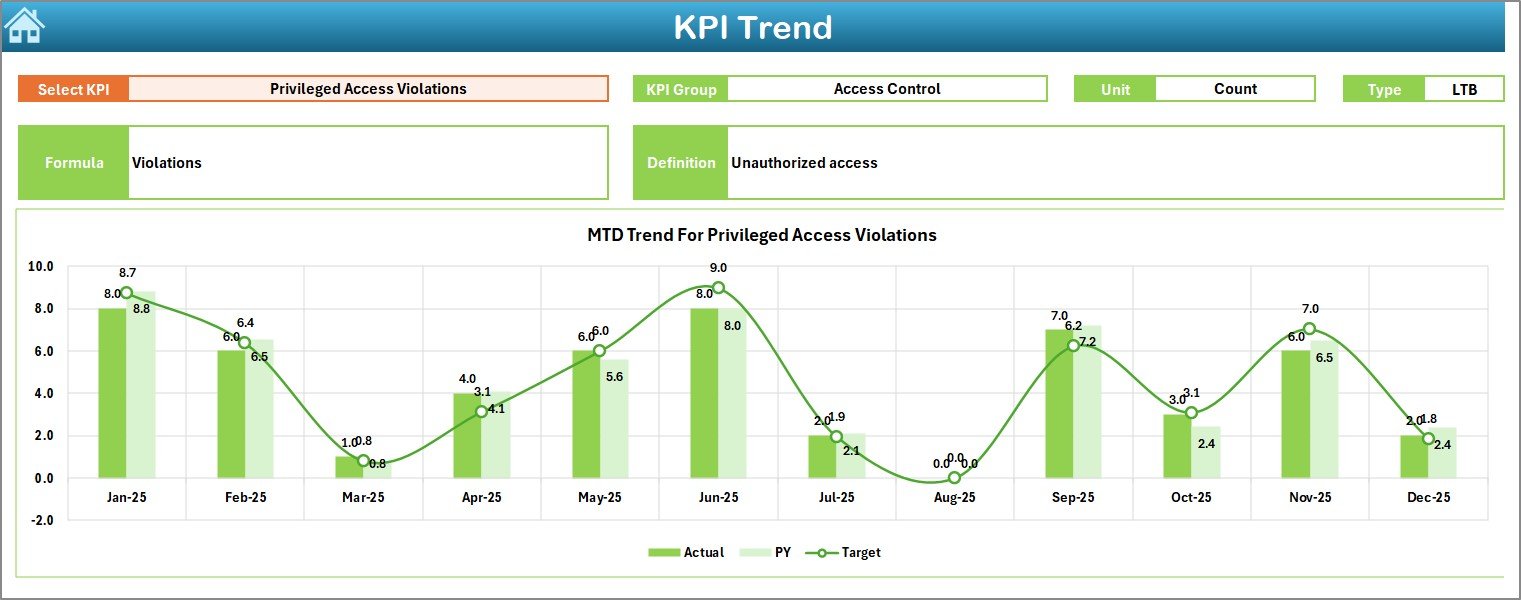
📈 KPI Trend Sheet – Deep Risk Analysis
Allows detailed analysis of individual cyber risk KPIs.
Users can view:
-
KPI Group
-
Unit of measurement
-
KPI Type (LTB / UTB)
-
KPI Formula & Definition
-
MTD & YTD trend charts for Actual, Target, and PY
This sheet supports forecasting and proactive risk planning.
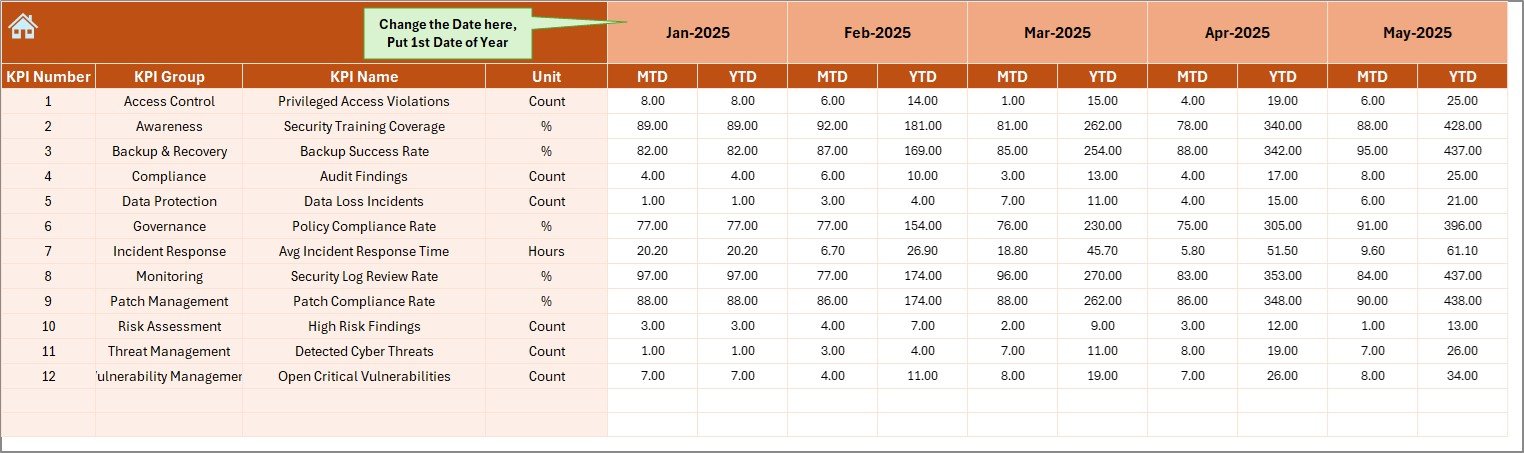
✍️ Actual Numbers Input Sheet
The foundation of all calculations.
Users enter:
-
MTD actual values
-
YTD actual values
-
KPI-wise performance data
Accurate inputs ensure reliable insights across the dashboard.
🎯 Target Sheet
Stores benchmark and risk appetite values.
Users define:
-
Monthly MTD targets
-
Monthly YTD targets
Targets help measure control effectiveness and compliance.
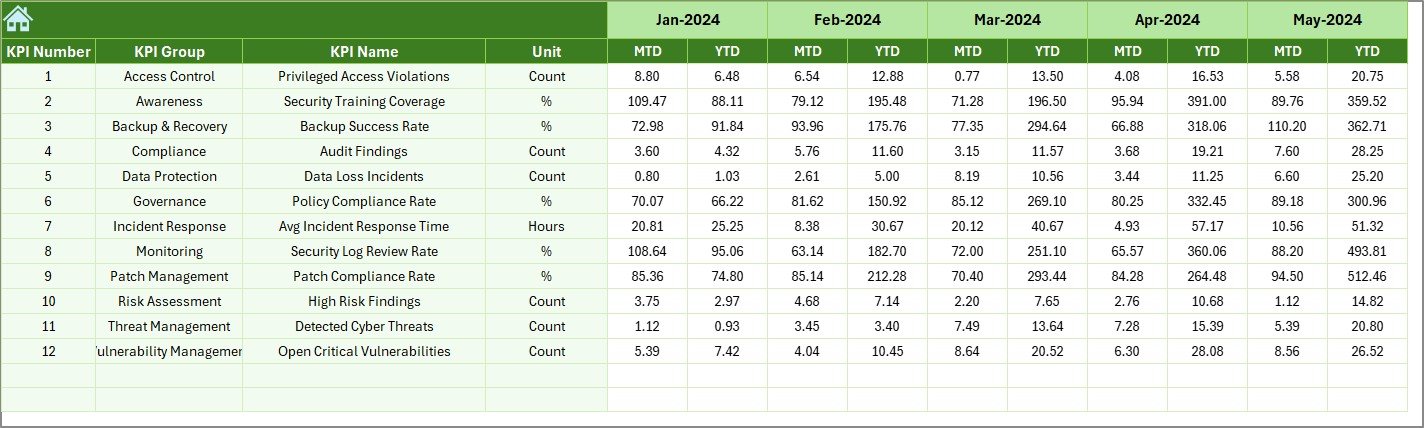
⏮️ Previous Year Numbers Sheet
Captures historical KPI data for year-over-year comparison.
This helps teams:
-
Measure improvement or decline
-
Identify recurring risk patterns
-
Evaluate past risk initiatives
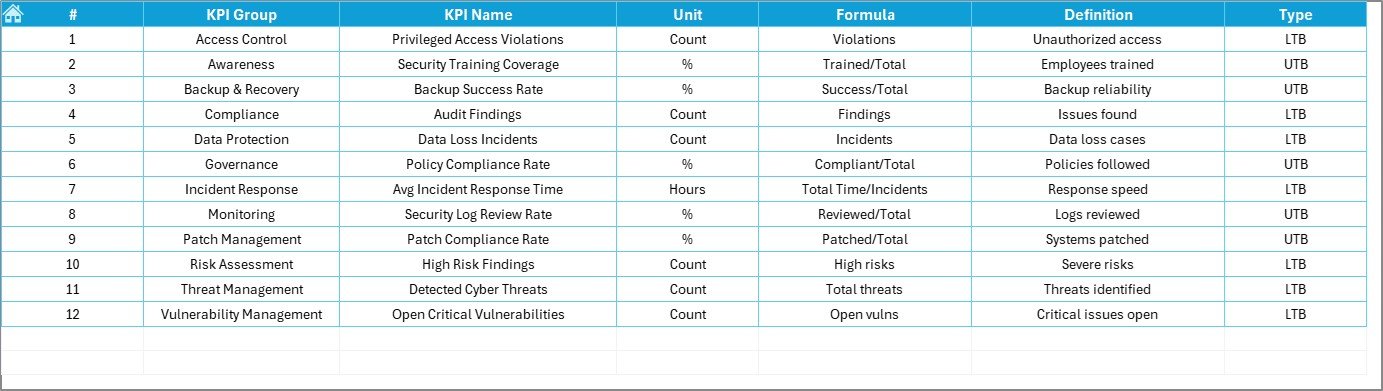
📘 KPI Definition Sheet
Acts as the governance layer of the dashboard.
Includes:
-
KPI Name
-
KPI Group
-
Unit
-
Formula
-
Definition
This ensures standardized interpretation and reporting.
🛠️ How to Use the Cyber Risk Management KPI Dashboard in Excel
Using the dashboard is simple and structured:
1️⃣ Define cyber risk KPIs and targets
2️⃣ Enter actual performance data regularly
3️⃣ Select the reporting month from the dashboard
4️⃣ Review MTD and YTD performance instantly
5️⃣ Analyze trends and performance gaps
6️⃣ Take corrective actions proactively
No advanced Excel skills are required—basic Excel knowledge is enough.
👥 Who Can Benefit from This Cyber Risk Management KPI Dashboard?
This Excel dashboard is ideal for:
-
🔐 Cyber Risk Management Teams
-
🛡️ Information Security Teams
-
📋 Risk & Compliance Managers
-
🧠 IT Governance Professionals
-
📊 Internal Audit Teams
-
👔 Senior Leadership
It works equally well for small teams and enterprise-level cyber risk programs.
📖 Click here to read the Detailed blog post
🎥 Visit our YouTube channel to learn step-by-step video tutorials
👉 https://youtube.com/@PKAnExcelExpert






























Reviews
There are no reviews yet.