

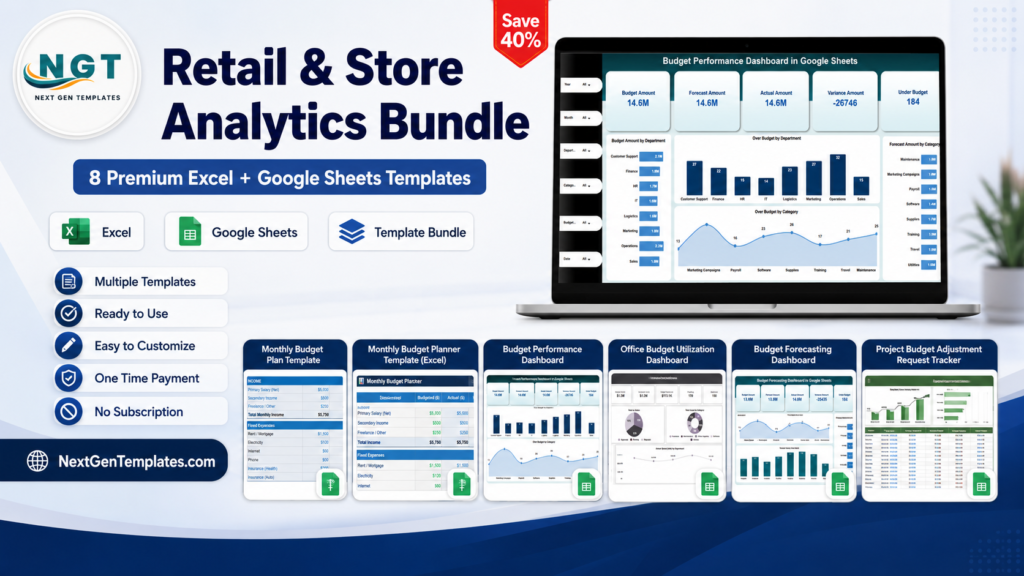
Quick answer: the right budget template Excel or Google Sheets tool depends on what you are controlling: a personal monthly budget, a household plan, a wedding, a project change request, a department budget, or an annual corporate KPI review.
Budgeting in the US has become a tighter operating discipline, not just a nice personal habit. A family may be trying to keep groceries, rent, debt payments, and savings goals visible in one monthly budget. A small business may need to explain why office spending is above plan. A finance team may need forecast, actual, and variance views before the next leadership meeting. SaaS tools can help, but the cost adds up fast: YNAB lists a monthly plan at $14.99, while QuickBooks Online plans are listed from $38 to $275 per month before promotional discounts. By comparison, the most expensive template in this roundup is the $17.99 Wedding Budget Dashboard in Excel, and most options here are $6.99 to $9.99 one time. This post compares 10 specific NextGenTemplates budget tools across personal, household, small business, department, project, training, and corporate use cases.
Budget Template Comparison Table
| Template | Format | Best For | Price |
|---|---|---|---|
| Wedding Budget Dashboard in Excel | Excel dashboard | Wedding and event budget control | $17.99 |
| Personal Monthly Budget Tracker in Google Sheets | Google Sheets tracker | Personal monthly money management | $6.99 |
| Monthly Budget Plan Template in Google Sheets | Google Sheets planner | Household budget planning | $6.99 |
| Monthly Budget Planner Template in Excel | Excel planner | Excel-based personal and family budgeting | $6.99 |
| Budget Performance Dashboard in Google Sheets | Google Sheets dashboard | Team budget performance reviews | $9.99 |
| Office Budget Utilization Dashboard in Google Sheets | Google Sheets dashboard | Office and admin spend utilization | $6.99 |
| Budget Forecasting Dashboard in Google Sheets | Google Sheets dashboard | Forecast vs actual budget planning | $9.99 |
| Project Budget Adjustment Request Tracker in Google Sheets | Google Sheets tracker | Project budget change approvals | $6.99 |
| Training Budget & Performance Control Dashboard in Google Sheets | Google Sheets dashboard | Learning and development budget control | $6.99 |
| Budget Adherence KPI Dashboard in Google Sheets | Google Sheets KPI dashboard | Annual corporate budget adherence | $9.99 |
Why Budget Templates Matter Now
- Household spending is large enough to need structure. The Bureau of Labor Statistics Consumer Expenditures 2024 release reported average annual consumer-unit expenditures of $78,535 in 2024, which means even small percentage overruns can become thousands of dollars over a year.
- Unexpected expenses are normal. The Federal Reserve’s 2025 household well-being reporting, summarized by Fed Communities, found that 59% of adults had at least one major unexpected expense in the prior 12 months. A monthly budget that tracks actuals against plan is a practical early-warning system.
- Budget software is not always cheap. YNAB pricing, checked June 12, 2026, lists $14.99 per month or $109 paid annually. A one-time Google Sheets budget tracker can make sense when you want a lightweight system without a recurring subscription.
- Business tools can cost more as complexity rises. QuickBooks Online pricing, checked June 12, 2026, lists plans from $38 to $275 per month before promotional discounts. A template is not a replacement for accounting software, but it is often enough for budget variance reviews, departmental spending, and KPI reporting.
- One budget file rarely fits every tier. A personal monthly budget needs income, expenses, and savings. A department budget needs owners, categories, variances, vendors, forecasts, and approvals. That is why this roundup maps a different template to each use case instead of forcing one generic spreadsheet into every scenario.
10 Budget Templates Compared by Use Case
1. Wedding Budget Dashboard in Excel
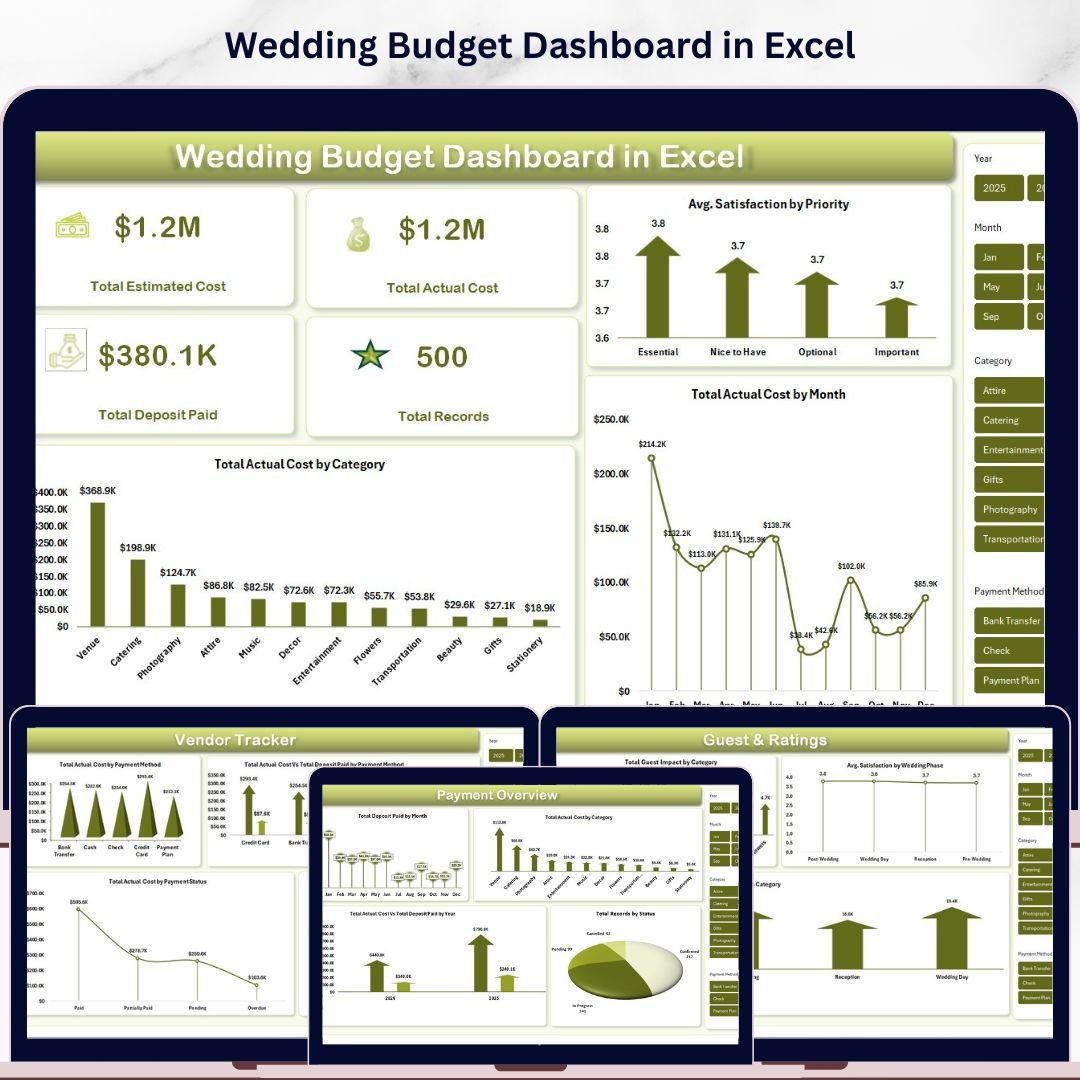
Best for: couples, wedding planners, event coordinators, and families managing a one-time high-stakes event budget. Format: Excel dashboard. Price: $17.99.
The Wedding Budget Dashboard in Excel is the most specialized and highest-priced tool in this list, but it also covers a use case where overspending can move quickly. Weddings involve deposits, vendors, guest-related costs, payment methods, satisfaction notes, categories, priorities, and timeline pressure. This dashboard turns those moving parts into a visual control center instead of a scattered folder of invoices and notes.
Screenshot section: the product screenshots show an Overview page, Budget Analysis page, Vendor Tracker, Payment Overview, Guest & Ratings page, Data Sheet, and Support Sheet. The dashboard uses KPI cards for total estimated cost, actual cost, deposits paid, and total records, plus charts for cost by month, category, priority, payment method, and wedding phase.
Specific use cases:
- Compare estimated wedding costs against final vendor invoices.
- Track deposits paid, remaining balances, and payment status by vendor.
- Review which categories or wedding phases are causing the largest variance.
- Give a wedding planner or family decision-maker one clear Excel file for budget reviews.
View the Wedding Budget Dashboard in Excel
2. Personal Monthly Budget Tracker in Google Sheets
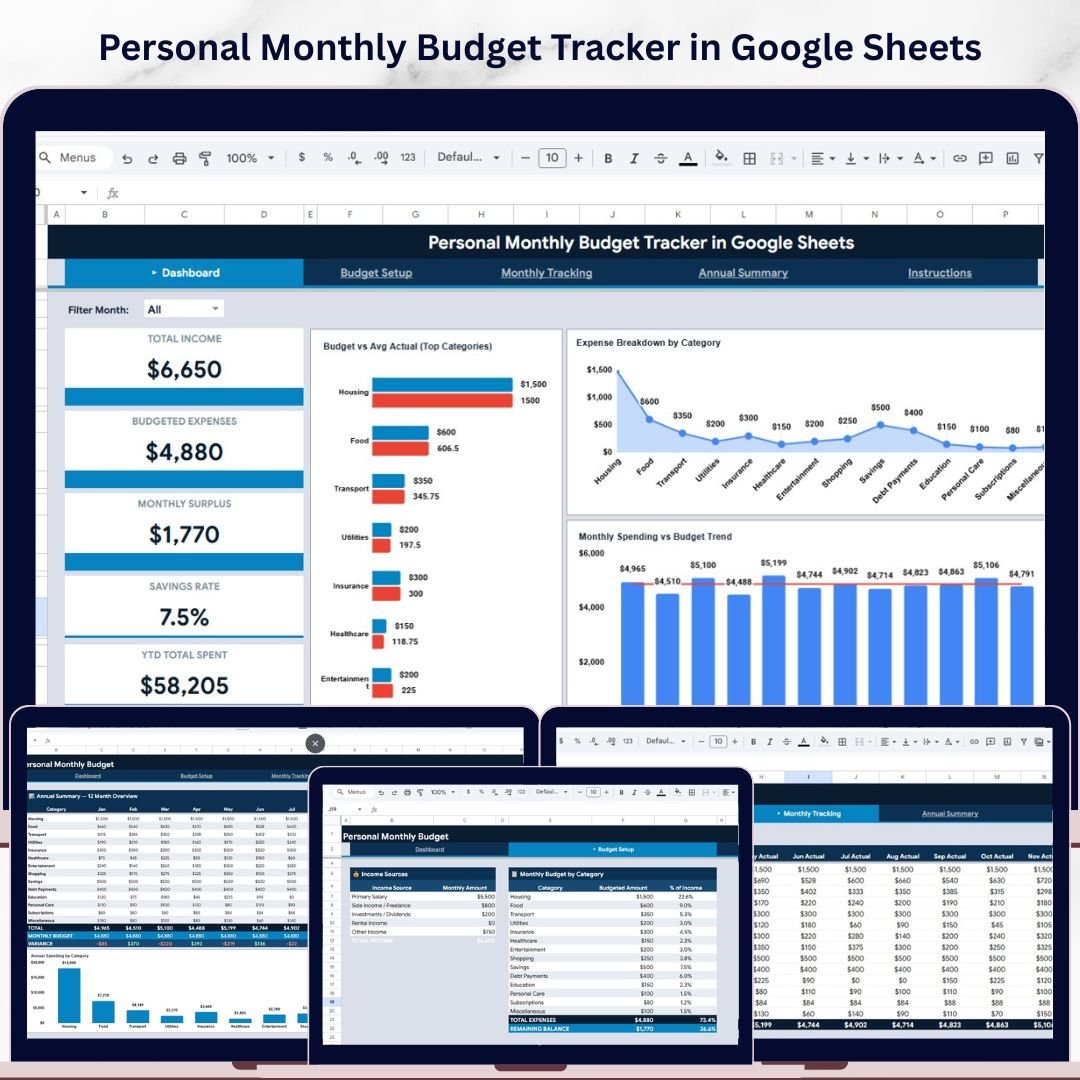
Best for: individuals who want a monthly budget in the cloud without a subscription app. Format: Google Sheets tracker. Price: $6.99.
The Personal Monthly Budget Tracker in Google Sheets is the cleanest starting point for someone who wants to manage income, expense categories, savings rate, and spending behavior month by month. Because it is built in Google Sheets, it is easy to access from a browser, share with a partner, and update without installing desktop software.
Screenshot section: the product screenshots show four professional pages: Dashboard, Budget Setup, Monthly Tracking, and Annual Summary. The dashboard includes six KPI cards for total income, budgeted expenses, monthly surplus, savings rate, year-to-date total spent, and a savings gauge. It also includes interactive charts for budget vs average actual spending, expense breakdown, and monthly spending trends.
Specific use cases:
- Set a monthly budget by category before the month begins.
- Compare actual spending against planned amounts by category.
- Review savings rate and monthly surplus as core personal finance KPIs.
- Share a live budget tracker with a spouse, roommate, or accountability partner.
View the Personal Monthly Budget Tracker in Google Sheets
3. Monthly Budget Plan Template in Google Sheets

Best for: household monthly budget planning where fixed and variable expenses need to be separated. Format: Google Sheets planner. Price: $6.99.
The Monthly Budget Plan Template in Google Sheets is a practical choice for households that want a straightforward plan-and-track workflow. It focuses on income, fixed expenses, variable expenses, budget vs actual comparison, spending trend charts, and color-coded alerts. If your current household budget is a rough mental estimate, this gives you a repeatable system for each month.
Screenshot section: the screenshots show a planner-style structure for monthly income tracking, fixed expense planning, variable expense budgeting, budget vs actual comparisons, spending trend charts, and automated financial calculations. The template is built to make manual inputs and formula-driven results easier to distinguish.
Specific use cases:
- Plan rent, utilities, insurance, groceries, entertainment, and shopping in one sheet.
- Identify overspending using automatic variance calculations.
- Track income from salary, side work, or multiple household contributors.
- Use Google Sheets access to update the monthly budget from anywhere.
View the Monthly Budget Plan Template in Google Sheets
4. Monthly Budget Planner Template in Excel
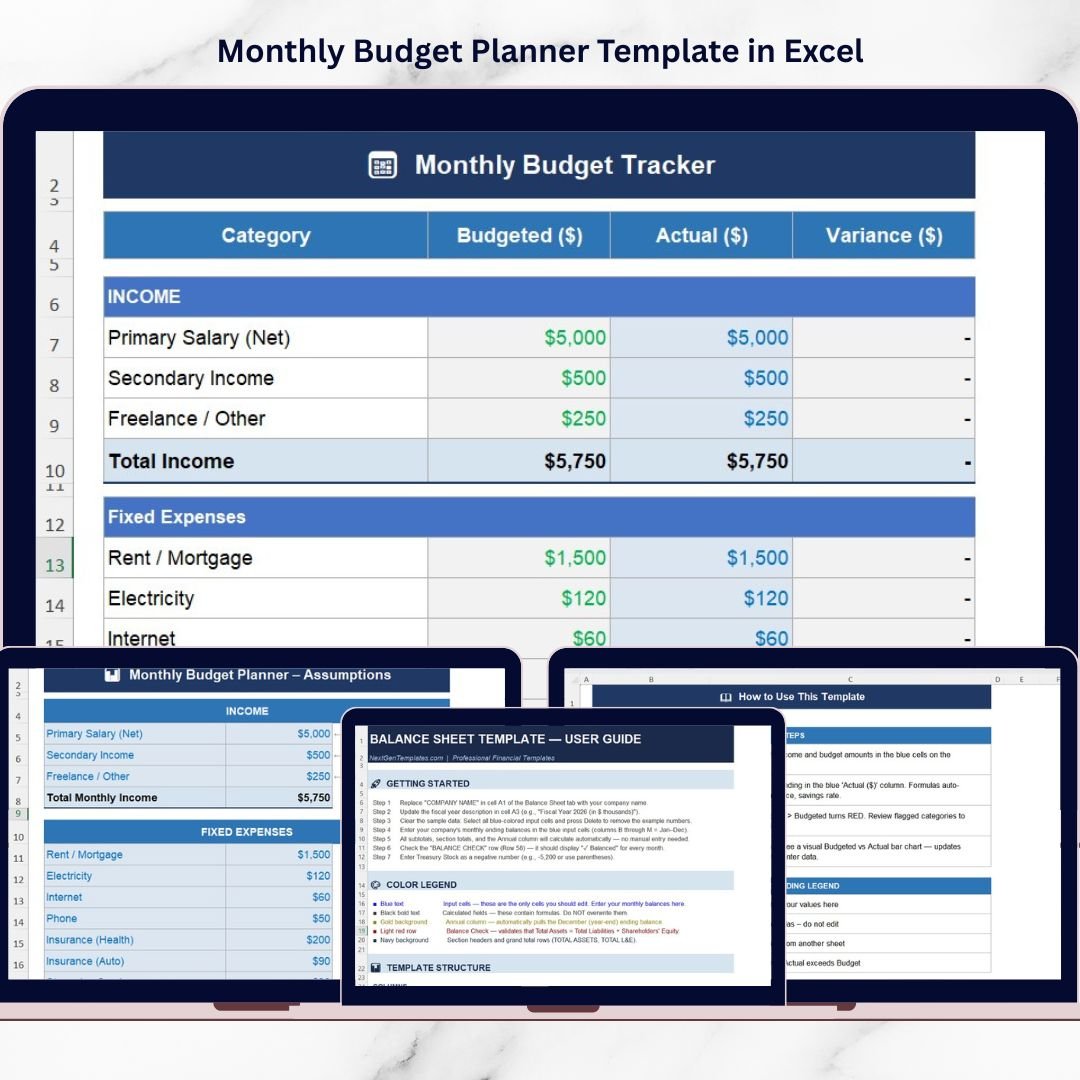
Best for: Excel users who prefer a local workbook for monthly budget planning. Format: Excel planner. Price: $6.99.
The Monthly Budget Planner Template in Excel fits individuals, students, families, and professionals who already work comfortably in Excel. It is similar in purpose to the Google Sheets monthly budget planner, but it is better for users who want an offline workbook, Excel formulas, local file storage, or a familiar spreadsheet environment.
Screenshot section: the screenshots show income tracking, budget vs actual comparison, automatic variance calculations, organized expense categories, monthly financial monitoring, a visual spending analysis chart, and customizable categories. The design is simple enough for a beginner while still giving useful monthly controls.
Specific use cases:
- Build a monthly personal budget without using cloud software.
- Track fixed, variable, lifestyle, and miscellaneous spending categories.
- See whether actual expenses are higher or lower than budgeted amounts.
- Customize categories for a student budget, family budget, or professional income plan.
View the Monthly Budget Planner Template in Excel
5. Budget Performance Dashboard in Google Sheets
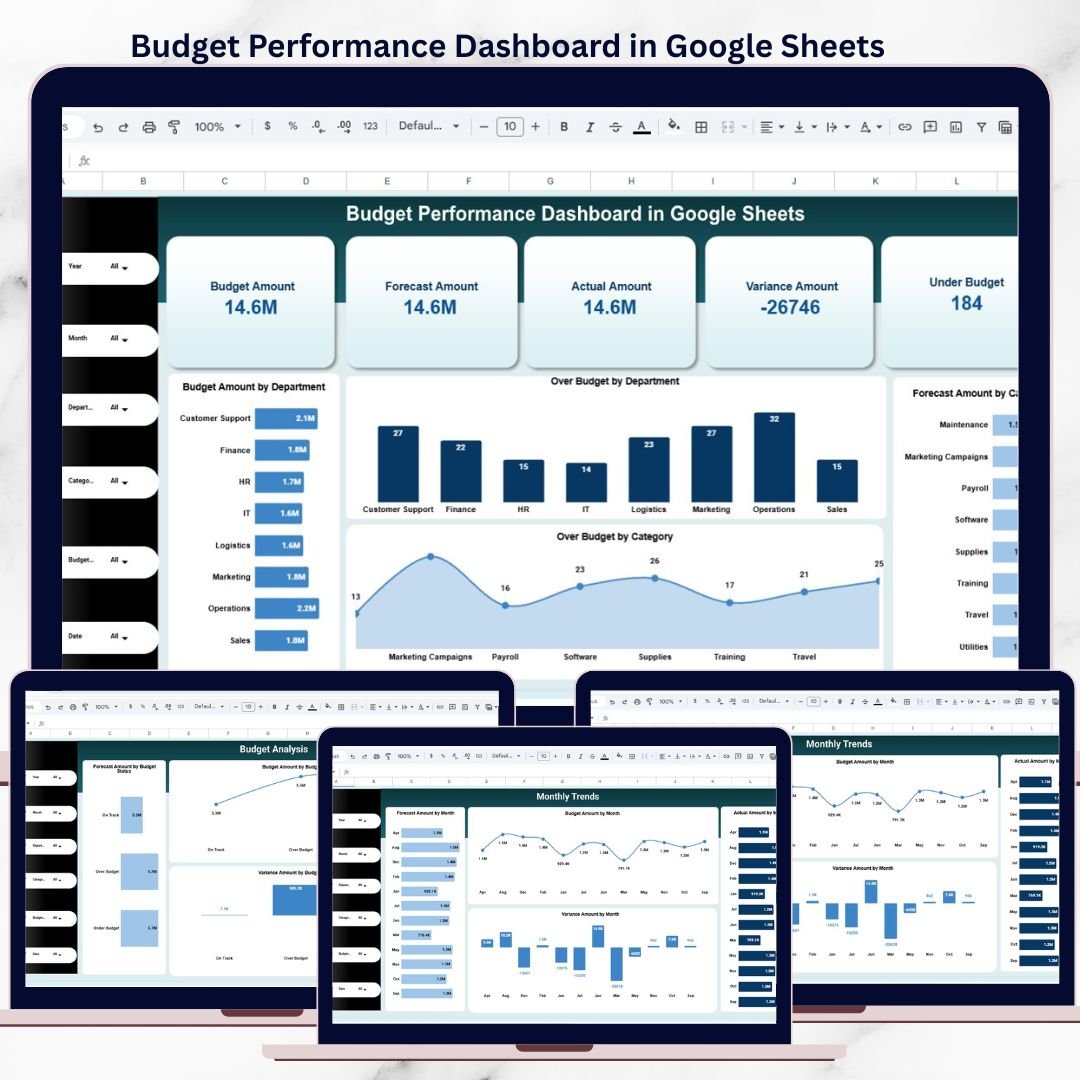
Best for: small teams and managers who need a budget performance dashboard without a BI platform. Format: Google Sheets dashboard. Price: $9.99.
The Budget Performance Dashboard in Google Sheets is where this roundup moves from personal finance into team-level reporting. It is designed to track budget, forecast, actual, and variance in one dashboard, with department-wise and category-level analysis. That makes it useful for managers who need to explain why spending moved above or below plan.
Screenshot section: the product screenshots show real-time budget KPIs, over-budget and under-budget tracking, department-wise analysis, category-level insights, monthly trend charts, and search or drill-down views. The template is built in Google Sheets, so multiple stakeholders can work from a shared budget file.
Specific use cases:
- Prepare a monthly budget performance review for a small business team.
- Compare actual spending against forecast and approved budget.
- Identify departments or categories that are repeatedly over plan.
- Give non-technical managers a dashboard without buying a BI tool.
View the Budget Performance Dashboard in Google Sheets
6. Office Budget Utilization Dashboard in Google Sheets
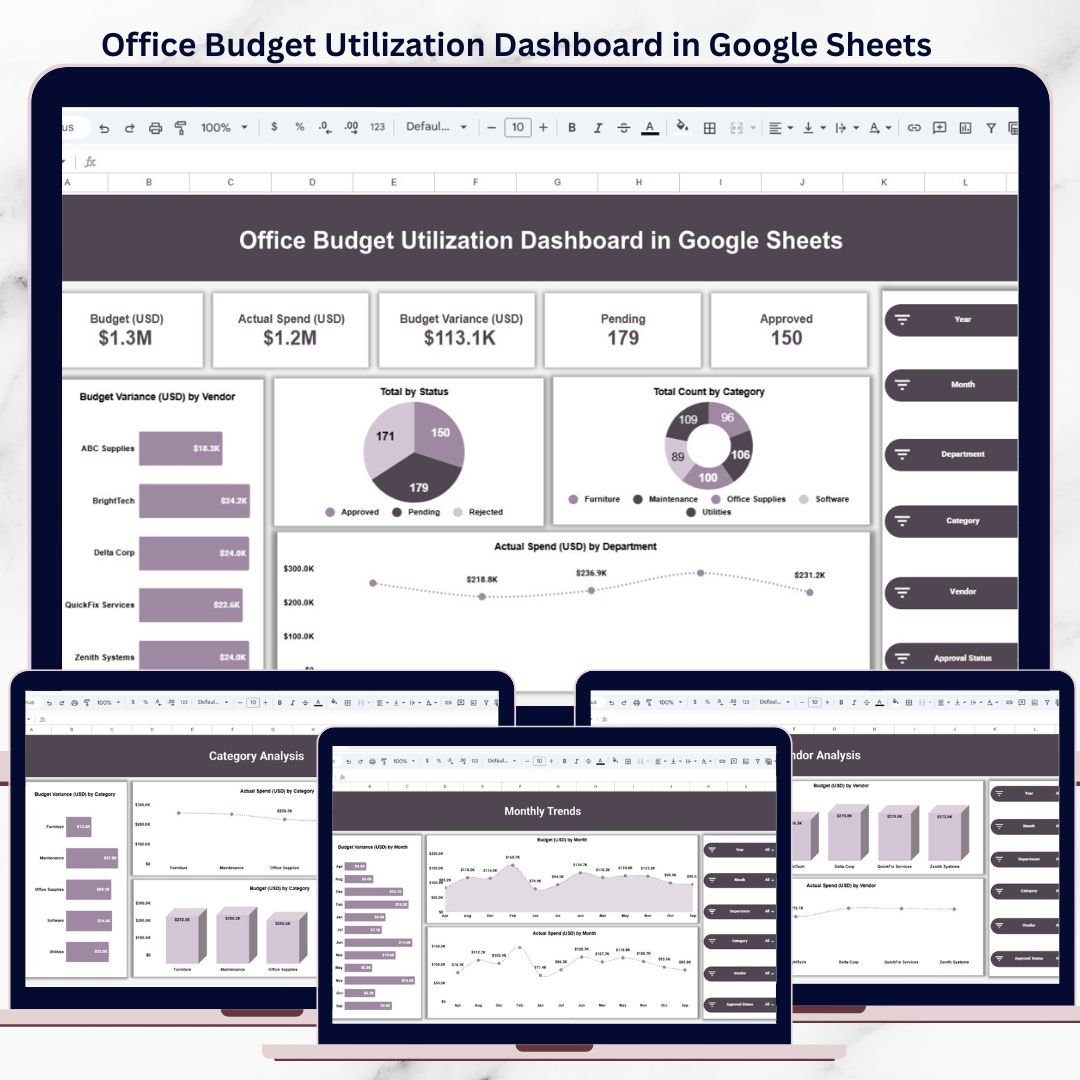
Best for: office managers, admin teams, and department leads controlling recurring office expenses. Format: Google Sheets dashboard. Price: $6.99.
The Office Budget Utilization Dashboard in Google Sheets is built for the practical layer of business budgeting: supplies, vendors, departments, categories, and month-by-month utilization. It is less about personal savings and more about accountability. If an office budget is being consumed too quickly, this dashboard helps show where the money is going.
Screenshot section: the product screenshots show centralized budget tracking, budget vs actual comparison, interactive slicers, department-wise insights, category and vendor analysis, monthly trend analysis, and a smart search feature. The dashboard is cloud-based and ready to use in Google Sheets.
Specific use cases:
- Track office expenses by department, vendor, or category.
- Review budget utilization before approving more purchases.
- Spot recurring spending patterns across months.
- Give an admin or operations team a shared view of office budget status.
View the Office Budget Utilization Dashboard in Google Sheets
7. Budget Forecasting Dashboard in Google Sheets
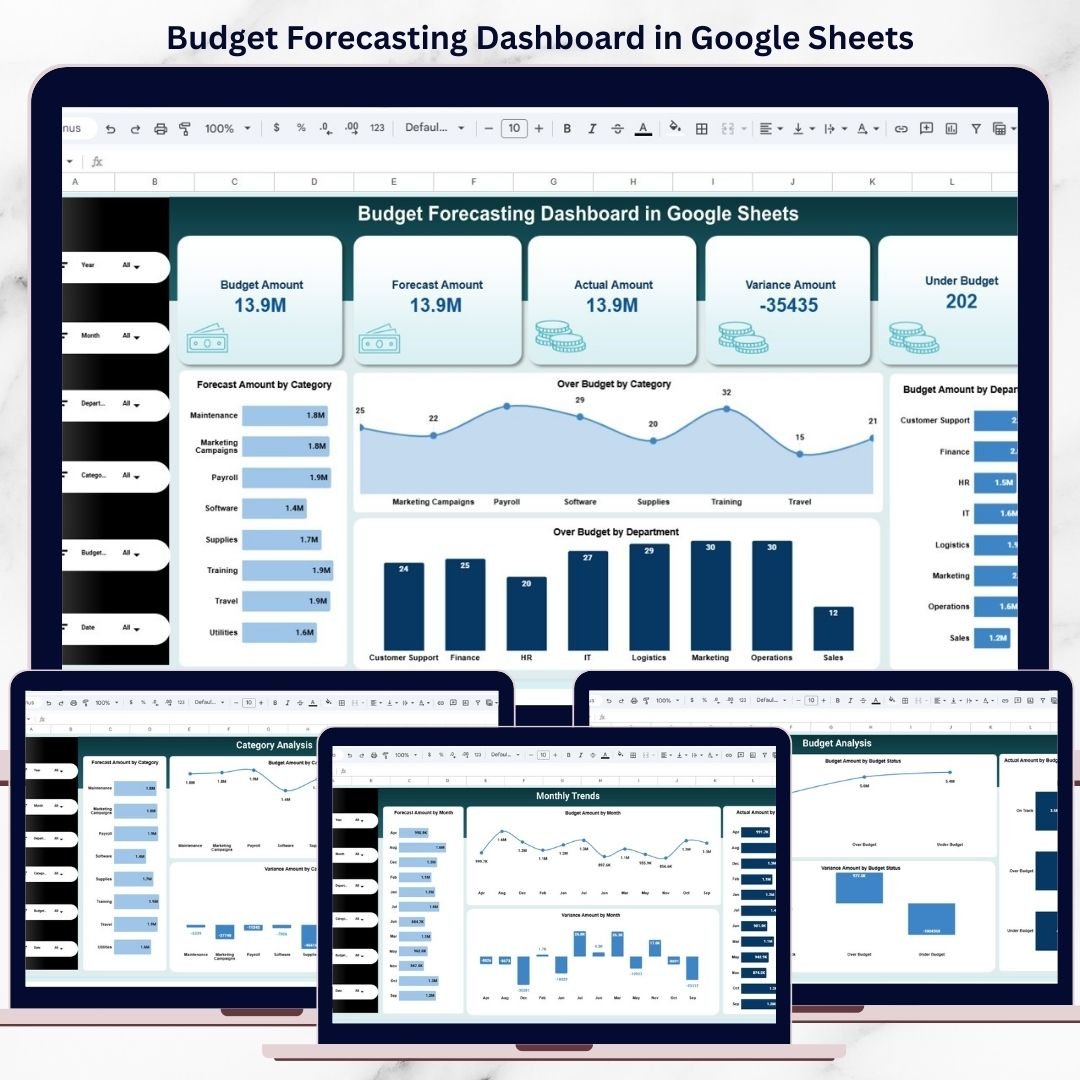
Best for: finance teams and managers comparing budget, forecast, and actual results. Format: Google Sheets dashboard. Price: $9.99.
The Budget Forecasting Dashboard in Google Sheets is for organizations that have moved beyond simple budget vs actual tracking. Forecasting matters when the approved budget is no longer the only number leaders care about. This template gives you budget, forecast, actual, variance, department analysis, category insights, and monthly trends in a shared Google Sheets file.
Screenshot section: the screenshots show budget vs forecast vs actual tracking, variance analysis, department-wise budget control, category-level insights, monthly trend analysis, smart search filters, and auto-updating dashboard views. It is designed for planning conversations where the team needs to know not only what happened, but what is likely to happen next.
Specific use cases:
- Compare original budget, latest forecast, and actual spend in one view.
- Review forecast accuracy by department or category.
- Prepare monthly finance updates without rebuilding charts manually.
- Track early warning signs before a budget variance becomes a larger issue.
View the Budget Forecasting Dashboard in Google Sheets
8. Project Budget Adjustment Request Tracker in Google Sheets
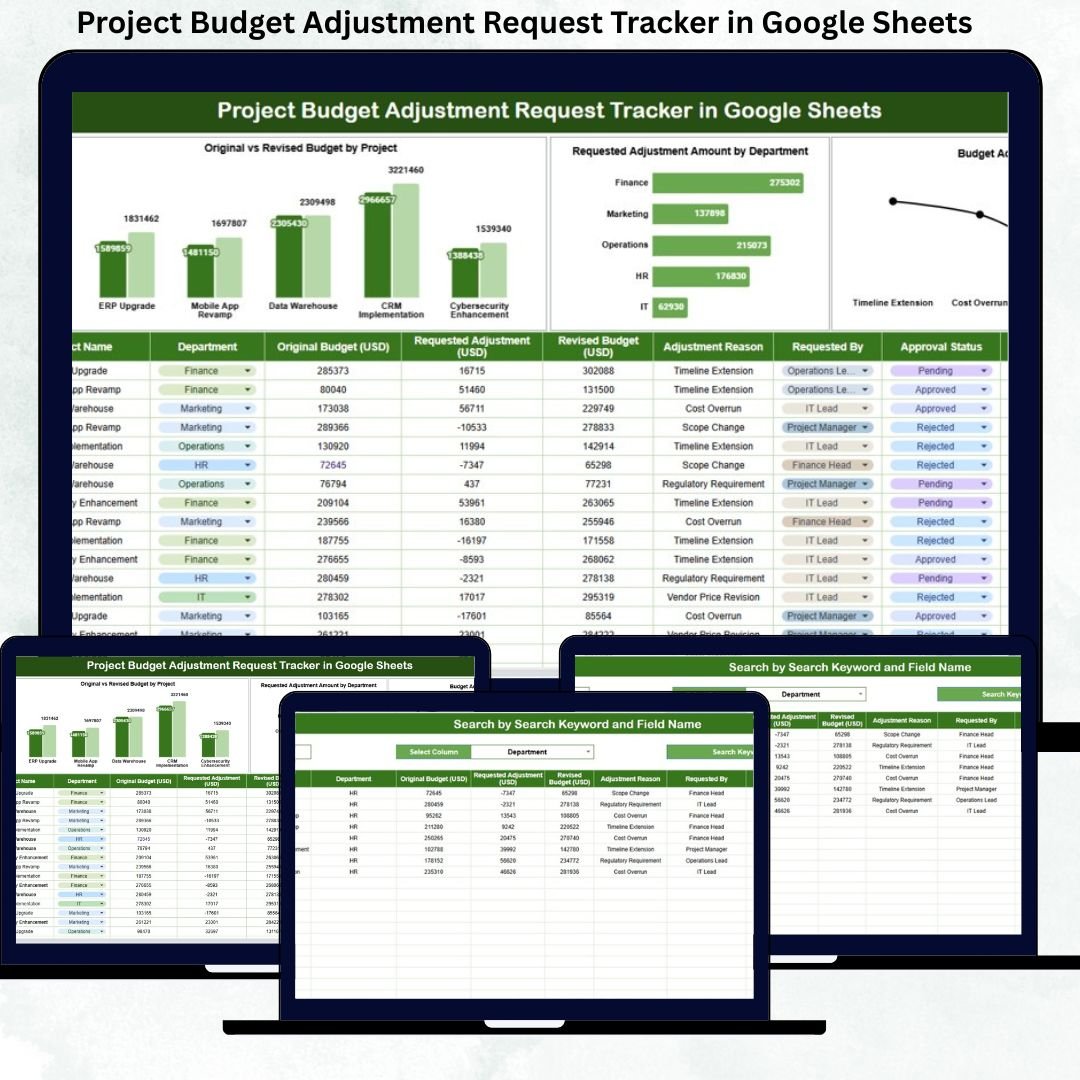
Best for: project managers and finance teams that need a record of budget change requests. Format: Google Sheets tracker. Price: $6.99.
The Project Budget Adjustment Request Tracker in Google Sheets handles a different budgeting problem: approvals. Many projects do not fail because the original budget was invisible. They drift because changes are requested, approved, rejected, or delayed without one clear log. This tracker gives teams a place to manage original vs revised budget, reasons, departments, costs, and approval status.
Screenshot section: the screenshots show centralized budget adjustment tracking, original vs revised budget comparison, department-wise cost analysis, approval status monitoring, reason-based insights, smart search, and collaboration in Google Sheets. It is especially useful when finance and project teams need a shared audit trail.
Specific use cases:
- Log budget increase or reduction requests by project.
- Track pending, approved, and rejected budget adjustments.
- Compare original budget against revised project budget.
- Review budget change reasons to improve future planning accuracy.
View the Project Budget Adjustment Request Tracker in Google Sheets
9. Training Budget & Performance Control Dashboard in Google Sheets
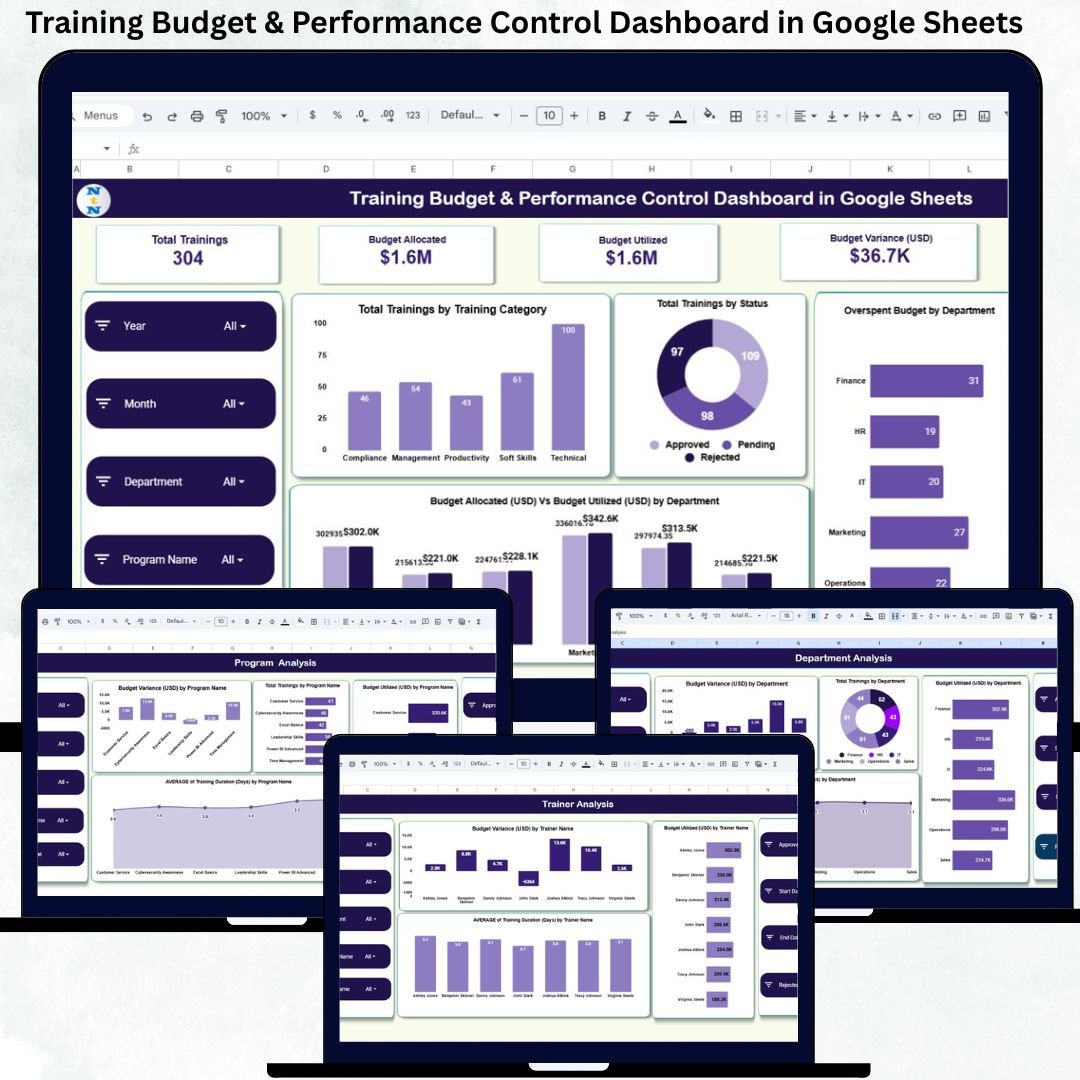
Best for: HR, learning and development, and department leaders managing training budgets. Format: Google Sheets dashboard. Price: $6.99.
The Training Budget & Performance Control Dashboard in Google Sheets focuses on a budget category that is easy to under-measure: training. Learning programs have cost, duration, trainer performance, department allocation, utilization, and business value. This dashboard gives training teams a budget-control view that also connects spending to program performance.
Screenshot section: the screenshots show centralized training budget tracking, overspending alerts, variance analysis, department-wise training insights, program performance tracking, trainer cost and duration analysis, training duration monitoring, smart search, and customizable dashboard views.
Specific use cases:
- Track training spend by department, program, or trainer.
- Identify overspending before a learning budget is exhausted.
- Compare training cost with duration and performance indicators.
- Give HR and L&D teams a shared dashboard for budget review meetings.
View the Training Budget & Performance Control Dashboard in Google Sheets
10. Budget Adherence KPI Dashboard in Google Sheets
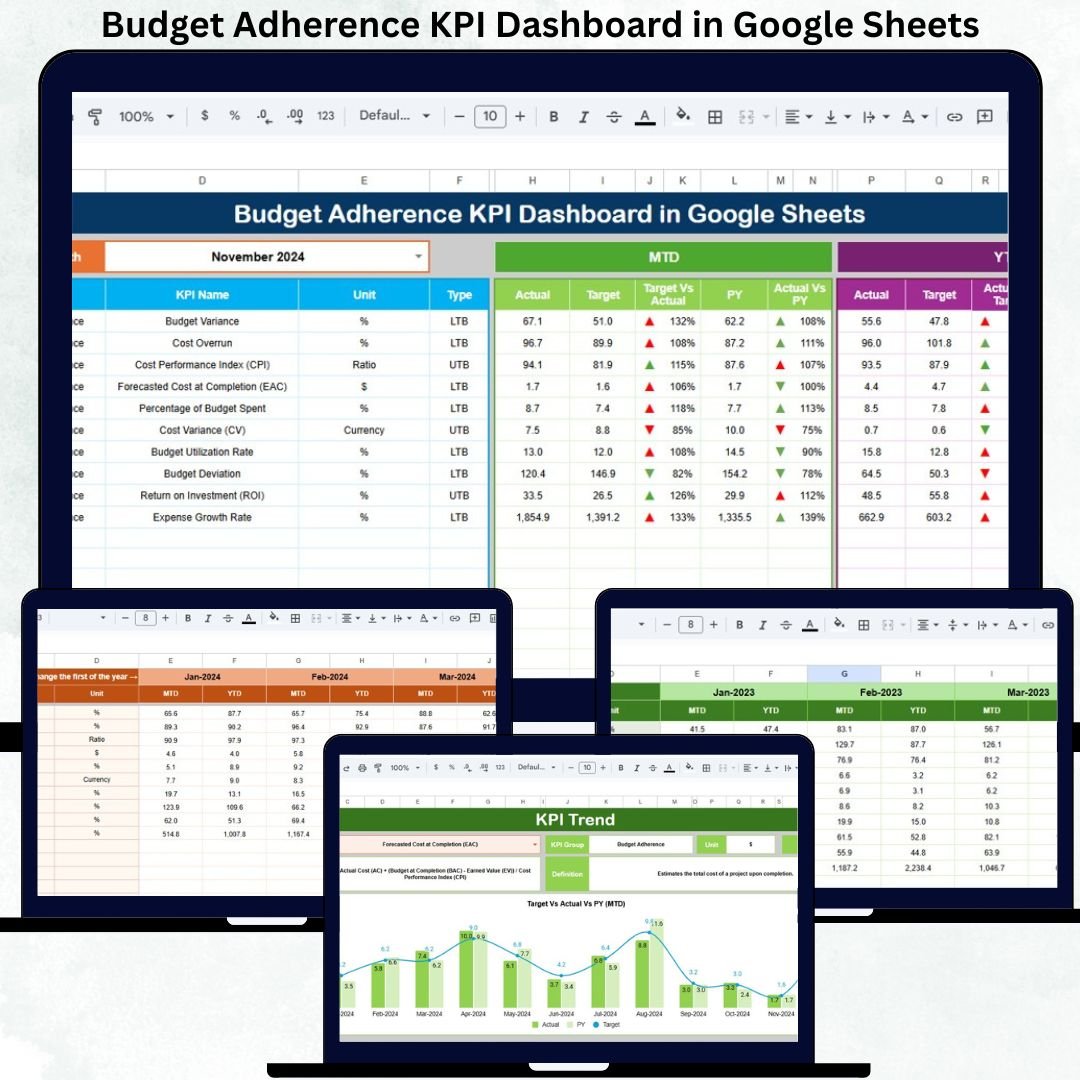
Best for: finance teams, SMEs, departments, and annual corporate budget monitoring. Format: Google Sheets KPI dashboard. Price: $9.99.
The Budget Adherence KPI Dashboard in Google Sheets is the strongest fit when budget management becomes a performance discipline. It is not just asking whether the budget was used. It asks whether teams are staying on target, whether variances are improving, and whether actual performance is aligned with monthly or year-to-date expectations.
Screenshot section: the screenshots show real-time budget tracking, variance alerts, year-over-year comparisons, structured financial data sheets, one-click month updates, customizable KPIs, and reporting views for finance teams. This makes it a good choice for annual corporate reviews, department scorecards, and leadership updates.
Specific use cases:
- Monitor monthly and year-to-date actuals against target budget.
- Use red and green variance indicators to identify budget adherence issues.
- Compare current performance against prior-year trends.
- Build a finance KPI reporting rhythm without purchasing a full BI system.
View the Budget Adherence KPI Dashboard in Google Sheets
How to Choose the Right Budget Template
Start with the budget tier. For personal budgeting, choose the Personal Monthly Budget Tracker in Google Sheets. For household planning, use the Monthly Budget Plan Template in Google Sheets or the Monthly Budget Planner Template in Excel. For one-time event control, the Wedding Budget Dashboard in Excel is more focused than a generic monthly planner.
Choose the platform your users will actually update. Excel is ideal for people who want a local workbook and familiar desktop formulas. Google Sheets is better when multiple people need shared access, real-time collaboration, or browser-based updates. A budget tracker Google Sheets file is often easier for teams that do not want version-control problems from emailed Excel files.
Match the template to the reporting question. If the question is, Did we spend more than planned?, a simple monthly budget works. If the question is, Which department, category, vendor, or project caused the variance?, choose a dashboard such as the Office Budget Utilization Dashboard in Google Sheets or the Budget Performance Dashboard in Google Sheets.
Use forecasting when leadership needs forward visibility. The Budget Forecasting Dashboard in Google Sheets is the best fit when budget, forecast, and actual numbers all matter. Use the Budget Adherence KPI Dashboard in Google Sheets when you need ongoing performance controls for department or annual corporate reviews.
Frequently Asked Questions
What is the best budget template Excel option in this roundup?
The best budget template Excel option depends on the use case. For personal or household monthly budgeting, choose the Monthly Budget Planner Template in Excel. For a larger event budget with vendors, payments, deposits, and categories, choose the Wedding Budget Dashboard in Excel.
What is the best budget tracker Google Sheets option for individuals?
The Personal Monthly Budget Tracker in Google Sheets is the best individual option because it includes a dashboard, budget setup, monthly tracking, annual summary, KPI cards, charts, and slicer-style filtering.
Which template should I use for a household monthly budget?
Use the Monthly Budget Plan Template in Google Sheets if you want shared access and cloud updates. Use the Monthly Budget Planner Template in Excel if you prefer a local workbook for income, fixed expenses, variable expenses, and budget vs actual variance.
Which budget template is best for a small business team?
The Budget Performance Dashboard in Google Sheets is a strong small business option because it tracks budget, forecast, actual, variance, departments, categories, trends, and drill-down views without requiring a BI platform.
Which template is best for office expense control?
The Office Budget Utilization Dashboard in Google Sheets is best for office expense control because it focuses on budget utilization, vendors, departments, categories, monthly trends, and search-based review.
Which budget template handles forecast vs actual reporting?
The Budget Forecasting Dashboard in Google Sheets handles forecast vs actual reporting. It is designed for teams that need to compare original budget, forecast, actual spending, variance, departments, categories, and monthly trends.
Which template should project managers use for budget change requests?
Project managers should use the Project Budget Adjustment Request Tracker in Google Sheets when they need to track original budget, revised budget, request reason, department, cost impact, and approval status.
Which template is best for training budget control?
The Training Budget & Performance Control Dashboard in Google Sheets is best for training budget control because it connects training costs with department insights, program performance, trainer cost, duration, variance, and utilization.
Which template is best for annual corporate budget monitoring?
The Budget Adherence KPI Dashboard in Google Sheets is best for annual corporate budget monitoring because it supports budget adherence KPIs, variance alerts, year-over-year comparison, monthly updates, and finance-team reporting.
Can these templates replace accounting software?
No. These templates are best for planning, tracking, variance analysis, dashboards, and internal reviews. Accounting software is still needed for bookkeeping, tax workflows, bank feeds, invoicing, payroll, and compliance-heavy finance operations.
Final Recommendation
If you need one personal monthly budget, start with the Personal Monthly Budget Tracker in Google Sheets or the Monthly Budget Planner Template in Excel. If you manage a household budget with shared access, choose the Monthly Budget Plan Template in Google Sheets. If your work is tied to a team, department, project, training program, or annual corporate review, choose the dashboard that matches that workflow instead of forcing everything into one general spreadsheet.
About the author: Built by PK – Microsoft Certified Professional with 15+ years of Excel, Google Sheets, and Power BI experience. Founder of NextGenTemplates, reaching 300K+ subscribers across YouTube channels. Every template is hand-built and tested before release.
Last updated: June 12, 2026. Product prices and competitor pricing references were checked during drafting and may change over time.