

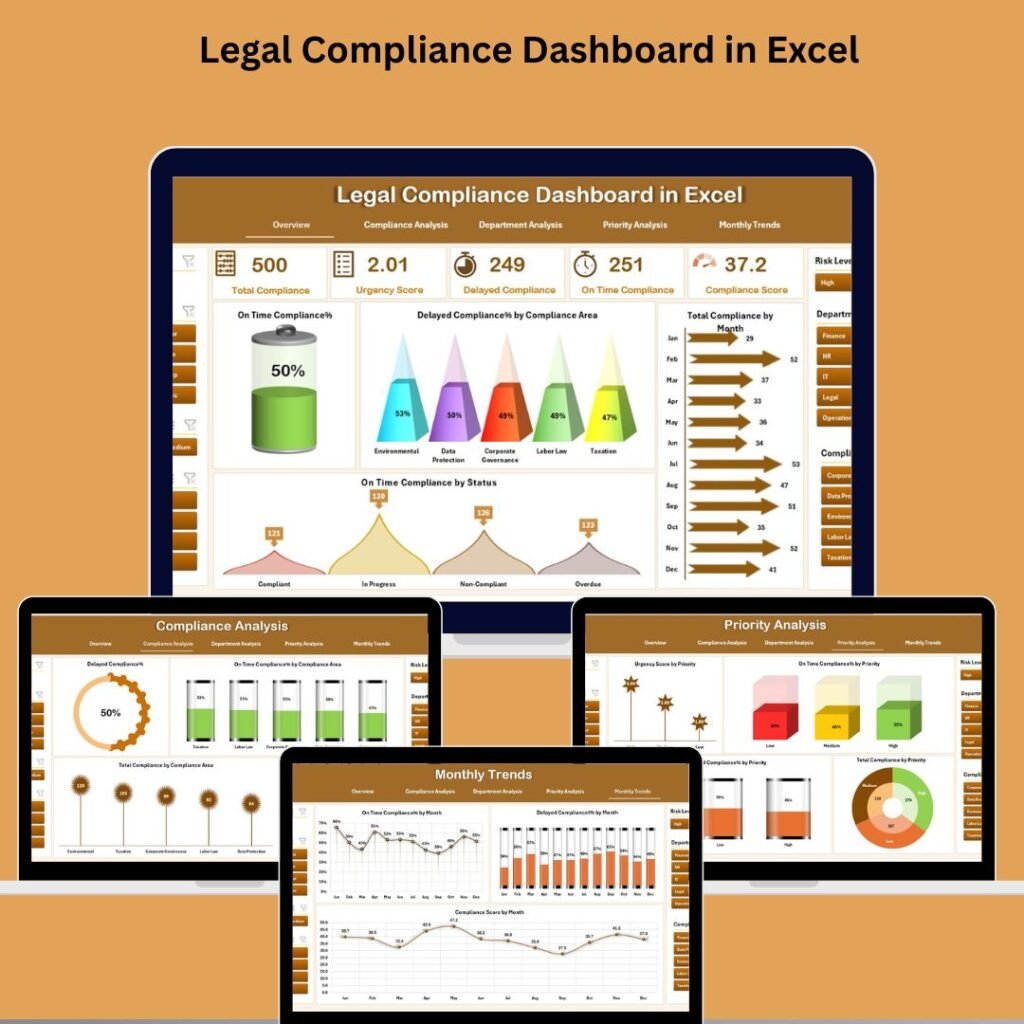
What if you could see every compliance task, every deadline, and every department’s performance in one clean, visual dashboard? That’s exactly what the Legal Compliance Dashboard in Excel, Legal Compliance Dashboard in Power BI, and Legal Compliance Dashboard in Google Sheets from NextGenTemplates deliver — and they might just save your next audit.
Why Legal Compliance Tracking Matters More Than Ever
In today’s business environment, regulatory requirements are constantly evolving. Whether it’s data privacy laws, labor regulations, financial reporting mandates, or industry-specific safety standards, non-compliance can lead to hefty fines, lawsuits, and serious reputational damage.
Manual tracking through scattered spreadsheets and email chains simply doesn’t cut it anymore. Organizations need a centralized, visual, and automated system to monitor compliance health across departments, priorities, and timelines. That’s where a purpose-built compliance dashboard becomes your greatest ally.
3 Dashboard Options — Pick the One That Fits Your Workflow
Not every organization uses the same tools. Some teams live in Excel, others rely on Power BI for enterprise-level analytics, and many prefer the cloud-based flexibility of Google Sheets. That’s why NextGenTemplates offers the Legal Compliance Dashboard in all three platforms. Here’s how they compare:
1. Legal Compliance Dashboard in Excel
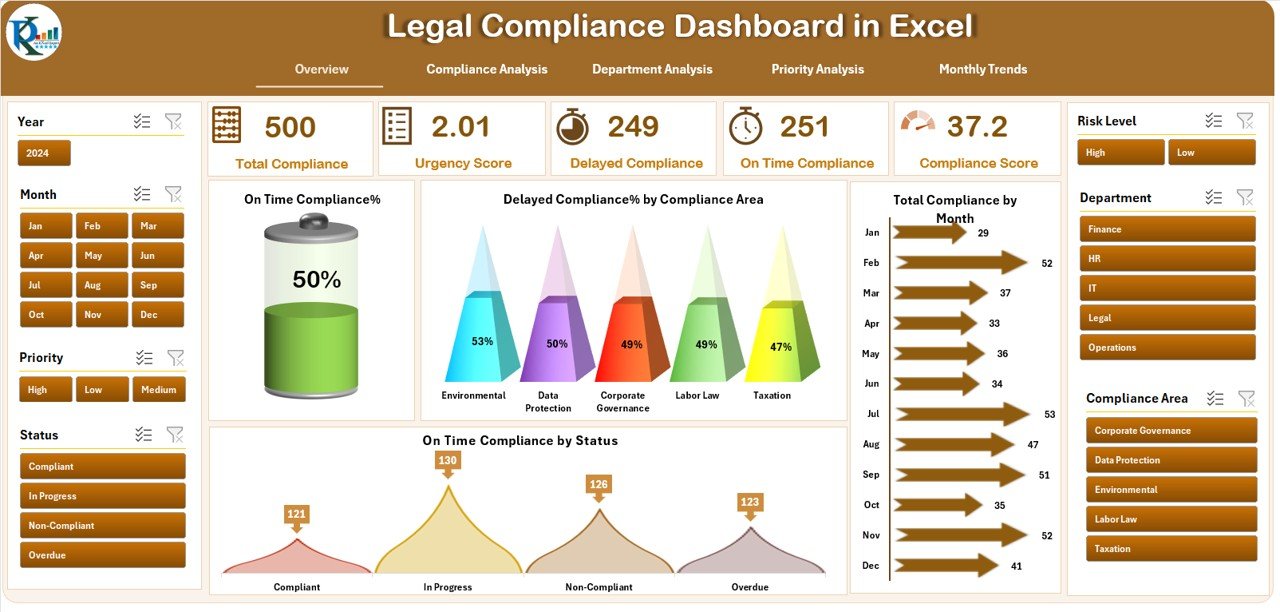
The Excel version is perfect for teams that prefer working offline with a familiar interface. It includes 7 prebuilt sheets covering Overview, Compliance Analysis, Department Analysis, Priority Analysis, Monthly Trends, a Data Sheet for raw input, and a Support Sheet for dropdowns.
Key highlights include 5 KPI cards on the overview page, interactive pivot charts and slicers, color-coded performance indicators with green and red arrows, and a page navigator sidebar for easy switching between views. Simply update the Data Sheet and the entire dashboard refreshes automatically — no formulas or coding skills needed.
2. Legal Compliance Dashboard in Power BI
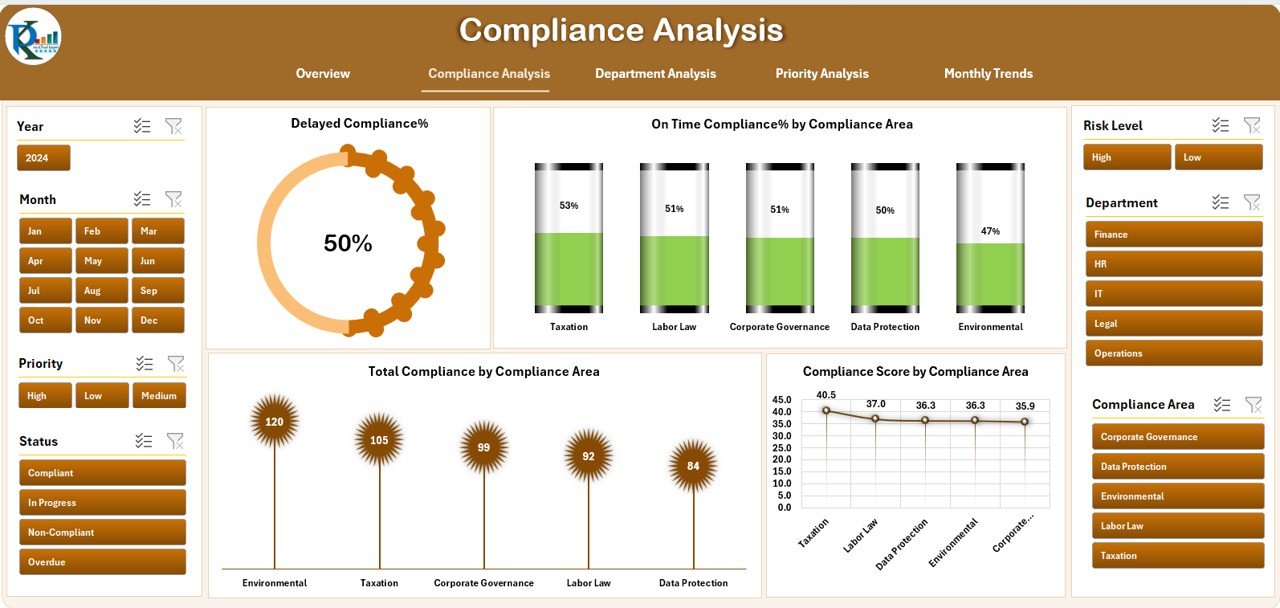
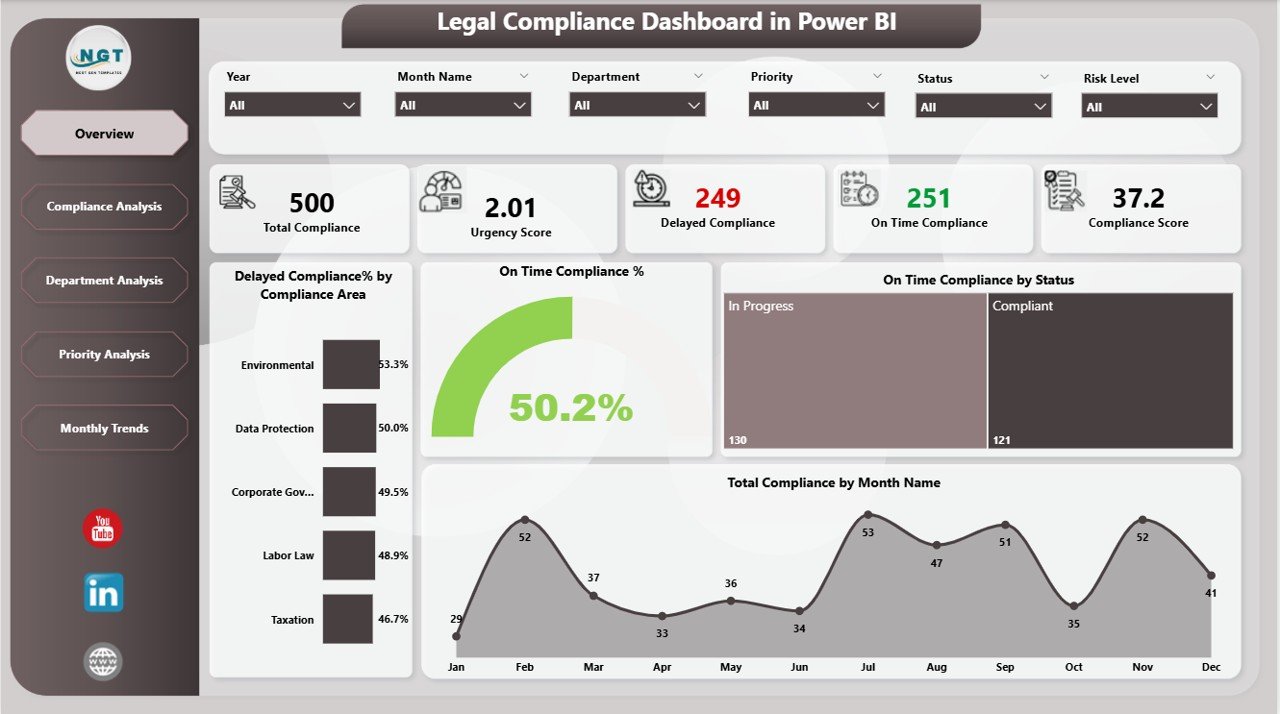
For organizations that need advanced analytics and drill-down capabilities, the Power BI version takes compliance tracking to another level. It features five dedicated pages — Overview, Compliance Analysis, Department Analysis, Priority Analysis, and Monthly Trends — each equipped with six interactive slicers.
This version excels at real-time data visualization with bar charts, line charts, KPI cards, and percentage breakdowns. You can connect it directly to Excel files or databases for seamless updates. The drill-down capability lets you move from high-level summaries to granular departmental insights in just a few clicks.
3. Legal Compliance Dashboard in Google Sheets
Need cloud-based collaboration without any software installation? The Google Sheets version is your answer. It’s ideal for distributed teams that need real-time, multi-user access from anywhere.
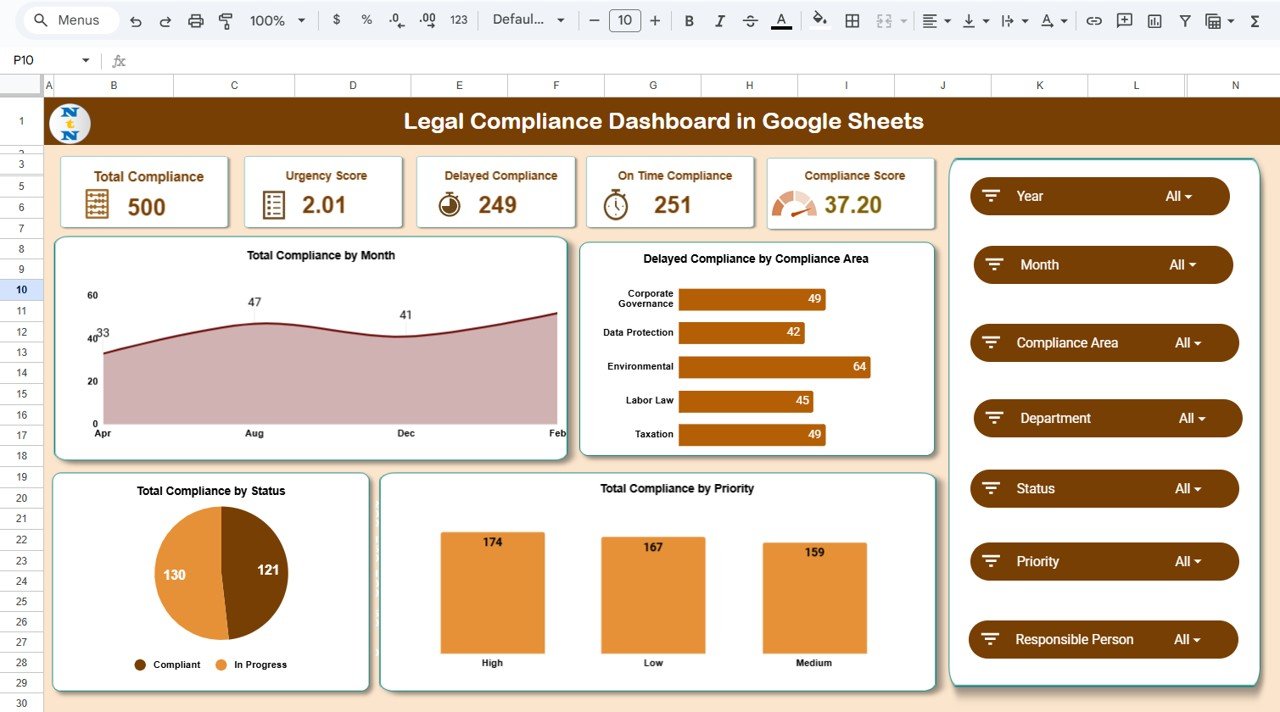
This version includes all the core dashboard tabs — Overview, Compliance Analysis, Department Analysis, Priority Analysis, and Monthly Trends — plus a unique Search Tab that lets you quickly filter records by keywords like department name, priority level, or status. Everything is automated, so KPIs and charts update the moment you enter data. And since it runs on Google Sheets, there are zero licensing fees.
7 Features That Make These Dashboards a Must-Have
Regardless of which platform you choose, all three dashboards share powerful features designed to simplify compliance management:
- KPI Cards at a Glance: Instantly view on-time compliance percentage, delayed compliance rate, total activities, urgency scores, and overall compliance health — all on one screen.
- Department-Level Insights: Identify which teams are meeting their obligations and which ones need immediate attention or training.
- Priority-Based Risk View: High, medium, and low priority breakdowns help you allocate resources to the most critical compliance tasks first.
- Monthly Trend Analysis: Spot patterns over time, catch recurring delays, and prepare evidence-based reports for internal reviews and audits.
- Dynamic Charts and Visuals: Every dashboard includes interactive charts that break down compliance by area, department, status, and month.
- Easy Data Entry: No technical skills required. Simply fill in the Data Sheet and the dashboard takes care of the rest.
- Audit-Ready Reports: Present clear, professional compliance reports to auditors, executives, and regulatory bodies with confidence.
Who Should Use a Legal Compliance Dashboard?
These dashboards aren’t limited to legal teams. They’re designed for anyone responsible for ensuring organizational compliance. Compliance officers can stay audit-ready and track all activities in one view. Legal teams can monitor risk areas across multiple departments. Business leaders and executives gain data-driven insights for better decision-making.
HR and admin teams can ensure labor law and internal policy compliance, while consultants and auditors can use them for client reporting and audit preparation. Industries like healthcare, finance, manufacturing, and government — where regulatory requirements are especially complex — will find these dashboards indispensable.
How to Get Started in Minutes
Setting up any of these dashboards is surprisingly simple. For the Excel and Google Sheets versions, just download the file, open the Data Sheet, and start entering your compliance records — department, priority, compliance area, status, score, and dates. Navigate to the dashboard tabs to see your KPIs and trends update in real time.
For the Power BI version, connect your data source (Excel file or database), refresh the report, and start exploring with slicers and drill-downs. Within minutes, you’ll have a complete visual overview of your organization’s compliance health.
Quick Comparison: Which Version Is Right for You?
| Feature | Excel | Power BI | Google Sheets |
|---|---|---|---|
| Works Offline | ✅ | ✅ | ❌ |
| Cloud Collaboration | ❌ | ✅ | ✅ |
| Interactive Slicers | ✅ | ✅ (6 Slicers) | ✅ |
| Drill-Down Analytics | ❌ | ✅ | ❌ |
| Search Tab | ❌ | ❌ | ✅ |
| No Software Required | Needs Excel | Needs Power BI | ✅ (Browser) |
| Price | $14.99 | $14.99 | $14.99 |
Final Thoughts — Take Control of Compliance Today
Compliance doesn’t have to be chaotic. Whether you choose the Excel version for offline simplicity, the Power BI version for enterprise-grade analytics, or the Google Sheets version for cloud-based teamwork, you’re getting a professionally designed, ready-to-use dashboard that transforms how your organization handles legal compliance.
Stop chasing deadlines in spreadsheets. Start tracking, visualizing, and acting on compliance data with confidence. Your next audit will thank you.
📺 Visit our YouTube channel to watch the demo:
YouTube.com/@NextGenTemplates