

Running successful auctions requires precision, speed, and data-driven decisions. Auction houses manage consignors, bidders, inventory valuation, commissions, marketing expenses, and final hammer prices — all at the same time. However, many auction businesses still rely on disconnected spreadsheets and manual reports, making performance tracking slow and error-prone.What if you could monitor your entire auction performance from one powerful Excel dashboard?The Auction Houses KPI Dashboard in Excel is a ready-to-use, professionally designed analytical solution that transforms raw auction data into clear, actionable insights. Instead of spending hours preparing reports, you can instantly track revenue, bidder participation, profitability, and operational efficiency in one centralized system.
Built entirely in Excel, this dashboard provides automation, flexibility, and powerful visualization without requiring expensive software or advanced technical skills.
Whether you manage art auctions, antique sales, estate auctions, or online bidding platforms, this dashboard helps you monitor performance, compare targets, and make smarter business decisions faster.
🚀 Key Feature of Auction Houses KPI Dashboard in Excel
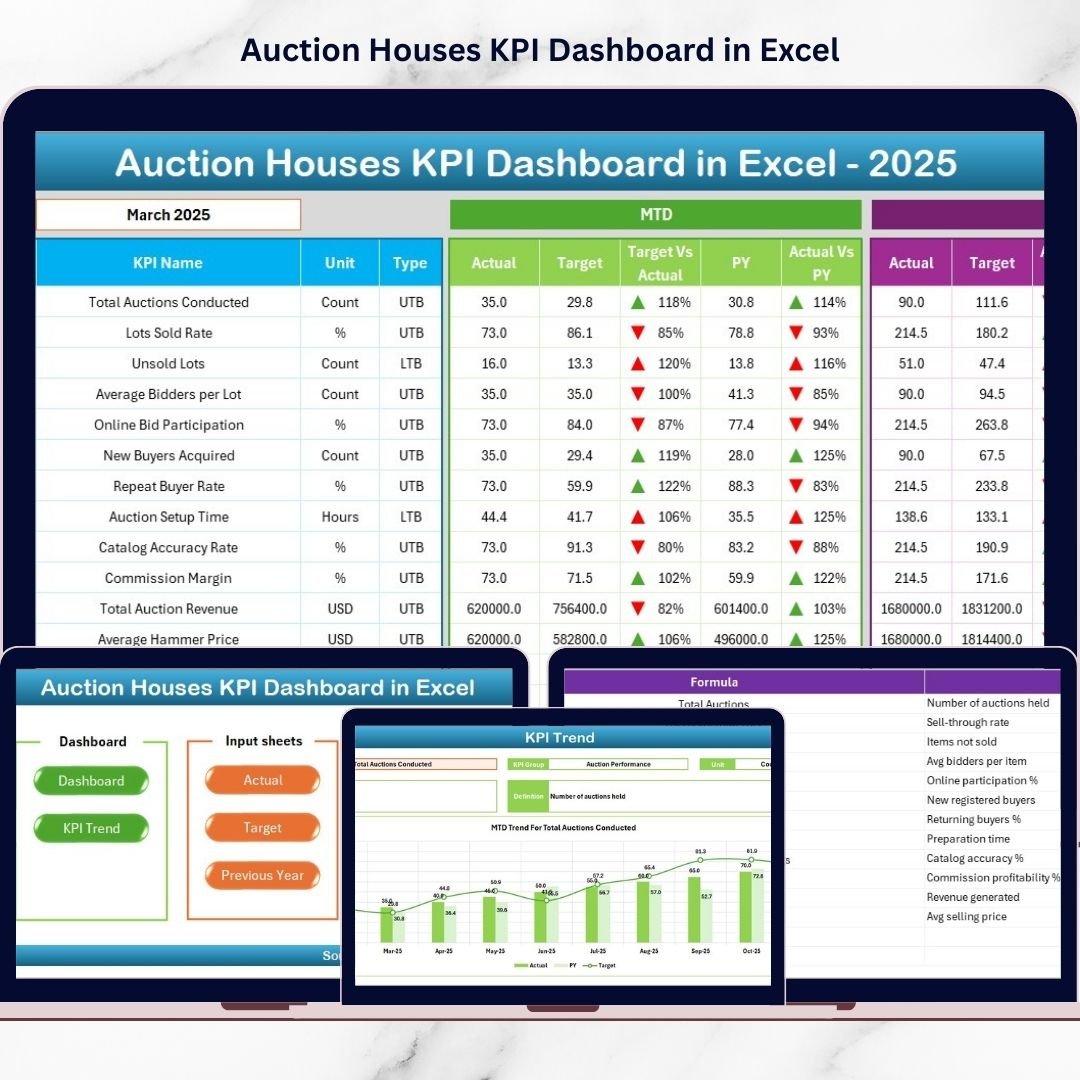
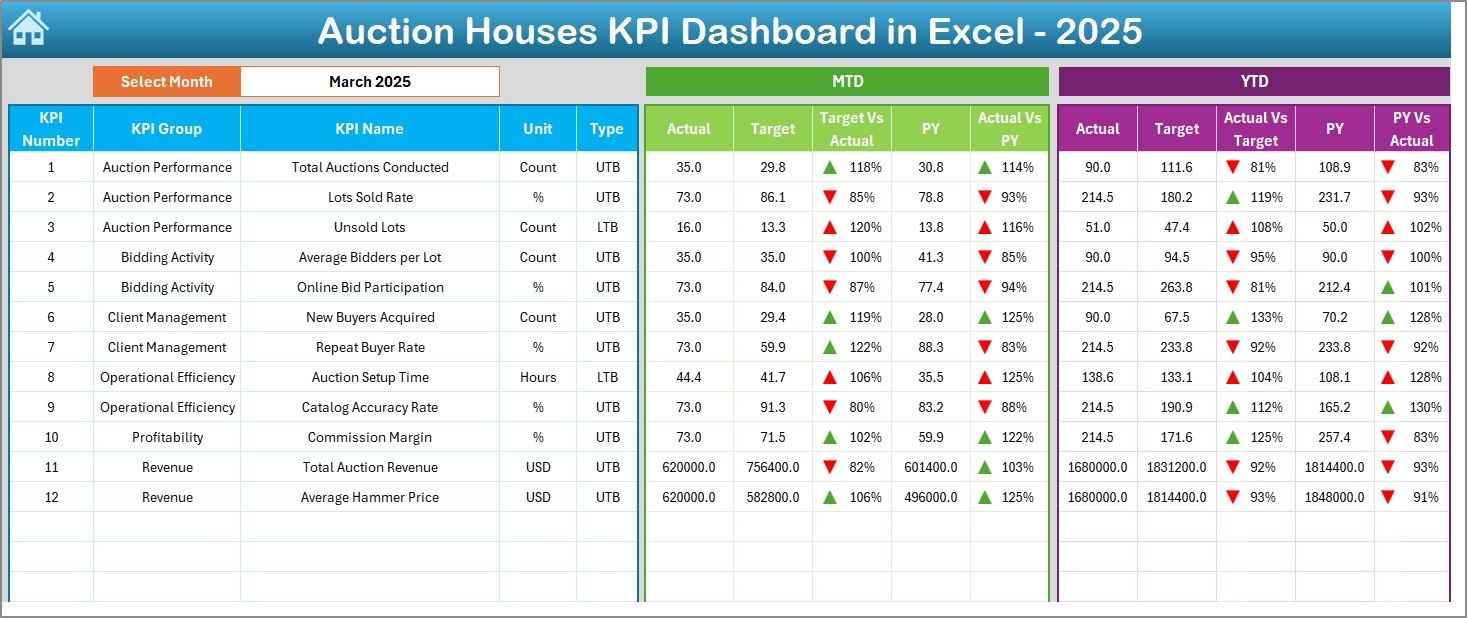
✅ Dynamic Month Selection – Instantly switch reporting periods using dropdown filters.
✅ Automated KPI Tracking – Monitor MTD and YTD performance automatically.
✅ Target vs Actual Comparison – Quickly identify performance gaps.
✅ Previous Year Analysis – Measure growth using historical comparisons.
✅ Visual Performance Indicators – Up/down arrows and color signals simplify analysis.
✅ Pivot-Table Driven Analytics – Reliable and scalable reporting structure.
✅ Centralized Reporting – All auction KPIs available in one dashboard view.
✅ Fully Customizable Framework – Add or modify KPIs anytime.
📦 What’s Inside the Auction Houses KPI Dashboard in Excel
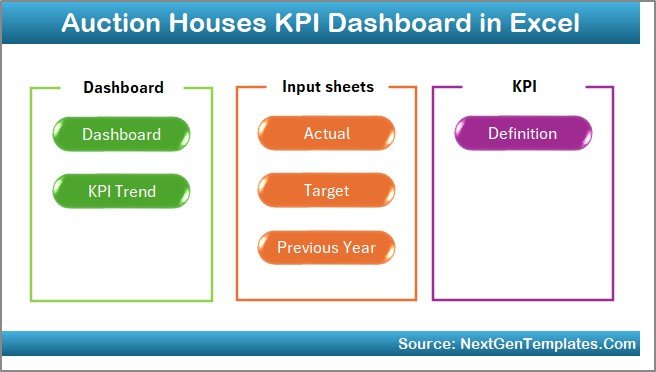
This product includes 7 structured worksheets, each designed for specific analysis:
Summary Page – Navigation hub with quick access buttons.
Dashboard Sheet – Main KPI overview with performance comparisons.
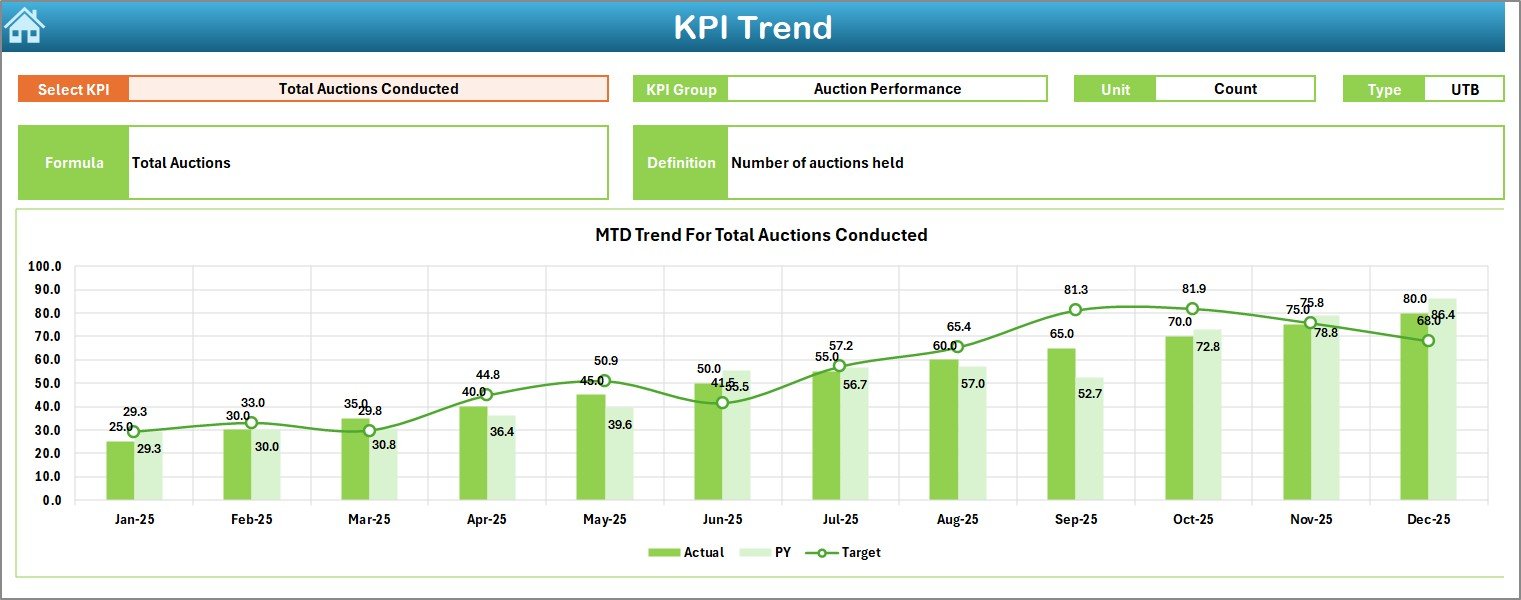
KPI Trend Sheet – Monthly performance tracking with dynamic charts.
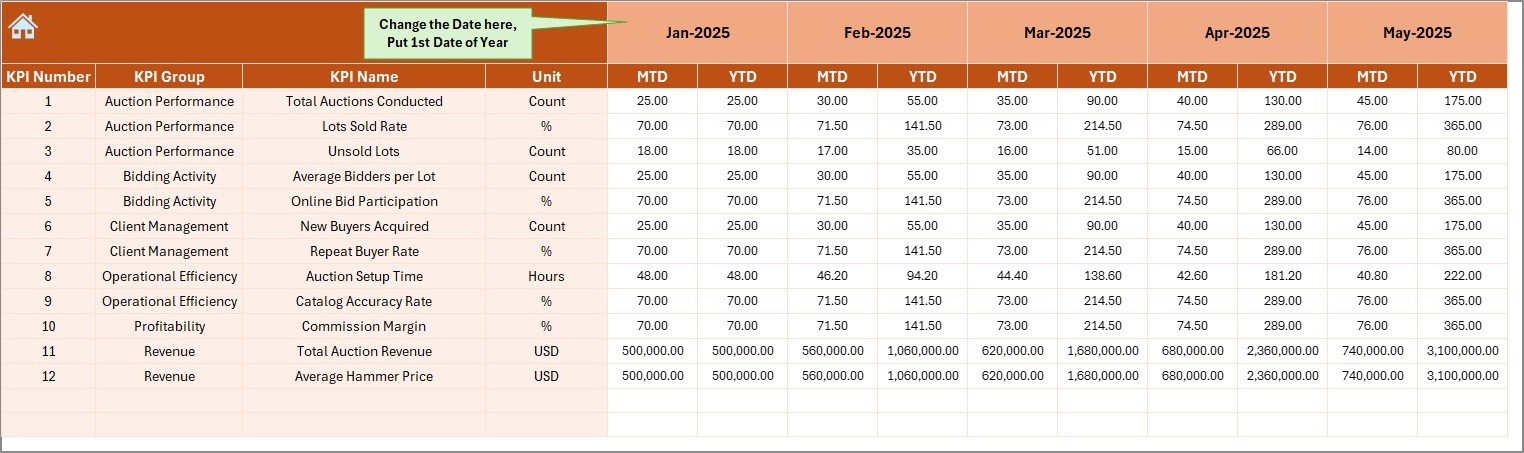
Actual Numbers Input Sheet – Easy monthly data entry system.
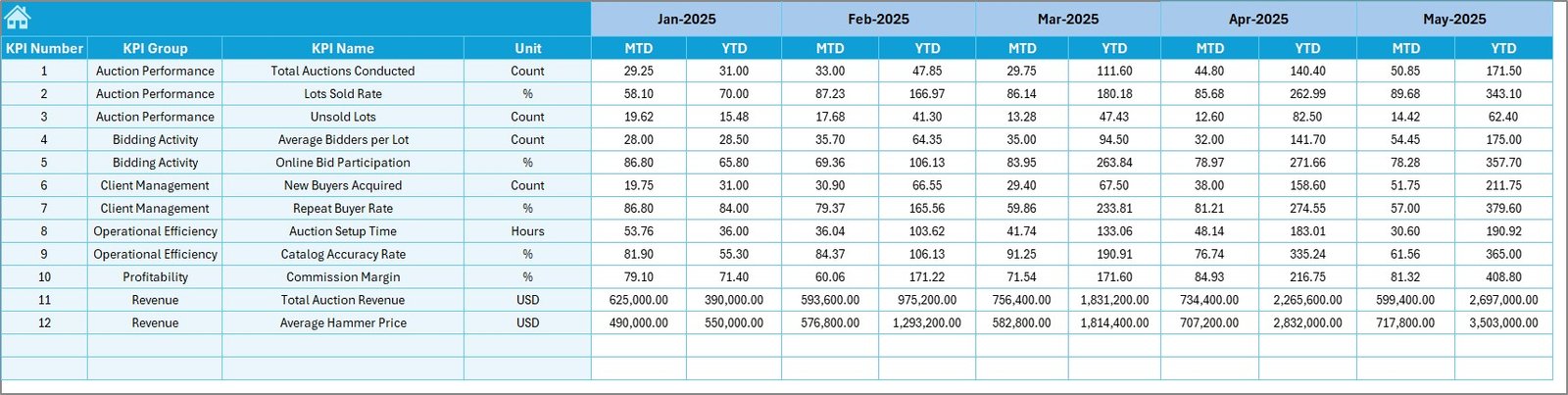
Target Sheet – Define goals and performance benchmarks.
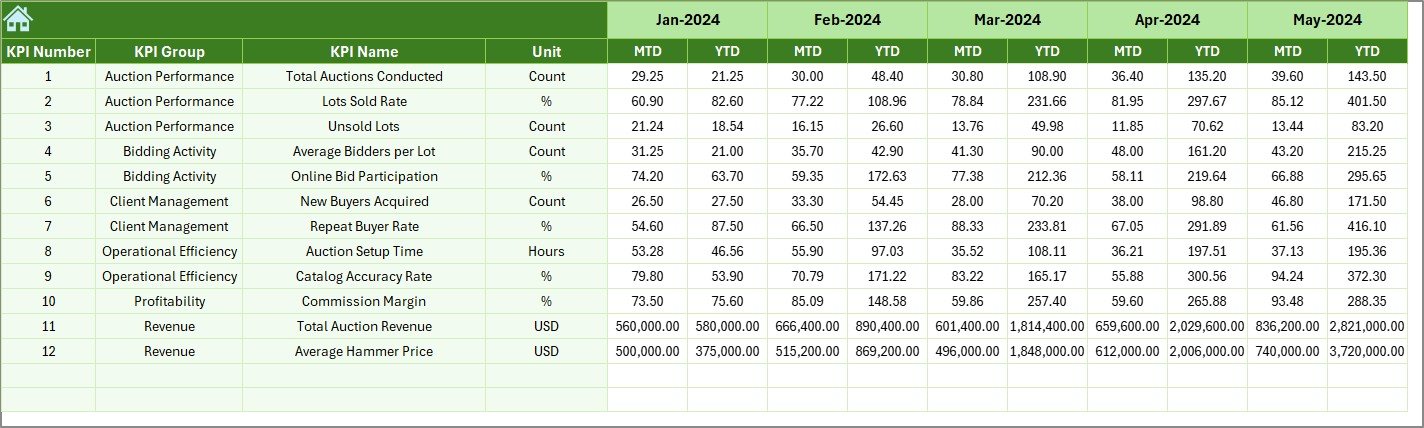
Previous Year Sheet – Historical data comparison for growth analysis.
KPI Definition Sheet – KPI formulas, units, and definitions documentation.
Together, these sheets create a complete auction performance management system.
⚙️ How to Use the Auction Houses KPI Dashboard in Excel
Using the dashboard is simple and beginner-friendly:
1️⃣ Enter monthly KPI data in the Actual Numbers sheet.
2️⃣ Add performance targets in the Target sheet.
3️⃣ Store last year’s numbers for comparison.
4️⃣ Select a month from the dropdown menu.
5️⃣ Watch the dashboard update automatically.
Within seconds, you gain visual insights into revenue trends, bidder engagement, profitability, and operational efficiency.
No coding. No complex setup. Just structured reporting powered by Excel.
👥 Who Can Benefit from This Auction Houses KPI Dashboard in Excel
This dashboard is ideal for:
Auction House Owners
Auction Managers & Coordinators
Financial Analysts
Operations Teams
Art & Antique Auction Firms
Estate Sale Companies
Online Auction Platforms
Business Consultants managing auction clients
Organizations of any size can implement this dashboard quickly and start improving decision-making immediately.
By tracking KPIs consistently, auction businesses can optimize pricing strategies, improve bidder participation, reduce unsold inventory, and increase long-term profitability.
Why This Dashboard Matters
Instead of reacting to problems after auctions end, managers can identify trends early and take proactive action. The dashboard reduces reporting time, increases transparency, and provides clarity across operations.
In short, it turns auction data into strategic intelligence.
Click here to read the Detailed blog post
Watch the step-by-step video tutorial:
Visit our YouTube channel to learn step-by-step video tutorials
Compatibility and Requirements
- Works in Microsoft Excel desktop (Excel 2016 or later, or Microsoft 365).
- You pick the reporting month from a dropdown on the Dashboard sheet. Microsoft explains dropdowns in Create a drop-down list.
Frequently Asked Questions
Which sheets are included?
Seven sheets: Summary Page, Dashboard, KPI Trend, Actual Numbers Input, Target, Previous Year and KPI Definition.
How do I update the dashboard?
Enter your monthly figures in the Actual Numbers Input sheet and your goals in the Target sheet. Then choose a month from the dropdown and the dashboard updates.
Can I compare results with last year?
Yes. Store last year’s numbers in the Previous Year sheet and the Dashboard compares them with your current figures and targets.
Can I add or change KPIs?
Yes. The framework is customizable, and the KPI Definition sheet documents each KPI’s formula and unit.
Is there a Power BI version?
Yes. See the Auction Houses KPI Dashboard in Power BI.
Related Auction House Templates
- Auction Houses KPI Dashboard in Power BI: the same KPIs in Power BI
- Auction Houses Dashboard in Excel: another Excel dashboard for auction houses
- Auction Houses Dashboard in Power BI: the Power BI edition of that dashboard
- Auction Tech Platforms Dashboard in Excel: a dashboard for online auction platforms
Browse all Excel KPI dashboards.