

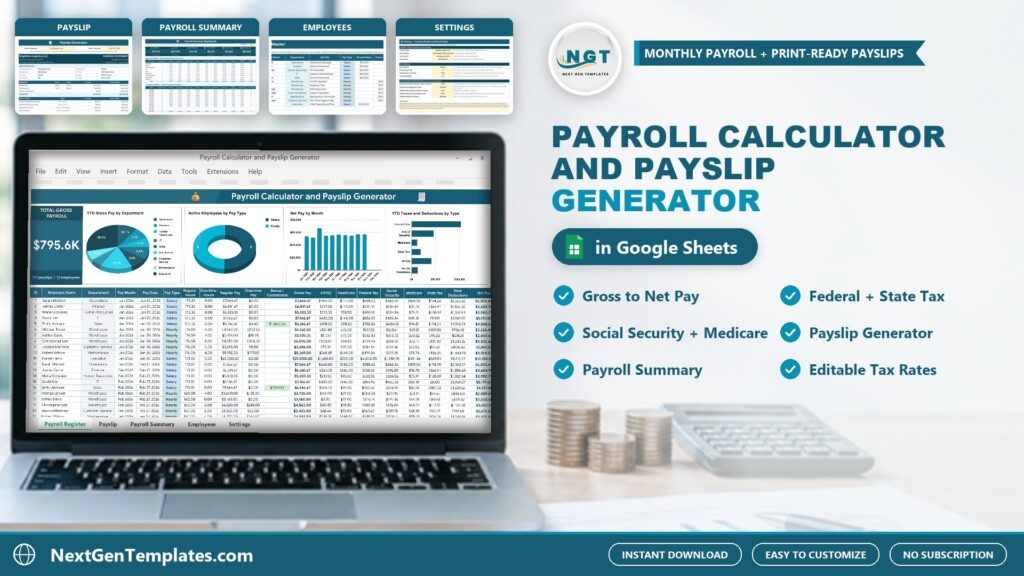
Running payroll by hand every month is slow and easy to get wrong. The Payroll Calculator and Payslip Generator in Google Sheets calculates every employee’s gross pay, deductions, taxes and net pay, and turns any row into a payslip you can save as a PDF.
Watch the Payroll Calculator and Payslip Generator in Google Sheets: Gross to Net Pay and Payslips walkthrough
 Launch offer
SUMIFS, XLOOKUP, FILTER, LAMBDA and checking AI-written formulas, with real business projects. 11h 47m of video by PK, with practice files, quizzes and a capstone.
What Is a Payroll Calculator and Payslip Generator?
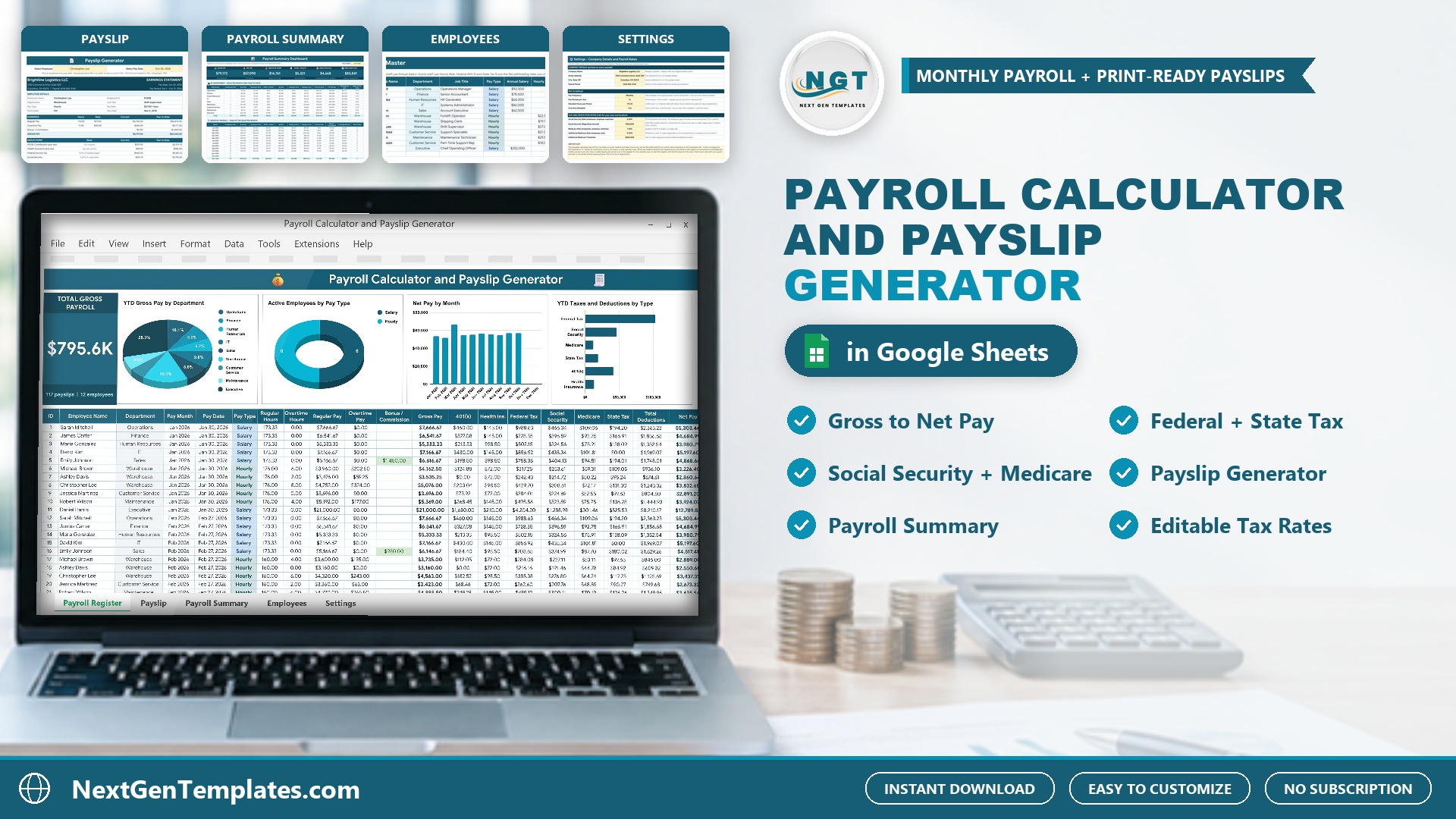
It is a Google Sheet built around a Payroll Register. You enter hours, overtime and bonuses once per employee per month, and the sheet calculates regular pay, overtime pay, gross pay, 401(k), health insurance, federal and state tax, Social Security, Medicare, net pay and the employer’s matching FICA. A Payslip tab then displays any employee’s earnings statement for any pay date.
Inside the Template
Payroll Register
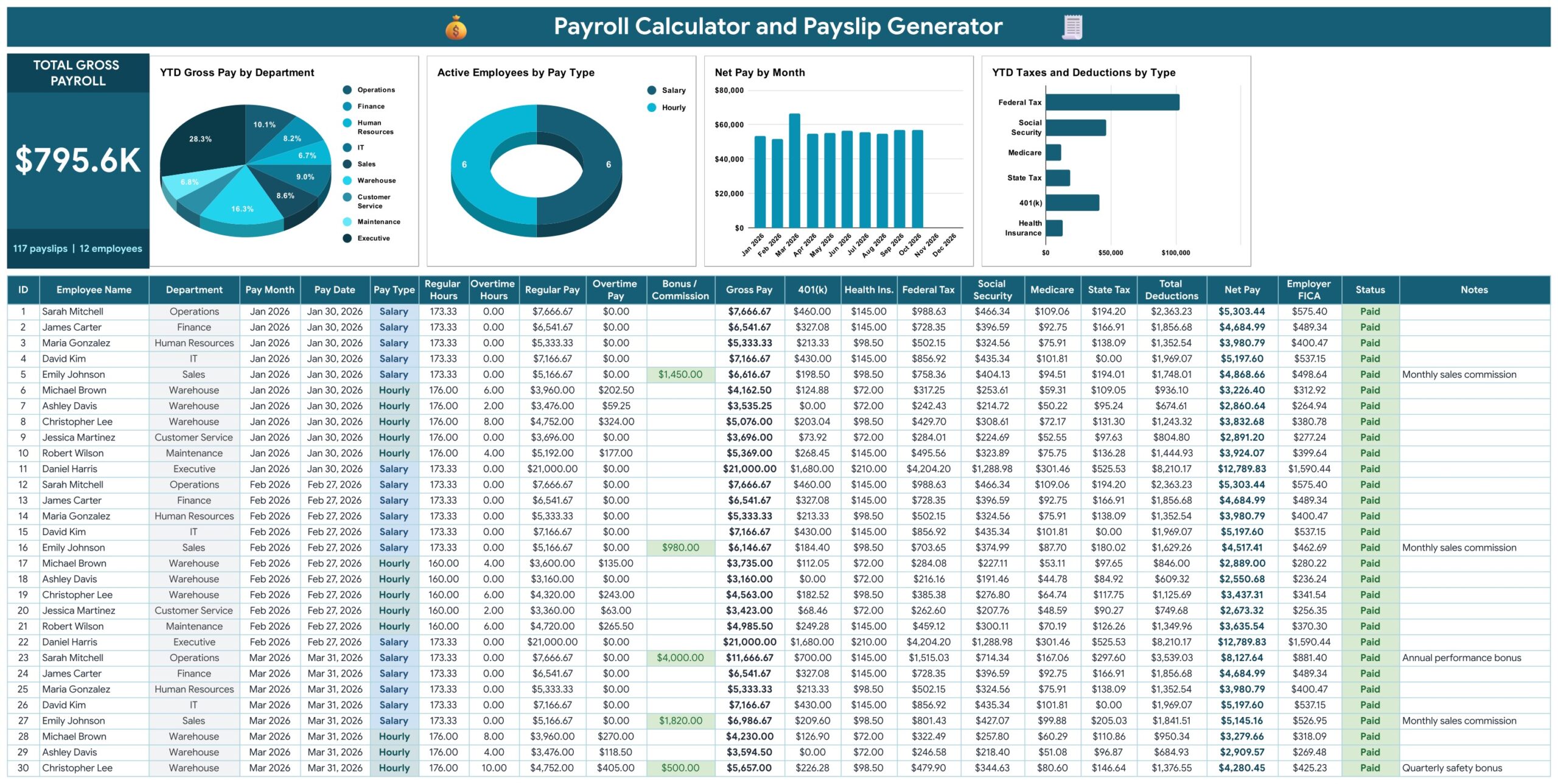
One row per employee per month. You pick the name, enter the pay month, pay date, regular hours, overtime hours, bonus and status. Everything else is calculated: regular pay, overtime pay, gross pay, 401(k), health insurance, federal tax, Social Security, Medicare, state tax, total deductions, net pay and employer FICA. A Total Gross Payroll card sits above four charts: YTD Gross Pay by Department, Active Employees by Pay Type, Net Pay by Month and YTD Taxes and Deductions by Type.
Payslip
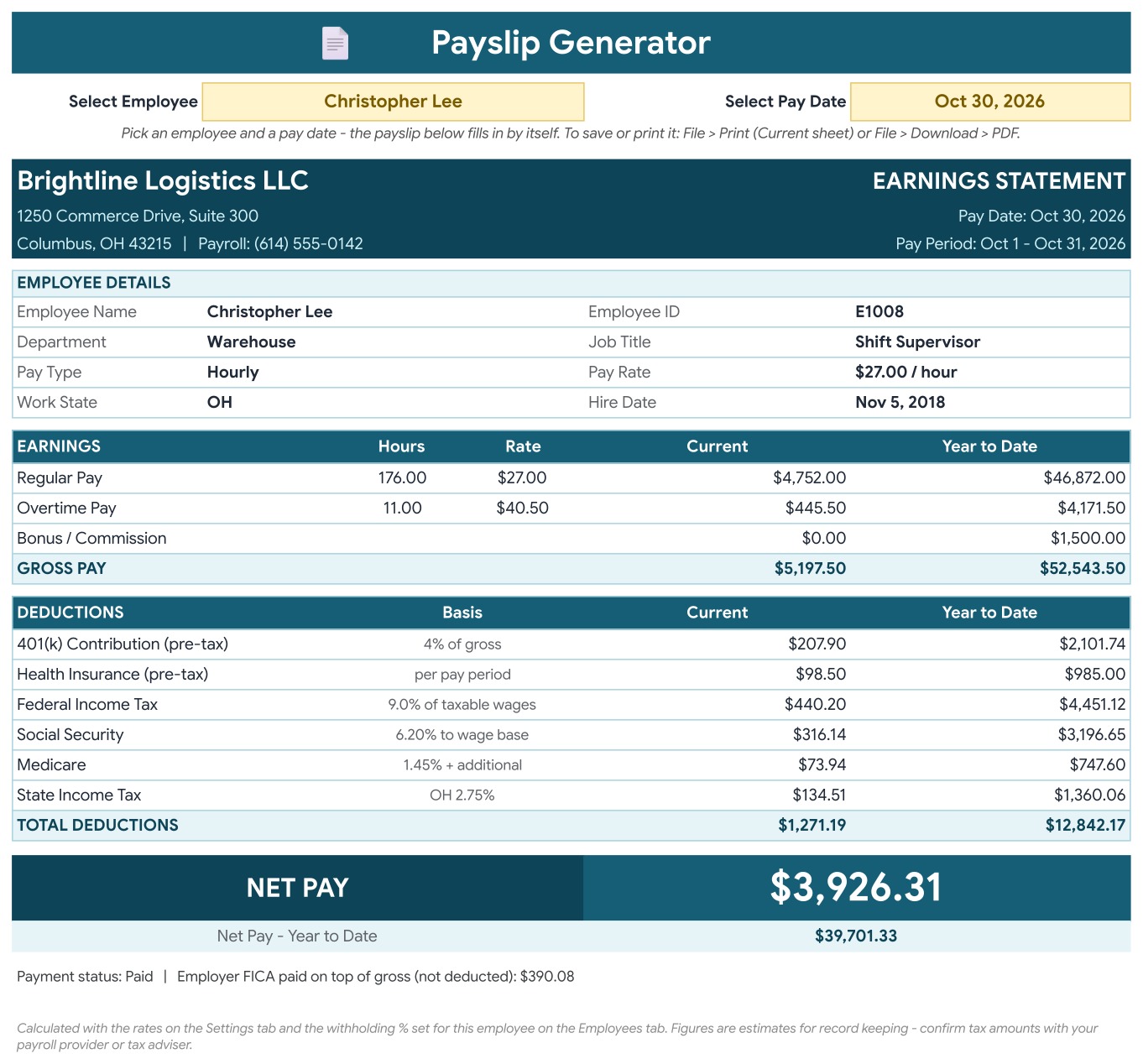
Select an employee and a pay date and the earnings statement fills in by itself, with company details, employee details, earnings, deductions with current and year to date amounts, and net pay. Save it as a PDF from the File menu.
Payroll Summary
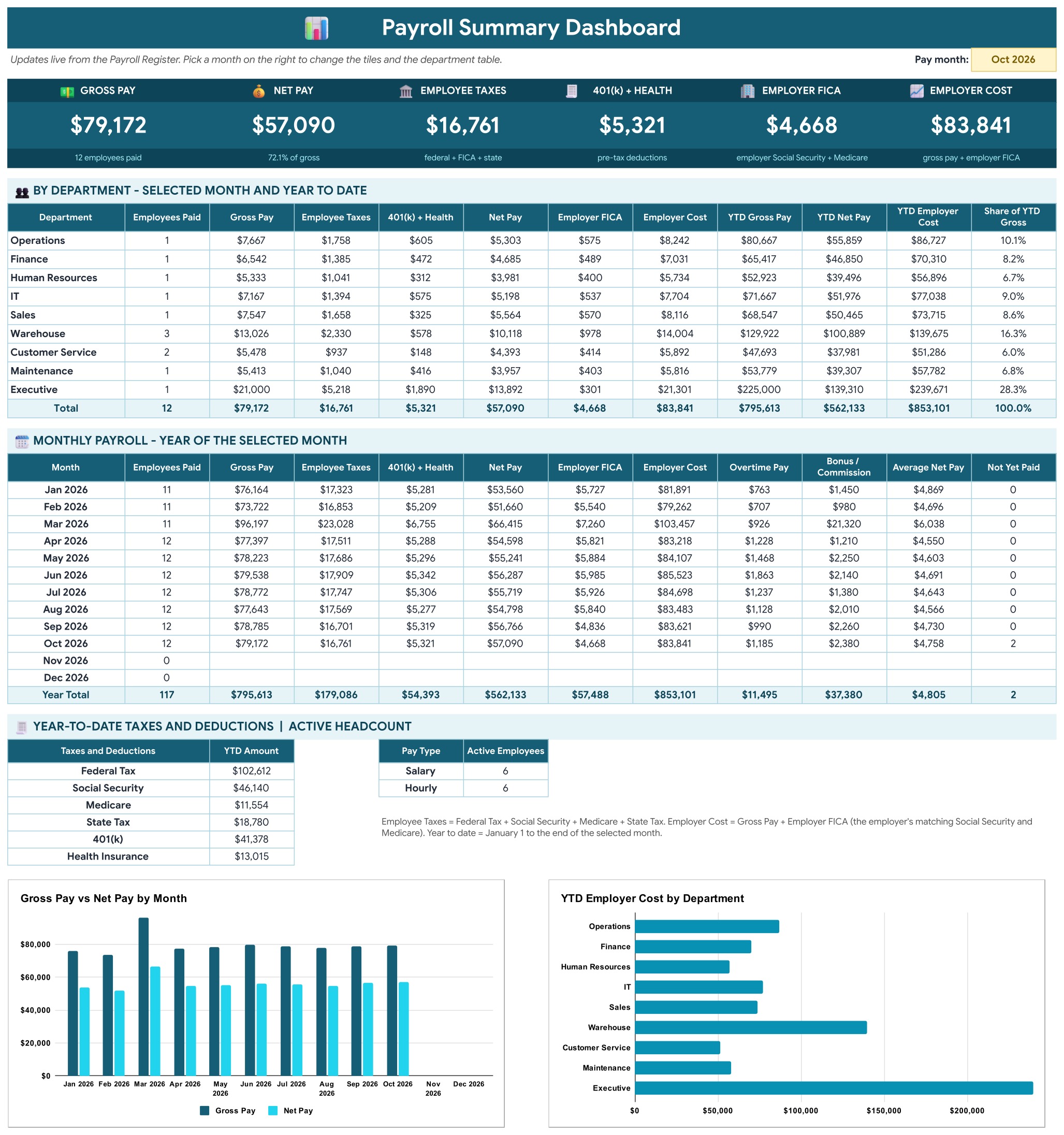
Pick a pay month and six tiles show gross pay, net pay, employee taxes, 401(k) plus health, employer FICA and total employer cost. Department and monthly tables and two charts sit below.
Employees
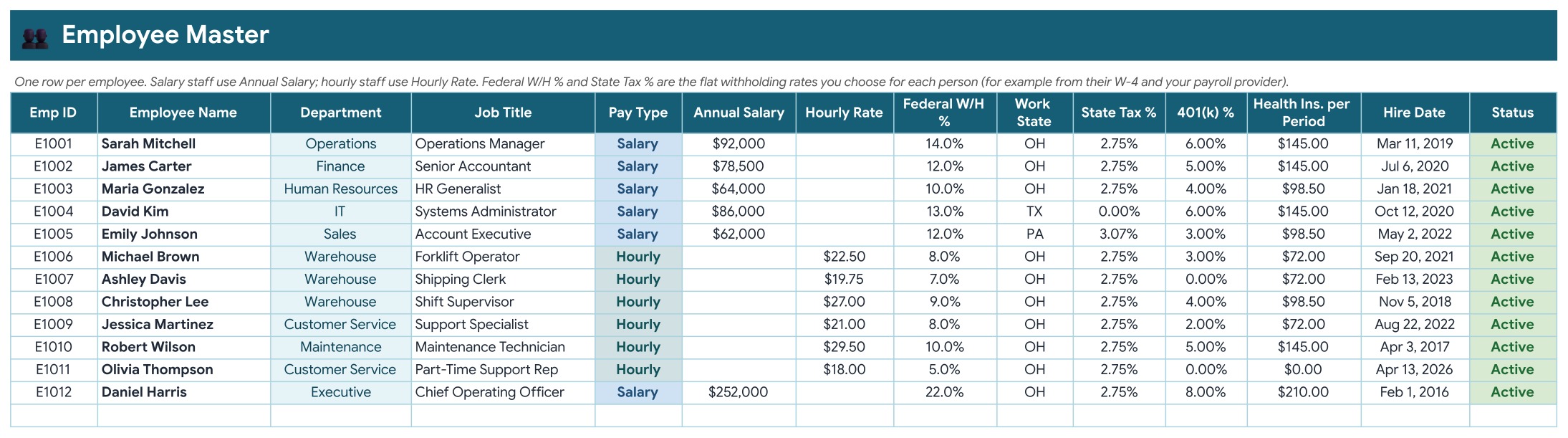
One row per person: department, job title, pay type, annual salary or hourly rate, federal withholding percentage, work state, state tax percentage, 401(k) percentage and health premium. New hires appear in the register dropdown automatically.
Settings
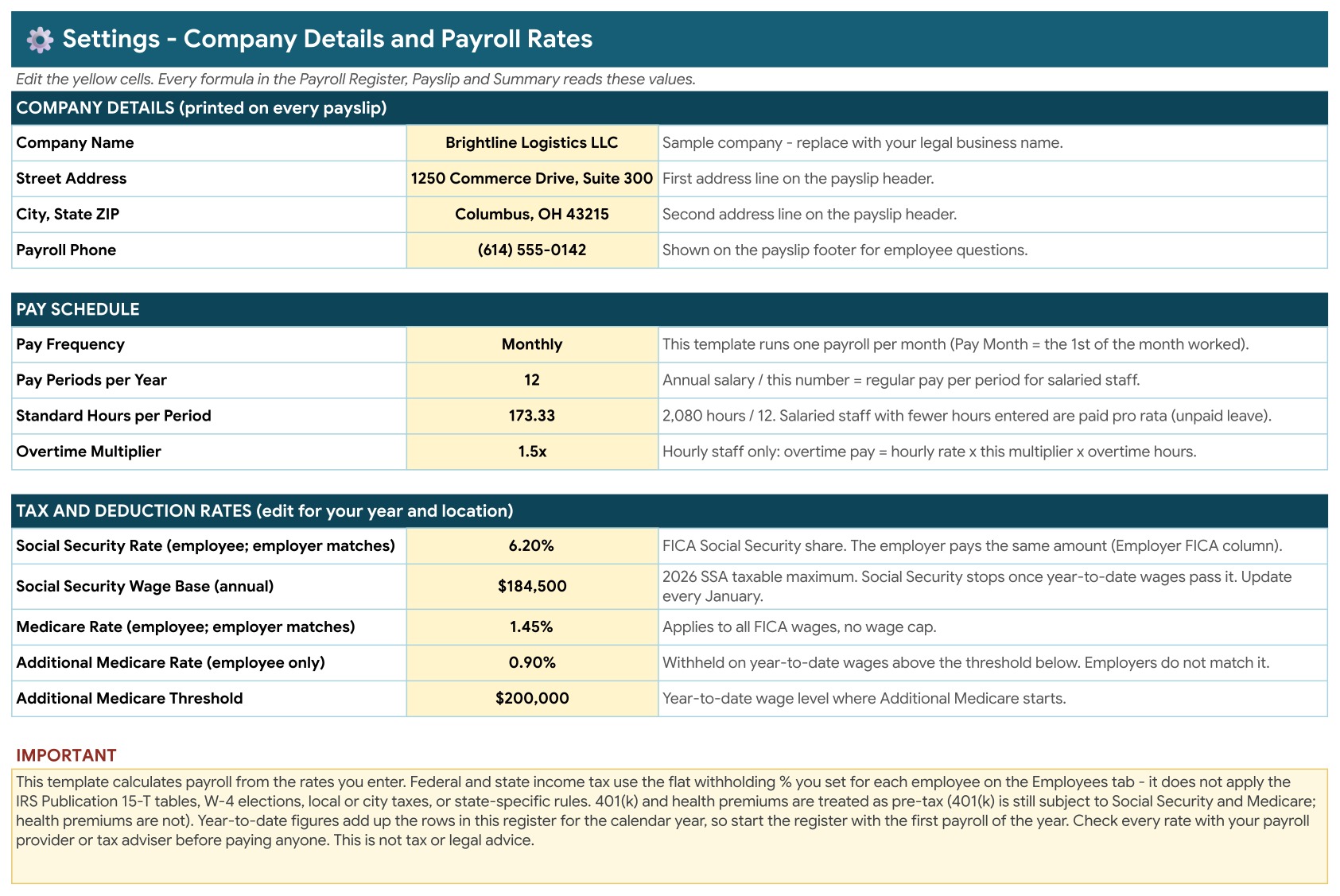
Company name and address that print on every payslip, the pay schedule and the editable tax rates and wage base.
How the Calculations Work
Salaried pay is the annual salary divided by 12, reduced in proportion if regular hours fall below 173.33. Hourly pay is hours multiplied by the hourly rate, with overtime at 1.5 times. The 401(k) and health insurance premium are taken before tax. Federal and state tax use the withholding percentage set for each employee. Social Security is 6.2 percent until the annual wage base, and Medicare is 1.45 percent with an extra 0.9 percent above $200,000 of year to date wages. All of these rates can be edited on the Settings tab.
Pros and Limits
- Clear, auditable formulas in a sheet you already know how to use
- No subscription, macros or add-ons
- Payslips as PDFs in a few clicks
- It does not file taxes, pay employees or connect to a bank
- Rates are sample values you must confirm for your year and location
Frequently Asked Questions
Does this file file taxes or pay my employees?
No. It is a calculator for your records. It works out gross pay, deductions, withholding, Social Security, Medicare and net pay from the numbers and rates you enter, and it prints payslips. It does not file returns, move money or connect to a bank.
Are the tax rates correct for my year and location?
The rates on the Settings tab and the withholding percentages on the Employees tab are editable sample values. Update them for your year and state, and confirm them with your payroll provider or tax adviser.
How does overtime work?
Hourly staff are paid overtime hours at 1.5 times their hourly rate. Salaried staff are paid annual salary divided by 12, reduced in proportion if you enter fewer regular hours than the standard 173.33.
What happens when an employee passes the Social Security wage base?
Social Security stops automatically once the employee’s year to date wages pass the wage base on the Settings tab, and Additional Medicare starts once year to date wages pass $200,000.
How do I create a payslip?
Open the Payslip tab, pick an employee and a pay date, and the earnings statement fills in. Use File, Download, PDF to save it and email it to the employee.
Does it need macros or add-ons?
No. It is a plain Google Sheet with formulas, dropdowns and charts. Use File, Make a copy from the link in the PDF you download.
Is it safe to keep real payroll data in a Google Sheet?
A Google Sheet is only as private as its sharing settings. Keep your copy private, share it with named people only, and remember that payroll records can contain sensitive personal data.
Get the Payroll Calculator and Payslip Generator
Get the template here: Payroll Calculator and Payslip Generator in Google Sheets. If you prefer a dashboard view of payroll totals, try the Payroll Management Dashboard in Google Sheets.