
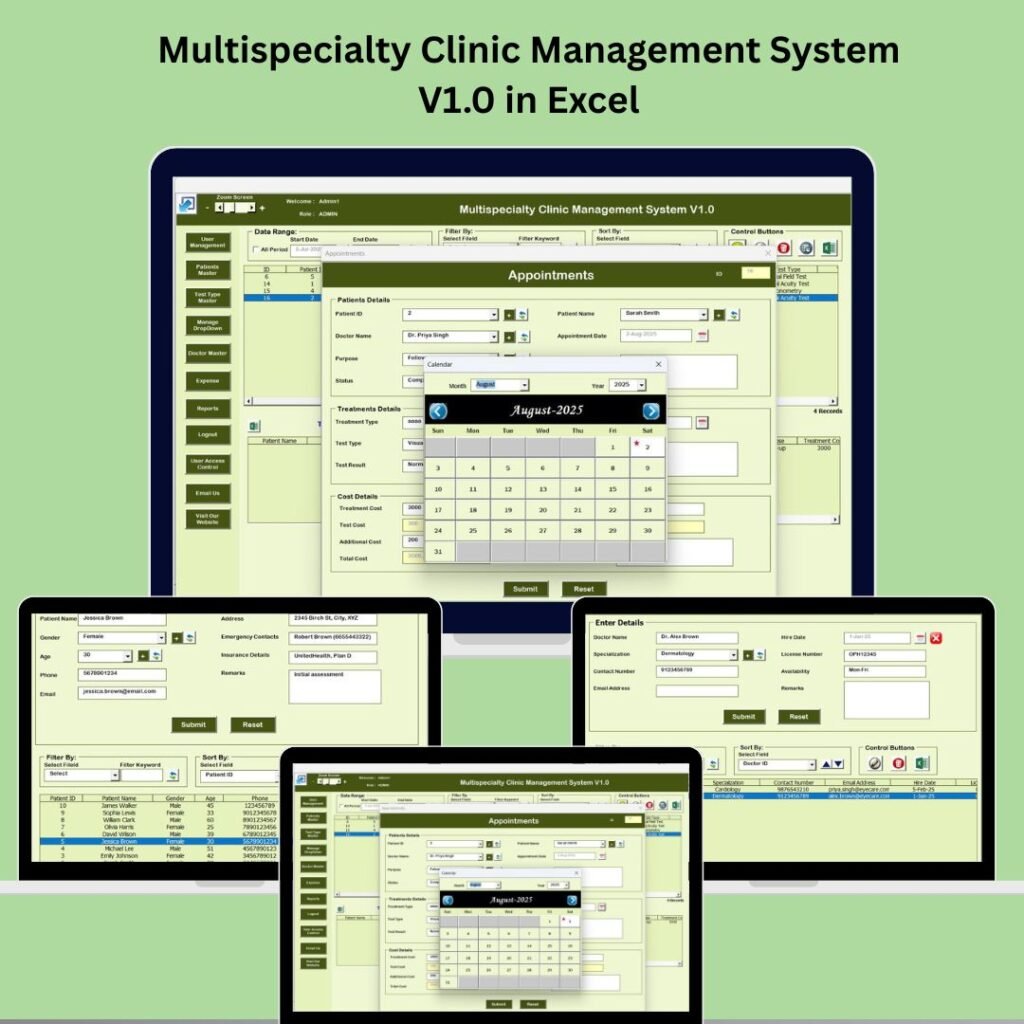
Managing a clinic — especially one that handles multiple specialties — can quickly become overwhelming. From scheduling appointments and tracking patient histories to managing expenses and generating reports, every task demands precision and efficiency. What if you could run all of this seamlessly without investing in expensive software?clinic management system
The Multispecialty Clinic Management System V1.0 in Excel is a powerful solution designed to help clinics of all sizes streamline operations — right inside Microsoft Excel. Built with intuitive VBA automation and ready-to-use dashboards, this template turns your clinic into a well-organized, professional powerhouse without coding or complex setup.clinic management system
In this post, we’ll explore seven practical ways this system can elevate your clinic’s workflow, improve patient care, and give you better control over financials — plus how it compares with traditional tools.clinic management system
📊 What Is the Multispecialty Clinic Management System?
The Multispecialty Clinic Management System V1.0 in Excel is an all-in-one Excel-based tool built with VBA (Visual Basic for Applications) to help healthcare professionals:
-
Manage appointments
-
Track patient records
-
Handle financial transactions
-
Generate insightful reports
Unlike standalone software or subscription platforms, this system runs within Excel — making it affordable and easy for clinics that want powerful management without the headache.
💡 1. Secure Login That Protects Patient Data
Patient confidentiality and clinic data security are critical — and this system takes both seriously.
🔒 Secure login access ensures only authorized staff can view or edit sensitive information.
The system comes with predefined credentials (like Admin1/abcd) to get you started immediately. From there, you can customize user access or add new user accounts if needed.
Benefits:
-
Prevents unauthorized access
-
Keeps patient data safe and compliant
-
Ideal for clinics with multiple staff members
This built-in security feature replaces the need for separate software licenses or complex server permissions.
📅 2. Efficient Appointment Scheduling and Tracking
One of the biggest headaches in clinic management is managing daily appointments — especially when multiple specialists are involved.
With this Excel system, you can:
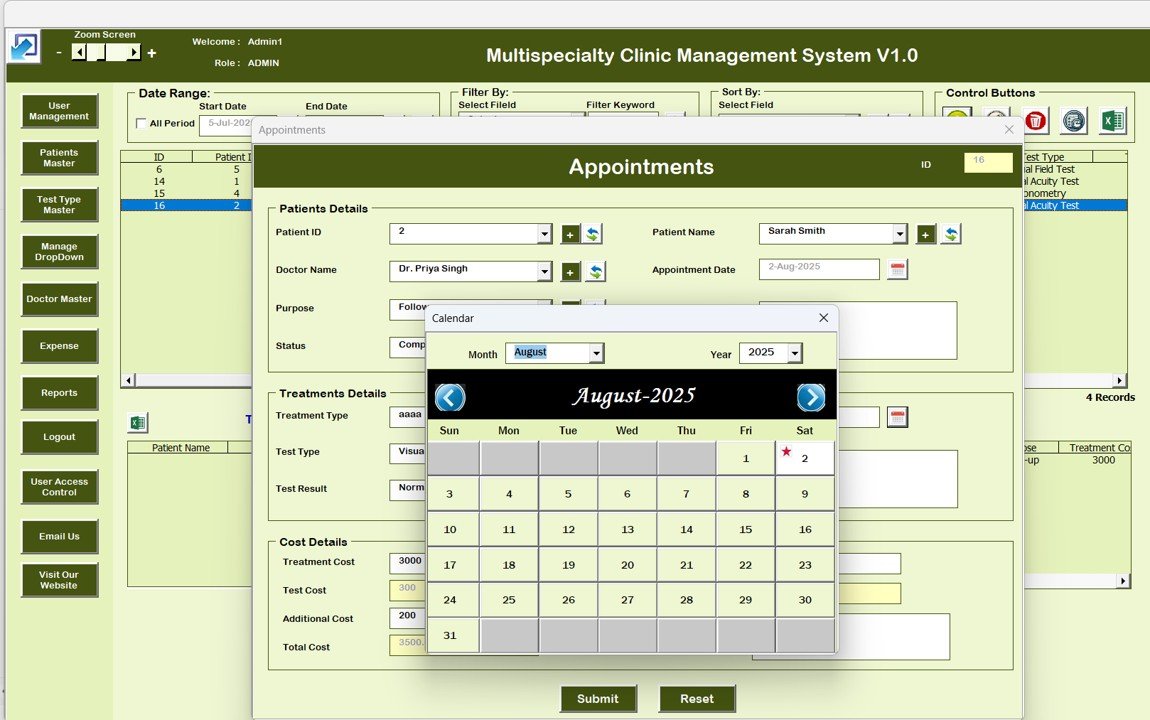
✔ Schedule, update, or cancel appointments from a simple dashboard
✔ Avoid double-booking and missed appointments
✔ Filter appointments by date, doctor, or service type
Instead of managing appointments with paper logs or multiple spreadsheets, this tool centralizes your calendar in one intuitive interface.
Why it matters:
Better appointment tracking means improved patient satisfaction and fewer operational errors, giving your staff more time to focus on delivering care rather than administering books.
👩⚕️ 3. Centralized Patient Database for Better Care
A clinic’s patient database needs to be accurate and easily accessible — and this system delivers just that.
Inside the “Patient Master Database,” you can:
-
Add patient personal details
-
Record medical histories
-
Track treatment plans and notes
All records are visible in one organized sheet, making it quick and easy to reference patient history when needed.
This centralized data hub helps:
✔ Reduce redundant data entry
✔ Improve communication across staff
✔ Speed up decision-making
For healthcare professionals, better data means better patient care.
🔎 4. Expense Management for Financial Control
Tracking clinic expenses manually is time-consuming and error-prone. The Expense Manager module changes the game.
Here’s what you can do:
-
Log daily clinic expenses
-
Categorize costs for analysis
-
Track spending trends over time
Instead of juggling receipts or separate accounting files, everything is managed in one system with built-in Excel logic.
This gives clinic managers real-time financial visibility — a huge advantage for strategic budgeting and planning.
🧑💼 5. User Management & Control
Not every staff member needs access to every part of your clinic system. The user management feature gives you that power.
With this module, you can:
✔ Add, edit, or remove users
✔ Assign roles to control access
✔ Reset passwords quickly
This level of control ensures sensitive records stay secure, and staff members only work within their assigned scope.
Best of all, you don’t need to rely on external security software — everything is handled within Excel.
🧾 6. Logging and Change Tracking for Transparency
Data integrity and accountability matters — especially in clinical settings.
The Record Logs & List Management feature gives you full visibility into your database activity:
-
See who made changes
-
Track modification dates
-
Undo or review edits if necessary
This audit-friendly system is perfect for compliance, quality assurance, and maintaining clean records over time.
📈 7. Custom Reports — Anytime, Anywhere
One of the most powerful elements of this system is its reporting engine.
With just a few clicks, you can generate detailed reports on:
-
Appointments
-
Patient visits
-
Expense breakdowns
-
Treatment performance
These reports can be exported and shared with colleagues, finance teams, or even external stakeholders.
Whether you’re preparing monthly analysis or strategic plans, having accurate reports at your fingertips saves time and improves decision quality.
🆚 Excel Template vs Traditional Clinic Software
| Feature | Excel Clinic System | Traditional Software |
|---|---|---|
| Cost | 💰 One-time affordable price | 💸 Recurring subscription |
| Ease of Use | ✔ Familiar Excel environment | ⛔ Often requires training |
| Customization | ✔ High (edit as needed) | ⚙️ Limited by vendor |
| Security | 🔐 Password protected | 🔐 Varies by provider |
| Offline Access | ✔ Yes | ❌ Usually requires internet |
For clinics that need a powerful yet flexible system without high recurring costs, this Excel-based solution can be a game changer.
📌 Who Should Use This System?
This tool is ideal for:
-
Multispecialty Clinics wanting centralized operations
-
Doctors and clinicians seeking an efficient scheduler
-
Clinic administrators managing staff and data
-
Finance teams analyzing expenses and budgeting
-
Healthcare startups avoiding high software fees
💡 Final Thoughts: A Must-Have Clinic Management Solution
Running a clinic doesn’t have to be chaotic.
The Multispecialty Clinic Management System V1.0 in Excel offers a full-featured, secure, and customizable clinic management solution inside a software you already use everyday: Microsoft Excel. Whether you’re a small practice or a larger multispecialty clinic, this system helps you stay organized, efficient, and informed — at a fraction of the cost of traditional software.clinic management system
Visit our YouTube channel to learn step-by-step video tutorials