
In today’s fast-paced regulatory environment, “checking the box” isn’t enough. One missed deadline or an overlooked data protection protocol can lead to heavy fines, legal headaches, and a damaged reputation. If you are still managing your audits and regulatory tasks using static spreadsheets, you are leaving your business at risk.
The Compliance Tracking Dashboard in Power BI is designed to take the chaos out of compliance. By transforming your raw Excel data into a visual powerhouse, it provides the clarity you need to stay ahead of risks.
Why Visual Compliance Tracking is a Game Changer
Managing compliance across multiple departments like HR, Finance, and IT is notoriously difficult. Data gets buried in emails, and accountability often slips through the cracks. This dashboard solves that by centralizing everything into a single, interactive source of truth.
1. Instant Snapshot with the Overview Page
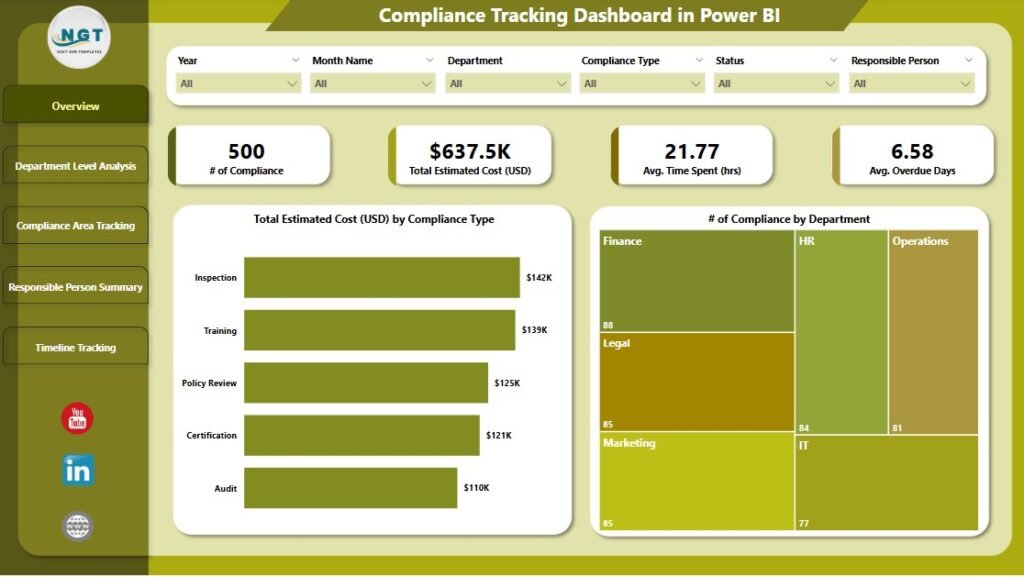
The first thing you see is the Overview Page, which acts as your compliance command center. With four critical KPI cards, you can instantly see:
- Total Compliance Count: The scale of your current operations.
- Overdue Tasks: Immediate red flags that need your attention.
- Total Estimated Cost: The financial footprint of your compliance efforts.
- Average Time Spent: A clear metric for operational efficiency.
2. Deep-Dive Department Analysis
Are some teams struggling more than others? The Compliance Tracking Dashboard in Power BI allows you to filter by department. You can identify which areas are seeing the highest costs or the most significant delays, allowing you to reallocate resources where they are needed most.
3. Track Specific Compliance Areas
Whether it’s HIPAA, GDPR, or Financial Reporting, you can categorize and track performance by specific domains. This helps you visualize risk concentration and ensure that high-priority regulatory areas are never neglected.
4. Drive Individual Accountability
Compliance is a team sport, but it requires individual owners. The Responsible Person Summary shows exactly who is managing which task. By visualizing workload and delays by person, you can ensure that no single team member is overwhelmed and that every task has a clear path to completion.
5. Master Your Timeline Trends
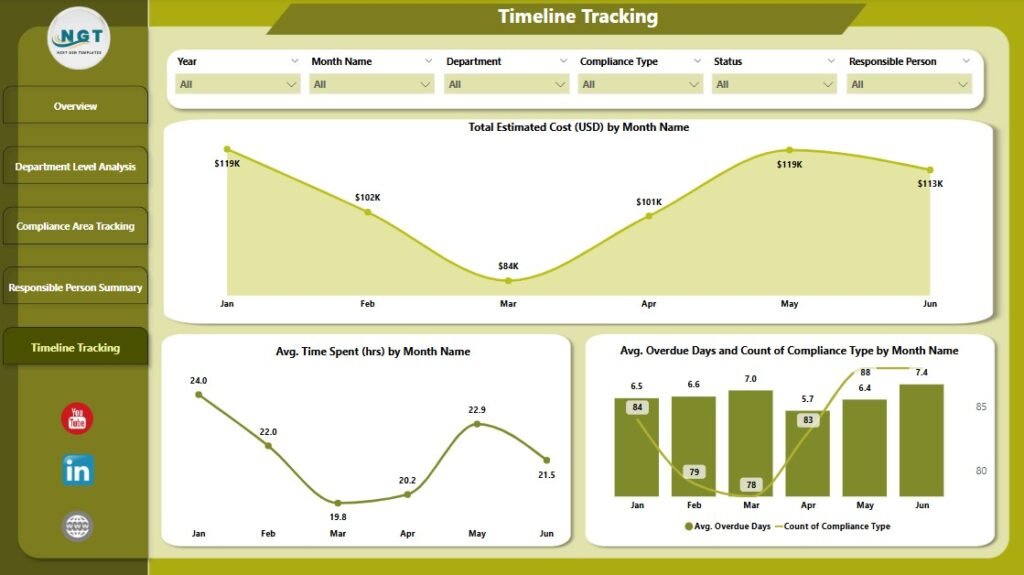
Compliance isn’t a one-time event; it’s a cycle. The Timeline Tracking page helps you understand peaks in your workload. By analyzing trends over months, you can predict “busy seasons” and prepare your team in advance.
Built on a Familiar Foundation: Excel
You don’t need to learn a complex new software system to use this tool. It is built to connect seamlessly with Microsoft Excel. Simply input your task names, departments, costs, and deadlines into a structured Excel sheet, and the Power BI dashboard does the heavy lifting of visualization for you.
Who Needs This Dashboard?
- Financial Institutions: For rigorous regulatory audits.
- Healthcare Providers: To monitor HIPAA and safety protocols.
- Manufacturers: For environmental and safety policy tracking.
- IT & Security Teams: To manage risk and audit controls.
Final Thoughts: Move from Reactive to Proactive
Don’t wait for an audit to realize your compliance tracking is broken. The Compliance Tracking Dashboard in Power BI empowers you to be proactive, transparent, and audit-ready at all times.
Ready to streamline your regulatory workflow? Download the Compliance Tracking Dashboard here and start making data-driven decisions today.
Visit our YouTube channel to learn step-by-step video tutorials