
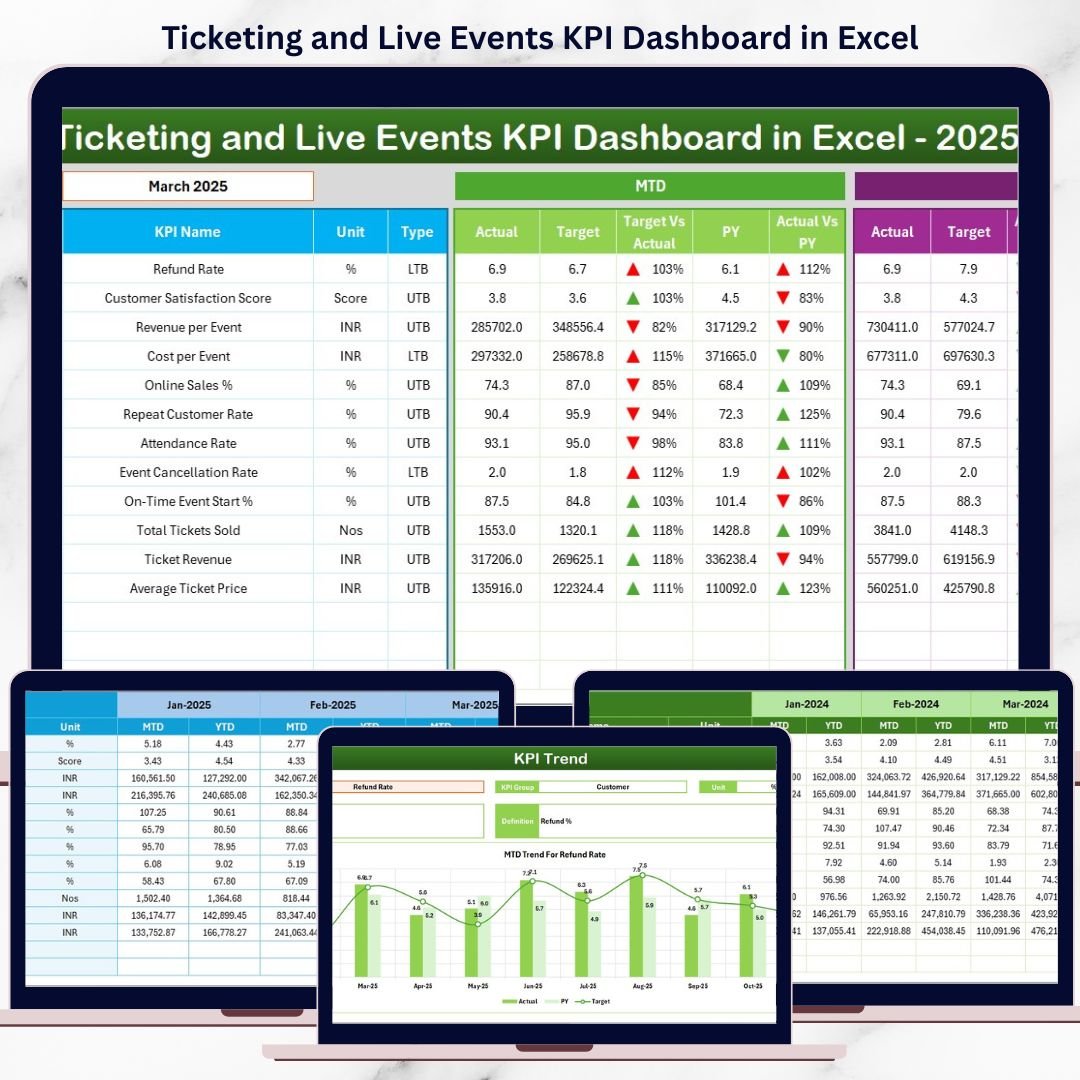
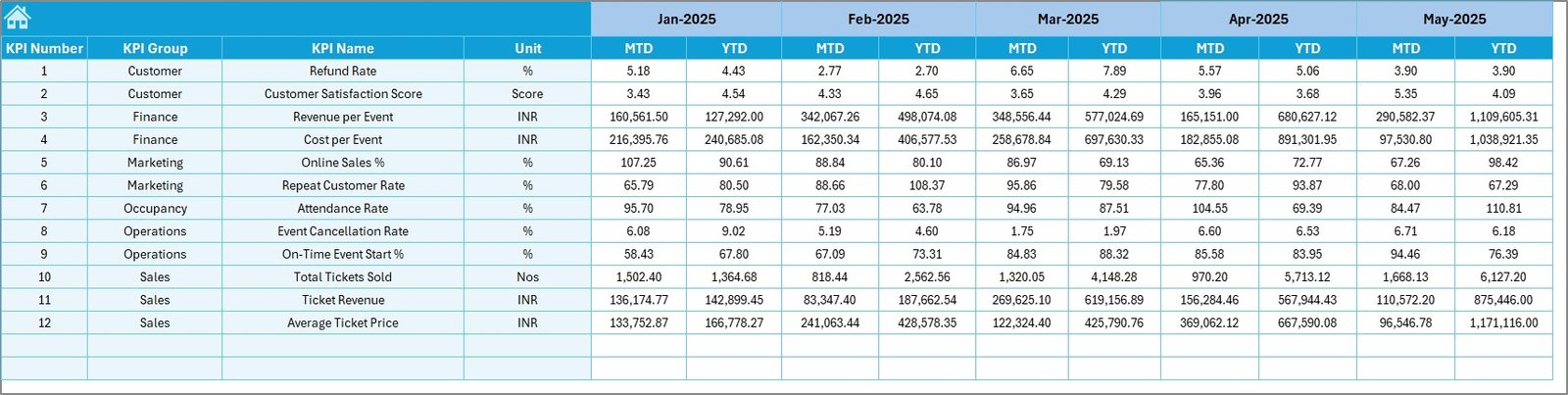
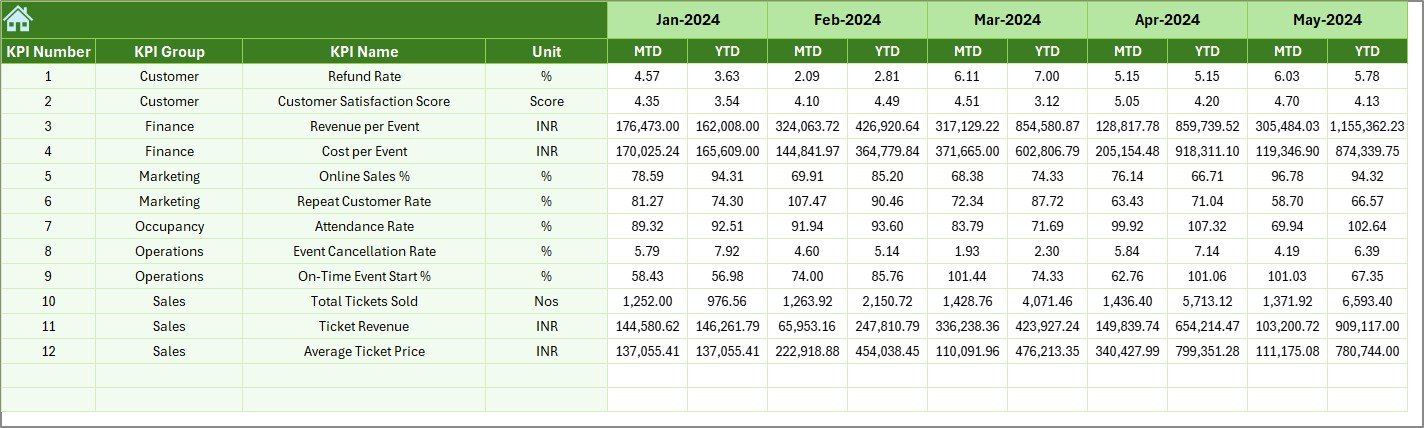
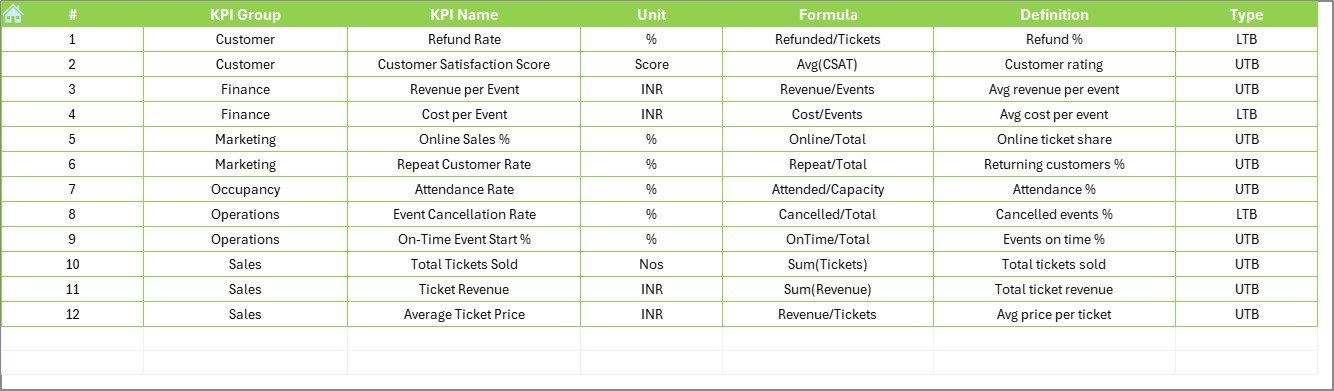
Managing ticket sales, attendance, and event revenue should not feel overwhelming. However, when live event data sits across multiple Excel files, tracking performance becomes slow and error prone. That is exactly why the Ticketing and Live Events KPI Dashboard in Excel is designed—to convert raw ticketing data into clear insights, actionable KPIs, and powerful visuals in one professional Excel dashboard.
This ready-to-use Excel dashboard helps event managers, promoters, and venue teams monitor MTD, YTD, targets, and previous-year performance instantly. Instead of spending hours preparing reports, you get a fully automated KPI system that supports faster and smarter decisions for concerts, sports events, exhibitions, and festivals.
🔑 Key Features of Ticketing and Live Events KPI Dashboard in Excel
📌 All-in-One KPI Tracking – Monitor ticket sales, revenue, attendance, refunds, and growth KPIs in one centralized dashboard.
📌 MTD & YTD Performance View – Instantly track Month-to-Date and Year-to-Date results for every KPI.
📌 Target vs Actual Analysis – Identify whether targets are achieved using automatic variance calculations.
📌 Previous Year Comparison – Analyze year-on-year growth and seasonal trends with ease.
📌 Interactive Dashboard – Month selection drop-down dynamically updates all KPIs and charts.
📌 Conditional Formatting Indicators – Visual arrows and colors highlight improvement or decline instantly.
📌 Professional Navigation – Built-in navigation buttons allow smooth movement across worksheets.
📌 No Coding Required – Powered entirely by Excel formulas and formatting—simple to use and maintain.
📂 What’s Inside the Ticketing and Live Events KPI Dashboard in Excel
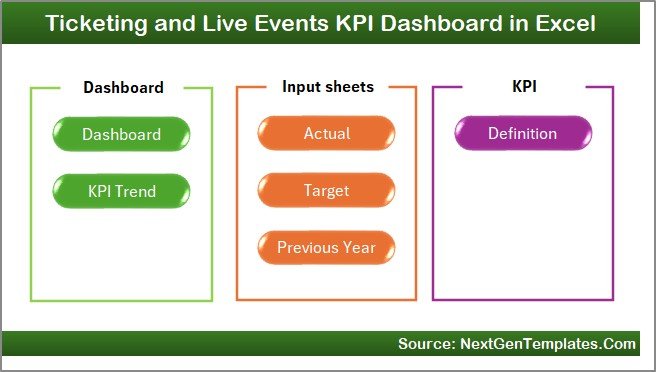
This Excel dashboard comes with 7 well-structured worksheets; each designed for clarity and performance:
📄 Home Sheet – Acts as a landing page with navigation buttons for quick access.
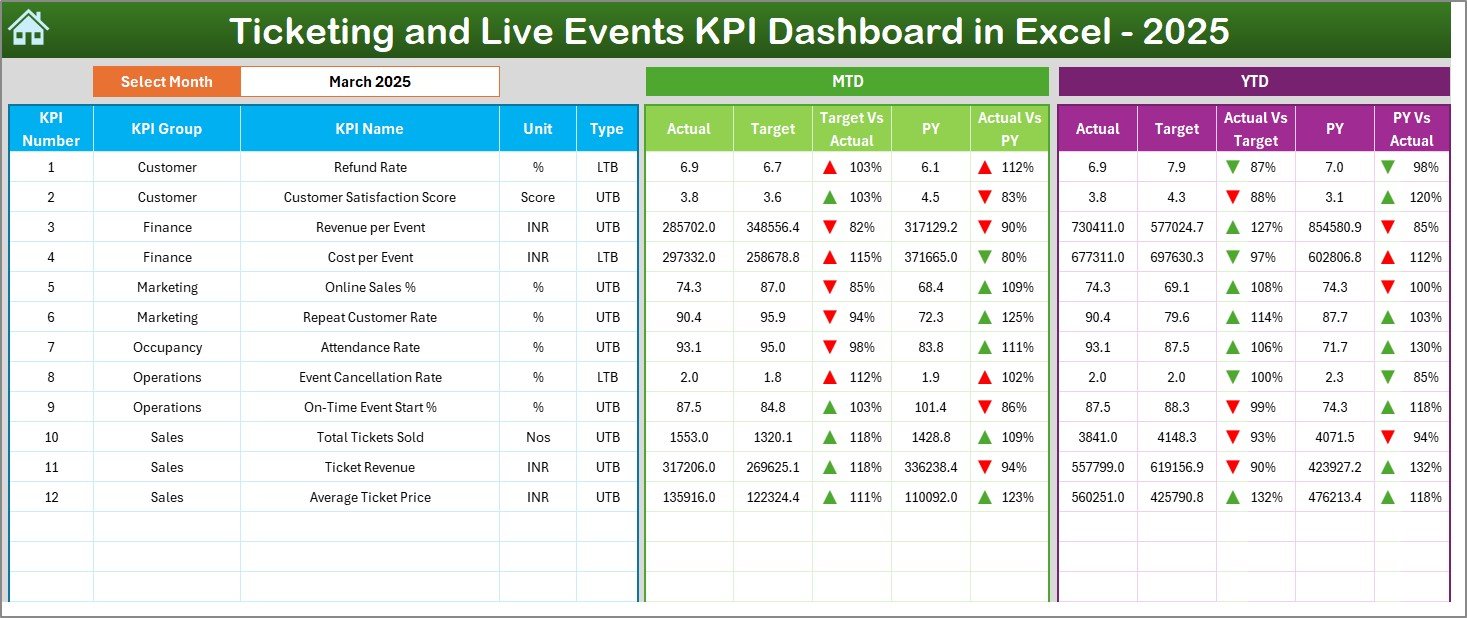
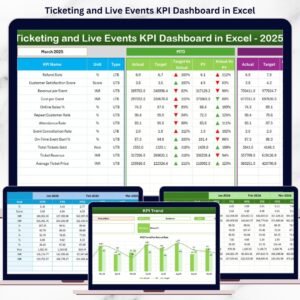
📊 Dashboard Sheet – Displays MTD, YTD, target, and previous-year KPI performance with visual indicators.
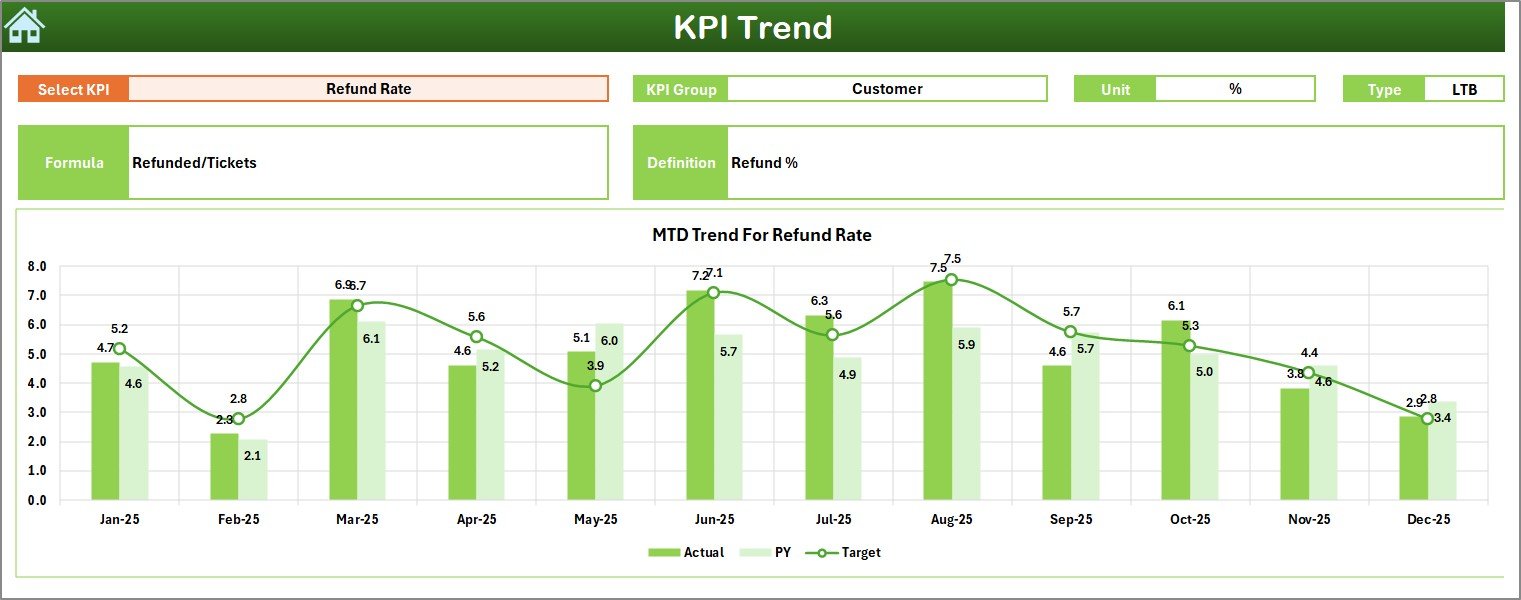
📈 KPI Trend Sheet – Shows month-wise MTD and YTD trend charts for selected KPIs.
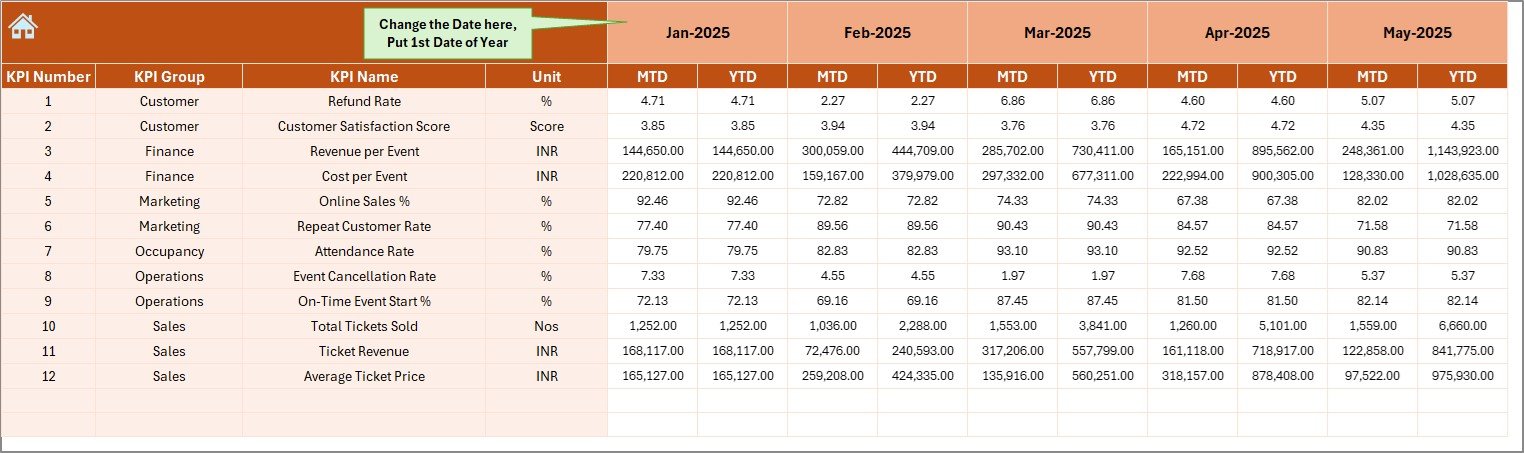
📝 Actual Numbers Input Sheet – Simple data entry area for actual KPI values.
🎯 Target Sheet – Define monthly and yearly performance targets for each KPI.
📆 Previous Year Numbers Sheet – Enables powerful year-on-year comparisons.
📘 KPI Definition Sheet – Stores KPI names, formulas, units, and definitions for consistency.
⚙️ How to Use the Ticketing and Live Events KPI Dashboard in Excel
🚀 Step 1: Enter actual KPI values in the Actual Numbers Input Sheet.
🚀 Step 2: Define targets in the Target Sheet.
🚀 Step 3: Add previous-year data in the Previous Year Numbers Sheet.
🚀 Step 4: Select the reporting month from the drop-down on the Dashboard.
🚀 Step 5: Analyze performance using KPI cards, trends, and indicators.
No advanced Excel knowledge is required. Simply update values and review insights instantly.
👥 Who Can Benefit from This Ticketing and Live Events KPI Dashboard
🎟️ Event Managers & Coordinators
🎤 Concert & Festival Organizers
🏟️ Venue Owners & Operators
🏀 Sports Event Teams
📈 Ticketing & Sales Teams
💰 Finance & Revenue Analysts
📊 Operations & Planning Teams
Whether you manage a single venue or multiple events, this dashboard adapts easily to your needs.






























Reviews
There are no reviews yet.