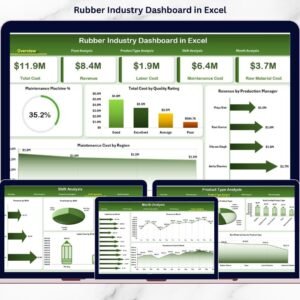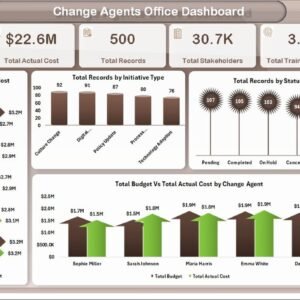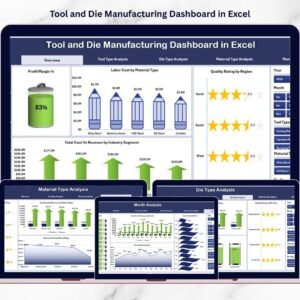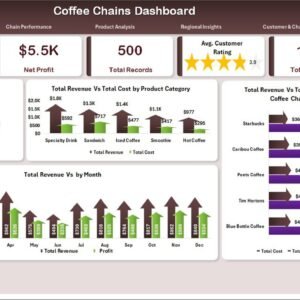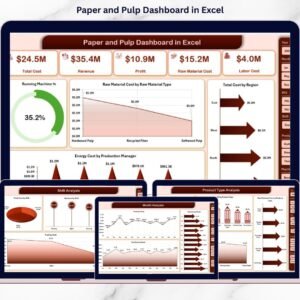
This ready-to-use Excel dashboard transforms operational data into interactive charts, KPI cards, and slicer-based insights. Instead of reviewing multiple reports, you can filter performance instantly and make confident decisions.
🚀 Key Feature of Paper and Pulp Dashboard in Excel
📊 5 Analytical Dashboard Pages – Overview, Mill, Product Type, Shift, and Month Analysis.
🎯 Executive KPI Cards – Instant summary of performance.
🏭 Mill-Wise Profit Tracking – Compare revenue and cost across locations.
📦 Product Profitability Insights – Identify high-margin products.
⚡ Running Machine % Monitoring – Track machine utilization easily.
🔥 Energy Cost Analysis – Detect inefficient shifts and managers.
📈 Monthly Trend Analysis – Monitor revenue, cost, and profit patterns.
🎛 Right-Side Slicers – Filter by Mill, Product Type, Shift, Region, and Month.
💡 Fully Customizable Excel Structure – Expand KPIs anytime.
📦 What’s Inside the Paper and Pulp Dashboard in Excel
This structured Excel file includes 5 interactive pages, along with Data and Support sheets.
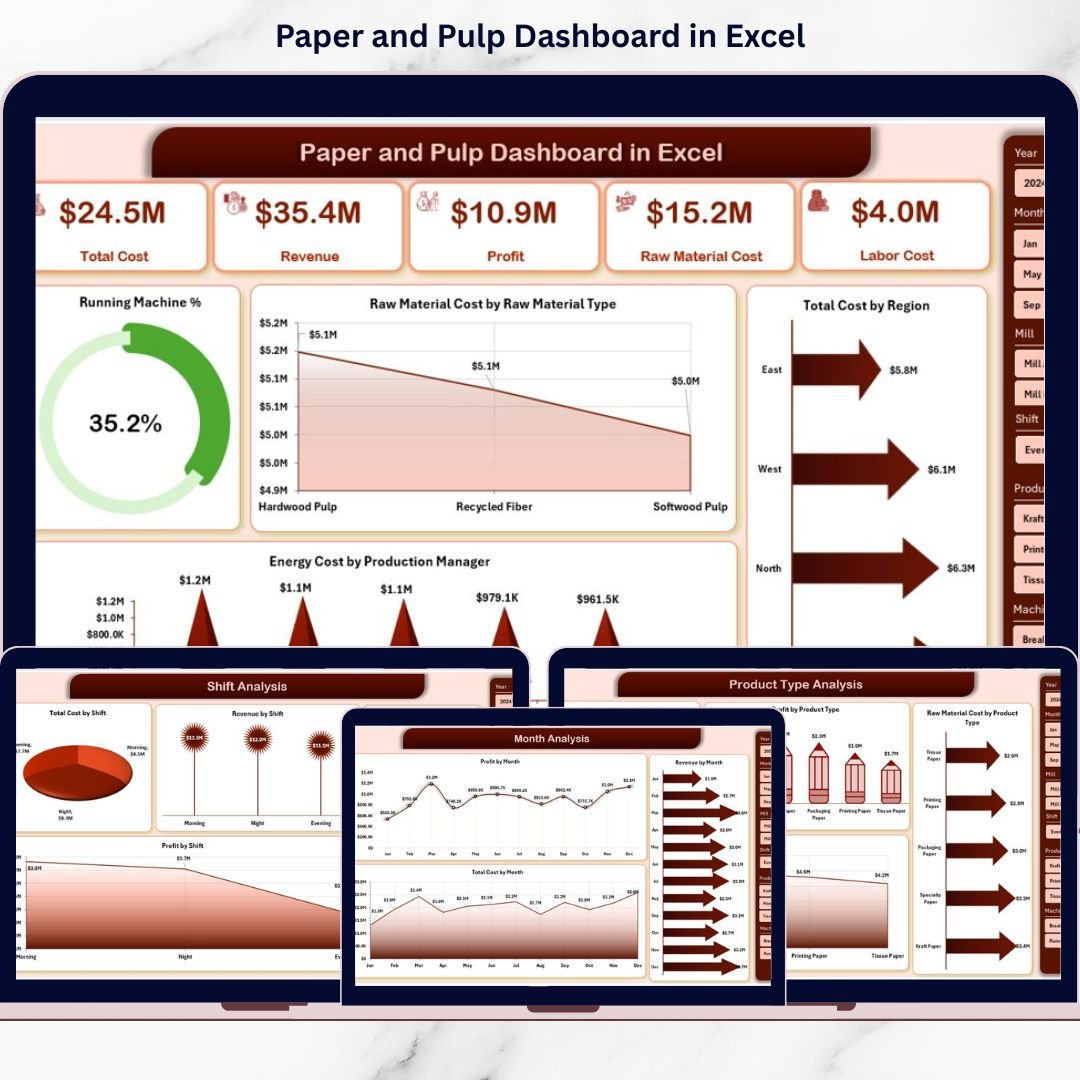
1️⃣ Overview Page – The Operational Command Center
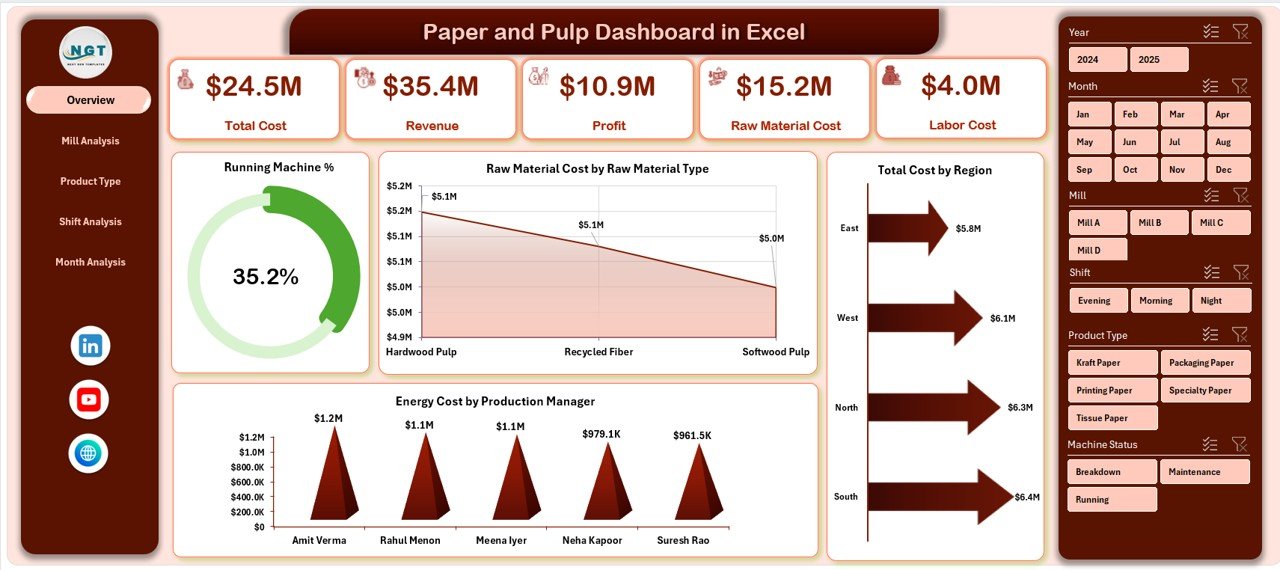
This page provides an instant performance snapshot.
✔ KPI Cards at the Top
-
Total Revenue
-
Total Cost
-
Profit
-
Running Machine %
✔ Charts Included
-
Running Machine %
-
Raw Material Cost by Raw Material Type
-
Total Cost by Region
-
Energy Cost by Production Manager
In seconds, leadership can see operational efficiency and cost trends.
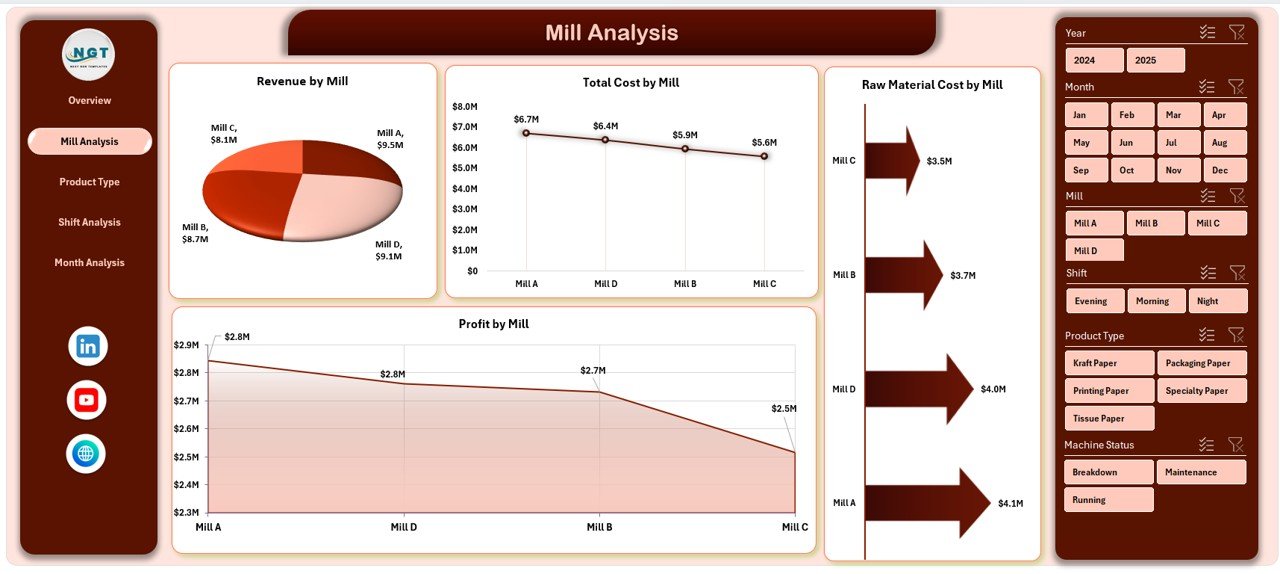
2️⃣ Mill Analysis – Compare Plant Performance
Evaluate each mill’s financial health.
✔ Raw Material Cost by Mill
✔ Total Cost by Mill
✔ Revenue by Mill
✔ Profit by Mill
Identify high-cost mills. Replicate strategies from high-profit units. Improve operational balance.
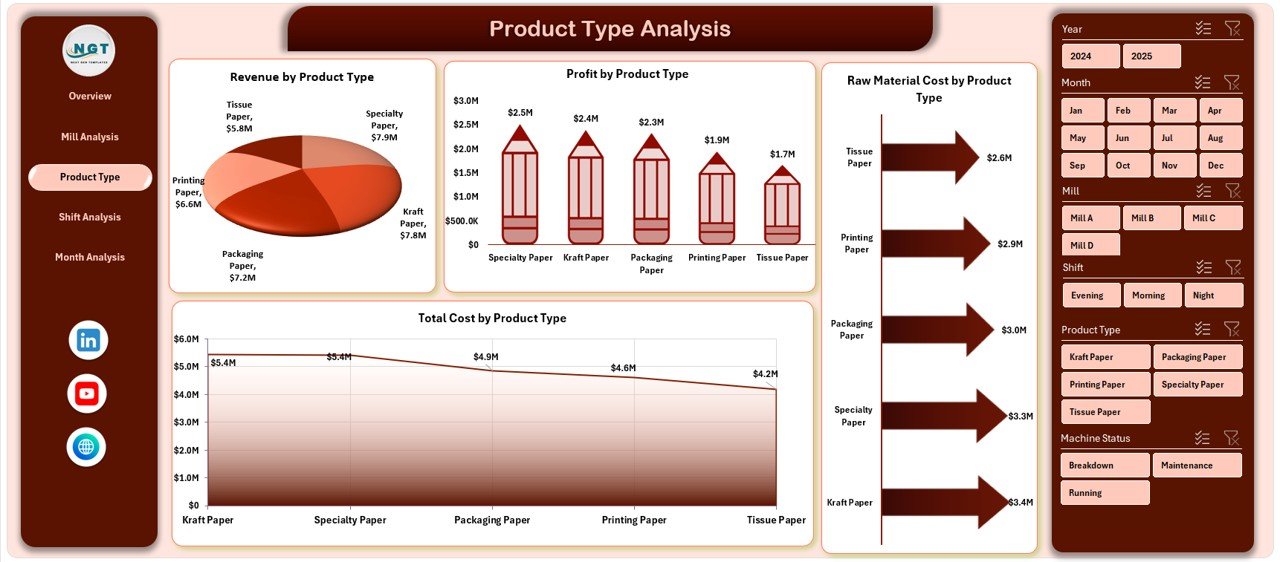
3️⃣ Product Type Analysis – Which Products Generate Higher Margin?
Analyze performance across product categories like:
Printing Paper
Packaging Board
Tissue Paper
Specialty Paper
✔ Raw Material Cost by Product Type
✔ Total Cost by Product Type
✔ Revenue by Product Type
✔ Profit by Product Type
Shift production focus toward high-margin product lines.
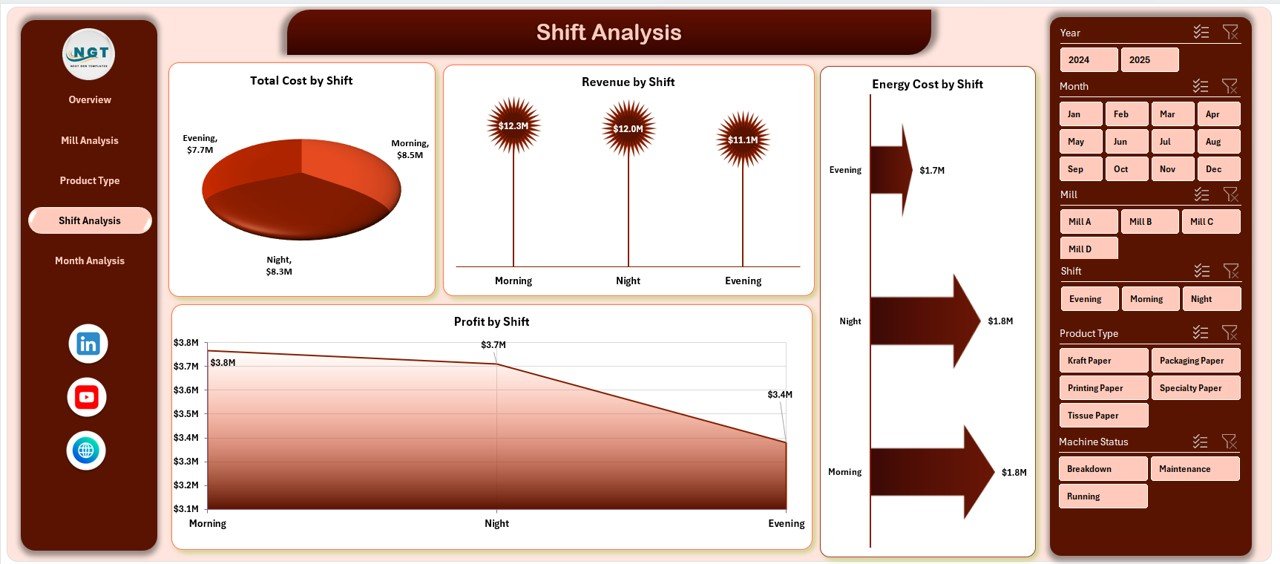
4️⃣ Shift Analysis – Improve Production Efficiency
Track performance across:
Morning Shift
Evening Shift
Night Shift
✔ Energy Cost by Shift
✔ Total Cost by Shift
✔ Revenue by Shift
✔ Profit by Shift
Detect energy-heavy shifts. Improve scheduling. Optimize labor productivity.
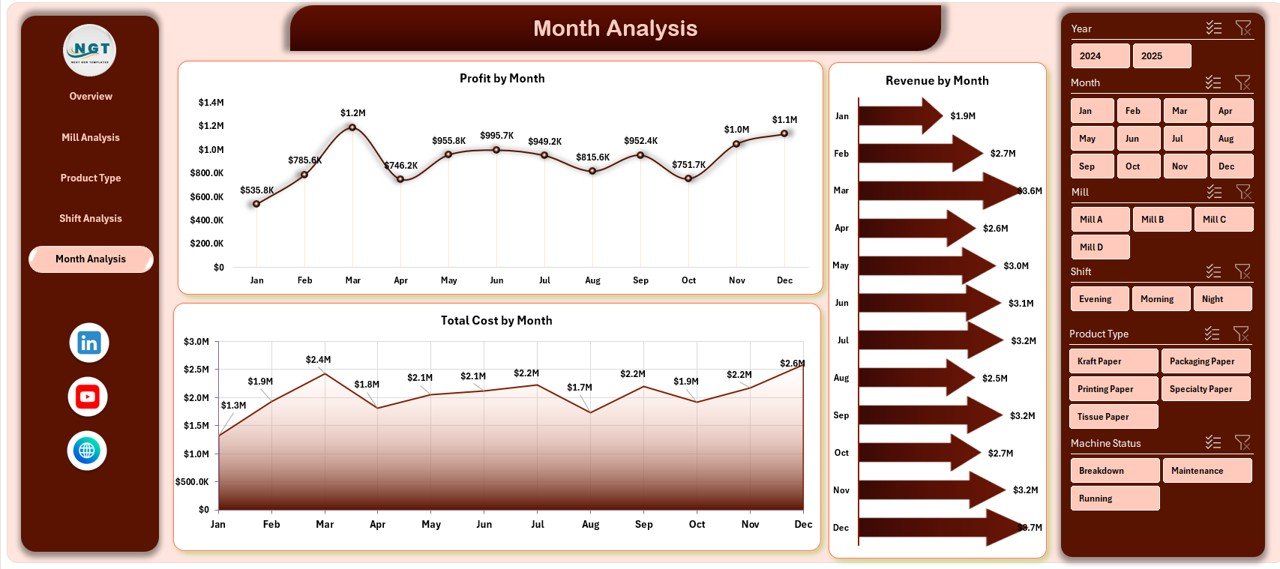
5️⃣ Month Analysis – Monitor Trends Over Time
✔ Total Cost by Month
✔ Revenue by Month
✔ Profit by Month
Identify seasonal fluctuations, rising raw material costs, and declining margins before they become serious problems.
🛠 How to Use the Paper and Pulp Dashboard in Excel
1️⃣ Enter production and cost data in the Data Sheet
2️⃣ Refresh Pivot Tables
3️⃣ Apply slicers to filter by Mill, Product Type, or Month
4️⃣ Start from Overview page
5️⃣ Drill into detailed pages for deeper analysis
6️⃣ Take corrective action based on insights
Within minutes, you get complete operational visibility.
👥 Who Can Benefit from This Dashboard?
✔ Plant Managers
✔ Production Heads
✔ Finance Managers
✔ Operations Directors
✔ Procurement Teams
✔ Regional Managers
Whether you manage a single mill or multiple facilities, this dashboard simplifies monitoring.
📊 Key Metrics You Can Track
Running Machine %
Raw Material Cost
Energy Cost
Total Cost
Revenue
Profit
Profit Margin
Regional Cost Comparison
Monthly Growth Trends
These KPIs directly influence operational efficiency and profitability.
💰 How This Dashboard Improves Profitability
When you monitor:
✔ Raw material cost variation
✔ Energy consumption patterns
✔ Machine utilization
✔ Mill-wise profitability
✔ Product-wise margin
You reduce waste.
You control cost overruns.
You improve operational efficiency.
You increase profit margins.
Data clarity leads to financial strength.
🔥 Advantages of Paper and Pulp Dashboard in Excel
✅ Centralized Data Control
✅ Real-Time Insights
✅ Improved Cost Visibility
✅ Better Production Planning
✅ Energy Optimization Support
✅ Easy Customization
✅ ERP-Friendly Structure
✅ No Expensive Software Required
Excel keeps it simple yet powerful.
Best Practices for Maximum Results
✔ Update data weekly or monthly
✔ Maintain consistent naming for mills and products
✔ Remove duplicate entries
✔ Review KPIs regularly
✔ Monitor energy and raw material cost closely
✔ Train teams on slicer usage
✔ Protect backend formulas
Consistency ensures reliable reporting.
Click here to read the Detailed blog post
Visit our YouTube channel to learn step-by-step video tutorials
YouTube Channel