
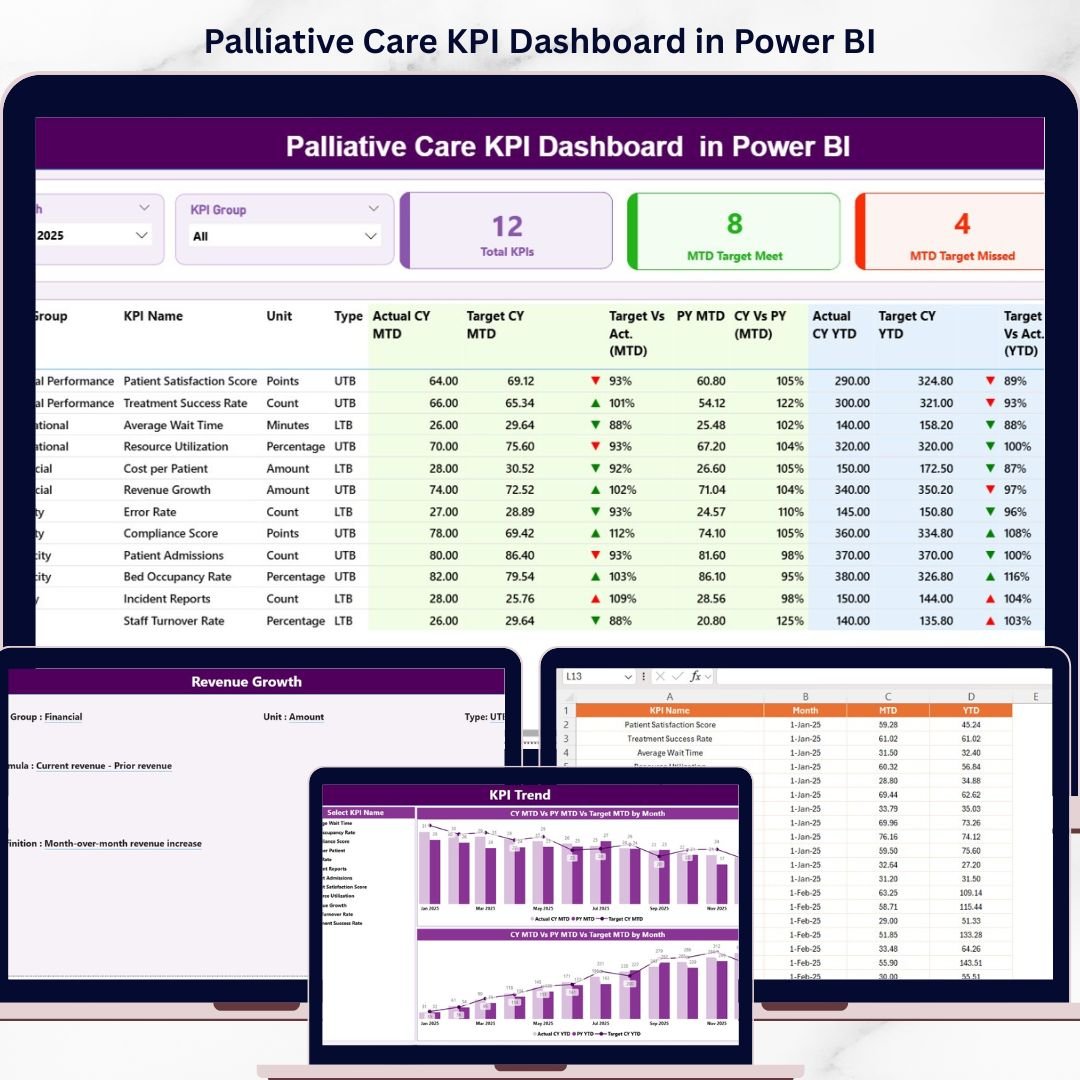
Are you struggling to monitor palliative care performance across multiple systems? Finding it difficult to track patient outcomes, service quality, and healthcare KPIs efficiently?
– Palliative Care KPI Dashboard in Power BI!
This powerful, ready-to-use Power BI dashboard is designed specifically for hospitals, healthcare providers, and palliative care teams who want to deliver better patient care through data-driven insights. Instead of relying on scattered data and manual reports, this dashboard centralizes all your key performance indicators into one interactive and visually rich platform.
With real-time analytics, automated calculations, and dynamic visuals, you can instantly monitor performance, compare targets, and identify trends. As a result, you can make faster decisions, improve patient outcomes, and enhance operational efficiency.
🔑 Key Features of Palliative Care KPI Dashboard in Power BI
✨ 🏥 Real-Time KPI Monitoring – Track patient care performance instantly with dynamic visuals.
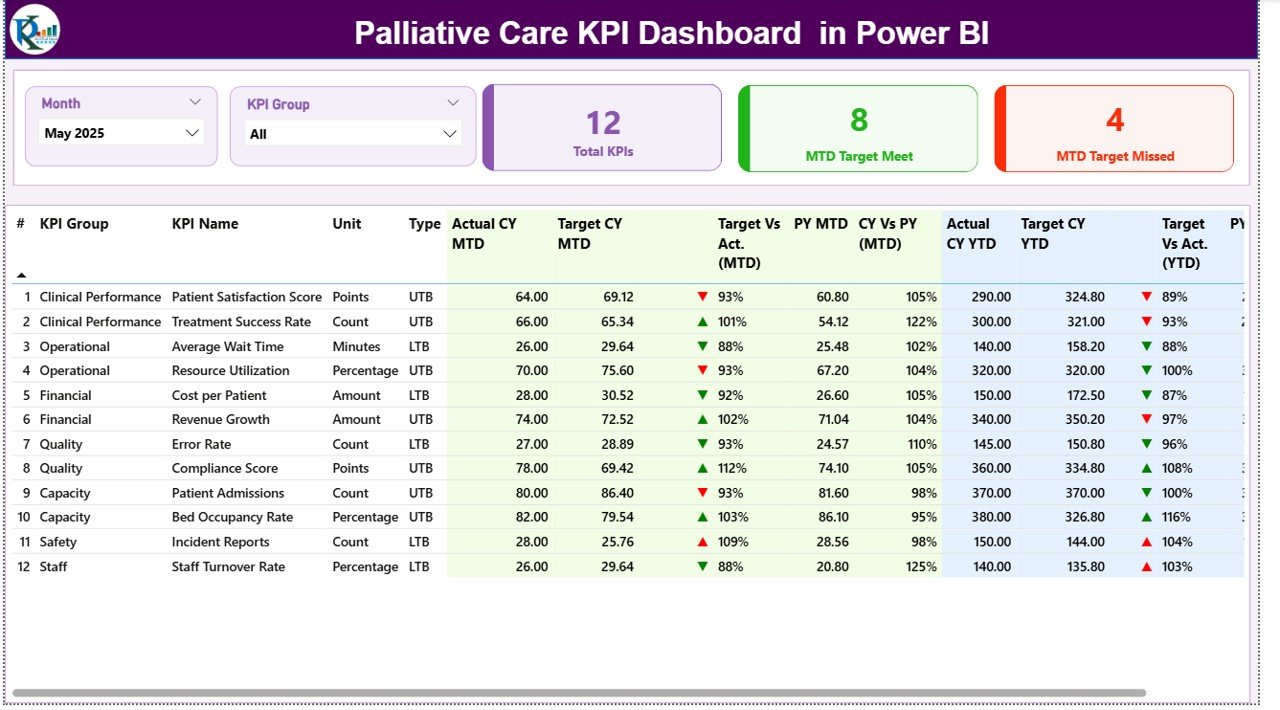
✨ 🎯 Target vs Actual Comparison – Compare actual performance against targets using MTD and YTD metrics.
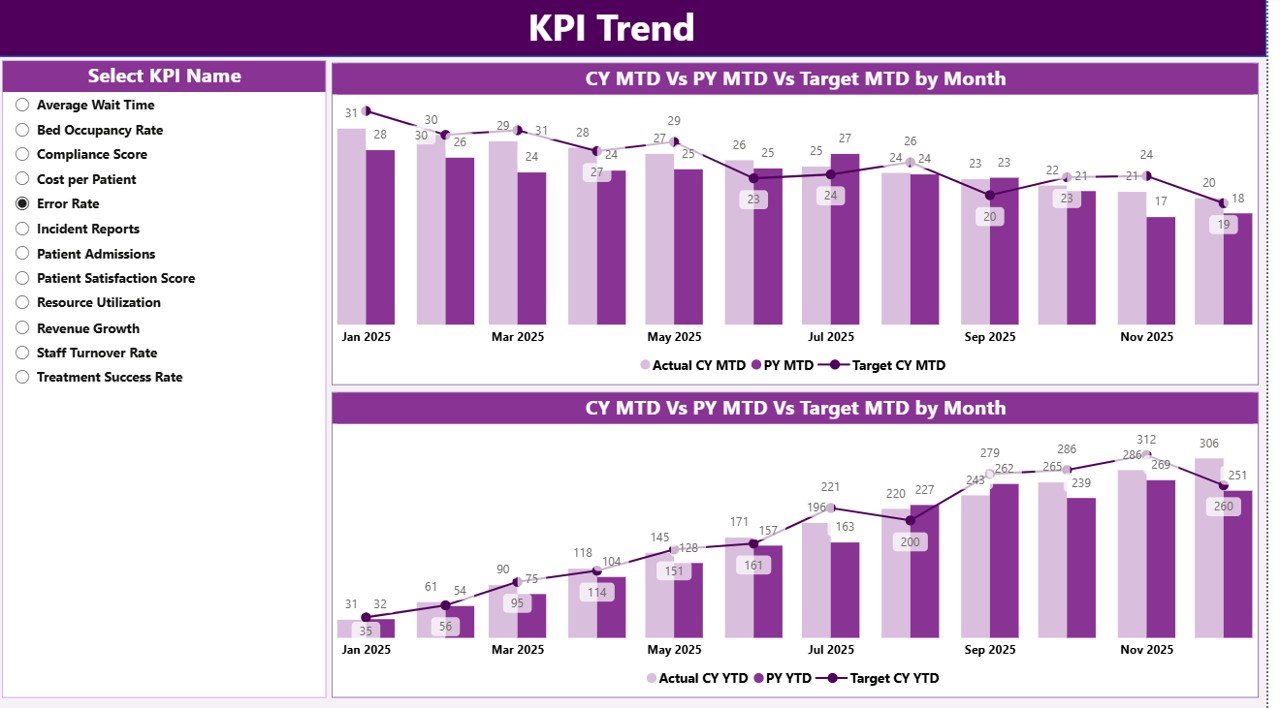
✨ 📊 KPI Trend Analysis – Analyze performance trends over time and compare with previous year data.
✨ 📋 Detailed KPI Table – Access KPI details including type, unit, and performance indicators.
✨ 🎛️ Interactive Slicers – Filter data by Month and KPI Group for deeper analysis.
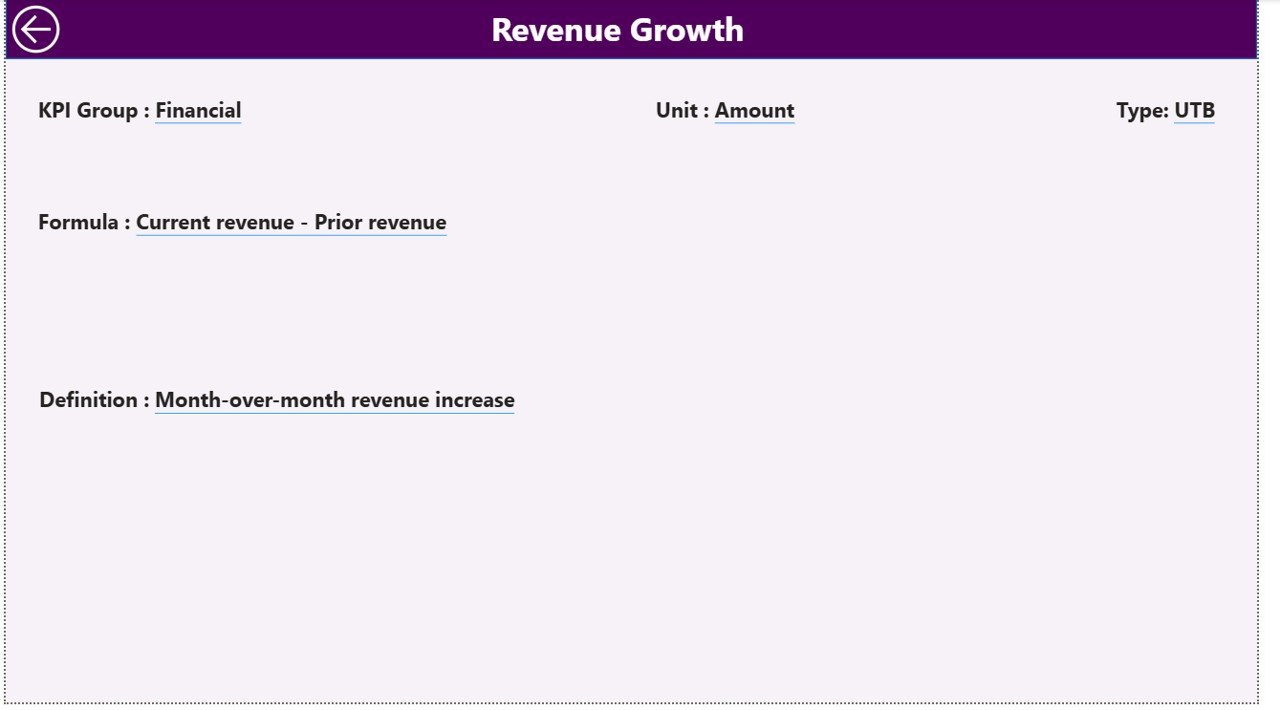
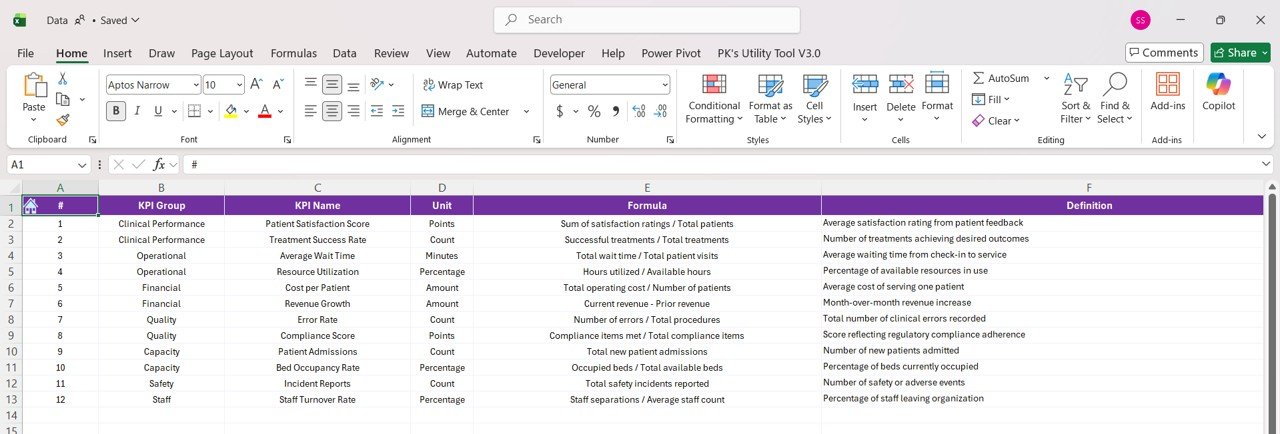
✨ 📘 KPI Definition Page – Understand KPI formulas and definitions with a drill-through feature.
✨ ⚡ Automated Reporting – Eliminate manual work with auto-updating dashboards.
📂 What’s Inside the Palliative Care KPI Dashboard in Power BI
📁 Summary Page – Central dashboard displaying KPI cards, slicers, and detailed KPI performance table.
📁 KPI Trend Page – Combo charts showing Actual vs Target vs Previous Year for MTD and YTD analysis.
📁 KPI Definition Page – Drill-through page explaining KPI logic, formulas, and definitions.
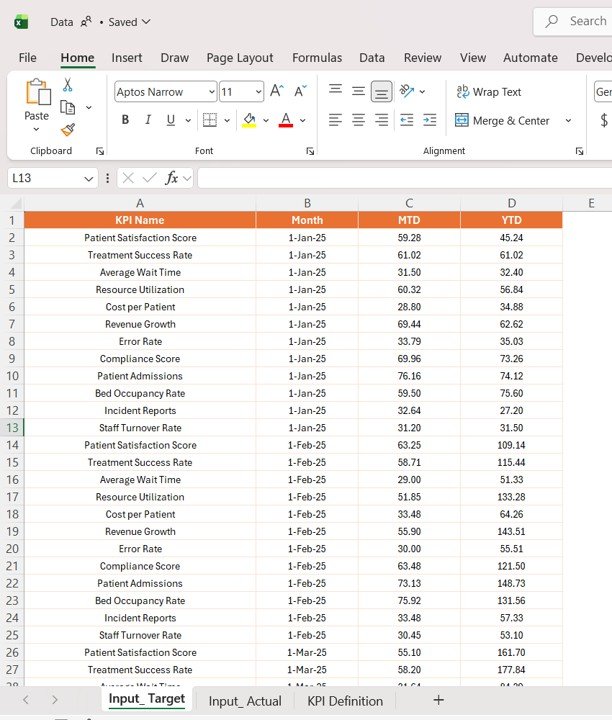
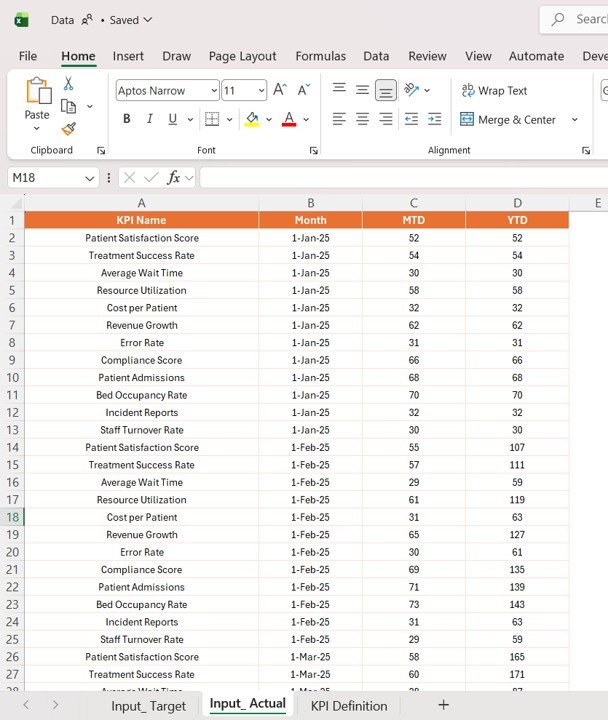
📁 Excel Data Source Files – Structured sheets for Actual, Target, and KPI Definitions.
📁 Dynamic Power BI Visuals – Fully automated charts and indicators for real-time insights.
🛠️ How to Use the Palliative Care KPI Dashboard in Power BI
👉 Step 1: Enter KPI data into Excel input sheets (Actual & Target)
👉 Step 2: Define KPIs clearly in the KPI Definition sheet
👉 Step 3: Load or refresh data in Power BI
👉 Step 4: Use slicers to filter KPIs by Month or Group
👉 Step 5: Analyze trends, performance, and patient care insights
💡 No advanced Power BI skills required—simple, efficient, and powerful!
👥 Who Can Benefit from This Palliative Care KPI Dashboard in Power BI
✔️ Hospitals & Healthcare Centers – Monitor palliative care performance effectively
✔️ Palliative Care Teams – Improve patient care quality and outcomes
✔️ Healthcare Analysts – Analyze data and generate insights
✔️ Administrators – Enhance operational efficiency and reporting
✔️ Policy Makers – Track healthcare performance and improve strategies
This dashboard is more than just a reporting tool—it’s a complete healthcare performance management solution. It helps you identify care gaps, track improvements, and ensure high-quality services for patients.
If you want to improve patient outcomes, enhance efficiency, and make smarter healthcare decisions, this dashboard is the perfect solution.






























