Managing office leases should not feel overwhelming. Yet most companies struggle with tracking rent payments, security deposits, escalation clauses, maintenance charges, and renewal deadlines. Missing even one renewal date can cost thousands. Poor visibility into lease types and industry exposure can increase financial risk.
That is exactly why you need the Office Lease Management Dashboard in Excel — a powerful, ready-to-use solution designed to centralize, simplify, and optimize your lease tracking process.
This dashboard transforms scattered lease records into structured insights. Instead of juggling multiple spreadsheets, you get one dynamic Excel system that delivers clarity, control, and confidence.
🔑 Key Feature of Office Lease Management Dashboard in Excel
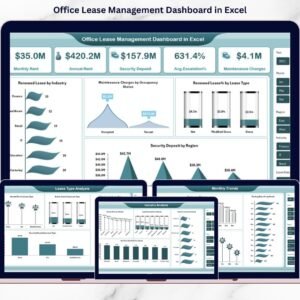
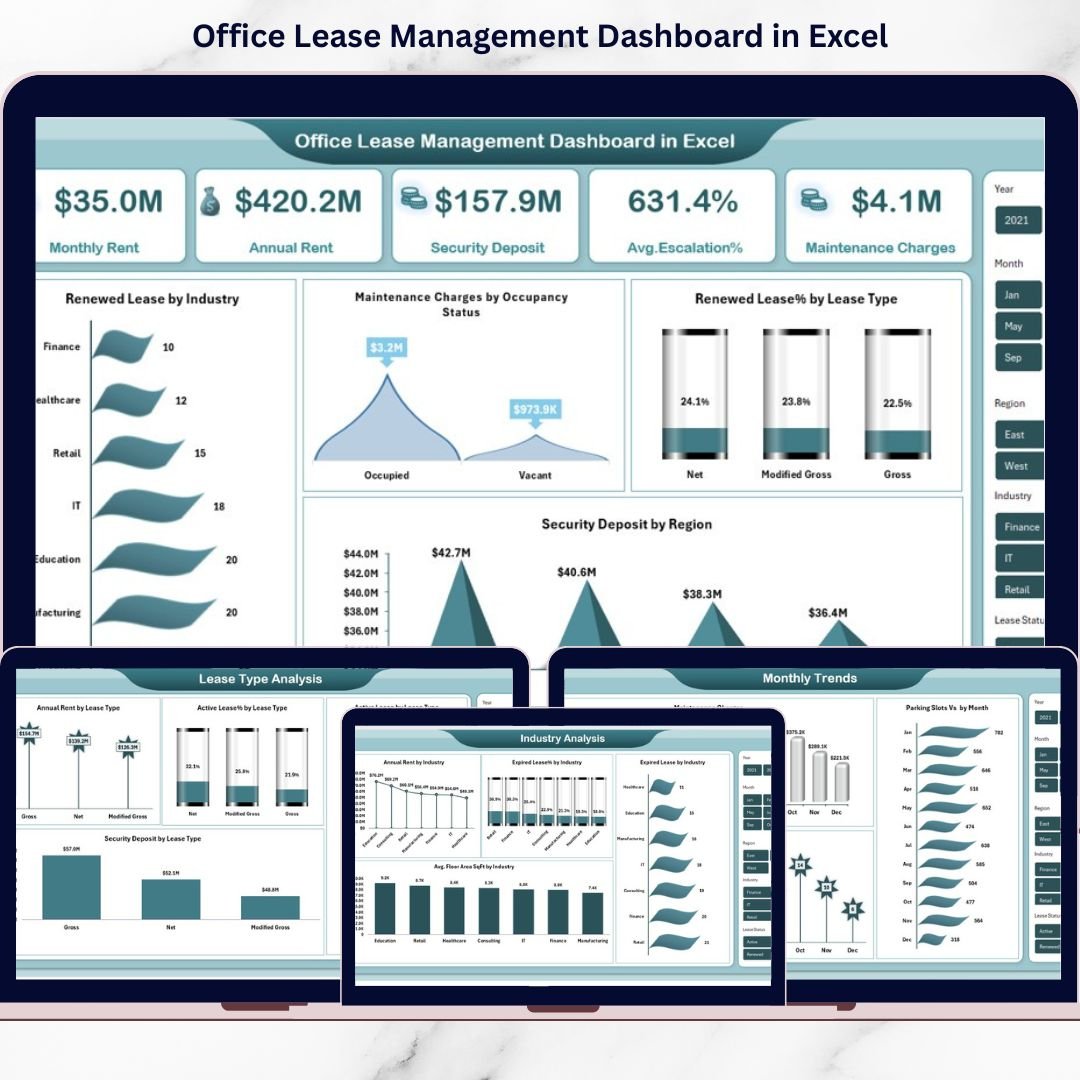
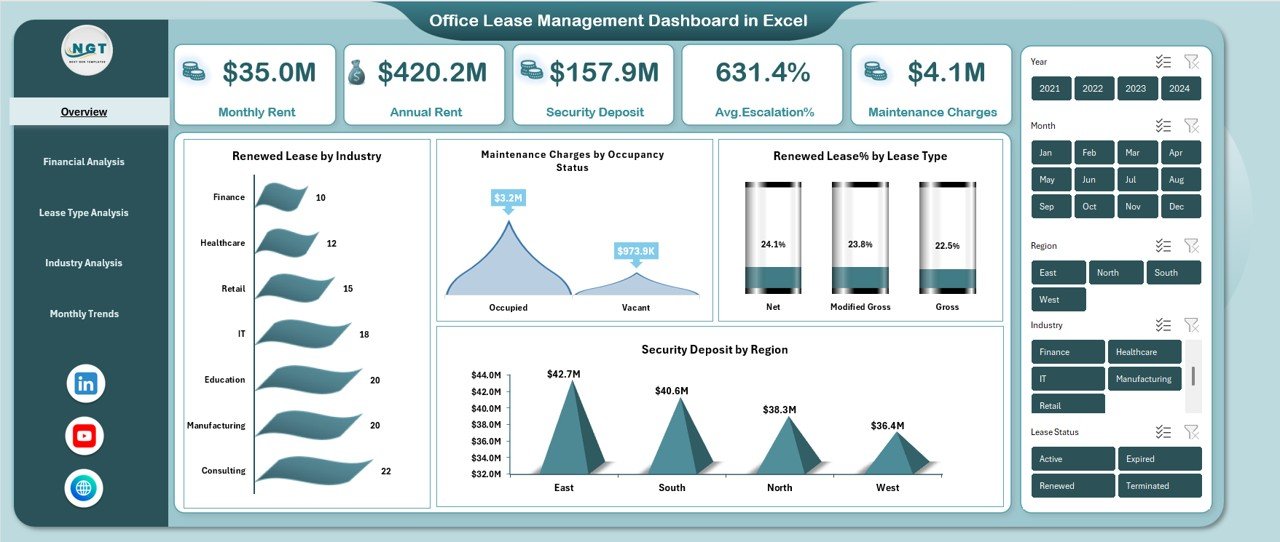
✨ Centralized Lease Overview – Monitor Monthly Rent, Annual Rent, Security Deposits, Average Escalation %, and Maintenance Charges in one snapshot.
📊 Interactive KPI Cards – Instantly view key financial metrics with dynamic Excel visuals.
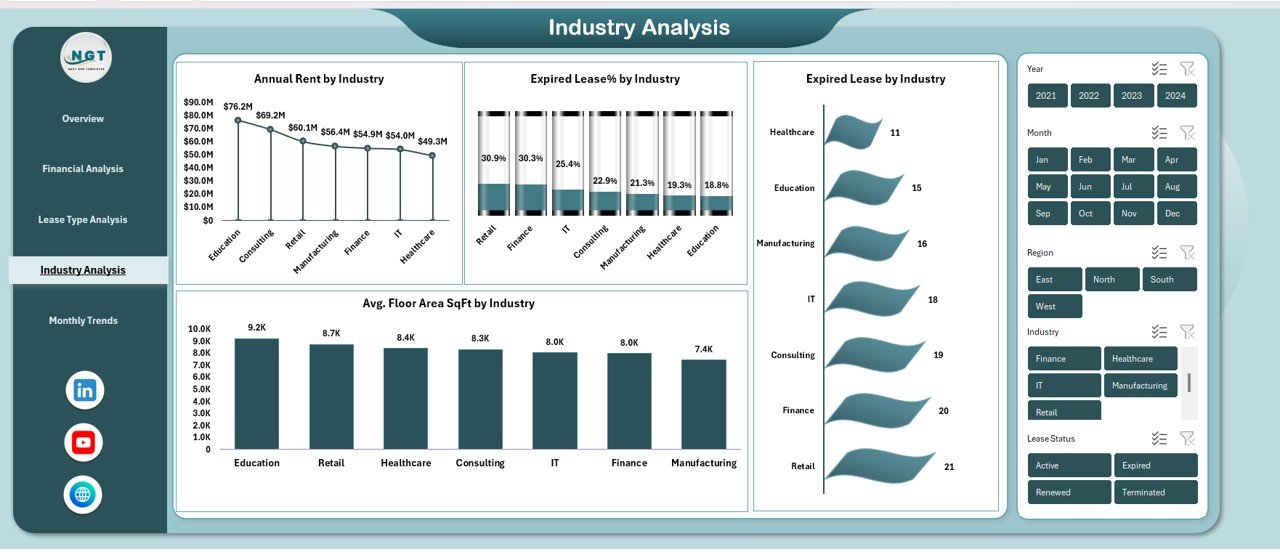
📈 Industry-Wise Analysis – Track Annual Rent, Expired Lease %, and Floor Area by industry.
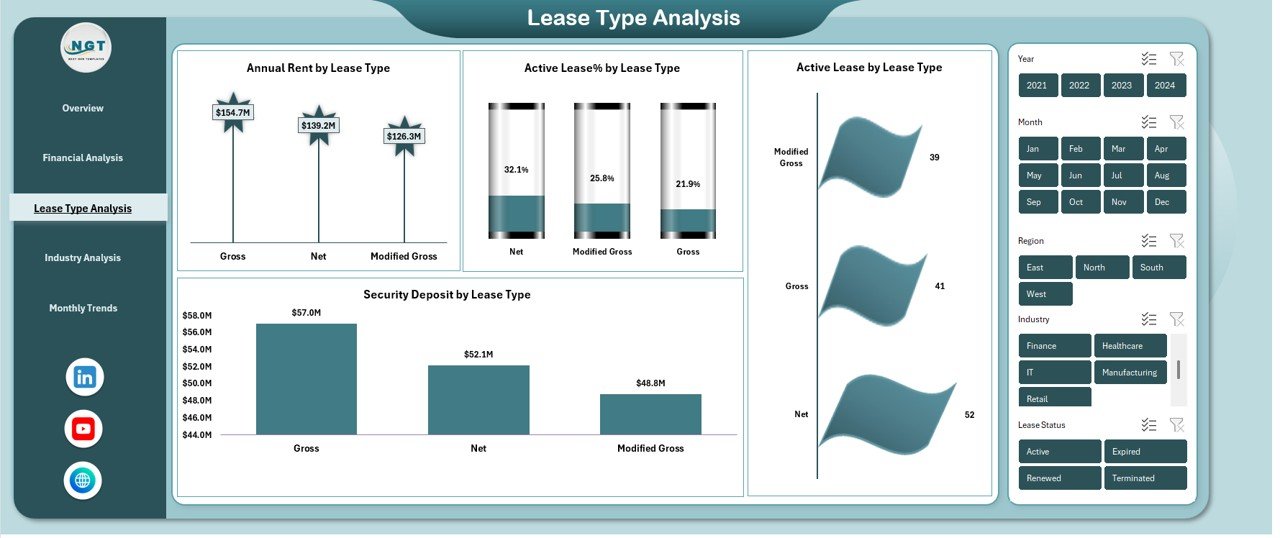
🏢 Lease Type Performance Tracking – Compare Active %, Security Deposits, and Rent by lease type.
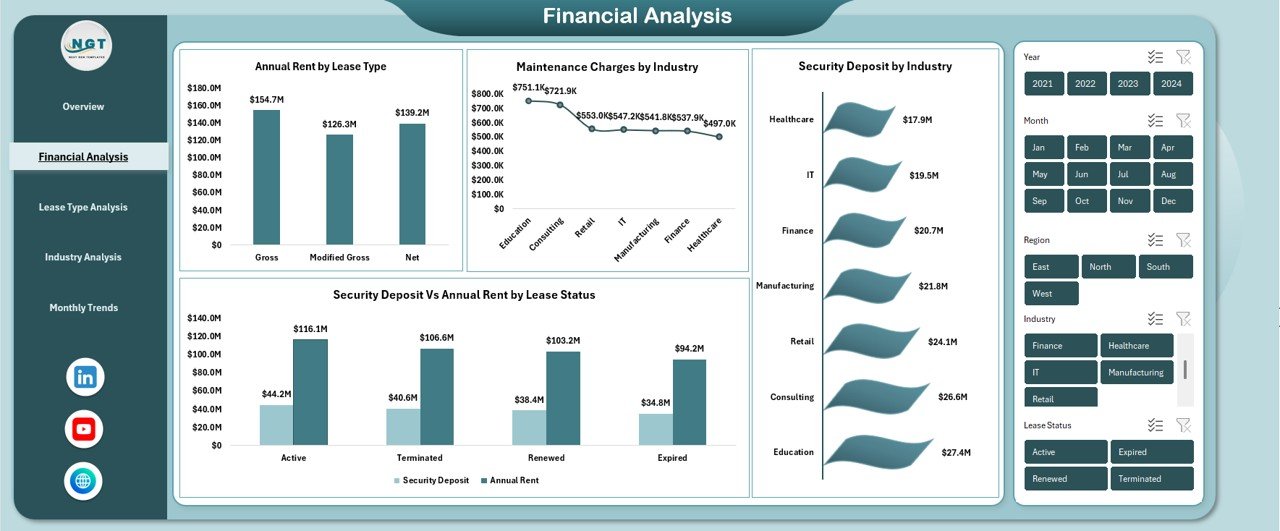
💰 Financial Analysis Dashboard – Analyze Security Deposit vs Annual Rent and Maintenance Charges.
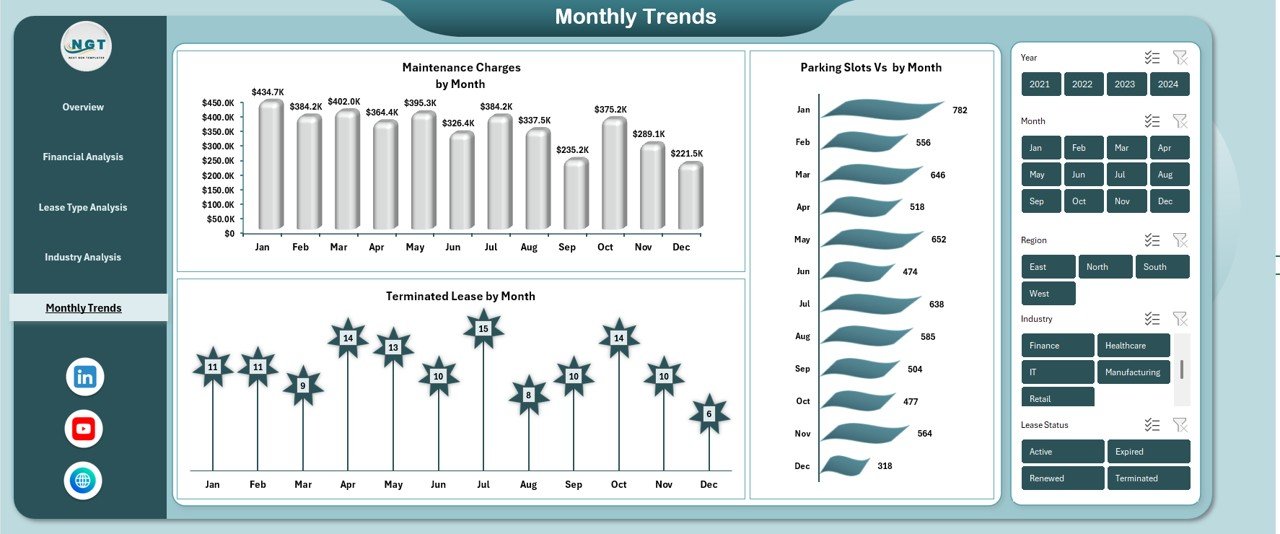
📅 Monthly Trend Analysis – Monitor maintenance spikes, terminated leases, and parking trends.
🎯 Dynamic Slicers & Filters – Filter by Industry, Region, Lease Type, and Month instantly.
⚡ Automated Calculations – Built-in formulas reduce manual errors and save time.
📦 What’s Inside the Office Lease Management Dashboard in Excel
When you download this template, you get a professionally structured Excel file with multiple analytical sheet tabs:
📌 Overview Sheet
Your main control panel showing KPIs and summary charts.
📌 Financial Analysis Sheet
Detailed rent, deposit, and maintenance comparisons.
📌 Lease Type Analysis Sheet
Understand which lease type performs best.
📌 Industry Analysis Sheet
Evaluate industry-wise lease performance and expiration rates.
📌 Monthly Trends Sheet
Forecast seasonal changes and termination patterns.
📌 Structured Data Input Sheet
Simple and organized input format for lease data entry.
Everything is pre-built. No advanced Excel skills required.
🚀 How to Use the Office Lease Management Dashboard in Excel
Using this dashboard is simple and efficient:
1️⃣ Enter lease details in the data sheet.
2️⃣ Update monthly rent, deposit, and maintenance figures.
3️⃣ Assign lease status (Active, Expired, Renewed, Terminated).
4️⃣ Use slicers to filter by industry, region, or lease type.
5️⃣ Review KPIs and visual insights instantly.
Within minutes, you gain full visibility over your lease portfolio.
🎯 Who Can Benefit from This Office Lease Management Dashboard in Excel
This dashboard is ideal for:
🏢 Real Estate Managers
💼 Corporate Finance Teams
📊 Property Portfolio Managers
🏗 Facility Management Departments
🏬 Business Owners with Multiple Locations
📑 Administrative & Operations Heads
Whether you manage 5 properties or 500 leases, this dashboard scales with your needs.
🌟 Why This Dashboard Is a Smart Investment
✔ Prevent missed renewal deadlines
✔ Reduce unexpected escalation surprises
✔ Monitor security deposit exposure
✔ Compare lease performance by industry
✔ Improve cost control and forecasting
✔ Strengthen financial transparency
Instead of reacting to lease problems, you proactively manage them.
This is not just an Excel sheet. It is a financial control system for your office properties.
Click here to read the Detailed blog post
Watch the step-by-step video tutorial: