
Microfinance institutions operate in a fast-moving and high-risk environment. They manage thousands of borrowers, multiple loan products, field operations, and strict performance targets. Without a clear performance monitoring system, small gaps can quickly turn into major financial and operational risks.
That is exactly where the Microfinance KPI Scorecard in Excel becomes a powerful, practical, and ready-to-use solution.
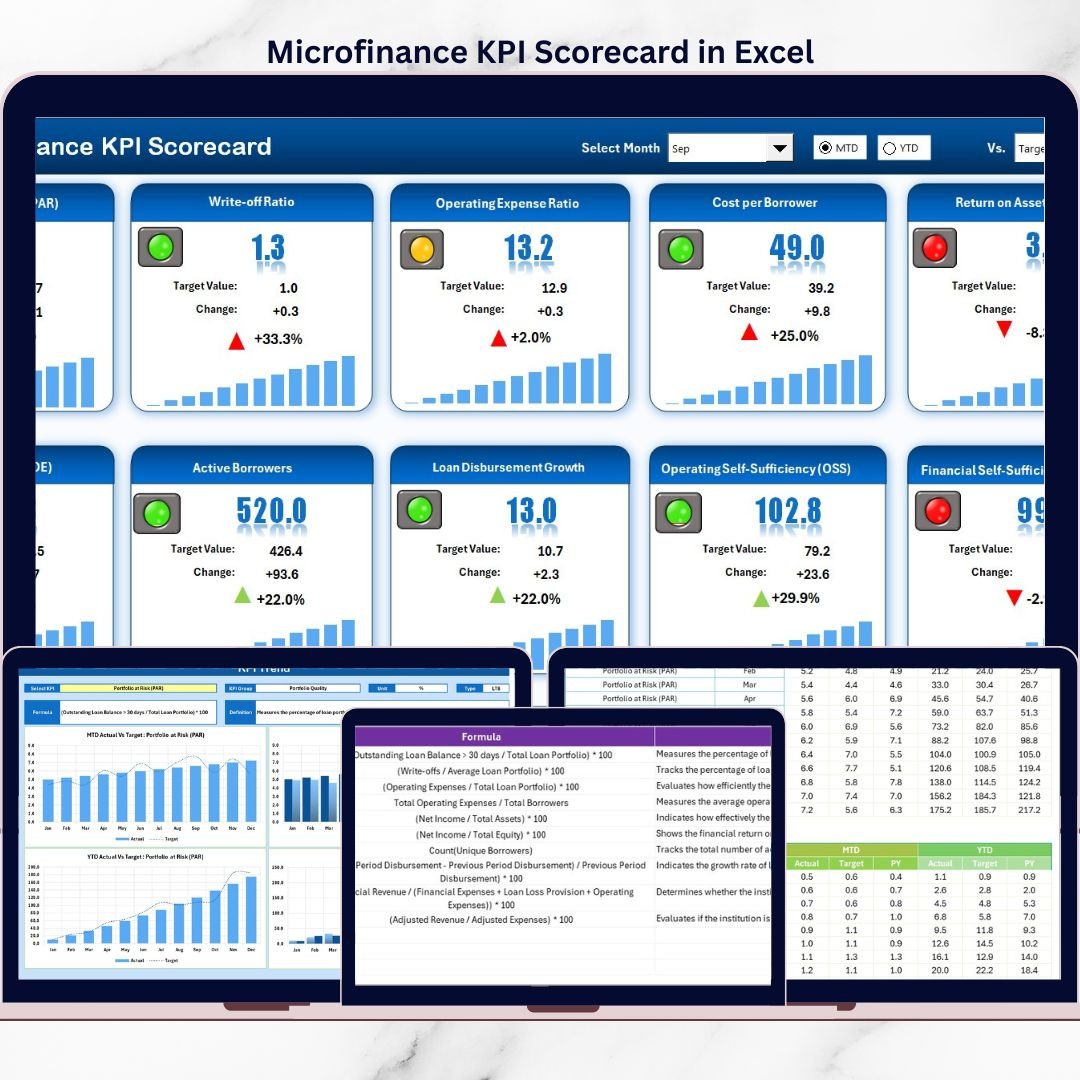
This professionally designed Excel scorecard helps microfinance teams track, analyze, and improve performance using clearly defined KPIs, visual indicators, and trend analysis—all in one structured Excel file. Instead of relying on scattered spreadsheets or manual reports, decision-makers get a centralized view of portfolio health, operational efficiency, and financial sustainability.
✅ Key Features of Microfinance KPI Scorecard in Excel
🚀 Dynamic KPI Scorecard View
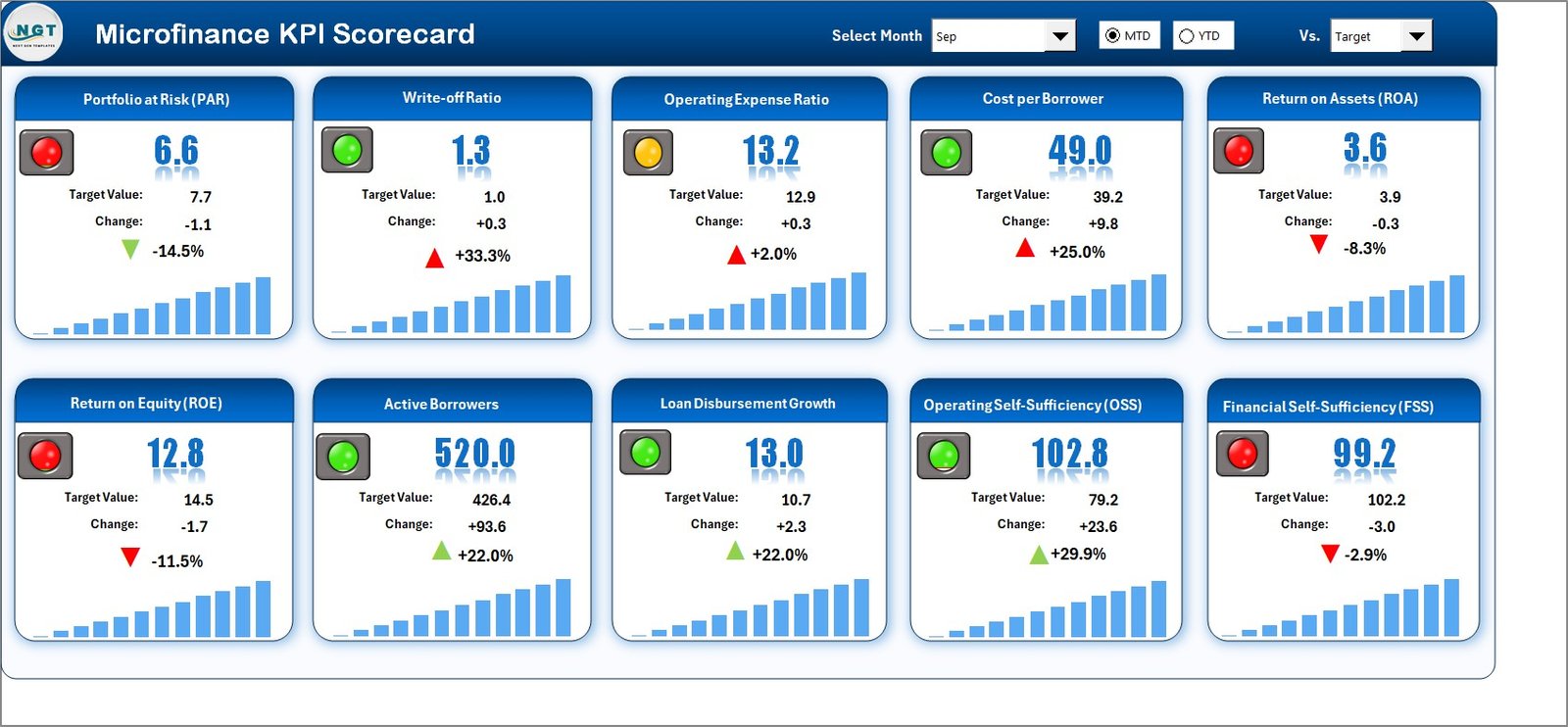
Track all critical microfinance KPIs in one centralized scorecard with automatic calculations.
📊 MTD & YTD Performance Tracking
Analyze Month-to-Date and Year-to-Date performance instantly using dropdown selections.
🎯 Actual vs Target Comparison
Clearly compare actual results against targets to identify gaps and improvements.
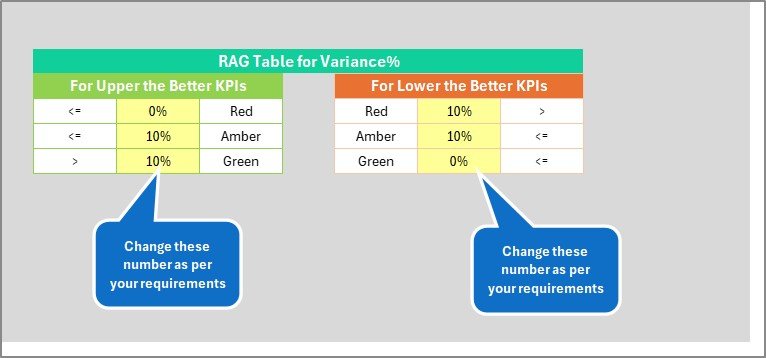
🚦 Conditional Formatting Indicators
Color-coded visuals highlight good performance, warnings, and underperformance at a glance.
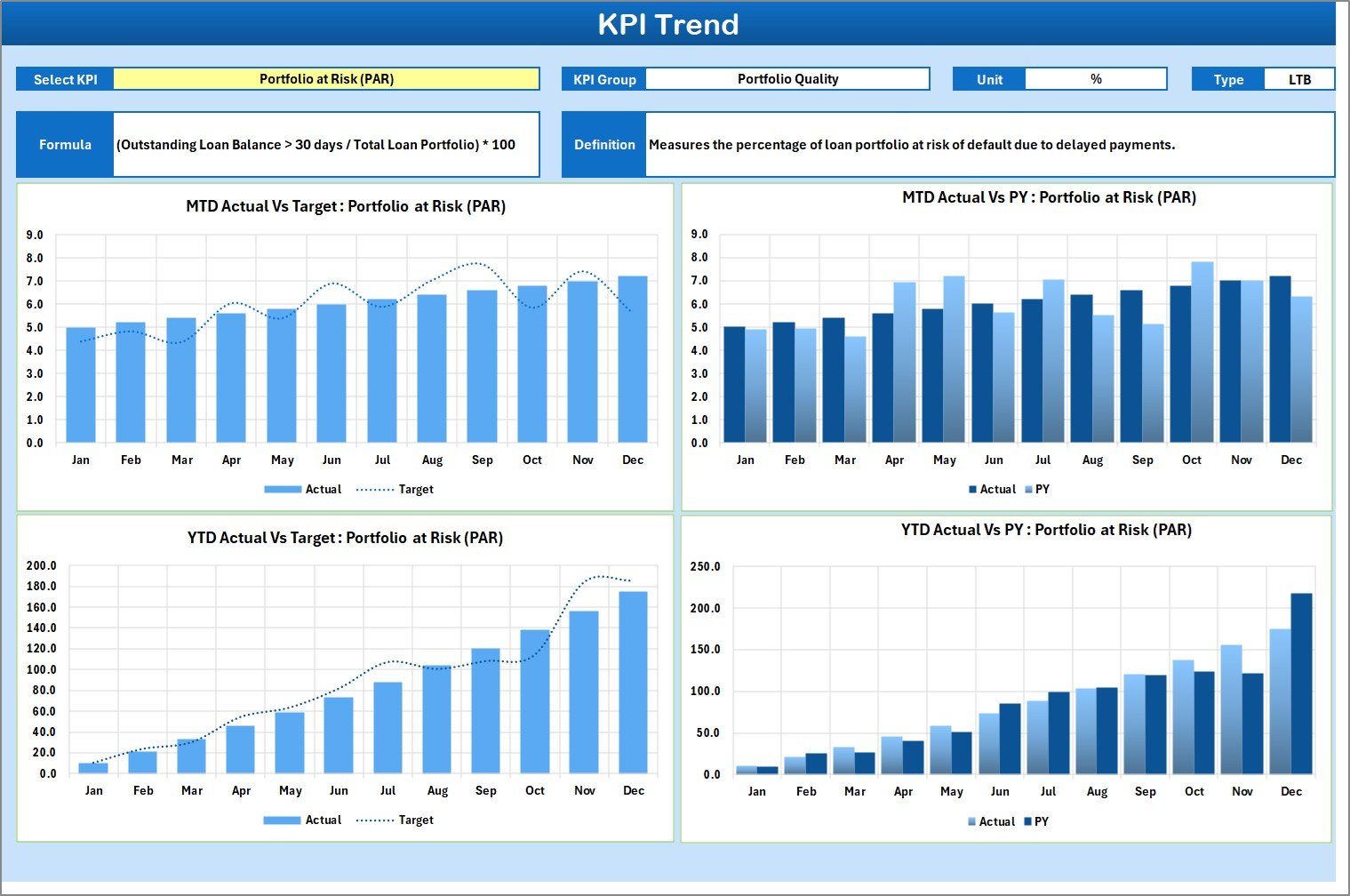
📈 Dedicated KPI Trend Analysis
Monitor KPI trends over time to detect early warning signals and performance patterns.
📋 Structured KPI Definition Management
Maintain clear KPI definitions, formulas, units, and KPI types (UTB / LTB).
🧩 Fully Customizable Excel Template
Easily add, remove, or modify KPIs to suit your organization’s needs.
💰 Cost-Effective & Excel-Based
No expensive BI tools or complex software required—works fully in Excel.
📦 What’s Inside the Microfinance KPI Scorecard in Excel
📑 Scorecard Sheet
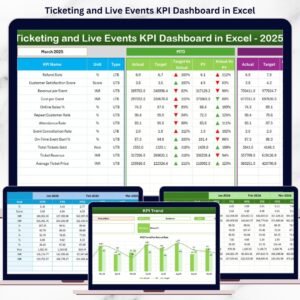
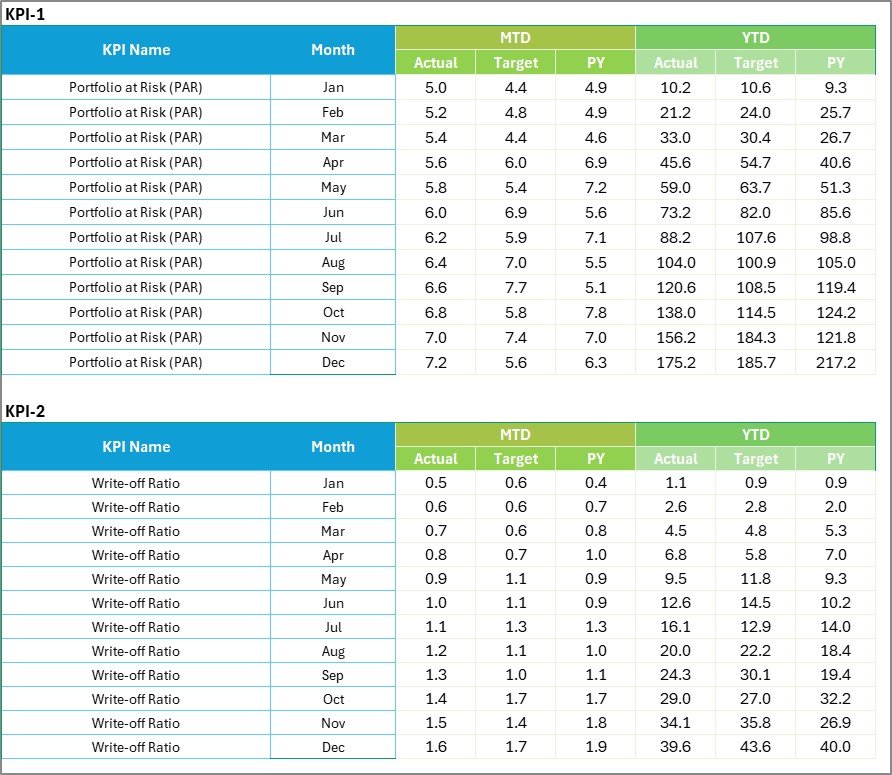
Acts as the main dashboard displaying KPI name, group, unit, type, MTD & YTD values, and target comparisons with visual indicators.
📈 KPI Trend Sheet
Shows MTD and YTD trend charts for Actual, Target, and Previous Year (PY) values. Users select KPIs from dropdowns to view trends instantly.
🧾 Input Data Sheet
Centralized and structured data entry sheet for actual values, targets, and period-wise updates.
📘 KPI Definition Sheet
Captures KPI name, group, unit, formula, and definition to ensure clarity and consistency across teams.
🛠️ How to Use the Microfinance KPI Scorecard in Excel
1️⃣ Enter KPI definitions and targets in the KPI Definition sheet
2️⃣ Update actual KPI values in the Input Data sheet
3️⃣ Select the desired month, MTD, or YTD view
4️⃣ Review scorecard performance instantly
5️⃣ Analyze trends using the KPI Trend sheet
6️⃣ Identify gaps and take corrective actions
Because calculations update automatically, you always see the latest performance without manual effort.
👥 Who Can Benefit from This Microfinance KPI Scorecard
🏦 Microfinance Institutions (MFIs)
📊 NBFCs & Credit Cooperatives
🌱 Rural Finance Organizations
📉 Risk & Portfolio Managers
📌 Operations & Branch Managers
📈 Senior Management & Decision-Makers
Whether you manage a small MFI or a growing financial institution, this scorecard adapts easily to your scale and structure.
📘 Click here to read the Detailed blog post
▶️ Visit our YouTube channel to learn step-by-step video tutorials
👉 Youtube.com/@PKAnExcelExpert