
Running a successful language school today requires more than good teachers and engaging courses. You must constantly track student enrollment, academic performance, teacher productivity, operational efficiency, and financial health. When this data remains scattered across registers and spreadsheets, decision-making becomes slow and reactive.
That is exactly why the Language Schools KPI Dashboard in Excel becomes a powerful, practical, and cost-effective management solution.
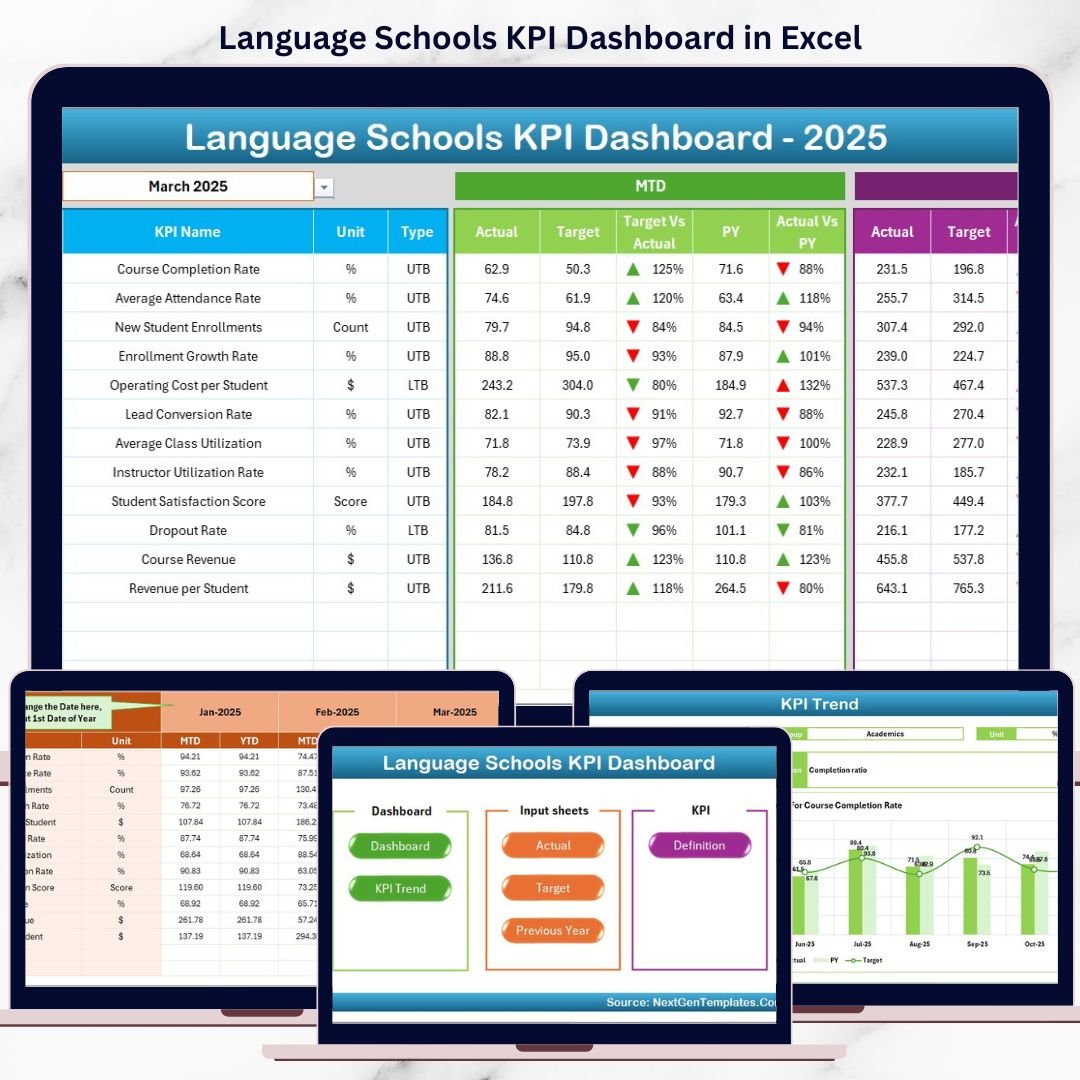
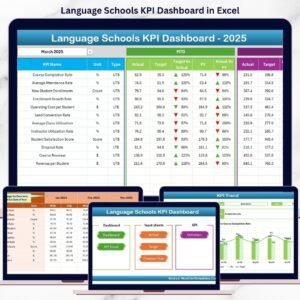
This ready-to-use Excel dashboard converts raw academic and business data into clear KPI cards, trend charts, and automated comparisons. Instead of guessing, school owners and administrators gain instant visibility into MTD and YTD performance, helping them take timely and confident actions.
Whether you manage a small language institute or a multi-branch language academy, this dashboard gives you clarity, control, and growth direction—inside Microsoft Excel.
🚀 Key Features of Language Schools KPI Dashboard in Excel
📊 Centralized KPI Tracking – All academic & business KPIs in one place
📅 Month Selector – Change month and update the entire dashboard instantly
📈 MTD & YTD Analysis – Track short-term and long-term performance
🎯 Target vs Actual Comparison – Identify gaps immediately
📉 Previous Year Comparison – Measure real growth and decline
🔼🔽 Performance Arrows – Visual indicators for quick decisions
🧭 Easy Navigation – Home page with one-click navigation buttons
🧩 Fully Customizable – Add or modify KPIs easily
📦 What’s Inside the Language Schools KPI Dashboard in Excel
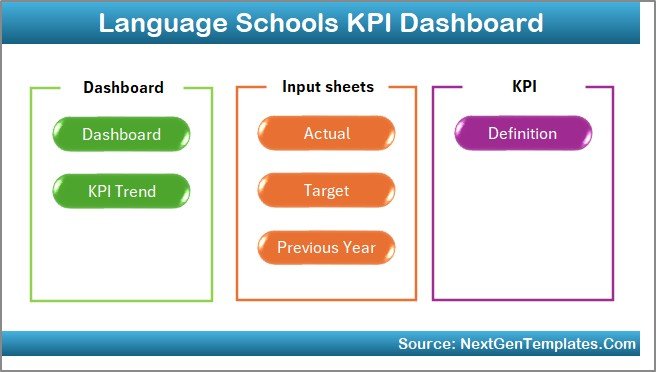
This dashboard includes 7 well-structured worksheets, designed for smooth performance management.
🔹 Home Sheet – Easy Navigation
Acts as an index page with 6 clickable buttons. Users jump to any worksheet instantly, improving usability even for non-technical staff.
🔹 Dashboard Sheet – Performance at a Glance
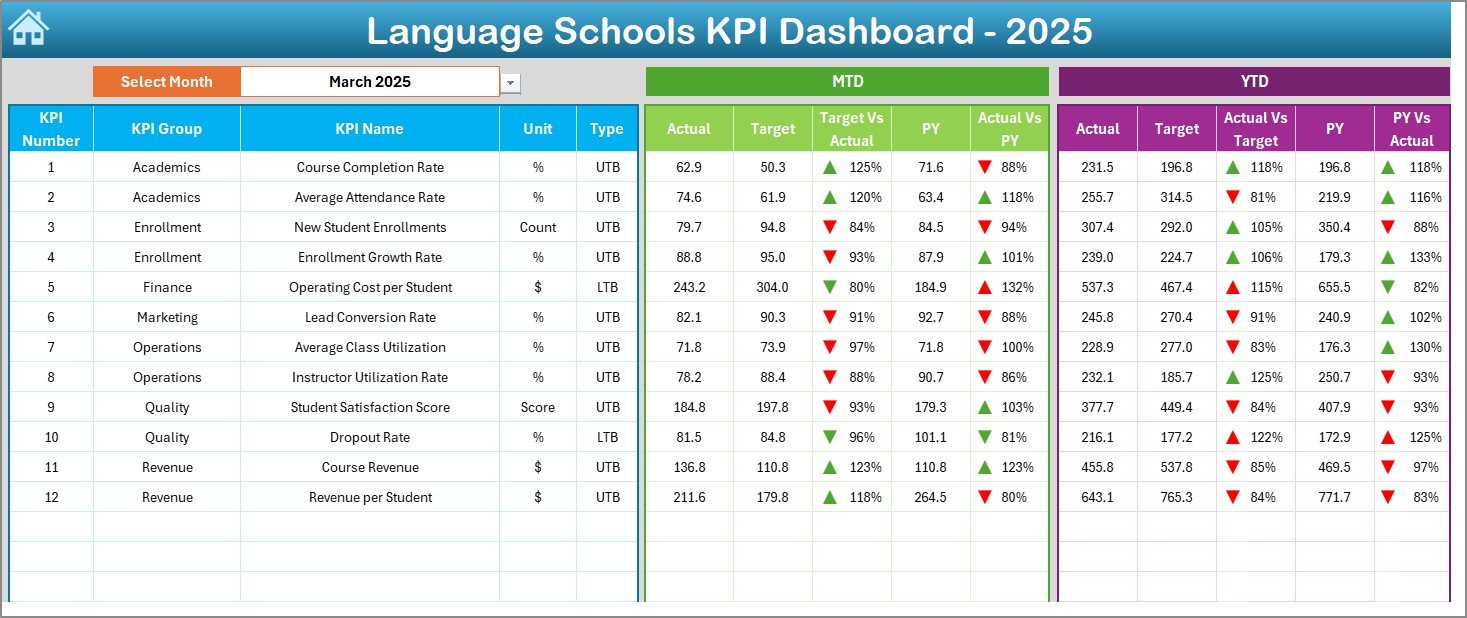
The core performance page where management reviews results.
Key highlights:
-
Month selection from cell D3
-
Automatic KPI updates
-
Clear comparison of:
-
MTD Actual vs Target
-
MTD Actual vs Previous Year
-
YTD Actual vs Target
-
YTD Actual vs Previous Year
-
Conditional formatting arrows instantly show improvement or decline.
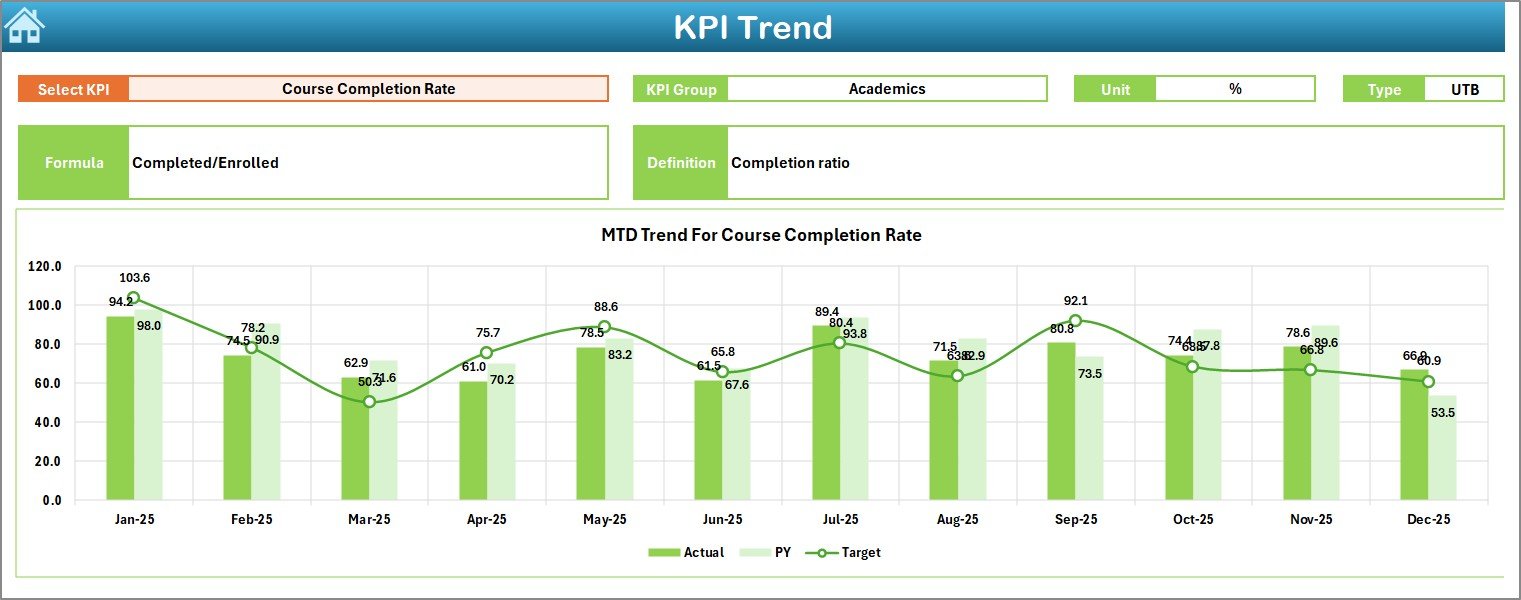
🔹 KPI Trend Sheet – Deep KPI Analysis
Analyze individual KPIs in detail:
-
Select KPI from a dropdown (cell C3)
-
View KPI Group, Unit, Type (LTB/UTB)
-
Understand Formula & Definition
-
Analyze MTD & YTD trends with Actual, Target, and PY comparison
Perfect for academic reviews and management meetings.
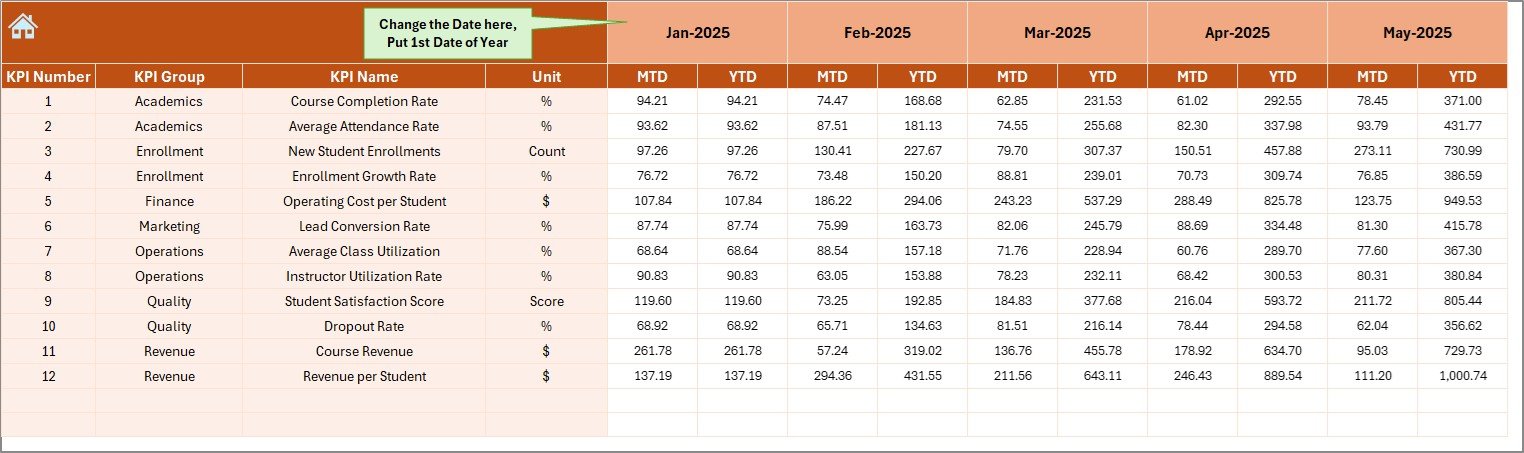
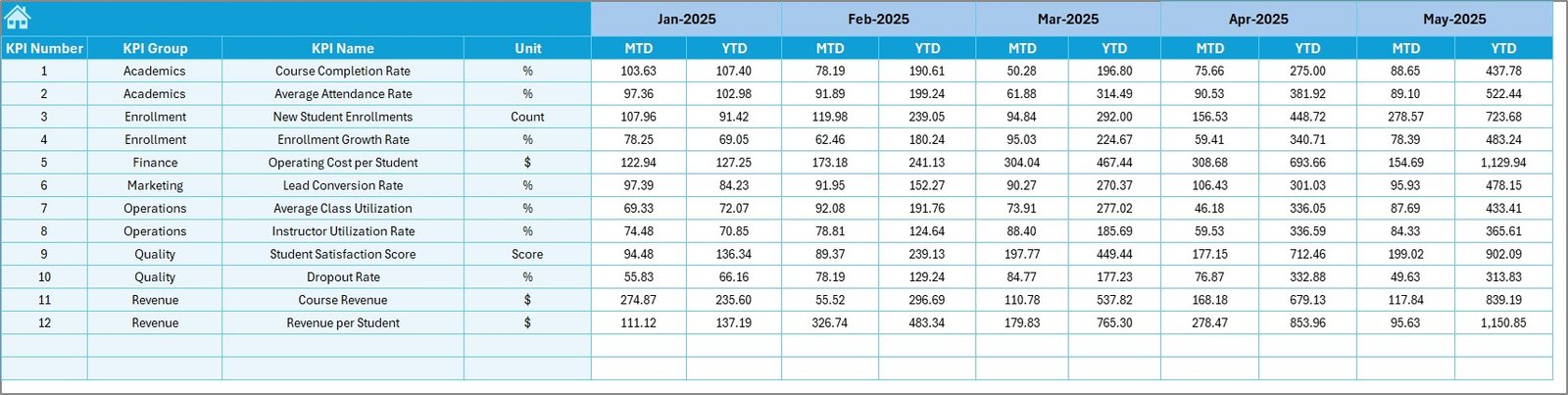
🔹 Actual Numbers Input Sheet
Main data entry sheet:
-
Enter MTD & YTD actual values
-
Select first month of the year (cell E1)
-
Structured and error-free data input
🔹 Target Sheet
Define monthly and yearly goals:
-
KPI-wise MTD & YTD targets
-
Supports performance benchmarking
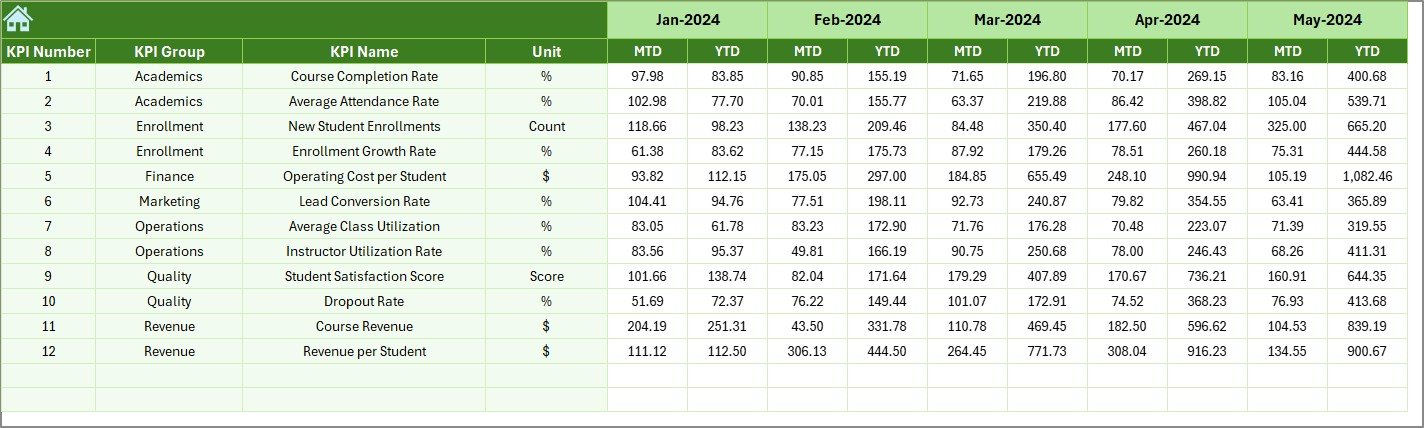
🔹 Previous Year Numbers Sheet
Stores last year’s performance:
-
Enables YoY comparison
-
Highlights real growth trends
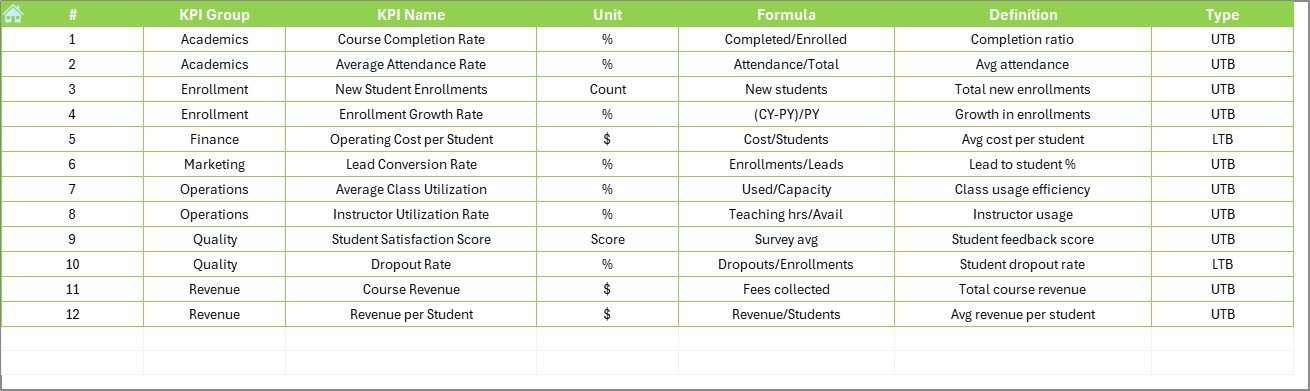
🔹 KPI Definition Sheet
Acts as a KPI dictionary:
-
KPI Name & Group
-
Unit of measurement
-
Formula & Definition
Ensures clarity and consistency across teams.
🧠 How to Use the Language Schools KPI Dashboard in Excel
1️⃣ Update actual KPI data monthly
2️⃣ Enter targets and previous year numbers
3️⃣ Select month from the dashboard
4️⃣ Review KPI cards and trend charts
5️⃣ Take corrective or growth-driven actions
No advanced Excel knowledge required.
👥 Who Can Benefit from This Dashboard?
🎓 Language School Owners – Track growth and profitability
📘 Academic Directors – Monitor learning outcomes
🧑🏫 Operations Managers – Improve teacher utilization
💰 Finance Teams – Control costs and margins
📣 Marketing Managers – Track enrollment and retention
### 👉 Click here to read the Detailed Blog Post
🎥 Visit our YouTube channel to learn step-by-step video tutorials
https://www.youtube.com/@PKAnExcelExpert
























Reviews
There are no reviews yet.