
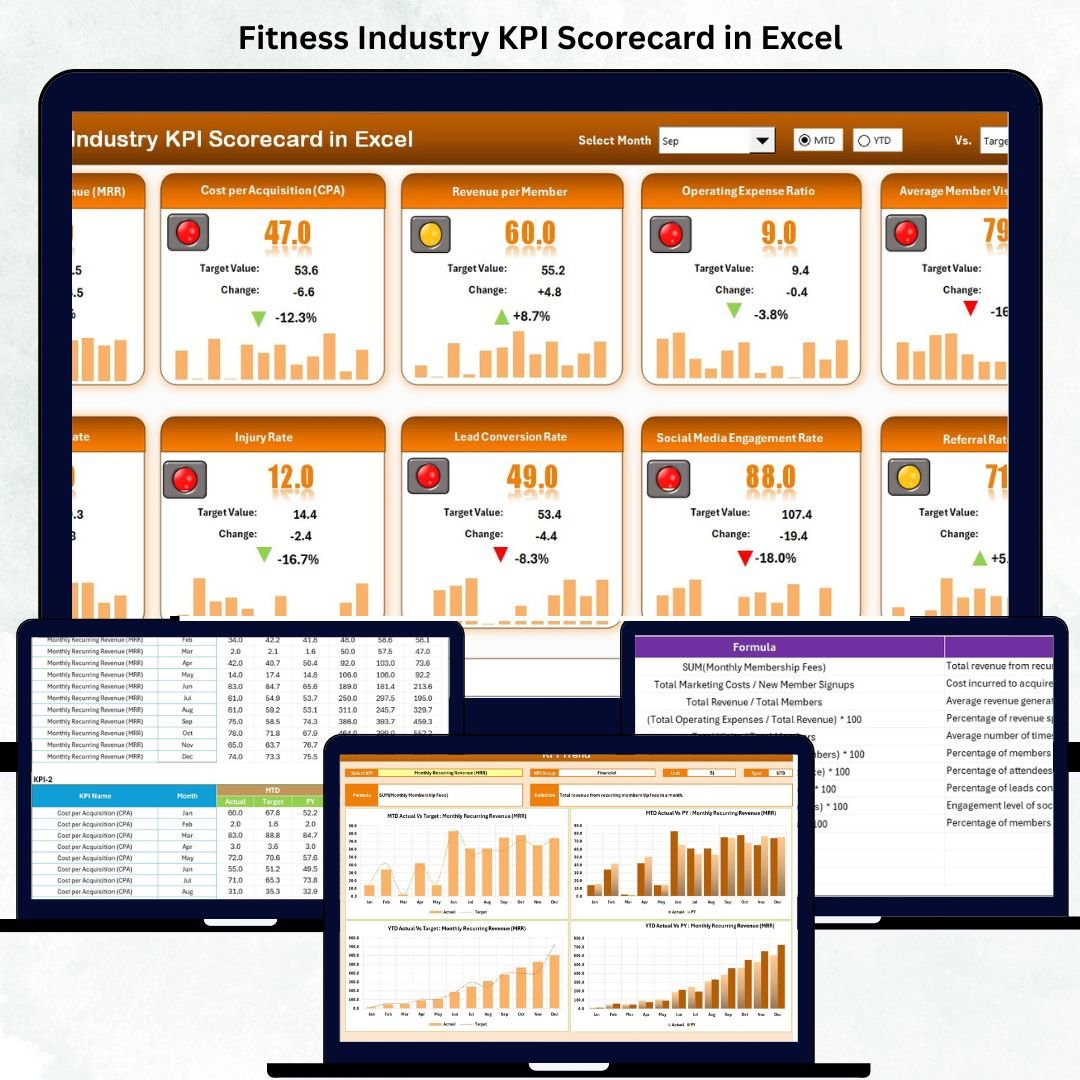

Running a successful fitness business means staying on top of performance, profit, and people. Whether you manage a gym, fitness club, yoga studio, or personal training center, knowing how well your business is doing is the first step toward growth. The Fitness Industry KPI Scorecard in Excel is your all-in-one solution for tracking key metrics, spotting trends, and improving decision-making — without the need for expensive tools or technical expertise.
This ready-to-use Excel template empowers you to measure success in every corner of your business — from membership growth and trainer utilization to customer satisfaction and financial performance.
✨ Key Features of the Fitness Industry KPI Scorecard in Excel
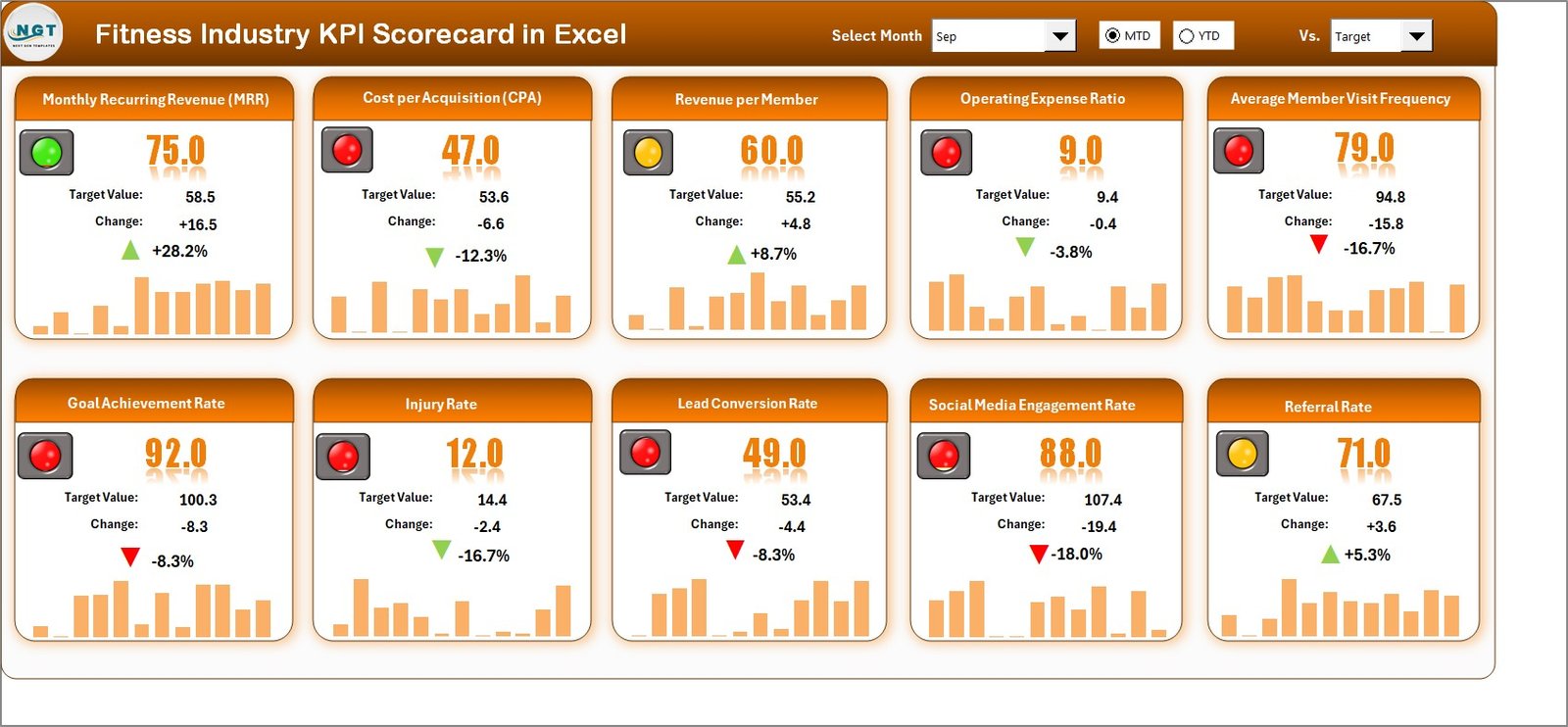
💪 Dynamic Dashboard View – Instantly visualize your monthly and yearly performance with easy dropdown selections.
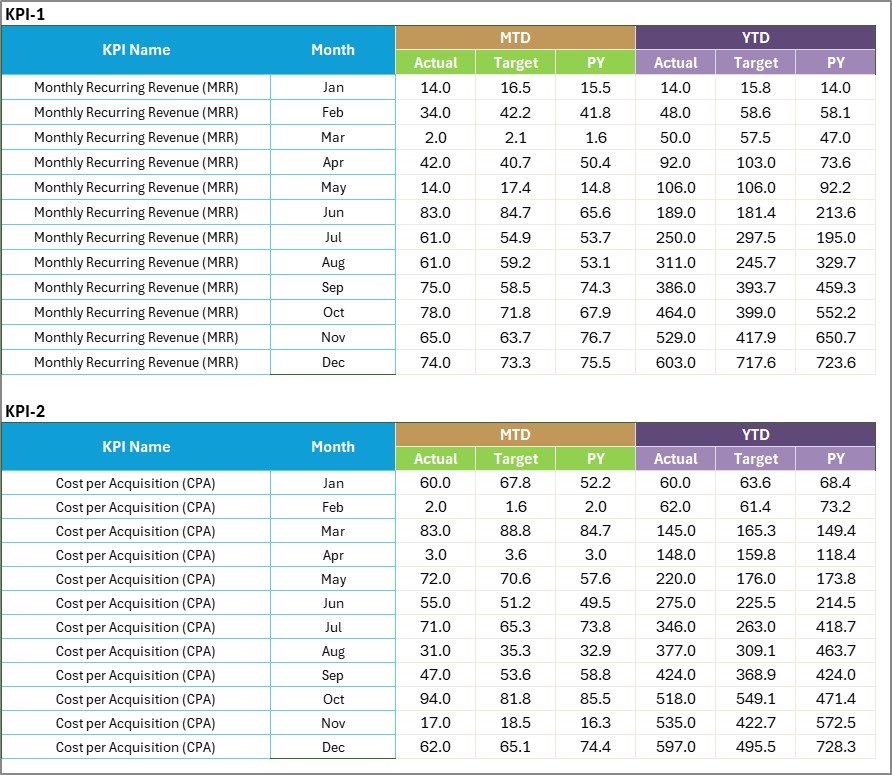
📊 Automatic KPI Comparison – Track Actual vs Target vs Previous Year results in one place.
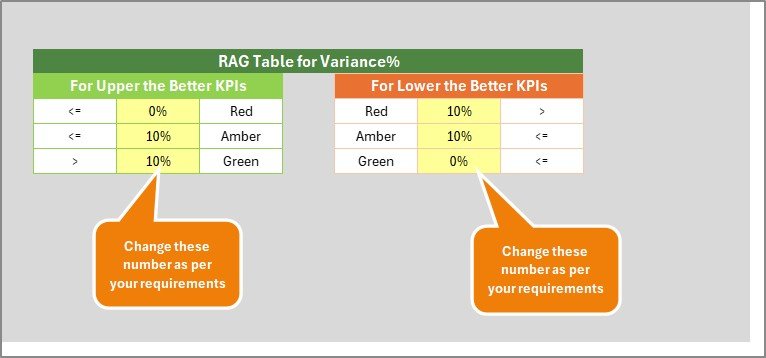
🔴🟡🟢 Traffic Light Indicators – Quickly identify which KPIs are performing well and which need improvement.
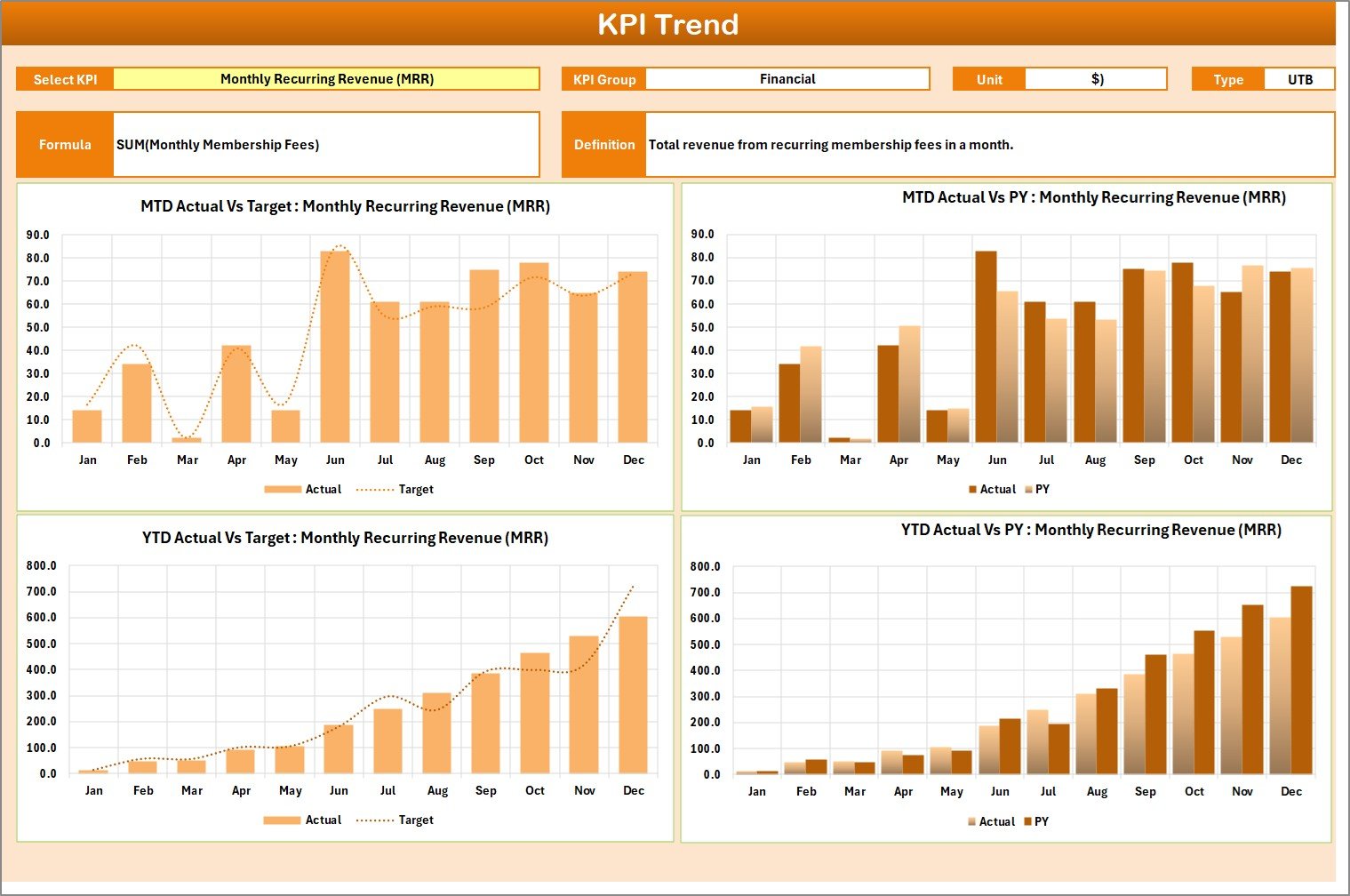
📈 Trend Analysis Charts – View monthly or yearly performance trends for every KPI.
💼 Fully Editable Template – Add, edit, or remove KPIs as per your gym or studio’s structure.
📊 Multi-KPI Display – View up to 10 KPIs on a single screen for a clear performance overview.
🔄 Automatic Refresh – Update your data once, and watch all visuals and charts update instantly.
💡 Cost-Effective & Easy to Use – Built entirely in Excel — no coding, no add-ins, no hassle.
📦 What’s Inside the Fitness Industry KPI Scorecard
Inside this powerful Excel tool, you’ll find four interactive worksheets designed to simplify your performance tracking process:
1️⃣ Scorecard Sheet (Main Dashboard) – The heart of the scorecard where all performance metrics are displayed in a clean, visual format.
2️⃣ KPI Trend Sheet – Select any KPI to see detailed trend charts comparing Actual, Target, and Previous Year data.
3️⃣ Input Data Sheet – Enter your monthly figures for actuals, targets, and prior years — the dashboard updates automatically.
4️⃣ KPI Definition Sheet – A reference table defining each KPI, its group, unit, formula, and description for full clarity.
Each section is interconnected, making it simple to update, analyze, and visualize your data seamlessly.
🧭 How to Use the Fitness Industry KPI Scorecard
Using this scorecard is simple and intuitive — you can get started in minutes:
✅ Step 1: Open the Excel file and go to the Input Data Sheet.
✅ Step 2: Enter actual, target, and previous year values for each KPI.
✅ Step 3: Move to the Scorecard Sheet to view performance metrics and color-coded results.
✅ Step 4: Switch between months or toggle MTD (Month-to-Date) and YTD (Year-to-Date) views.
✅ Step 5: Visit the KPI Trend Sheet to study monthly performance movement.
✅ Step 6: Refer to the KPI Definition Sheet for understanding formulas and units.
No technical setup required — just plug in your numbers and start analyzing!
👥 Who Can Benefit from This Fitness Industry KPI Scorecard
This Excel-based tool is designed for every fitness professional aiming to improve performance tracking and business results:
🏋️ Gym Owners & Managers – Monitor memberships, revenue, and retention rates easily.
🧘 Yoga & Pilates Studios – Track attendance, class utilization, and customer satisfaction.
💼 Fitness Franchise Chains – Compare multiple branches in one consolidated report.
🤝 Personal Trainers – Evaluate client progress, efficiency, and engagement levels.
📊 Business Consultants – Use it to audit and optimize client performance KPIs.
💡 Startups & Fitness Entrepreneurs – Build a data-driven foundation from day one.
If you want better visibility, improved accountability, and faster insights — this is the scorecard for you!






















Reviews
There are no reviews yet.