Emergency Medical Services Dashboard (EMS) organizations operate where every second matters. Ambulance providers, trauma response teams, and medical transport units must manage incidents quickly while controlling operational costs and maintaining service quality. However, many EMS organizations still rely on scattered spreadsheets and manual reporting. As a result, managers struggle to monitor incidents, response efficiency, operating expenses, and revenue performance in one centralized system.
That’s exactly why the Emergency Medical Services Dashboard in Excel becomes an essential operational tool.
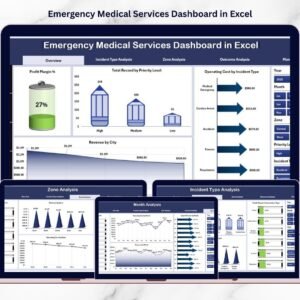
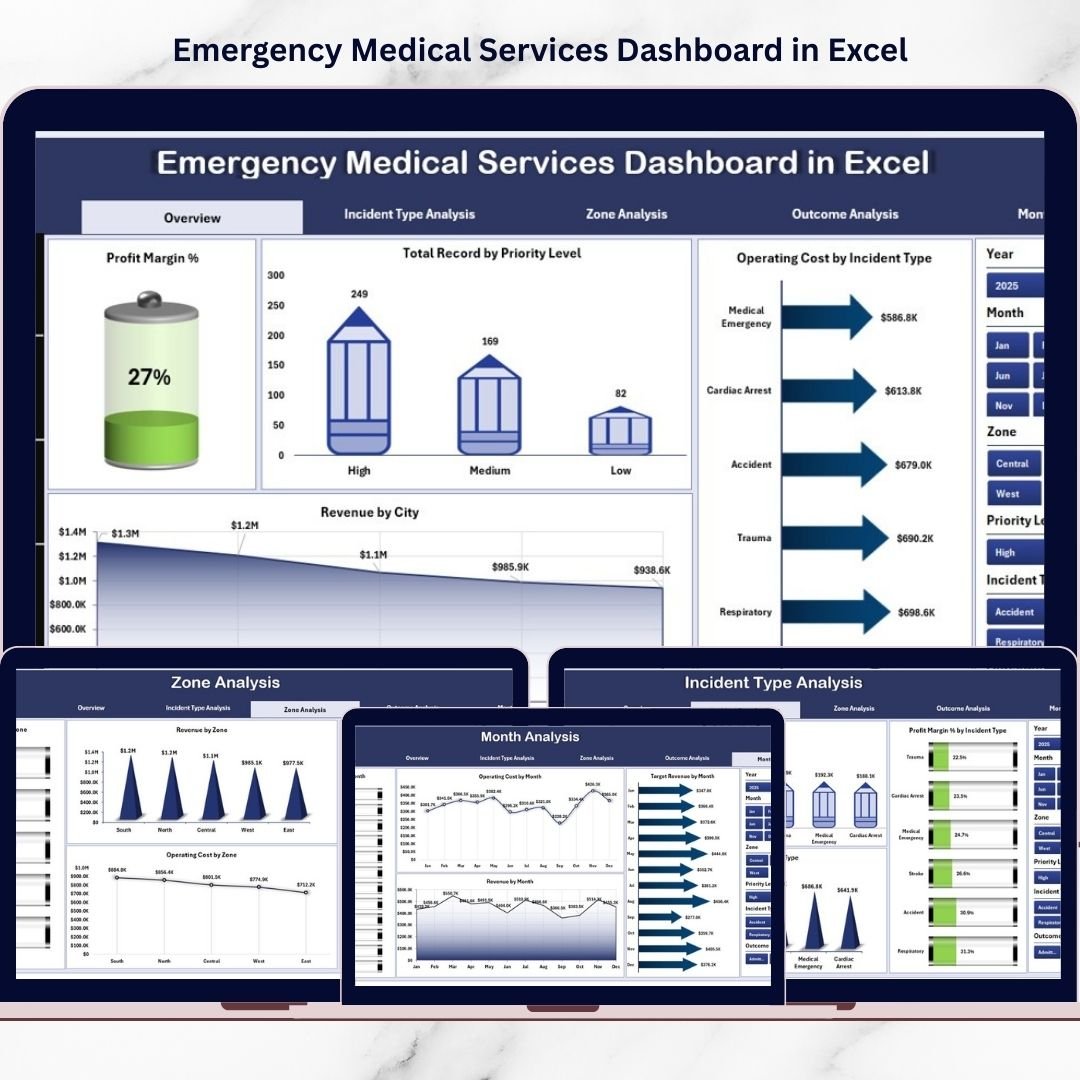
This ready-to-use Excel dashboard transforms raw EMS data into clear, visual insights. Instead of reviewing multiple reports, you can monitor KPIs, analyze incident trends, evaluate operational efficiency, and track financial performance — all from one interactive dashboard.
Whether you manage ambulance fleets, emergency response operations, or hospital emergency logistics, this dashboard helps you make faster, smarter, and data-driven decisions.
🔑 Key Feature of Emergency Medical Services Dashboard in Excel
🚑 Executive Overview Command Center
Instantly monitor Profit Margin %, revenue, operating cost, and incident distribution.
📊 Interactive Page Navigator
Smoothly switch between analytical pages without searching through sheets.
🎯 Incident Performance Tracking
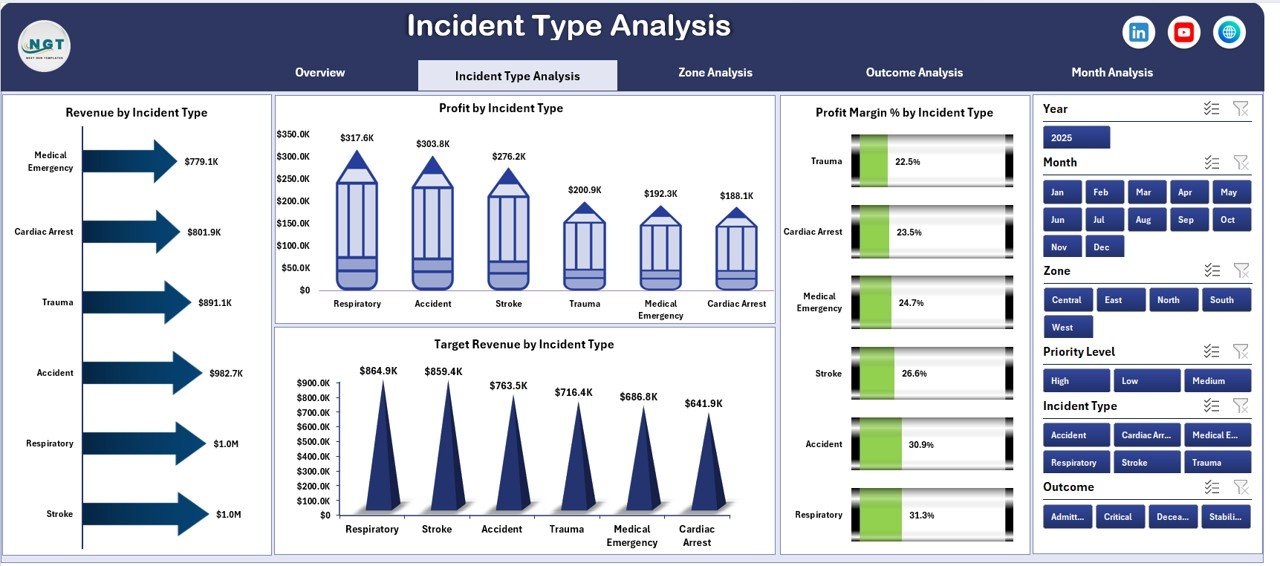
Analyze emergency categories and identify high-cost incident types.
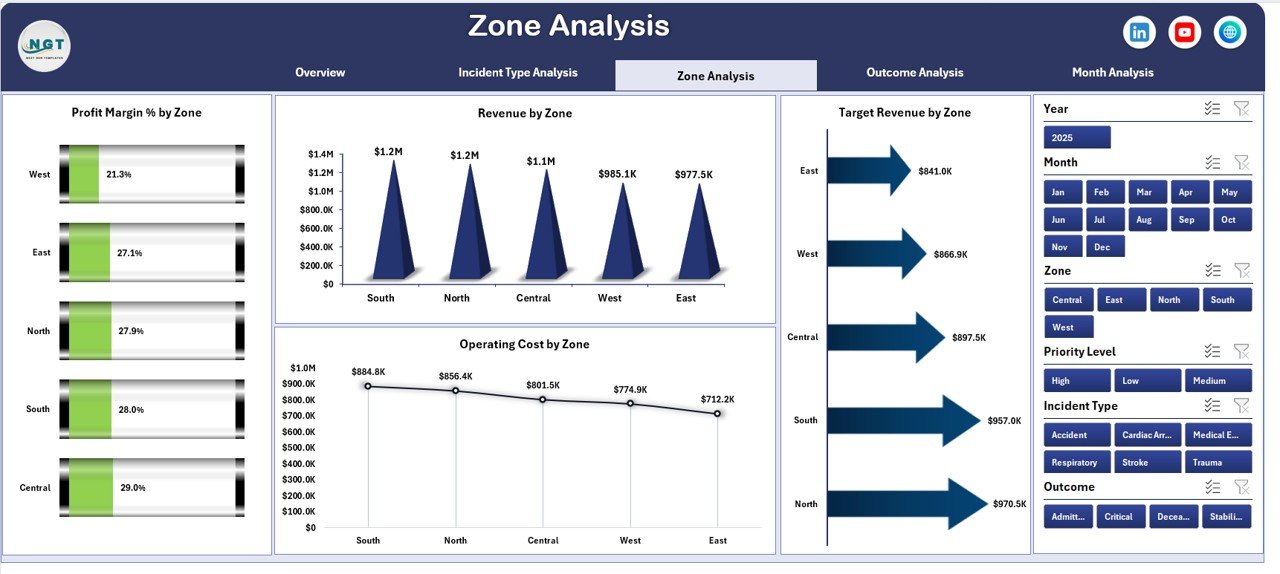
🌍 Zone-Based Operational Insights
Evaluate performance across cities and response zones.
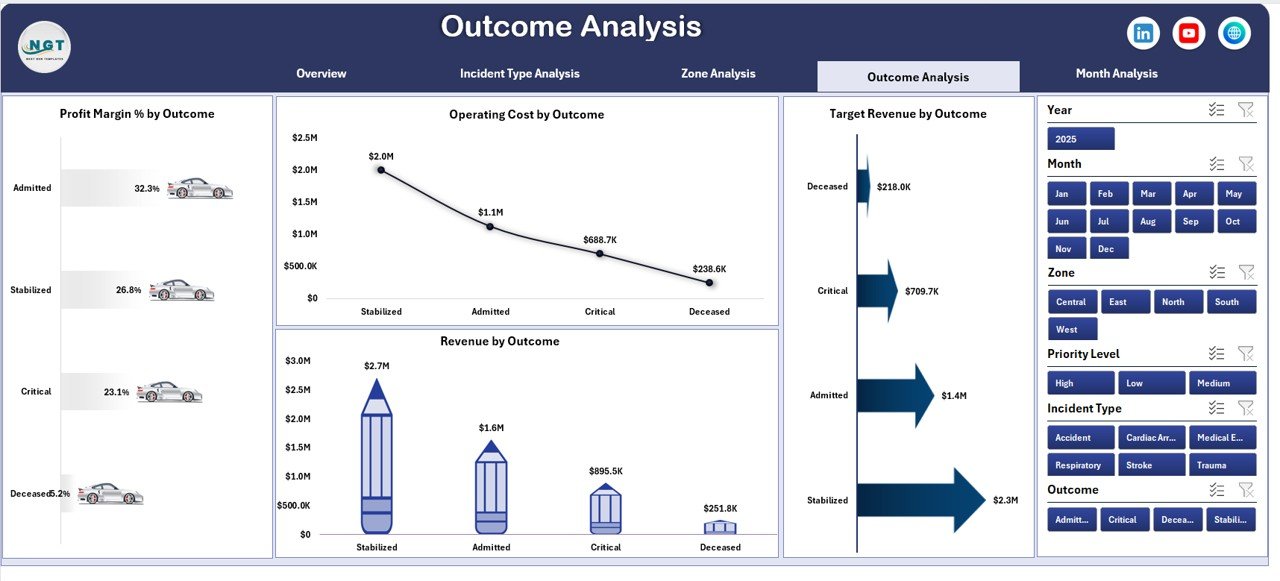
📈 Outcome Performance Analysis
Understand how service outcomes impact profitability and efficiency.
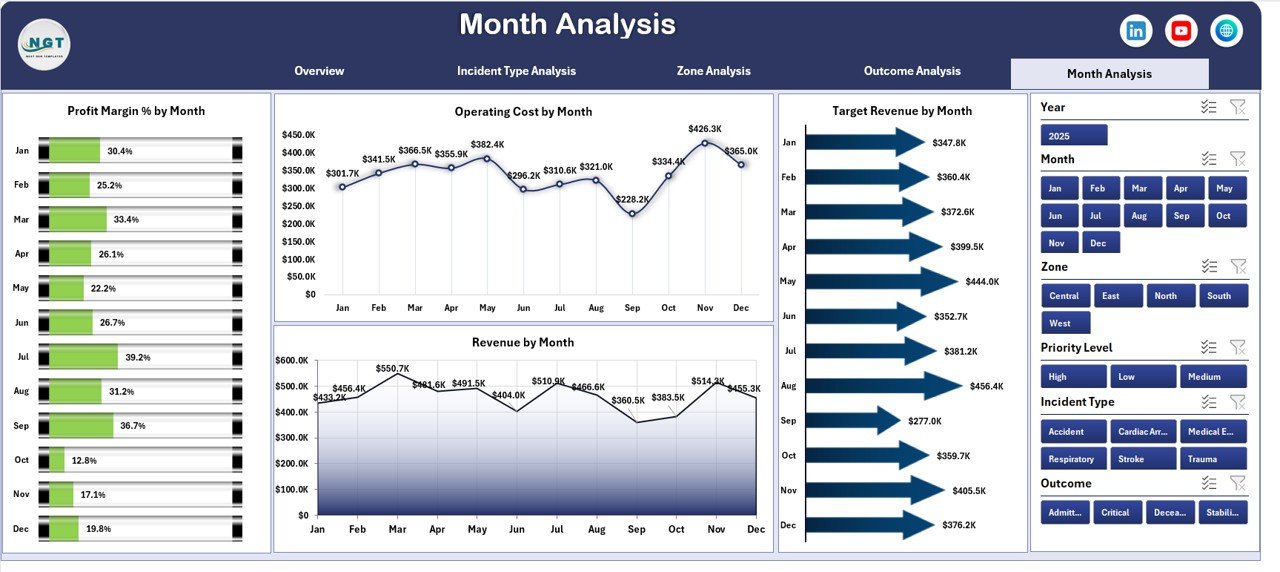
📅 Monthly Trend Monitoring
Track seasonal emergency demand and financial performance trends.
⚡ Dynamic Slicers & Filters
Analyze performance instantly by incident type, zone, outcome, or month.
💰 Revenue vs Cost Visibility
Identify profit leakage and optimize operational spending.
🧩 Fully Customizable Excel Model
Modify KPIs, charts, and categories based on EMS workflow.
📦 What’s Inside the Emergency Medical Services Dashboard in Excel
This dashboard includes 5 powerful analytical pages:
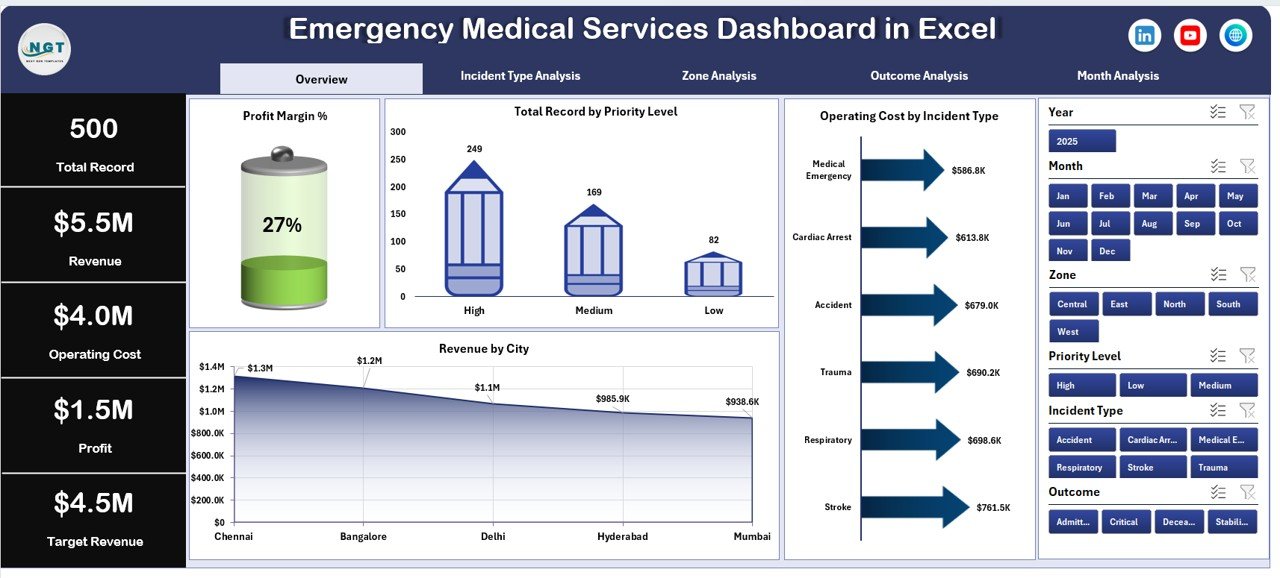
✔️ Overview Page – Central performance snapshot
✔️ Incident Type Analysis – Emergency category insights
✔️ Zone Analysis – Geographic performance monitoring
✔️ Outcome Analysis – Service effectiveness evaluation
✔️ Month Analysis – Trend and forecasting insights
Additional components include:
✔️ Structured Data Entry Sheet
✔️ Support Sheet for calculations
✔️ Pivot Tables & Pivot Charts
✔️ KPI Summary Cards
✔️ Interactive slicers for instant filtering
Everything is pre-built — just enter your EMS data and start analyzing.
🛠️ How to Use the Emergency Medical Services Dashboard in Excel
Getting started takes only a few steps:
Step 1: Enter incident and financial data in the Data Sheet
Step 2: Update revenue and operating cost information
Step 3: Use slicers to filter zones, incidents, or outcomes
Step 4: Review KPI cards and charts
Step 5: Conduct weekly or monthly performance reviews
Within minutes, your EMS organization gains a centralized analytics system.
🎯 Who Can Benefit from This Emergency Medical Services Dashboard in Excel
This dashboard is designed for:
✅ Ambulance Service Providers
✅ Emergency Response Organizations
✅ Hospital Emergency Departments
✅ Medical Transport Companies
✅ Healthcare Operations Managers
✅ Public Safety Agencies
✅ EMS Administrators
If your organization needs better operational visibility and financial control, this dashboard delivers immediate value.
Why This Dashboard Improves Emergency Operations
Instead of manual reporting, you gain:
✔️ Centralized EMS performance monitoring
✔️ Faster incident analysis
✔️ Improved resource allocation
✔️ Better financial transparency
✔️ Data-driven operational planning
✔️ Enhanced service quality tracking
As a result, leadership teams respond faster and manage emergency services more efficiently.
### Click hare to read the Detailed blog post
📺 Visit our YouTube channel to learn step-by-step video tutorials
👉 Youtube.com/@PKAnExcelExpert