

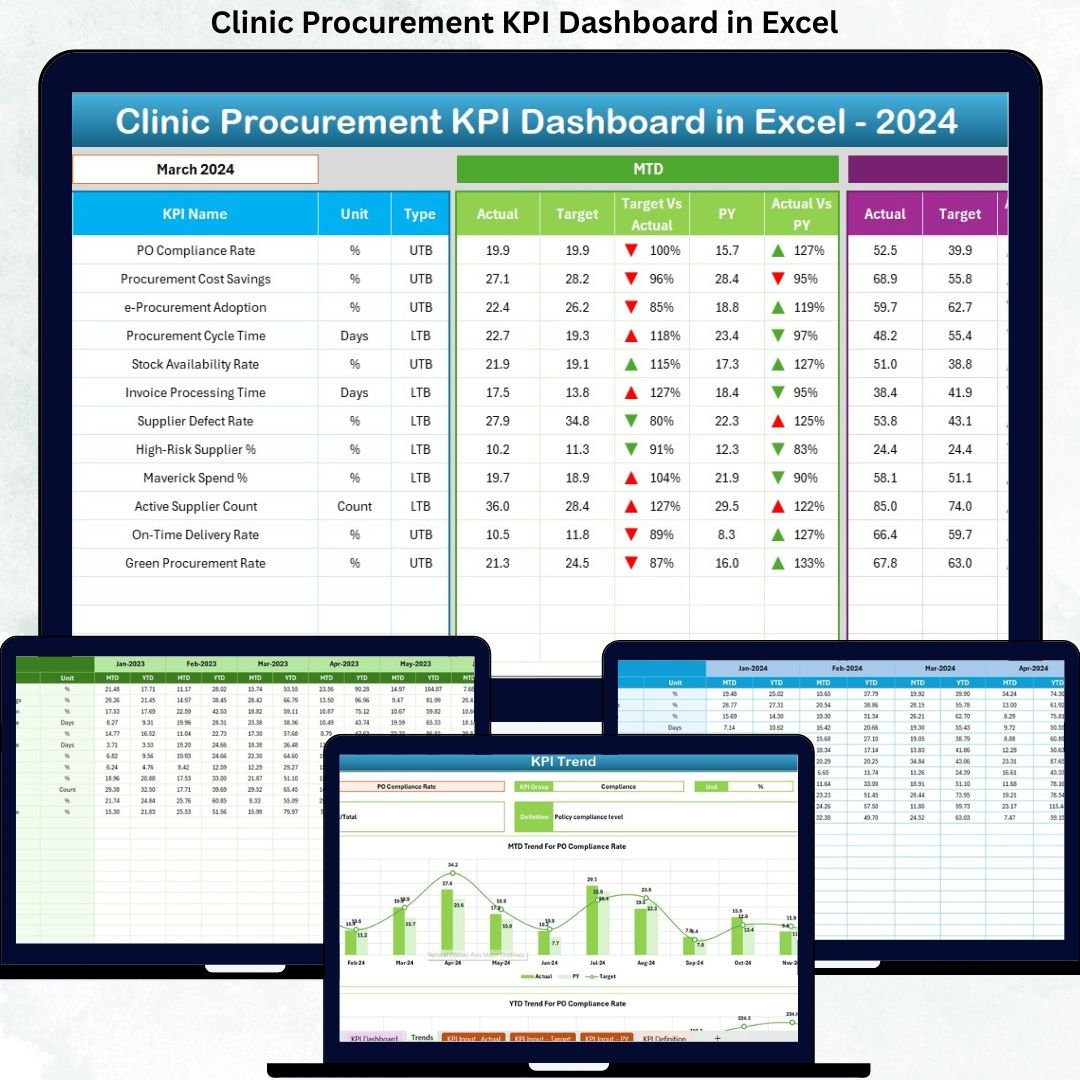
Managing procurement in a clinic is a high-stakes responsibility. Every purchase directly affects patient care, compliance, and operational costs. However, when procurement data is scattered across multiple Excel files and manual reports, clinics lose visibility, control, and speed. This is exactly where the Clinic Procurement KPI Dashboard in Excel becomes a game-changing solution.
This professionally designed Excel dashboard helps clinics monitor procurement performance using clear KPIs, automated calculations, and interactive visuals—without expensive software or complex implementation. With this dashboard, clinic procurement teams can instantly track performance, identify issues, and make confident, data-driven decisions.
🔑 Key Features of Clinic Procurement KPI Dashboard in Excel
📊 Centralized KPI Monitoring
Track all clinic procurement KPIs in one structured Excel dashboard instead of managing multiple spreadsheets.
📅 Dynamic Month Selection
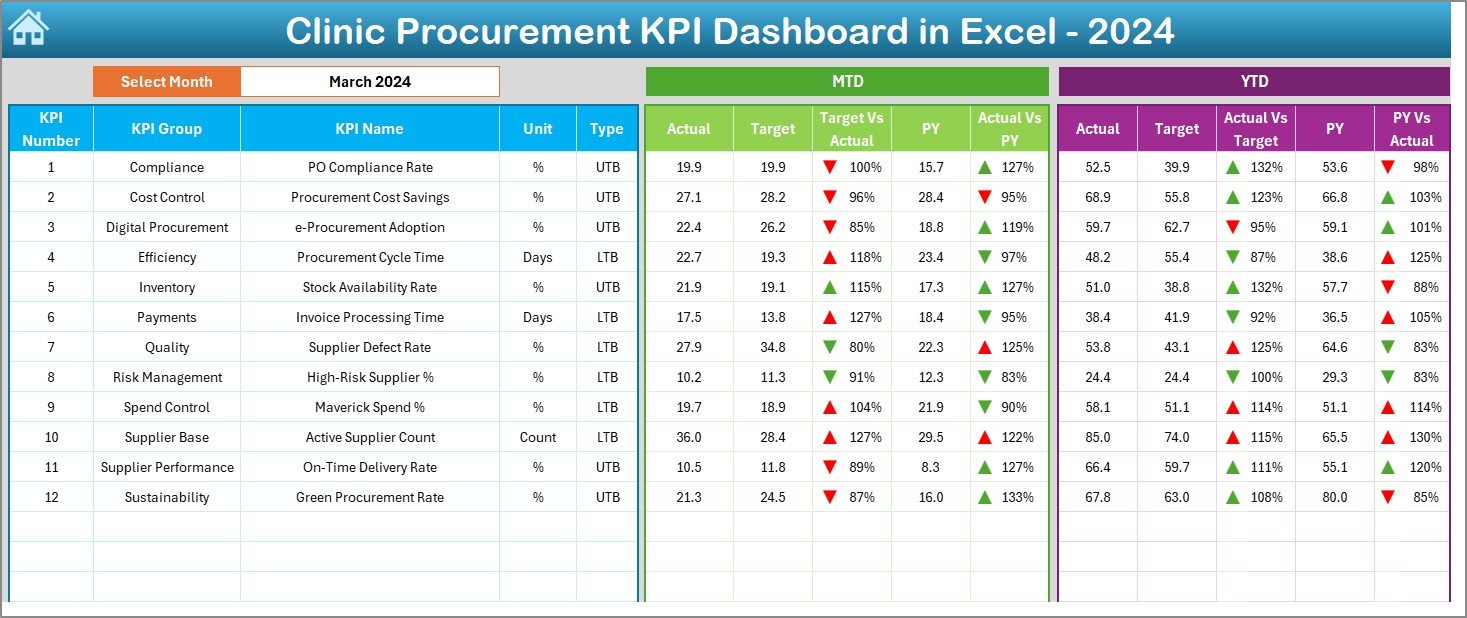
Select the reporting month from a dropdown, and the entire dashboard updates automatically.
🎯 MTD & YTD Performance Tracking
Monitor Month-to-Date and Year-to-Date Actual, Target, and Previous Year values with zero manual calculations.
🚦 Conditional Formatting Indicators
Instantly identify performance gaps using up and down arrows with color-coded signals.
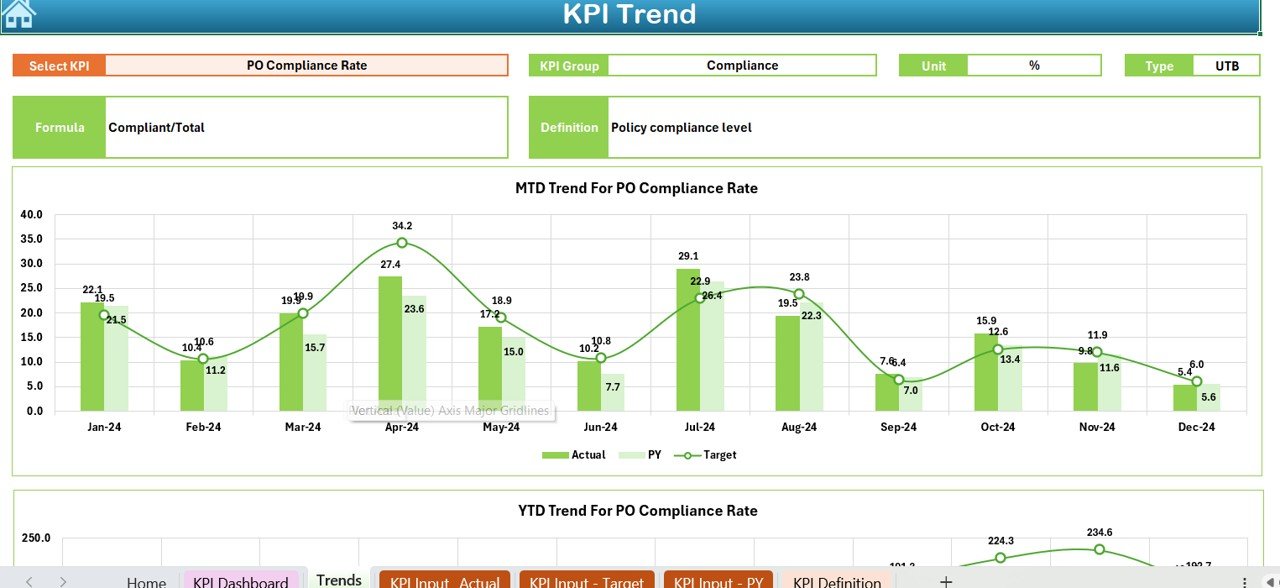
📈 Trend Analysis for KPIs
Analyze procurement trends over time to detect long-term issues and improvement areas.
🔄 LTB & UTB KPI Logic
Supports both Lower the Better and Upper the Better KPIs for accurate performance evaluation.
📂 What’s Inside the Clinic Procurement KPI Dashboard in Excel
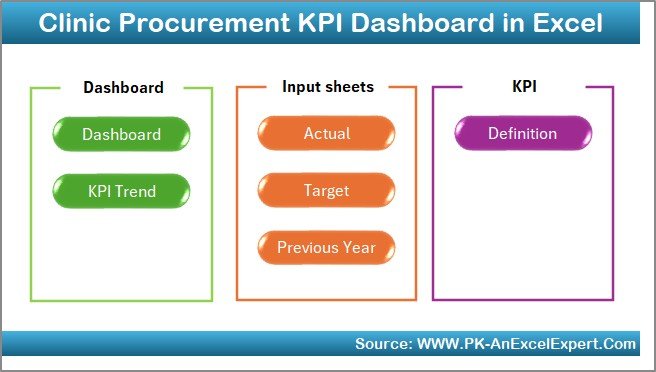
📘 Summary Page (Index Sheet)
Acts as a navigation hub with buttons to quickly access each worksheet.
📊 Dashboard Sheet
Displays all KPIs in one interactive view with MTD, YTD, and year-over-year comparisons.
📉 Trend Sheet
Allows deep-dive analysis for individual KPIs with automated charts and KPI definitions.
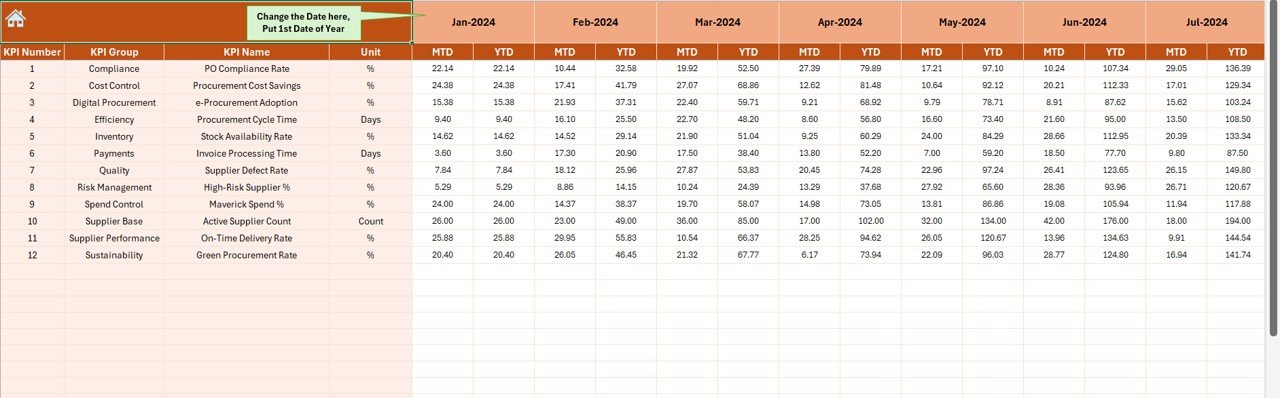
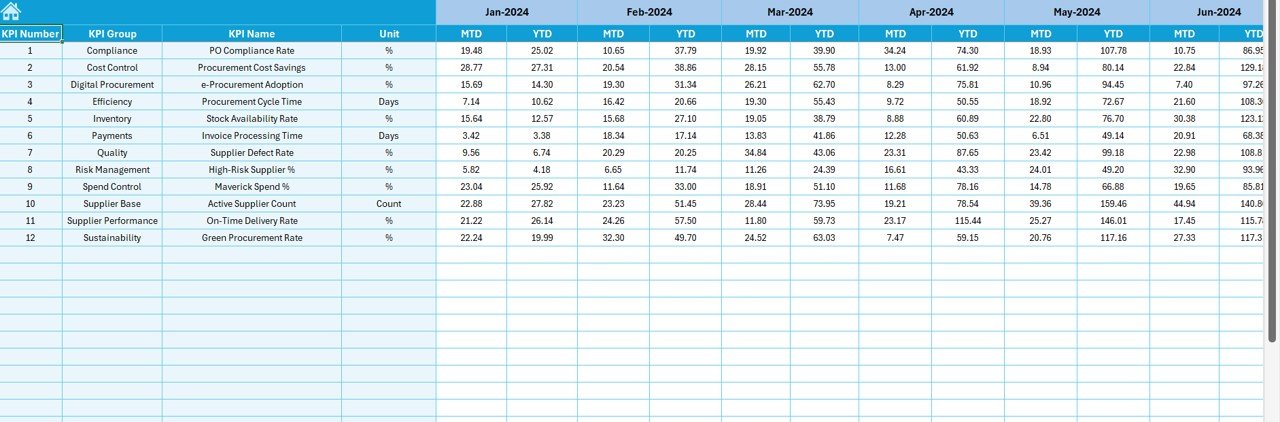
📝 Actual Numbers Input Sheet
Enter monthly actual procurement data that feeds the dashboard automatically.
🎯 Target Sheet
Maintain KPI targets for accurate target vs actual analysis.
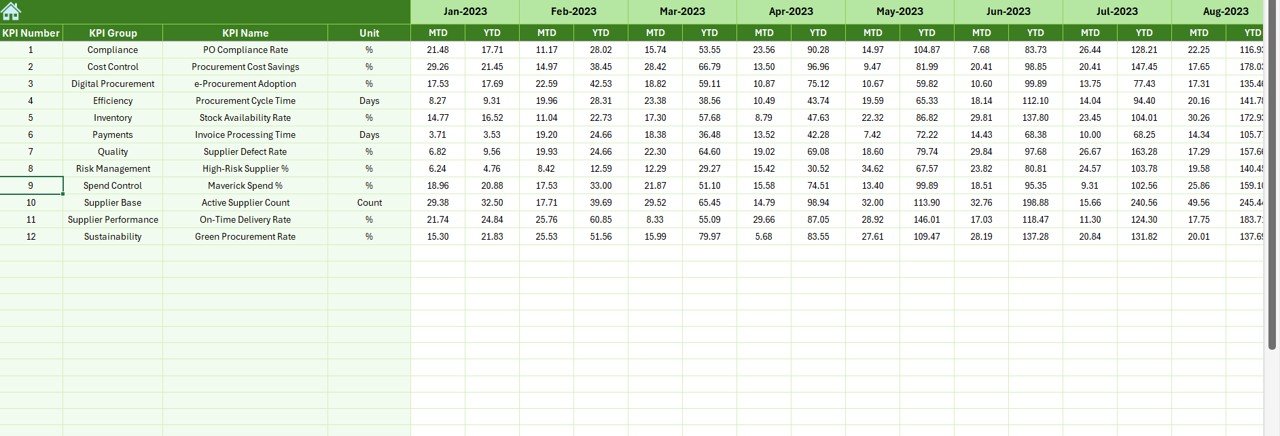
📅 Previous Year Sheet
Supports year-over-year performance comparison.
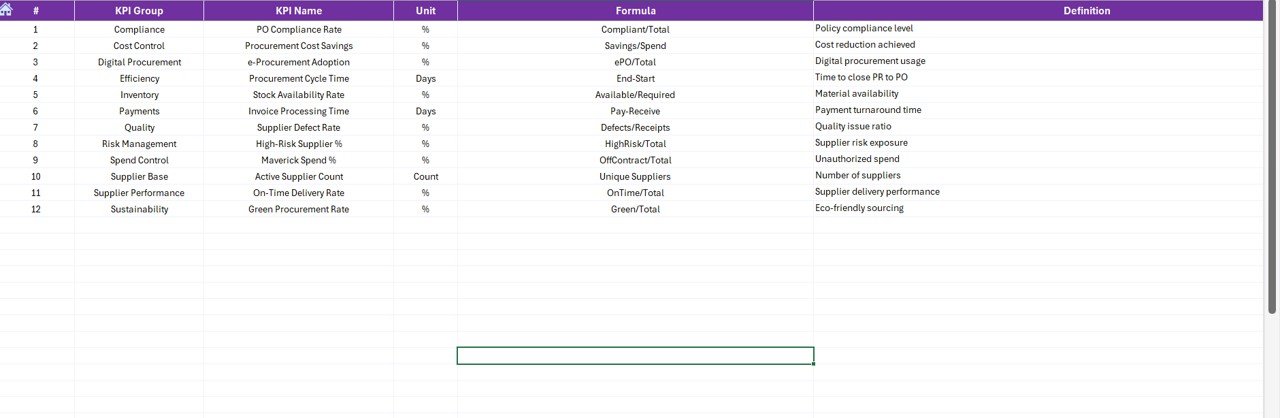
📚 KPI Definition Sheet
Ensures clarity with KPI name, group, unit, formula, and definition.
🛠️ How to Use the Clinic Procurement KPI Dashboard in Excel
1️⃣ Define KPIs and targets in the KPI Definition and Target sheets
2️⃣ Enter actual procurement data monthly
3️⃣ Add previous year data for comparison
4️⃣ Select the reporting month from the dropdown
5️⃣ Review dashboard results, indicators, and trends instantly
No advanced Excel skills are required. The dashboard is designed for easy adoption by clinic teams.
👥 Who Can Benefit from This Clinic Procurement KPI Dashboard
🏥 Clinic Procurement Managers
📦 Supply Chain & Inventory Teams
💼 Clinic Administrators & Management
📊 Finance & Audit Teams
🏨 Small and Mid-Sized Healthcare Facilities
If your clinic wants better cost control, supplier accountability, and clear reporting, this dashboard is built for you.
Click here to read the Detailed Blog Post
Watch the step-by-step video tutorial:
🔗 Visit our YouTube channel to learn step-by-step video tutorials
👉 https://youtube.com/@PKAnExcelExpert































Reviews
There are no reviews yet.