The entertainment and influencer marketing industry is expanding faster than ever. Brands now collaborate with actors, athletes, influencers, musicians, and public figures to promote products and build audience engagement. Celebrity Management Dashboard in Power BI However, managing multiple celebrity contracts, agencies, campaign expenses, and engagement metrics can quickly become overwhelming.
Celebrity Management Dashboard in Power BI Without a structured reporting system, marketing teams often struggle to track campaign revenue, monitor celebrity fees, analyze engagement performance, and evaluate agency commissions. This lack of visibility can lead to inefficient campaign management and missed opportunities.
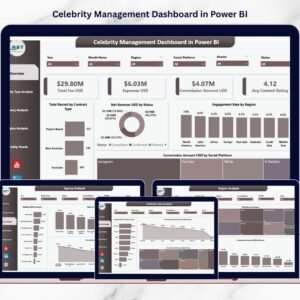
The Celebrity Management Dashboard in Power BI solves this challenge by transforming complex celebrity campaign data into interactive, easy-to-understand visual insights. This ready-to-use Power BI dashboard helps agencies and marketing teams track financial performance, monitor engagement metrics, and evaluate campaign success across multiple dimensions.
Built with Power BI’s advanced visualization capabilities, this dashboard allows users to explore campaign data through dynamic charts, filters, and KPI indicators. Instead of analyzing multiple spreadsheets or reports, users can instantly view campaign performance across celebrity types, agencies, regions, social platforms, and monthly trends.
Whether you manage influencer marketing campaigns, celebrity endorsements, or entertainment promotions, this dashboard provides the analytical insights needed to maximize campaign ROI and improve marketing decision-making.
⭐ Key Feature of Celebrity Management Dashboard in Power BI
📊 Interactive KPI Monitoring
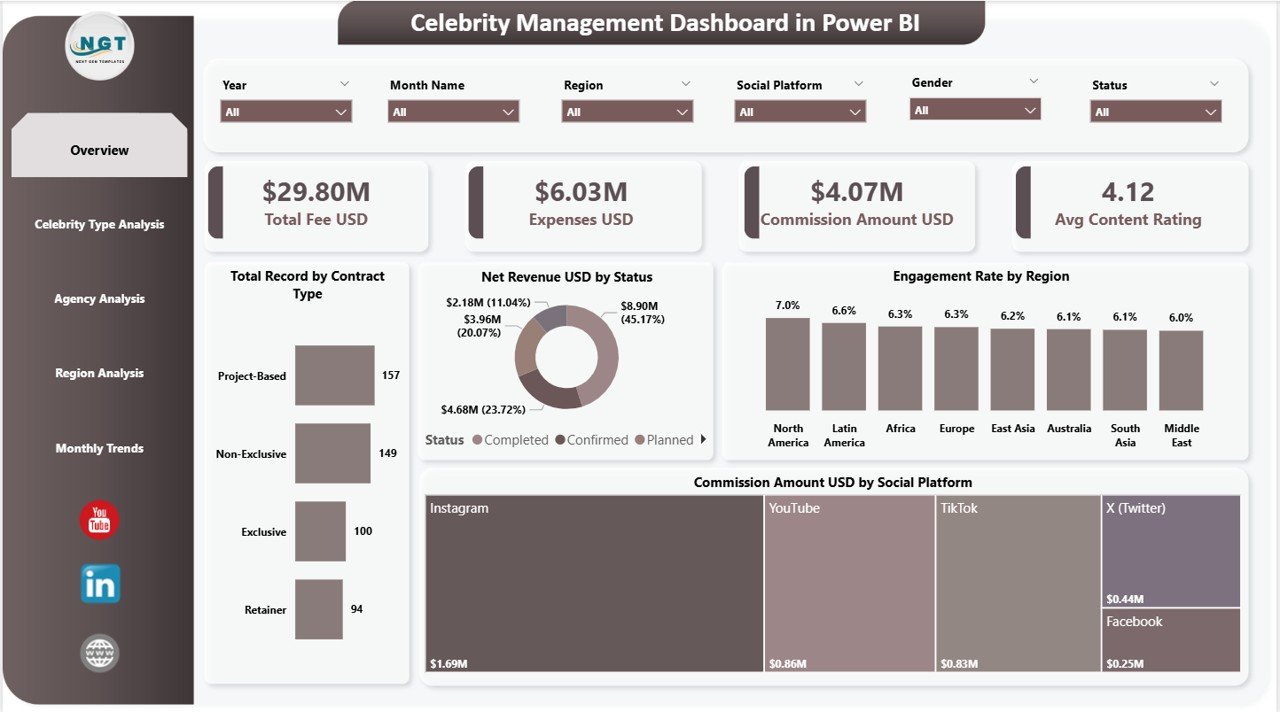
Track critical campaign metrics such as Total Fee USD, Expenses USD, Commission Amount, and Average Content Rating through dynamic KPI cards.
📈 Five Powerful Analytical Pages
The dashboard includes multiple analytical pages such as Overview, Celebrity Type Analysis, Agency Analysis, Region Analysis, and Monthly Trends.
🎯 Campaign Performance Insights
Evaluate how celebrity campaigns perform in terms of revenue, expenses, and audience engagement.
🌍 Regional Market Analysis
Understand how campaigns perform across different geographic regions and identify high-engagement markets.
💰 Agency Commission Monitoring
Analyze commission earnings generated by different agencies and evaluate partnership performance.
📊 Celebrity Category Performance Tracking
Compare performance across celebrity types such as actors, influencers, athletes, and musicians.
📅 Monthly Campaign Trend Analysis
Track how campaign fees, revenue, and engagement ratings change over time.
⚡ Power BI Interactive Filters
Use slicers to analyze campaign data by celebrity type, agency, region, social platform, and contract type.
📦 What’s Inside the Celebrity Management Dashboard in Power BI
This Power BI dashboard contains five interactive pages designed to deliver complete insights into celebrity campaign analytics.
Overview Page
The main monitoring page displays important KPIs and charts including contract distribution, net revenue by campaign status, engagement rate by region, and commission earnings by social platform.
Celebrity Type Analysis Page
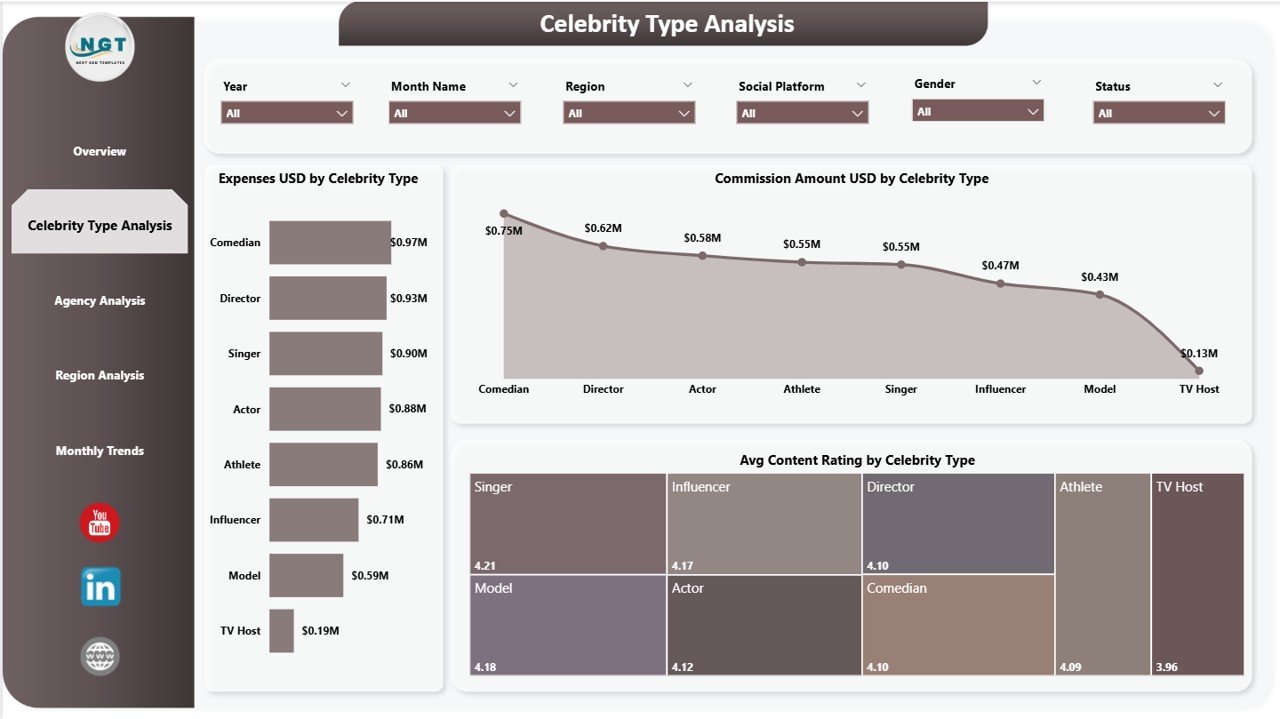
Analyzes campaign performance across different celebrity categories, including expenses, commission earnings, and average content rating.
Agency Analysis Page
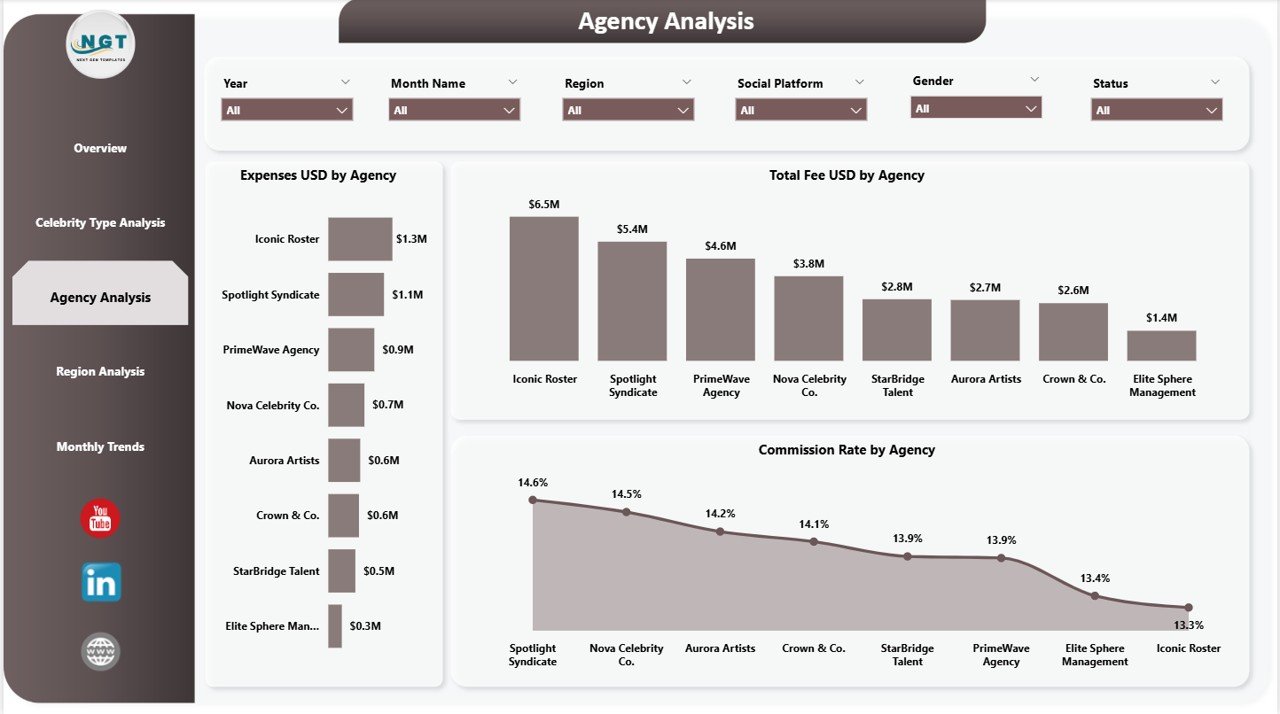
Evaluates how different agencies perform in terms of campaign expenses, total celebrity fees, and commission rates.
Region Analysis Page
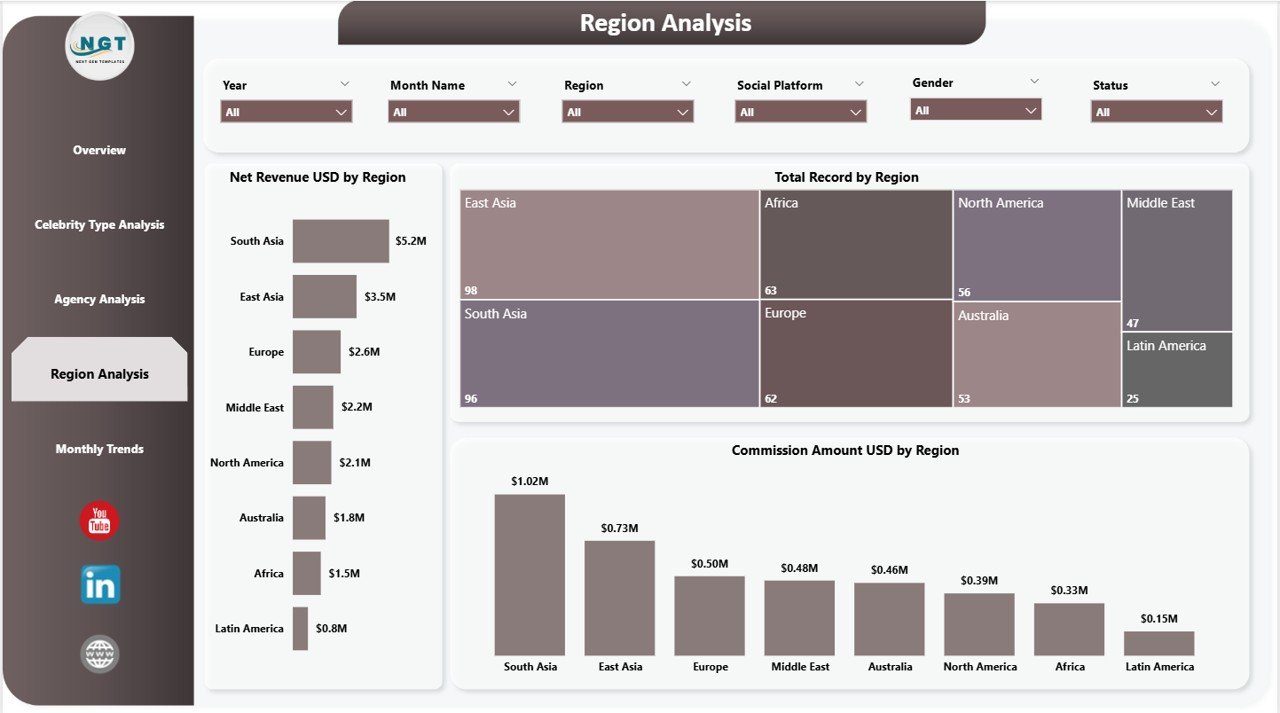
Compares campaign revenue, number of campaigns, and commission earnings across different regions.
Monthly Trends Page
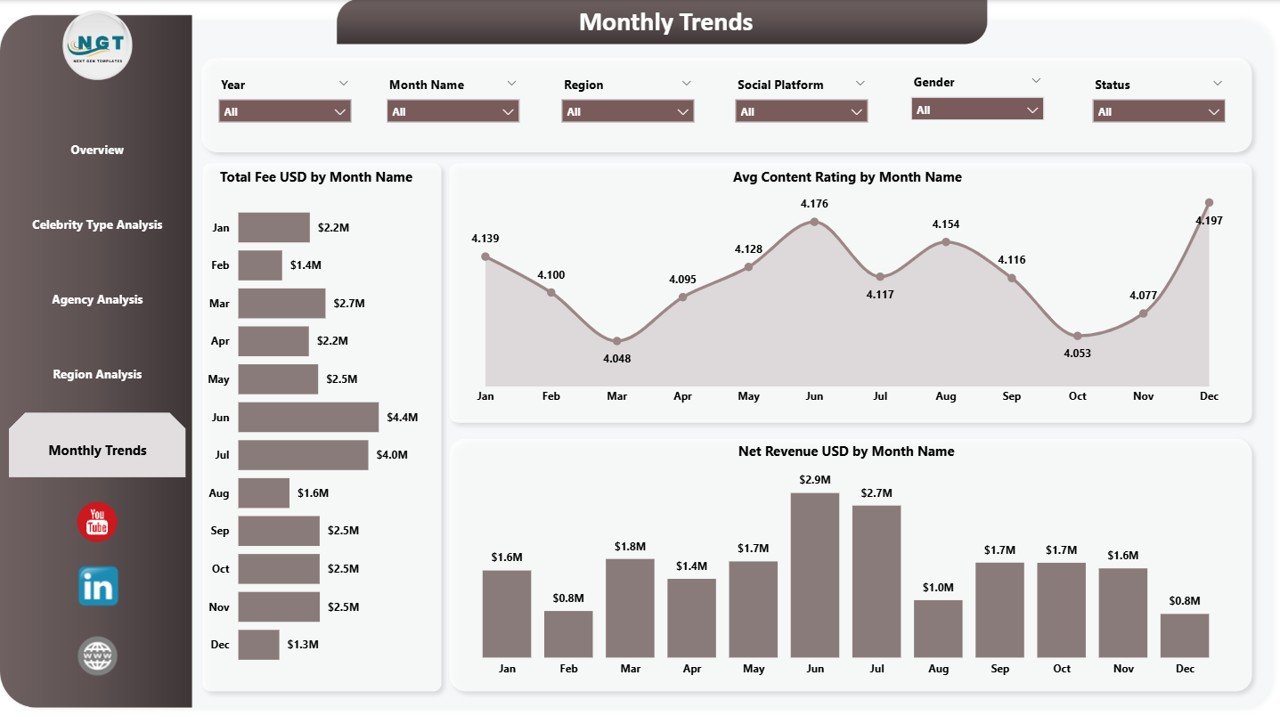
Tracks how celebrity campaign payments, revenue, and engagement ratings change month by month.
These pages together provide a complete analytical view of celebrity marketing performance.
🧭 How to Use the Celebrity Management Dashboard in Power BI
Using this dashboard is simple and requires only basic Power BI knowledge.
Step 1 – Import Campaign Data
Upload campaign records including celebrity name, agency, fees, expenses, commission rate, engagement metrics, and region.
Step 2 – Refresh the Dashboard
Once the dataset is updated, Power BI automatically refreshes charts and KPIs.
Step 3 – Apply Filters with Slicers
Use interactive filters to analyze data by celebrity type, agency, region, social platform, or campaign status.
Step 4 – Analyze Campaign Performance
Review revenue trends, engagement metrics, and financial indicators.
Step 5 – Optimize Marketing Strategies
Use insights from the dashboard to identify high-performing campaigns and improve marketing investments.
👥 Who Can Benefit from This Celebrity Management Dashboard
This dashboard is designed for organizations and professionals managing celebrity and influencer marketing campaigns.
🎬 Celebrity management agencies
📱 Influencer marketing teams
📺 Entertainment companies
📊 Digital marketing agencies
🏢 Brand marketing teams
🎤 Talent management firms
📈 Marketing analysts and consultants
Any organization working with celebrities or influencers can use this dashboard to improve campaign monitoring and performance analysis.
Click hare to read the Detailed blog post
Visit our YouTube channel to learn step-by-step video tutorials
👉 https://youtube.com/@PKAnExcelExpert