




Managing apprenticeship programs is not easy—especially when you’re dealing with multiple trainees, training costs, performance tracking, and placement outcomes. In today’s competitive job market, organizations must ensure their apprenticeship programs deliver real results.
But here’s the problem… 🤔
Apprenticeship Programs Dashboard in Excel Most HR teams and training managers still rely on scattered spreadsheets, making it difficult to track progress, control costs, and measure success.
That’s exactly where the Apprenticeship Programs Dashboard in Excel becomes a game-changing solution! 🚀
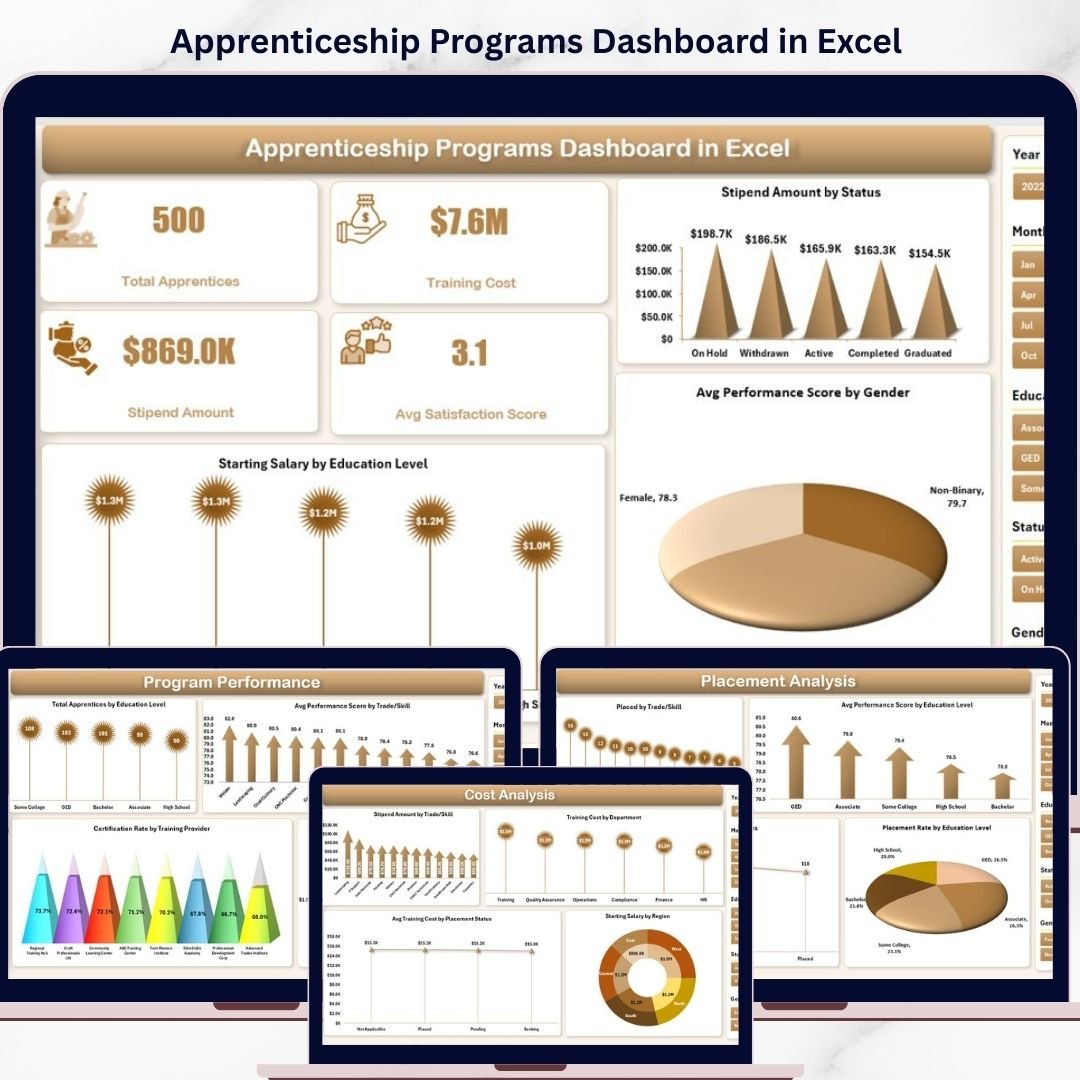
Apprenticeship Programs Dashboard in Excel This ready-to-use, interactive dashboard helps you track apprentices, monitor training performance, analyze costs, and evaluate placement outcomes—all in one centralized system. Instead of juggling multiple files, you get a clear and visual overview that simplifies decision-making.
Whether you are managing a corporate training program, a government initiative, or an educational institution, this dashboard empowers you to turn data into actionable insights—quickly and effectively. ⚡
📊 Key Features of Apprenticeship Programs Dashboard in Excel
✨ All-in-One Dashboard – Track apprentices, costs, performance, and placements in one place.
👨🎓 Apprentice Tracking – Monitor total apprentices and their progress easily.
💰 Cost Management – Analyze training costs and stipend expenses efficiently.
📈 Performance Monitoring – Evaluate satisfaction scores and performance metrics.
🎯 Placement Insights – Track placement status and outcomes with clarity.
📍 Regional & Department Analysis – Compare performance across locations and departments.
📅 Monthly Trends Tracking – Monitor growth and seasonal patterns over time.
⚡ Automated Updates – Dashboard updates automatically with new data inputs.
🎛️ Interactive Filters – Slice data by region, trade, education, and more.
📂 What’s Inside the Apprenticeship Programs Dashboard in Excel
This dashboard includes 5 powerful and interactive pages designed for deep analysis:

📊 Overview Page – Get a quick snapshot of KPIs and overall program performance.
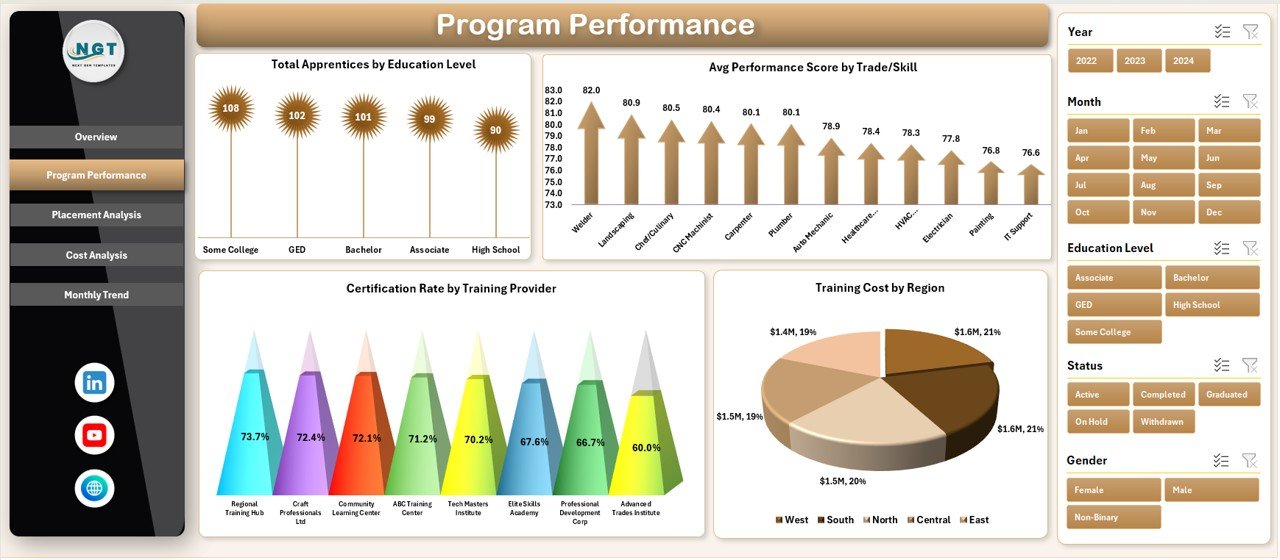
📈 Program Performance – Analyze training effectiveness and certification rates.
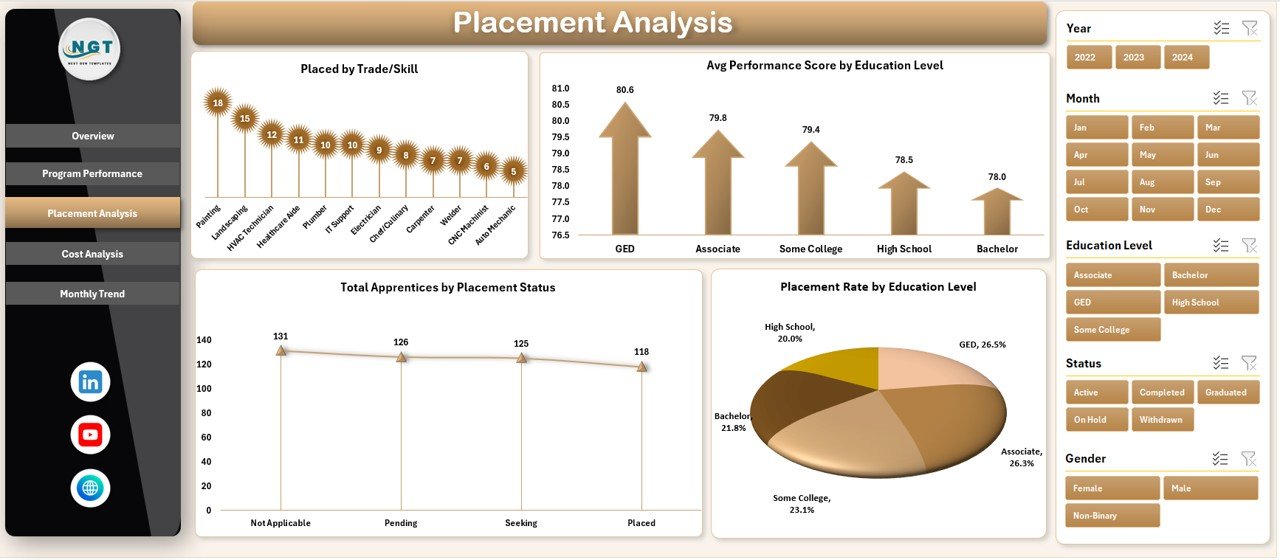
🎯 Placement Analysis – Track employment outcomes and risk areas.
💰 Cost Analysis – Monitor training costs, stipends, and ROI.
📅 Monthly Trends – Track performance trends and progress over time.
Each section is designed to help you make smarter and faster decisions. 🔍
⚙️ How to Use the Apprenticeship Programs Dashboard in Excel
Using this dashboard is simple and user-friendly:
📥 Enter Your Data – Input apprentice, cost, and training data into the data sheet.
🔄 Update Supporting Tables – Maintain categories like region, trade, and status.
🧭 Use Page Navigator – Easily switch between different dashboard views.
🎛️ Apply Filters – Analyze data by region, education, or skill.
📊 Monitor KPIs – Track key metrics like apprentices, costs, and satisfaction.
🔍 Analyze Charts – Identify trends and insights quickly.
📈 Track Monthly Trends – Monitor progress and performance changes.
Within minutes, you can transform raw data into meaningful insights! ⚡
👥 Who Can Benefit from This Apprenticeship Programs Dashboard in Excel
This dashboard is ideal for:
🏢 HR Managers – Track training performance and workforce development.
🎓 Training Coordinators – Monitor program effectiveness and certification rates.
🏫 Educational Institutions – Manage apprenticeship programs efficiently.
🏛️ Government Agencies – Track skill development initiatives and outcomes.
🌍 NGOs & Workforce Organizations – Improve training impact and placement success.
If you manage apprenticeship programs, this tool is a must-have! 🏆
📖 Click hare to read the Detailed blog post
🎥 Visit our YouTube channel to learn step-by-step video tutorials
👉 https://www.youtube.com/@PKAnExcelExpert






























