

Financial crime is increasing rapidly across the globe, making Anti-Money Laundering (AML) compliance more critical than ever ⚠️. Regulators demand continuous monitoring, auditors expect accurate reporting, and management requires clear visibility into AML performance. However, when organizations track AML KPIs using scattered Excel files, emails, or manual reports, they face delays, inconsistencies, and compliance risks. This is exactly why the Anti-Money Laundering (AML) KPI Dashboard in Excel becomes an essential compliance tool.
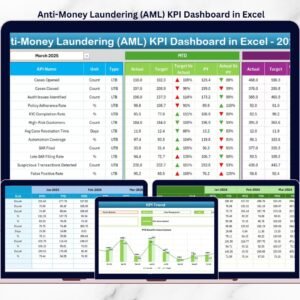
The AML KPI Dashboard in Excel is a ready-to-use, structured, and interactive performance tracking solution designed specifically for compliance, risk, and audit teams. It helps organizations monitor AML KPIs using Month-to-Date (MTD), Year-to-Date (YTD), Target vs Actual, and Previous Year vs Actual comparisons—all from one centralized Excel dashboard 📊.
Built entirely in Microsoft Excel, this dashboard eliminates manual calculations and transforms raw AML data into clear, visual, and actionable insights. As a result, organizations move from reactive compliance to proactive risk management.
✅ Key Features of Anti-Money Laundering (AML) KPI Dashboard in Excel
The AML KPI Dashboard in Excel is designed to deliver instant clarity and control over compliance performance 🔍.
It provides a single dashboard view that displays all AML KPIs together with dynamic calculations and conditional formatting. Using dropdown selections, users can instantly change months and review updated results.
Key highlights include:
-
MTD and YTD performance tracking
-
Target vs Actual and PY vs Actual comparison
-
Up and down arrow indicators for quick performance assessment
-
KPI-level trend analysis using charts
Because everything updates automatically, compliance teams save time and reduce reporting errors significantly.
📦 What’s Inside the Anti-Money Laundering (AML) KPI Dashboard in Excel
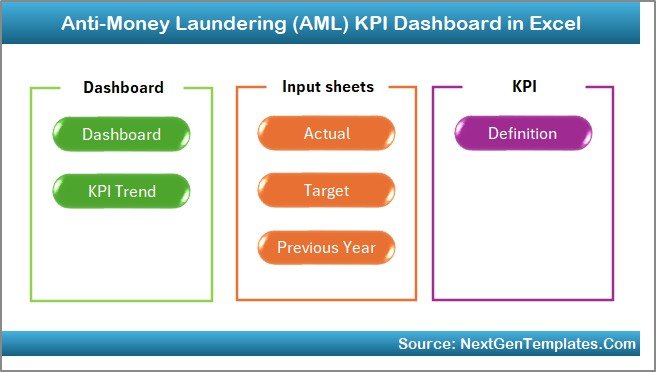
This product includes 7 professionally structured Excel worksheets, each serving a critical compliance purpose:

1️⃣ Home Sheet
The Home Sheet works as an index page 🧭 with six navigation buttons. Users can move to any worksheet with a single click, ensuring smooth and user-friendly navigation.
2️⃣ Dashboard Sheet
This is the core dashboard displaying all AML KPIs in one consolidated view.
It shows:
-
MTD Actual, Target, and Previous Year
-
Target vs Actual and PY vs Actual indicators
-
YTD Actual, Target, and Previous Year
Conditional formatting with arrows highlights over-performance and under-performance instantly.
3️⃣ KPI Trend Sheet
The KPI Trend Sheet supports deep-dive analysis 📈.
Users select a KPI from a dropdown and instantly view:
-
KPI Group, Unit, and Type (LTB / UTB)
-
KPI Formula and Definition
-
MTD and YTD trend charts (Actual, Target, PY)
This helps identify recurring risks and long-term compliance patterns.
4️⃣ Actual Numbers Input Sheet
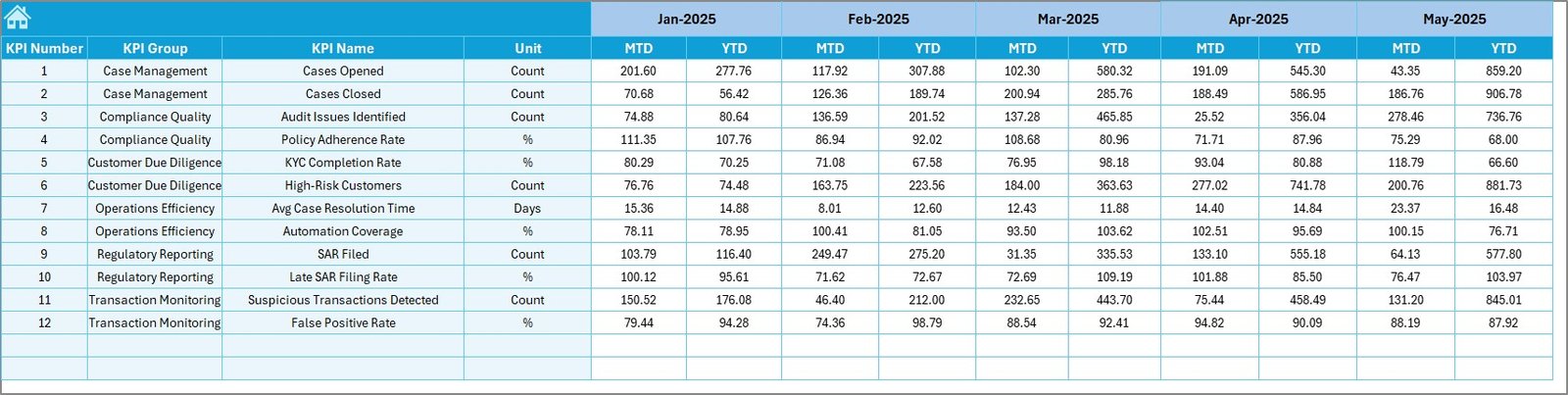
This sheet captures actual AML performance data.
Users enter:
-
MTD actual values
-
YTD actual values
-
Monthly selections
Accurate inputs here ensure reliable dashboard insights.
5️⃣ Target Sheet
The Target Sheet stores AML benchmarks.
It allows users to:
-
Enter monthly targets
-
Maintain MTD and YTD target values
-
Compare performance against regulatory expectations
6️⃣ Previous Year Numbers Sheet
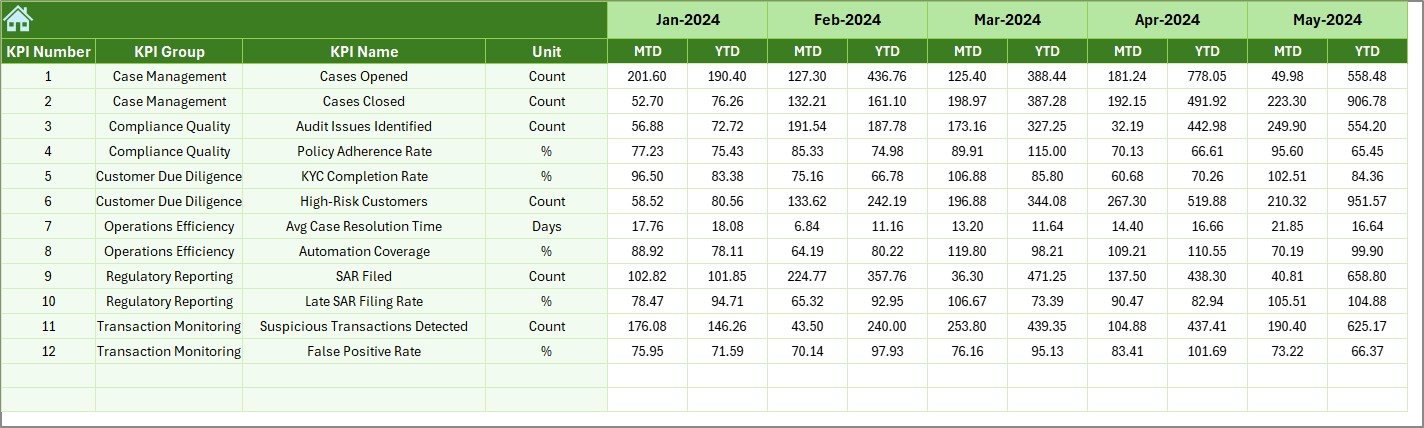
This sheet stores last year’s AML data.
It enables:
-
Year-over-year comparison
-
Trend improvement or decline analysis
-
Audit-ready historical reporting
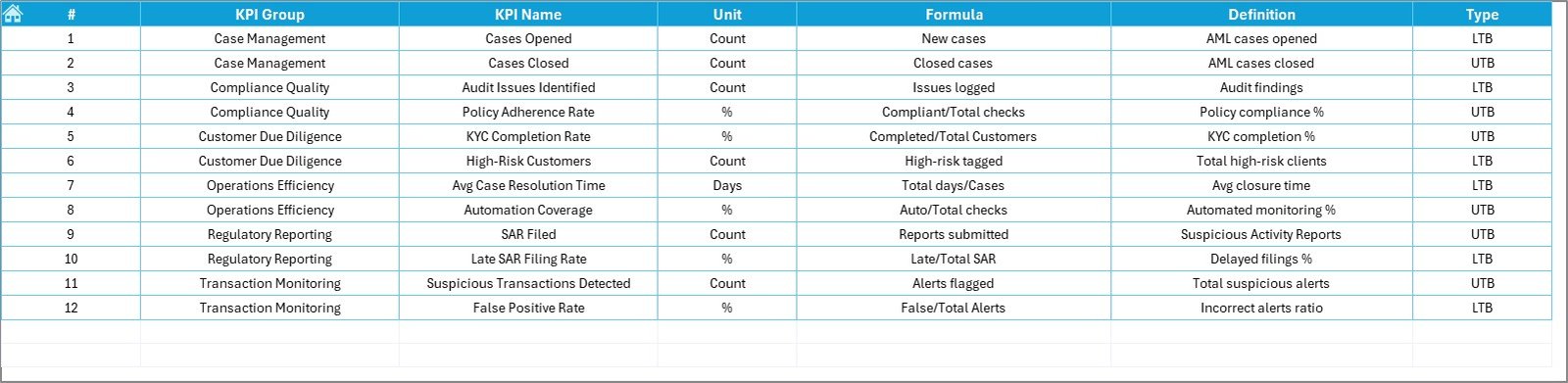
7️⃣ KPI Definition Sheet
This reference sheet ensures clarity and transparency.
It stores:
-
KPI Name
-
KPI Group
-
Unit of Measurement
-
Formula
-
KPI Definition
This makes the dashboard audit-friendly and regulator-ready.
🛠️ How to Use the Anti-Money Laundering (AML) KPI Dashboard in Excel
Using the dashboard is simple and intuitive 👍.
First, enter actual, target, and previous year data in their respective sheets.
Next, select the required month from the dashboard dropdown.
Then, review MTD and YTD results, performance arrows, and trends.
Finally, use the KPI Trend Sheet for detailed analysis.
Because all calculations are automated, teams focus on compliance decisions—not manual reporting.
👥 Who Can Benefit from This AML KPI Dashboard
This dashboard is ideal for:
-
AML Compliance Officers
-
Risk Management Teams
-
Internal Auditors
-
Compliance Analysts
-
Financial Controllers
-
Senior Management
It works perfectly for banks, financial institutions, fintech firms, and regulated organizations.
🔗 Click here to read the Detailed blog post
🎥 Visit our YouTube channel to learn step-by-step video tutorials
👉 https://www.youtube.com/@PKAnExcelExpert