

A reliable payroll Excel formula for 2026 starts with four layers: taxable wages, federal income tax withholding, FICA, and state or local withholding. For 2026, Social Security is 6.2% up to the $184,500 wage base, Medicare is 1.45% on all Medicare wages, and employers must withhold the 0.9% Additional Medicare Tax after an employee’s wages exceed $200,000 in the calendar year. The formulas below show how to build a payroll calculator in Excel using official 2026 IRS, SSA, and state payroll references.
Compliance note: this walkthrough is for workbook design and payroll analysis, not tax or legal advice. Before using any payroll calculator for live payroll, compare the workbook against IRS Publication 15-T, IRS Topic 751, and the withholding publication for every state where employees work or live.
2026 Payroll Tax Rates to Put in Your Excel Workbook
Use a rate table instead of hard-coding values inside formulas. Your workbook should include the source URL and effective date beside every rate so the next annual update is easy to audit.
| Payroll item | 2026 rate or rule | Excel note |
|---|---|---|
| Federal income tax withholding | Use IRS Pub. 15-T 2026 Percentage Method tables | Annualize wages, apply the bracket row, subtract W-4 credits, then divide by pay periods |
| Social Security employee tax | 6.2% up to $184,500 | Stop withholding after the annual wage base is reached |
| Medicare employee tax | 1.45% on all Medicare wages | No wage cap |
| Additional Medicare Tax | 0.9% after employee wages exceed $200,000 | Employee only; employer does not match |
| State income tax | Varies by state | Use a state rules table plus state-specific withholding tables |
 Launch offer
SUMIFS, XLOOKUP, FILTER, LAMBDA and checking AI-written formulas, with real business projects. 11h 47m of video by PK, with practice files, quizzes and a capstone.
Key Features of a Payroll Calculator in Excel
A good payroll calculator should not be one giant net-pay formula. Build it as a structured workbook with separate sheets for employees, tax rates, federal withholding brackets, state rules, payroll runs, payslip output, and audit checks.
- Employee master data: employee ID, state, filing status, Form W-4 inputs, pay frequency, and year-to-date wages.
- Taxable wage calculation: gross pay minus pre-tax deductions, with separate columns for federal taxable wages, Social Security wages, and Medicare wages.
- Federal withholding table: 2026 IRS Pub. 15-T rows in a table named
FedWH2026. - FICA engine: Social Security, Medicare, and Additional Medicare formulas that use year-to-date wage limits.
- State rules table: one row per state method, with flat-rate, bracket, official-table, or no-income-tax logic.
- Review checks: missing state, wage base reached, negative net pay, and unusual deduction variance flags.
Workbook Structure for Payroll Calculation in Excel
- Employees: filing status, state, pay frequency, W-4 fields, and benefit elections.
- PayRun: current-period wages, hours, overtime, bonuses, deductions, and prior year-to-date wages.
- FederalTables: IRS Pub. 15-T percentage-method brackets for standard and Step 2 checkbox withholding.
- StateTables: state withholding rules, flat rates, wage bases, and source links.
- PayrollCalc: federal, FICA, state, local, deduction, and net-pay formulas.
- Payslips: employee-facing gross-to-net summary.
- Dashboard: payroll cost, tax deductions, net pay, error checks, and month-over-month trends.
Federal Income Tax Withholding Formula in Excel
For automated payroll systems, IRS Pub. 15-T uses an annualized percentage method. Annualize this paycheck, adjust for Form W-4 Step 4(a) other income and Step 4(b) deductions, find the correct bracket, calculate annual withholding, subtract Step 3 credits, divide by pay periods, and add Step 4(c) extra withholding.
Create a table named FedWH2026 with these columns: FilingStatus, Step2Checked, Lower, Upper, BaseTax, Rate, and ExcessOver. Load the complete 2026 standard and Step 2 checkbox schedules from IRS Pub. 15-T. Do not rely on final income-tax return brackets, because withholding tables are a payroll calculation method.
=LET(
 annual,MAX(0,TaxableWages*PayPeriods+W4Step4a-W4Step4b),
 keep,(FedWH2026[FilingStatus]=FilingStatus)*(FedWH2026[Step2Checked]=Step2Checked),
 lower,FILTER(FedWH2026[Lower],keep),
 base,FILTER(FedWH2026[BaseTax],keep),
 rate,FILTER(FedWH2026[Rate],keep),
 i,XMATCH(annual,lower,1),
 annualTax,INDEX(base,i)+(annual-INDEX(lower,i))*INDEX(rate,i),
 ROUND(MAX(0,(annualTax-W4Step3Credits)/PayPeriods)+W4Step4c,2)
)
Example: Federal Withholding for One Biweekly Paycheck
Assume a single employee earns $3,000 of federal taxable wages every two weeks, has 26 pay periods, has no Step 2 checkbox, no Step 3 credits, and no Step 4 adjustments. Annualized wages are $78,000. In the 2026 standard Single schedule, that falls above $57,900, where the tentative annual withholding is $5,800 plus 22% of the amount over $57,900. That equals $10,222 annually, or $393.15 per biweekly paycheck.
FICA Formulas: Social Security, Medicare, and Additional Medicare
FICA is more mechanical than federal withholding because it is based on rates and wage limits. Use year-to-date wages so the Social Security cap and Additional Medicare threshold work correctly.
Social Security employee withholding:
=ROUND(MIN(CurrentSSWages,MAX(0,184500-PriorYTDSocialSecurityWages))*6.2%,2)Medicare employee withholding:
=ROUND(CurrentMedicareWages*1.45%,2)Additional Medicare Tax employee withholding:
=ROUND(MAX(0,PriorYTDMedicareWages+CurrentMedicareWages-200000)*0.9%-MAX(0,PriorYTDMedicareWages-200000)*0.9%,2)Using the same $3,000 biweekly example before the Social Security cap is reached, employee Social Security is $186.00 and Medicare is $43.50. If the employee works in Pennsylvania, state income withholding at 3.07% is $92.10. Estimated net pay before other deductions would be $3,000 – $393.15 – $186.00 – $43.50 – $92.10 = $2,285.25.
State Payroll Tax Formulas in Excel
There is no single US state payroll formula. The safest Excel design is a StateRules table with a method column: Flat, Bracket, OfficialTable, or None. Then route each employee to the correct calculation based on work state and resident-state rules.
| State example | 2026 approach | Excel formula approach |
|---|---|---|
| California | Use California EDD rates and withholding schedules; SDI withholding is 1.3% for 2026 | Use CA Method A or B for PIT; add =ROUND(GrossPay*1.3%,2) for SDI where applicable |
| New York | Use NYS-50-T-NYS (1/26), plus NYC or Yonkers tables when applicable | Use separate state, NYC, and Yonkers table lookups |
| Pennsylvania | PA employer withholding is a flat 3.07% of compensation | =ROUND(StateTaxableWages*3.07%,2), with local taxes handled separately |
For bracket-based states, use this lookup pattern after loading official state brackets into StateBrackets:
=LET(
 annualState,StateTaxableWages*PayPeriods,
 keep,StateBrackets[State]=State,
 lower,FILTER(StateBrackets[Lower],keep),
 base,FILTER(StateBrackets[BaseTax],keep),
 rate,FILTER(StateBrackets[Rate],keep),
 i,XMATCH(annualState,lower,1),
 ROUND((INDEX(base,i)+(annualState-INDEX(lower,i))*INDEX(rate,i))/PayPeriods,2)
)
Payroll Calculator in Excel vs Google Sheets vs Paid Payroll Software – Feature Comparison
| Capability | Excel payroll calculator | Google Sheets | Paid payroll SaaS |
|---|---|---|---|
| Cost | Low one-time template cost | Low, but more formula risk | Monthly subscription |
| Formula control | High | High | Limited |
| Compliance updates | Manual update required | Manual update required | Usually handled by vendor |
| Payslip generation | Strong with a structured template | Possible with scripts | Built in |
| Best fit | Small teams, audits, calculators, payroll analysis | Shared planning workbooks | Live production payroll at scale |
Who Should Use This Template Approach
This workflow is best for HR teams, payroll analysts, Excel consultants, small business owners, accountants, and finance teams that need a transparent payroll model. It is also useful when you want to audit payroll software output, test a deduction scenario, or build a training workbook for payroll staff.
Real-World Use Cases
- Payroll audit: compare payroll software deductions to independent Excel calculations.
- Small business payroll review: estimate net pay before choosing a payroll provider.
- State expansion planning: test how payroll deductions change when hiring in California, New York, or Pennsylvania.
- Dashboard reporting: track gross pay, net pay, tax deductions, payroll error rates, and compliance gaps.
Advantages of Payroll Calculation in Excel
Excel makes every calculation visible. You can inspect bracket lookups, test W-4 changes, compare state methods, and build a payroll accuracy dashboard without waiting for a software vendor. For consultants and analysts, that transparency is the main advantage.
Opportunities for Improvement
Excel payroll workbooks need disciplined maintenance. You must update federal and state tables each year, protect formula cells, document source dates, and test edge cases such as bonuses, multi-state employees, pre-tax deductions, supplemental wages, tipped wages, and Additional Medicare crossings. If you run live payroll for a growing team, use Excel as an audit and planning layer beside a compliant payroll system.
Best Practices
- Keep tax rates in tables, not inside formulas.
- Store the official source URL and effective date beside every tax table.
- Separate federal taxable wages, Social Security wages, and Medicare wages.
- Use employee IDs instead of employee names for lookups.
- Protect calculation tabs and leave only input cells editable.
- Reconcile each pay run to total gross pay, total taxes, total deductions, and total net pay.
Explore Relevant Templates
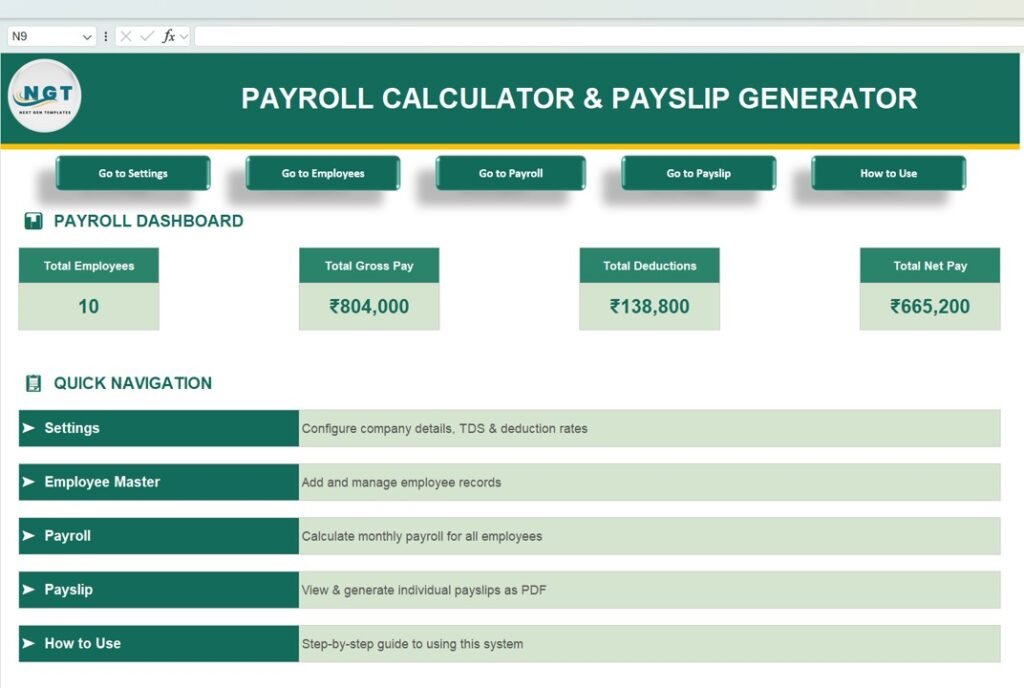
If you want a ready payroll workbook foundation, start with the Payroll Calculator and Payslip Generator in Excel. It is a paid Excel payroll and payslip framework with employee records, salary calculation, deductions, dashboard views, and PDF payslip generation. If you are adapting it for US 2026 payroll, replace the jurisdiction-specific deduction settings with the federal, FICA, and state formulas in this guide.
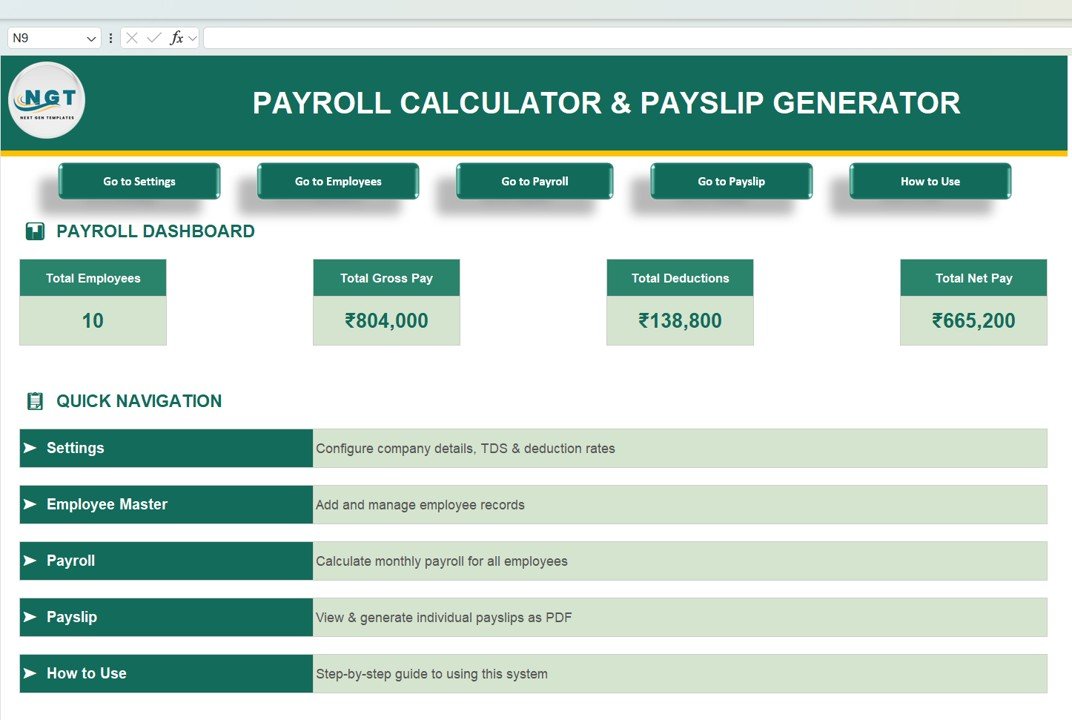
Get the Payroll Calculator and Payslip Generator
For reporting and review, pair the calculator with these payroll dashboards:
| Template | Best use | CTA |
|---|---|---|
| Payroll Management Dashboard in Excel | Payroll cost, overtime, deduction, department, region, and branch analysis | View product |
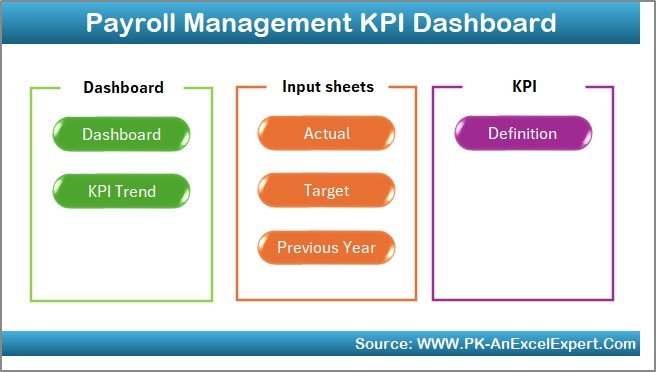
| Payroll Management KPI Dashboard in Excel | MTD/YTD payroll KPIs, targets, prior-year comparisons, and trend tracking | View product |
| Payroll Accuracy KPI Dashboard in Excel | Payroll errors, deduction accuracy, compliance checks, and benefits tracking | View product |


Frequently Asked Questions
What is the payroll Excel formula for 2026?
The core formula is taxable wages minus federal income tax withholding, Social Security, Medicare, Additional Medicare if applicable, state withholding, local taxes, and voluntary deductions. For federal withholding, use the IRS Pub. 15-T 2026 percentage method rather than a fixed percentage.
How do I calculate FICA in Excel?
Calculate Social Security as 6.2% of current Social Security wages up to the remaining $184,500 wage base. Calculate Medicare as 1.45% of all Medicare wages. Add 0.9% Additional Medicare Tax only on wages above $200,000 for the employee.
How do I calculate state payroll tax in Excel?
Use a state rules table. Flat-rate states can use a simple percentage formula, while bracket states need official withholding tables. Some states also have employee-paid disability, local taxes, city taxes, or employer-only unemployment taxes.
Can Excel replace payroll software?
Excel can work well for calculators, audits, small-team planning, and payslip templates, but live payroll compliance requires careful maintenance. For larger teams, use Excel as an audit layer alongside payroll software or professional payroll support.
Which NextGenTemplates product should I start with?
Start with the Payroll Calculator and Payslip Generator in Excel if you need a payroll and payslip workbook foundation. Add the Payroll Management Dashboard, Payroll Management KPI Dashboard, or Payroll Accuracy KPI Dashboard when you want better payroll reporting and review controls.
About the Author
Built by PK – Microsoft Certified Professional with 15+ years of Excel, Google Sheets, and Power BI experience. Founder of NextGenTemplates, reaching 300K+ subscribers across YouTube channels. Every template is hand-built and tested before release.
Conclusion
A 2026 payroll calculator in Excel should use official tables, clean source documentation, and separate formulas for federal withholding, FICA, and state tax. The safest model is table-driven: update the rates once, then let every paycheck flow through the same calculation engine. For tutorials and template walkthroughs, visit NextGenTemplates on YouTube.
Cutting software costs across the board? See our Gusto alternatives: 6 payroll templates in Excel & Sheets for the same buy-once approach applied to payroll and HR.
Related reading: pair payroll with the absenteeism rate calculation and 8 attendance metrics to keep absence and pay in sync.
Related reading: Once your calculations are right, monitor them with the 10 payroll KPIs to track in 2026 — formulas, benchmark ranges and 8 dashboard templates for accuracy, cost and timeliness.