


Managing private equity investments requires precision, speed, and transparency. However, many private equity firms still depend on scattered Excel files, manual MIS reports, and time-consuming reconciliations. As a result, tracking fund performance, valuations, ownership, and returns becomes inefficient and error-prone.
That is exactly where the Private Equity Dashboard in Excel delivers real value.
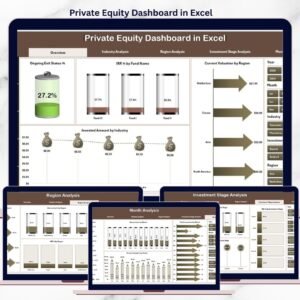
This ready-to-use Excel dashboard transforms raw private equity data into clear, interactive, and actionable insights. It allows fund managers, analysts, and investment teams to monitor IRR, MOIC, valuation, ownership, exit status, and investment trends across funds, industries, regions, stages, and time periods—all in one place.
🚀 Key Features of Private Equity Dashboard in Excel
💼 Centralized Portfolio Visibility
Track all private equity investments from a single Excel dashboard.
📈 Core PE Metrics at a Glance
Monitor Invested Amount, Current Valuation, IRR, MOIC, Ownership %, and Exit Status.
🧭 Page Navigator for Seamless Navigation
Quickly switch between analysis pages using a left-side page navigator.
🎛️ Dynamic Slicers for Interactive Analysis
Filter data by Fund, Industry, Region, Investment Stage, and Month.
📊 Multiple Analysis Pages
Analyze performance from strategic, sectoral, geographic, and time-based perspectives.
⚡ Automatic Updates
Update the Data Sheet once and refresh insights instantly.
💰 Cost-Effective & Excel-Native
No BI tools required—fully built using standard Excel features.
📄 Dashboard Pages Included
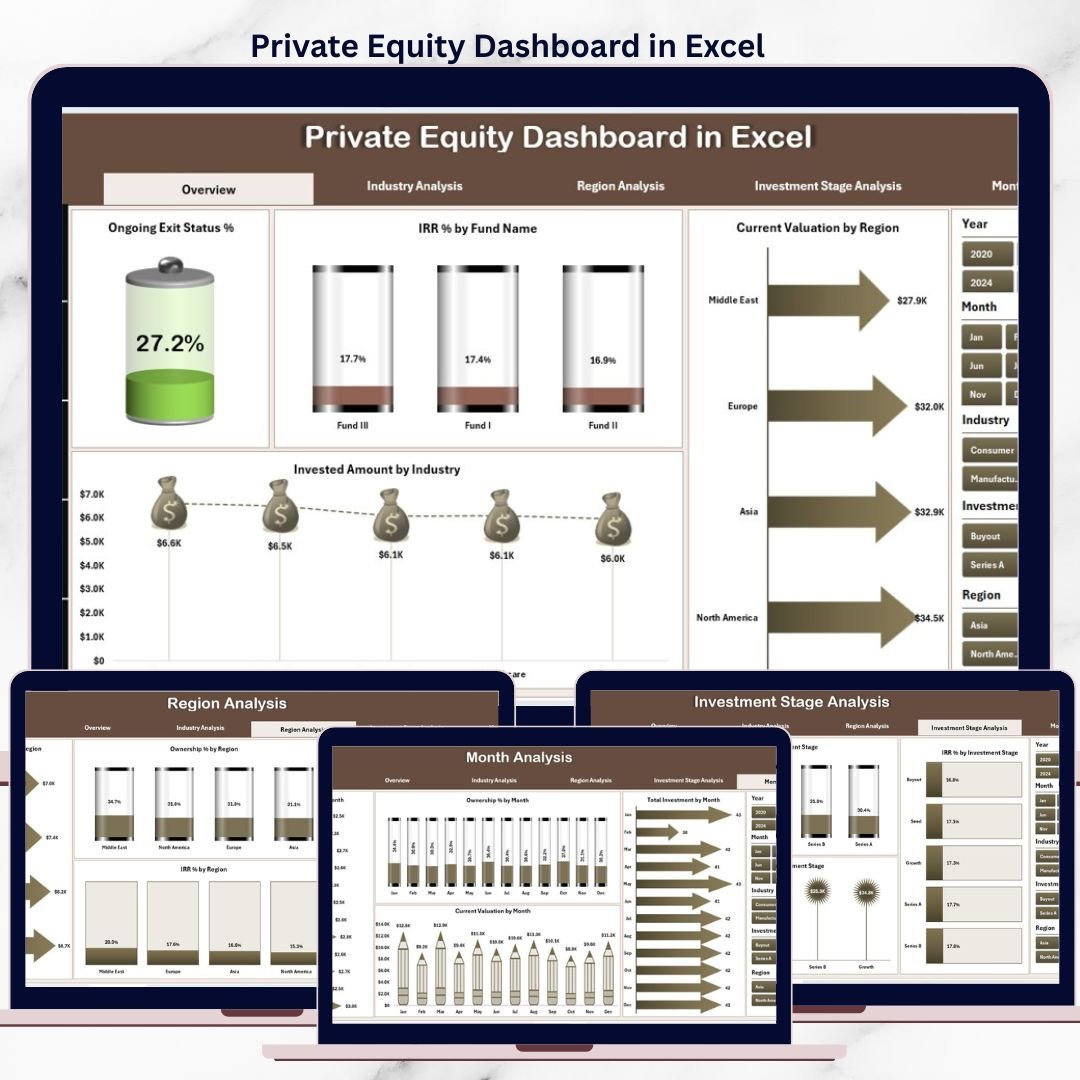
1️⃣ Overview Page – Portfolio Snapshot
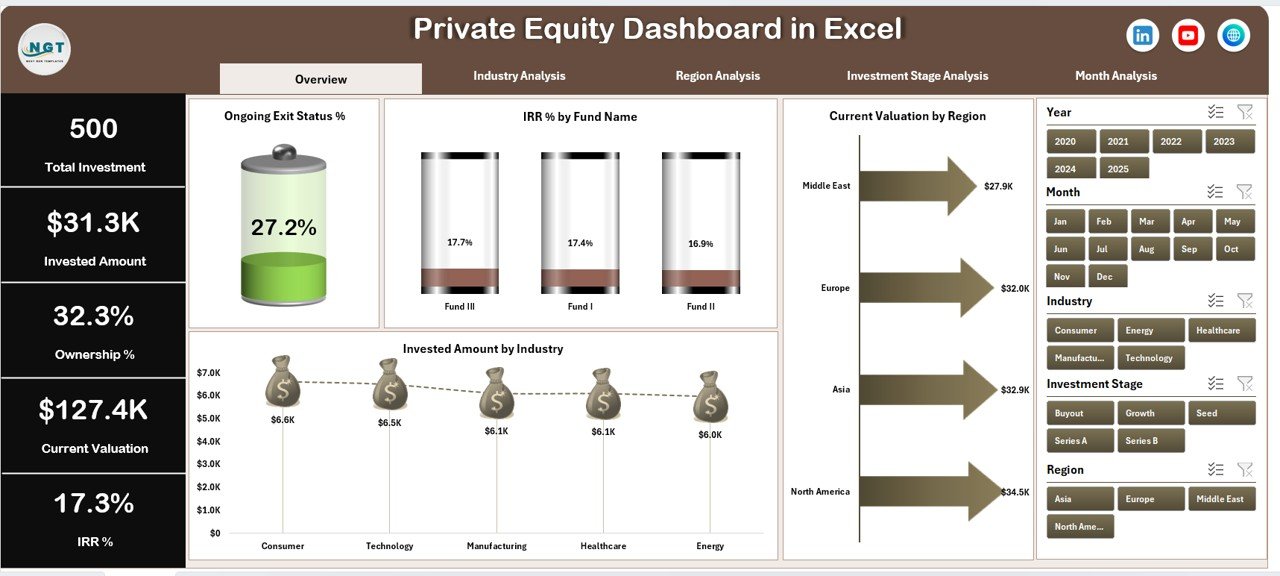
The Overview Page provides a high-level summary of private equity performance.
Key Visuals Included:
Ongoing Exit Status %
IRR % by Fund Name
Current Valuation by Region
Invested Amount by Industry
This page helps decision-makers quickly assess portfolio health before diving deeper.
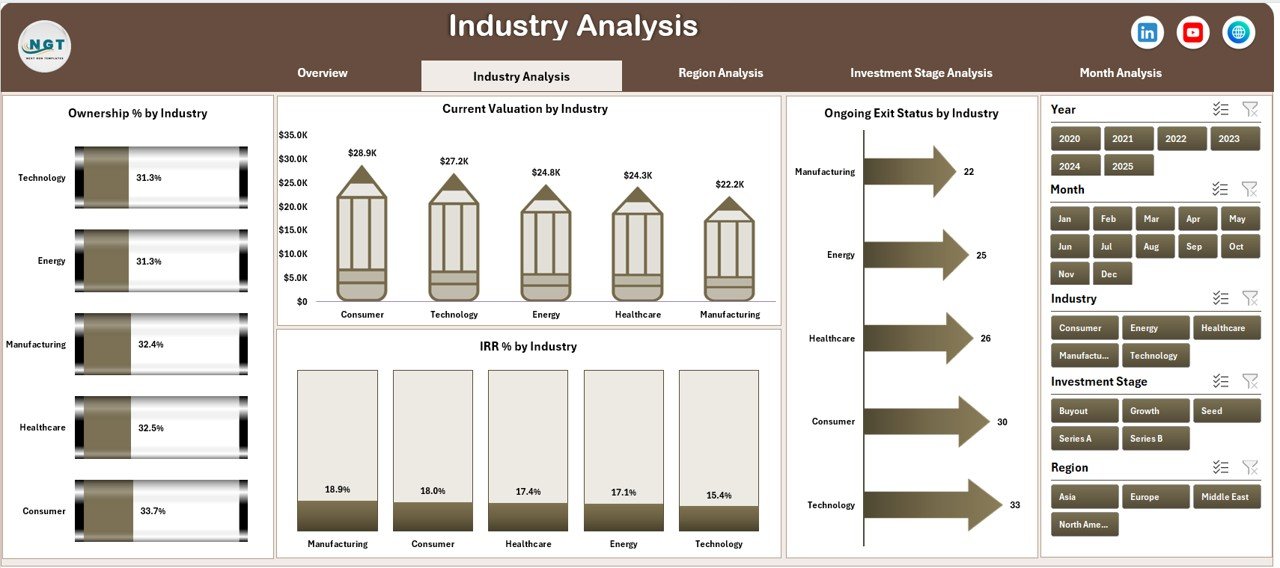
2️⃣ Industry Analysis Page – Sector Performance
Analyze investment performance across industries.
Charts Included:
Ownership % by Industry
Current Valuation by Industry
Ongoing Exit Status by Industry
IRR % by Industry
This page highlights which sectors drive returns and which need attention.
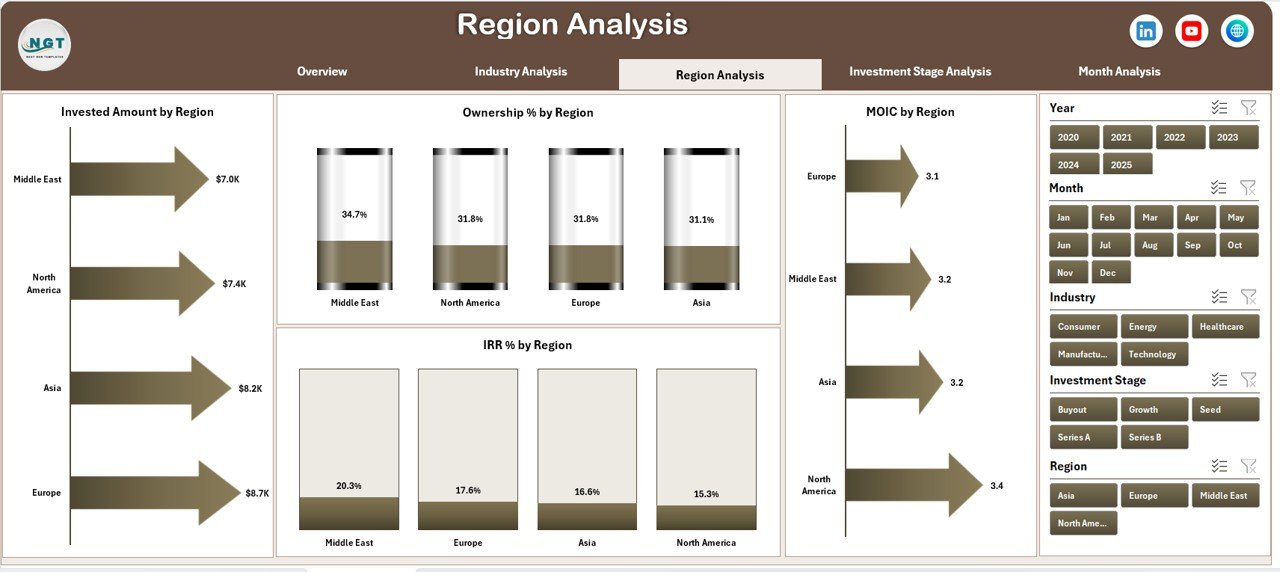
3️⃣ Region Analysis Page – Geographic Exposure
Understand performance across regions.
Charts Included:
Invested Amount by Region
Ownership % by Region
MOIC by Region
IRR % by Region
Helps firms manage geographic risk and identify high-performing regions.
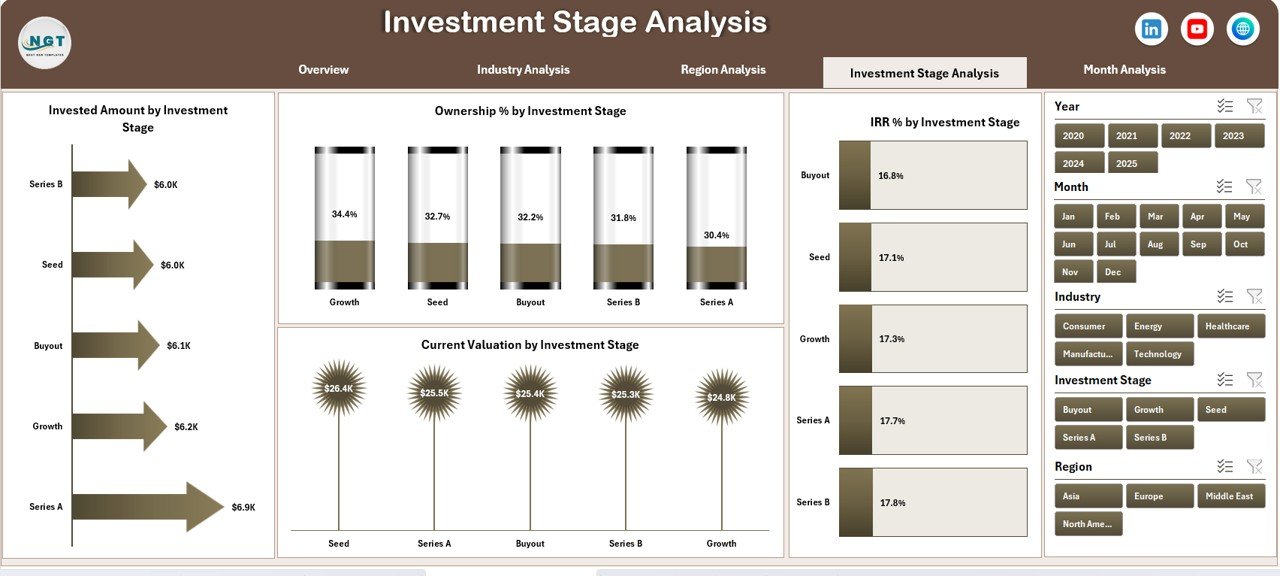
4️⃣ Investment Stage Analysis Page – Stage-Wise Returns
Evaluate returns across investment stages.
Charts Included:
Invested Amount by Investment Stage
Ownership % by Investment Stage
Current Valuation by Investment Stage
IRR % by Investment Stage
Supports smarter capital allocation decisions.
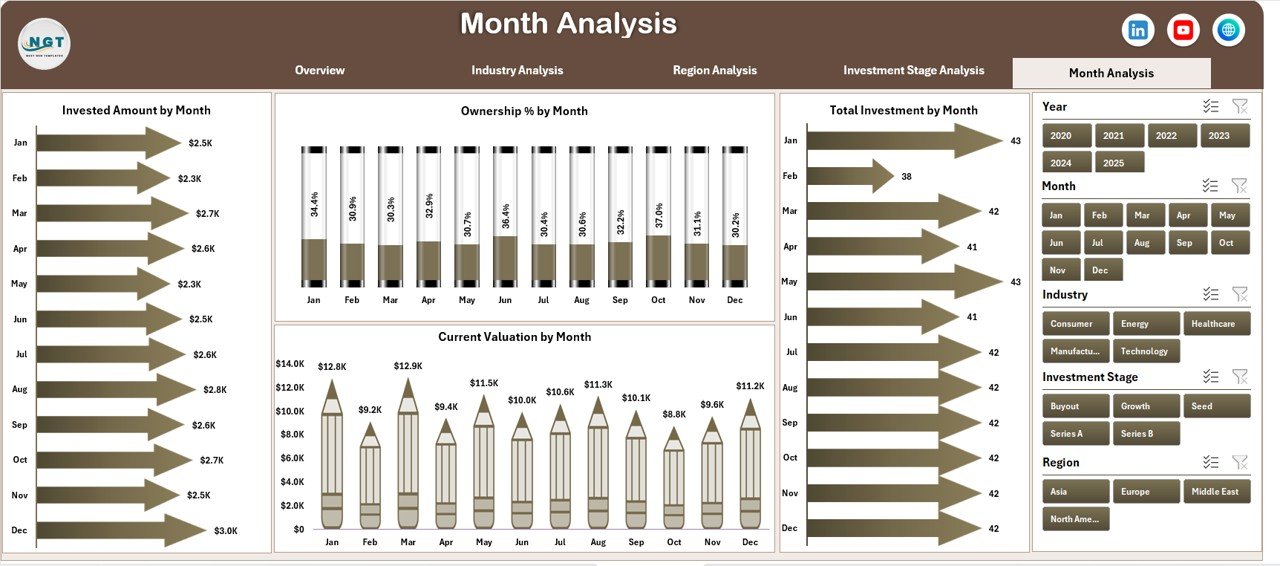
5️⃣ Month Analysis Page – Time-Based Trends
Track how investments evolve over time.
Charts Included:
Invested Amount by Month
Ownership % by Month
Current Valuation by Month
Total Investment by Month
This page reveals seasonality and timing patterns.
🗂️ Supporting Sheets Included
📌 Data Sheet
Stores all raw private equity data
Structured, clean, and pivot-ready
Acts as the backbone of the dashboard
⚙️ Support Sheet
Contains helper tables and calculations
Ensures slicers and charts work smoothly
Recommended to keep protected
📌 KPIs Tracked in the Dashboard
Invested Amount
Current Valuation
Ownership Percentage
Internal Rate of Return (IRR)
Multiple on Invested Capital (MOIC)
Exit Status
Fund-wise Performance
Industry-wise Performance
Region-wise Performance
Stage-wise Performance
✅ Advantages of Private Equity Dashboard in Excel
✔ Centralized investment tracking
✔ Faster and more confident decision-making
✔ Reduced manual reporting effort
✔ Improved data accuracy
✔ Interactive and flexible analysis
✔ Easy customization and scalability
✔ No expensive BI tools required
👥 Who Should Use This Dashboard?
Private Equity Fund Managers
Investment & Portfolio Analysts
Finance & Reporting Teams
CFOs and Investment Committees
Boutique PE Firms and Large Funds
If you manage private equity investments, this dashboard fits perfectly into your workflow.
🧠 Best Practices for Using the Dashboard
Maintain clean and structured data in the Data Sheet
Avoid hard-coding values in calculations
Use consistent definitions for IRR and MOIC
Refresh data regularly
Protect Support and calculation sheets
Use slicers for focused analysis
🎯 Conclusion
The Private Equity Dashboard in Excel converts complex investment data into clear, visual, and actionable insights. It improves transparency, accelerates decision-making, and significantly reduces reporting effort—while remaining flexible and cost-effective.
If you want clarity without complexity, this dashboard is the ideal solution for private equity performance tracking.
🎥 Learn step-by-step usage on our YouTube channel
👉 https://www.youtube.com/@PKAnExcelExpert
🔗 Click here to read the Detailed blog post
Watch the step-by-step video tutorial:
Compatibility and Requirements
- Works in Microsoft Excel desktop (Excel 2016 or later, or Microsoft 365).
- The dashboard uses slicers to filter by Fund, Industry, Region, Investment Stage and Month. Microsoft explains them in Use slicers to filter data.
Frequently Asked Questions
Which pages does the dashboard include?
Five analysis pages: Overview, Industry Analysis, Region Analysis, Investment Stage Analysis and Month Analysis. A page navigator on the left switches between them.
Which metrics does it track?
Invested Amount, Current Valuation, Ownership %, IRR, MOIC and Exit Status. You can view them by fund, industry, region, investment stage and month.
How do I update it with my own data?
Enter your private equity records in the Data Sheet. The charts and slicers update from that data. The Support Sheet holds the helper tables and is best kept protected.
Can I filter the charts?
Yes. Slicers filter the dashboard by Fund, Industry, Region, Investment Stage and Month.
Is there a Power BI or Google Sheets version?
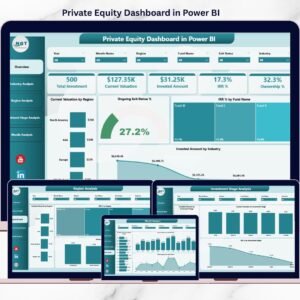
Yes. See the Private Equity Dashboard in Power BI and the Private Equity Dashboard in Google Sheets.
Related Private Equity Templates
- Private Equity Dashboard in Power BI: the same dashboard in Power BI
- Private Equity Dashboard in Google Sheets: a Google Sheets edition
- Private Equity KPI Dashboard in Excel: a KPI-focused view in Excel
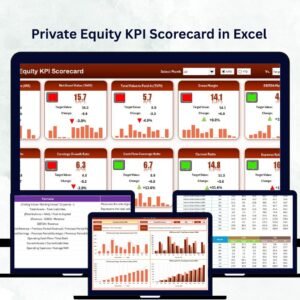
- Private Equity KPI Scorecard in Excel: a scorecard view of your metrics
- Finance Summary Dashboard in Excel: a wider finance summary
Browse all Excel dashboards.

























Reviews
There are no reviews yet.