

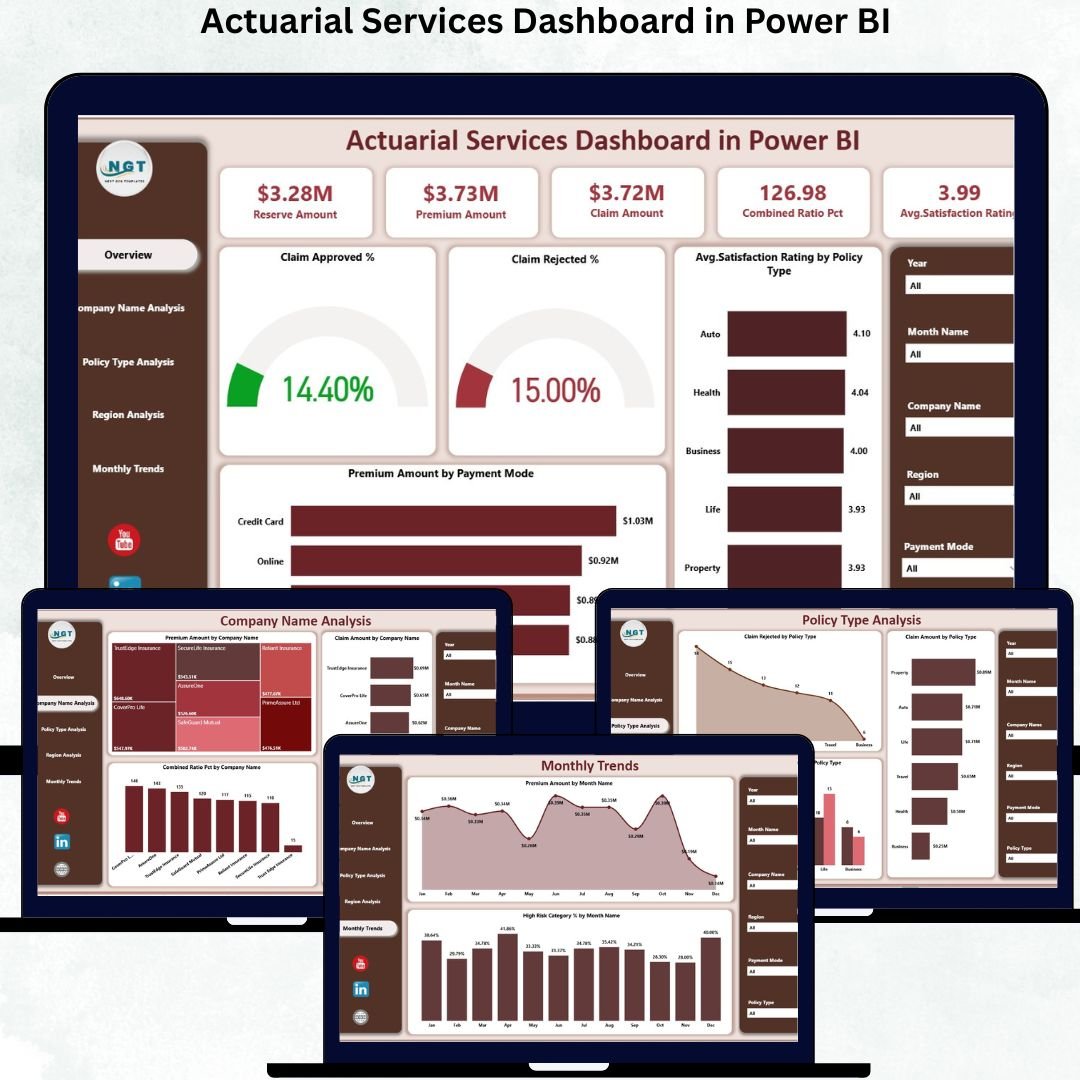

Actuarial Services Dashboard in Power BI Understanding actuarial data is one of the biggest challenges in the insurance and financial industry. Large datasets, complicated calculations, and hundreds of claims, premium, and policy metrics often make analysis slow and confusing. Actuarial Services Dashboard in Power BI That’s why we created the Actuarial Services Dashboard in Power BI, a fully interactive and user-friendly solution designed to simplify actuarial reporting. Actuarial Services Dashboard in Power BI with Actuarial Services Dashboard in Power BI this dashboard, you can visualize performance trends, identify risks faster, and make more confident decisions—without spending hours digging through spreadsheets.
Actuarial Services Dashboard in Power BI This ready-to-use dashboard converts raw actuarial data into beautiful visuals, clean layouts, and smart KPIs that help insurers, actuaries, and analysts understand business performance instantly. Actuarial Services Dashboard in Power BI Whether you want to explore premiums, reserves, claim behavior, or monthly trends, every insight is available with just one click.
✨ Key Features of the Actuarial Services Dashboard in Power BI
This product brings together everything an actuarial team needs for confident decision-making.
📌 Five Fully Designed Dashboard Pages
Each page is built with precision to highlight different segments of actuarial analysis—Overview, Company Name Analysis, Policy Type Analysis, Region Analysis, and Monthly Trends.
📌 Powerful Slicers for Quick Filtering
Filter data by company, policy type, region, month, or category to view insights instantly.
📌 Intuitive KPIs & Performance Metrics
Track claim approved %, claim rejected %, premium flows, reserves, risk categories, satisfaction ratings, and more.
📌 Clean, Modern Visuals
Interactive charts, cards, and graphs make complex actuarial insights simple and easy to understand.
📌 Ready for Professional Reporting
Use it for board meetings, risk assessment reviews, operational reporting, partner comparison, or customer satisfaction analysis.
📦 What’s Inside the Actuarial Services Dashboard in Power BI
You get a professionally built Power BI dashboard structured into five key pages:
1️⃣ Overview Page
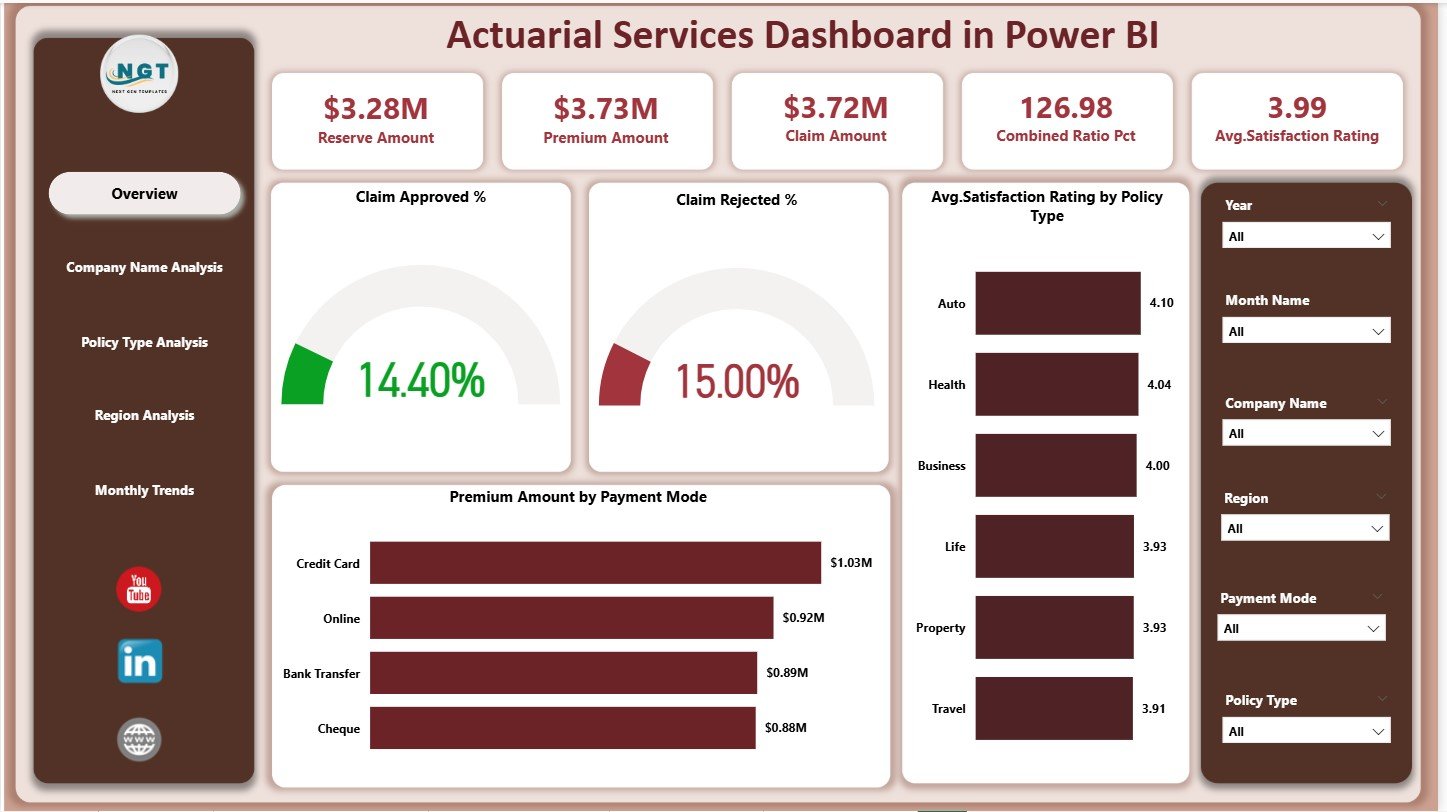
✔ Important KPIs like Claim Approved %, Claim Rejected %, Total Premium Amount, Claim Amount, and Customer Satisfaction
✔ Charts showing approval trends, rejection patterns, satisfaction ratings, and premium behavior
2️⃣ Company Name Analysis Page
✔ Premium Amount by Company
✔ Claim Amount by Company
✔ Combined Ratio % by Company
Perfect for comparing partner companies and identifying high-risk areas.
3️⃣ Policy Type Analysis Page
✔ Claim Approved % by Policy Type
✔ Claim Rejection by Policy Type
✔ Claim Amount by Policy Type
Ideal for understanding policy performance and pricing needs.
4️⃣ Region Analysis Page
✔ Premium Amount by Region
✔ Reserve Amount by Region
✔ Claim Approved % by Region
5️⃣ Monthly Trends Page
✔ Premium Amount by Month
✔ High-Risk Category % by Month
Helps forecast performance and identify seasonality.
🛠️ How to Use the Actuarial Services Dashboard in Power BI
Using this dashboard is extremely simple—even for beginners.
👉 Step 1: Load Your Data
Connect your Excel, SQL, or other actuarial data files.
👉 Step 2: Use Slicers to Filter Insights
Select policy types, regions, or companies to compare results instantly.
👉 Step 3: Explore Each Dashboard Page
Every page is designed to answer a different set of business questions.
👉 Step 4: Share Insights with Teams
Export visuals, share dashboards online, or use them in presentations.
👉 Step 5: Refresh Data Anytime
Power BI automatically updates calculations and visuals after each refresh.
🎯 Who Can Benefit from This Actuarial Services Dashboard?
This dashboard is built for everyone managing actuarial data:
👨💼 Actuaries
Analyze claims, reserves, and risk levels with clarity.
📊 Analysts & Reporting Teams
Reduce manual work and get instant insights.
🏢 Insurance Managers & Executives
Understand performance trends instantly for faster decision-making.
💼 Underwriting & Risk Management Teams
Monitor high-risk categories and identify weak-performing regions or policies.
📈 Finance Teams
Evaluate premium flows, payout trends, and company profitability.
If you work with actuarial data, this dashboard will save you hours every single week.






























Reviews
There are no reviews yet.