

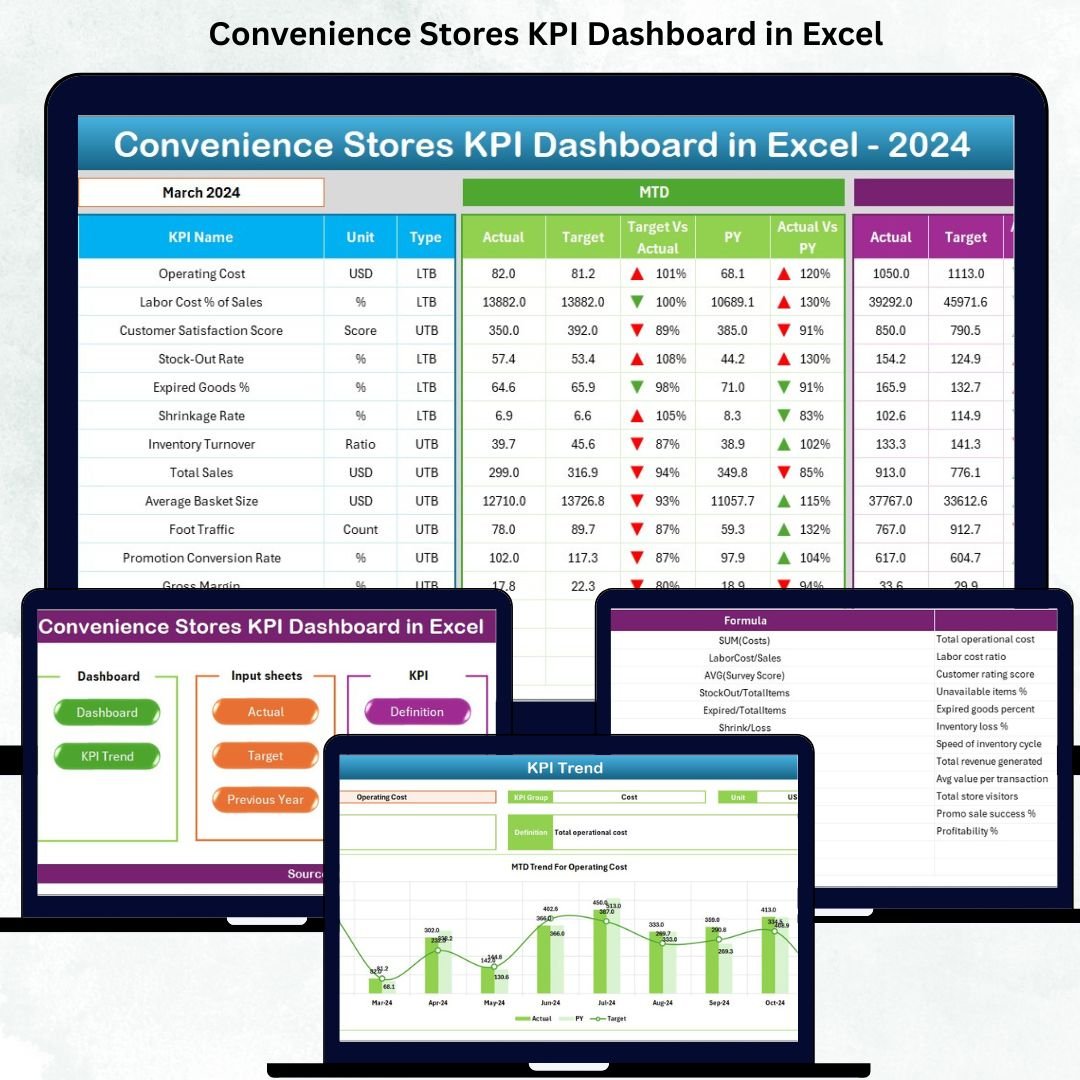




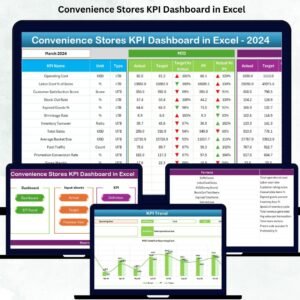
Managing a convenience store requires speed, accuracy, and constant monitoring. Inventory moves fast, customer footfall changes daily, and even a small mistake in stock planning or shrinkage control can affect profitability. To help store owners and managers stay in control, we have created the Convenience Stores KPI Dashboard in Excel—a ready-to-use, fully automated, and easy-to-understand performance monitoring tool designed for retail businesses of all sizes.Convenience Stores KPI Dashboard in Excel
This dashboard converts raw store data into visual insights so you can track your sales, inventory, store expenses, shrinkage, stock movement, customer trends, and profitability in one place. Whether you manage a single store or multiple locations, this dashboard puts every important KPI in front of you—clearly, visually, and accurately—so you can make faster and better decisions.Convenience Stores KPI Dashboard in Excel
Let’s explore how this digital product helps your convenience store run smarter than ever.
✨ Key Features of the Convenience Stores KPI Dashboard in Excel
Our Excel dashboard comes with seven professionally designed worksheets, each created to help you analyze your store’s performance instantly.
🔹 Smart Navigation (Summary Page)
A clean and simple index page helps you jump to any sheet with a single click. It’s designed for beginners and advanced users, making navigation effortless.
🔹 Interactive Dashboard Sheet
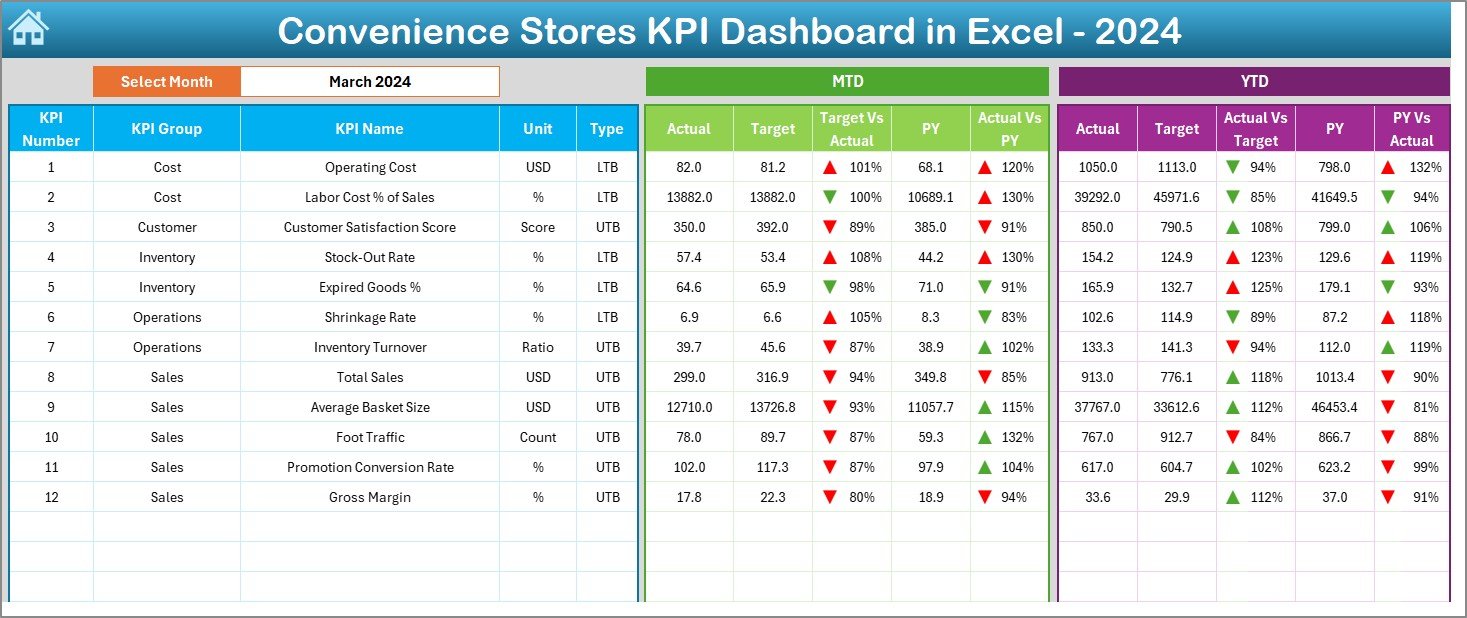
This is the heart of the system. With a Month Selector, you can instantly view:
MTD Actual, Target & Previous Year
YTD Actual, Target & Previous Year
Target vs Actual
PY vs Actual
All metrics use conditional formatting and arrow visuals, helping you read performance at a glance.
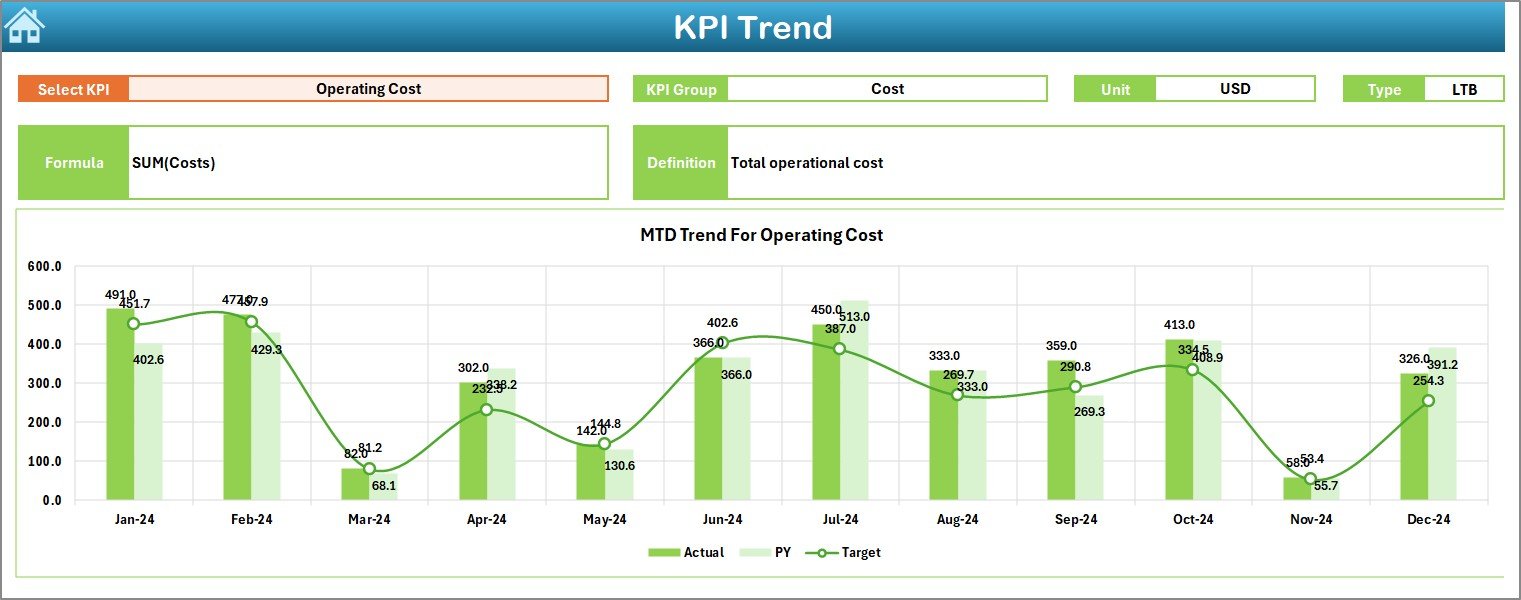
🔹 KPI Trend Page
Choose any KPI from the dropdown and see its complete trend with charts comparing Actual, Target, and Previous Year. Perfect for spotting patterns and improvement areas.
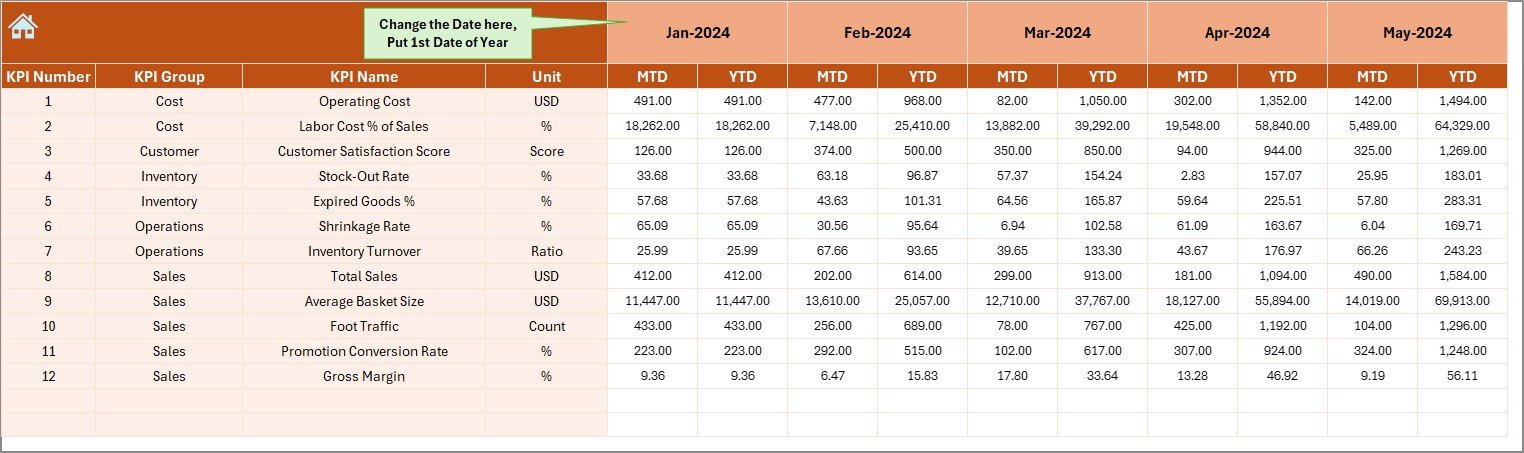
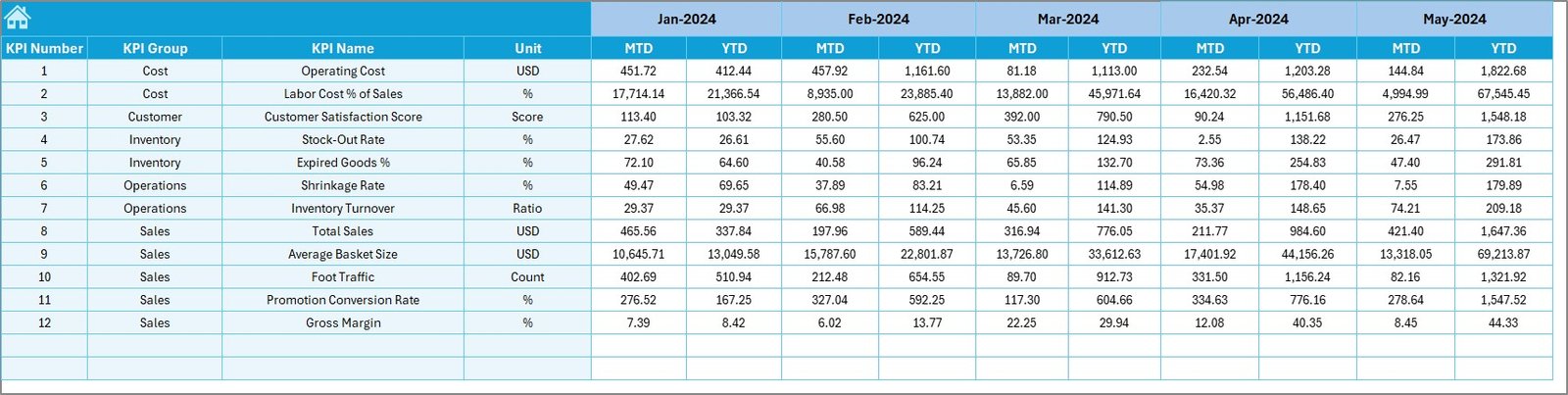
🔹 Actual, Target & Previous Year Data Sheets
You get dedicated sheets to update your store’s:
Actual performance
Monthly and yearly targets
Previous year numbers
This setup ensures clean, organized, and accurate reporting.
🔹 KPI Definition Sheet
Every KPI used in the dashboard is documented with its unit, formula, and definition—helping teams understand the metrics clearly.
📦 What’s Inside the Convenience Stores KPI Dashboard in Excel
When you download this product, you receive a fully structured Excel file containing:
7 Interactive Worksheets
Pre-built KPI calculations
Trend charts for all KPIs
MTD & YTD automated summaries
A complete KPI dictionary
Built-in navigation buttons
Easy data entry forms
Conditional formatting indicators
Clean, modern dashboard layout
Every element has been designed to make your performance tracking effortless.
🛠️ How to Use the Convenience Stores KPI Dashboard in Excel
Using this dashboard requires no technical expertise. Just follow these simple steps:
Enter Actual Values
Go to the Actual Numbers Sheet and enter your monthly figures.Enter Targets
Type your store’s target values in the Target Sheet.Add Previous Year Data
Use last year’s numbers for accurate comparison.Choose a Month
Select any month from the Dashboard Sheet and watch all visuals refresh instantly.Review Trends
Visit the Trend Sheet to analyze KPI patterns over time.Take Action
Use insights to improve stock control, reduce shrinkage, boost sales, and manage costs.
You can update this dashboard weekly, monthly, or daily—depending on your business needs.
👥 Who Can Benefit from This Convenience Stores KPI Dashboard in Excel
This dashboard is ideal for:
🏪 Convenience Store Owners
Track performance instantly and make confident business decisions.
🧾 Store Managers
Monitor targets, shrinkage, expenses, and team output every month.
📊 Retail Analysts
Analyze KPIs quickly without building dashboards from scratch.
🧮 Accountants & Operations Teams
Get accurate KPIs for financial and operational reporting.
🏬 Multi-Store Businesses
Monitor multiple branches by using this dashboard as a master template.
If you want to run your store efficiently, reduce waste, increase revenue, and streamline reporting—this template is perfect for you.
### Click here to read the Detailed blog post
Watch the step-by-step video tutorial:
Visit our YouTube channel to learn step-by-step video tutorials
👉 <a href=”https://youtube.com/@PKAnExcelExpert”>YouTube.com/@PKAnExcelExpert</a>
Compatibility and Requirements
- Works in Microsoft Excel desktop (Excel 2016 or later, or Microsoft 365).
- The Dashboard sheet uses a month selector and the KPI Trend sheet uses a KPI dropdown. Microsoft explains dropdowns in Create a drop-down list.
Frequently Asked Questions
How many worksheets does the dashboard have?
Seven worksheets: a summary page with navigation, the Dashboard, KPI Trend, Actual Numbers, Target, Previous Year Numbers and KPI Definition.
How do I update the dashboard?
Enter your monthly figures in the Actual Numbers sheet, your goals in the Target sheet and last year’s figures in the Previous Year sheet. Then pick a month on the Dashboard sheet and the visuals refresh.
Can I compare this year with last year?
Yes. The Dashboard shows MTD and YTD Actual, Target and Previous Year side by side, with Target vs Actual and PY vs Actual comparisons.
How do I see the trend for one KPI?
Open the KPI Trend sheet and choose a KPI from the dropdown. The charts compare Actual, Target and Previous Year for that KPI.
Is there a Google Sheets or Power BI version?
Yes. See the Convenience Store KPI Dashboard in Google Sheets and the Convenience Stores KPI Dashboard in Power BI.
Related Convenience Store Templates
- Convenience Stores KPI Dashboard in Power BI: the same KPIs in Power BI
- Convenience Store KPI Dashboard in Google Sheets: a version for Google Sheets
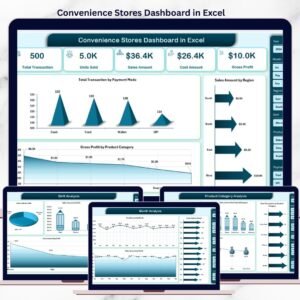
- Convenience Stores Dashboard in Excel: another dashboard for convenience stores in Excel
- Convenience Store KPI Scorecard in Excel: a scorecard view of your store metrics
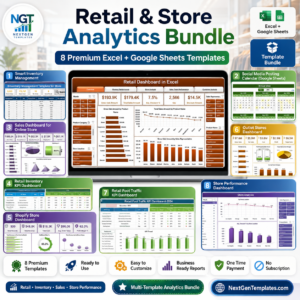
- Retail & Store Analytics Bundle: 8 retail templates in one download
Browse all Excel KPI dashboards.































Reviews
There are no reviews yet.