

Finding the right inventory management excel template can completely transform the way your business handles stock — saving hours of manual work, eliminating costly errors, and giving you real-time visibility into every product you own. If you’re still relying on scattered spreadsheets or paper-based systems, you’re leaving money on the table every single day.
The good news? You don’t need to invest in expensive software. NextGenTemplates.com offers a powerful lineup of ready-to-use, Excel-based inventory management tools designed for real businesses of every size — from small retail stores to large-scale warehouses.
In this post, we’re reviewing the 3 best inventory management Excel templates available right now, so you can pick the one that fits your business perfectly and start managing inventory like a pro today.
Why Choose an Inventory Management Excel Template?
A well-designed inventory management excel template gives you everything you need — without the monthly fees, steep learning curves, or IT dependencies of cloud-based software. You get full control, offline access, automatic calculations, and a system that works exactly how your business works.
All three tools featured below are built on Microsoft Excel with smart VBA automation. That means no manual stock counting, no formula errors, and no technical background required to get started.
🛒 #1 — Inventory Management Template for Store
Best For: Small Businesses, Retail Stores & E-commerce Beginners
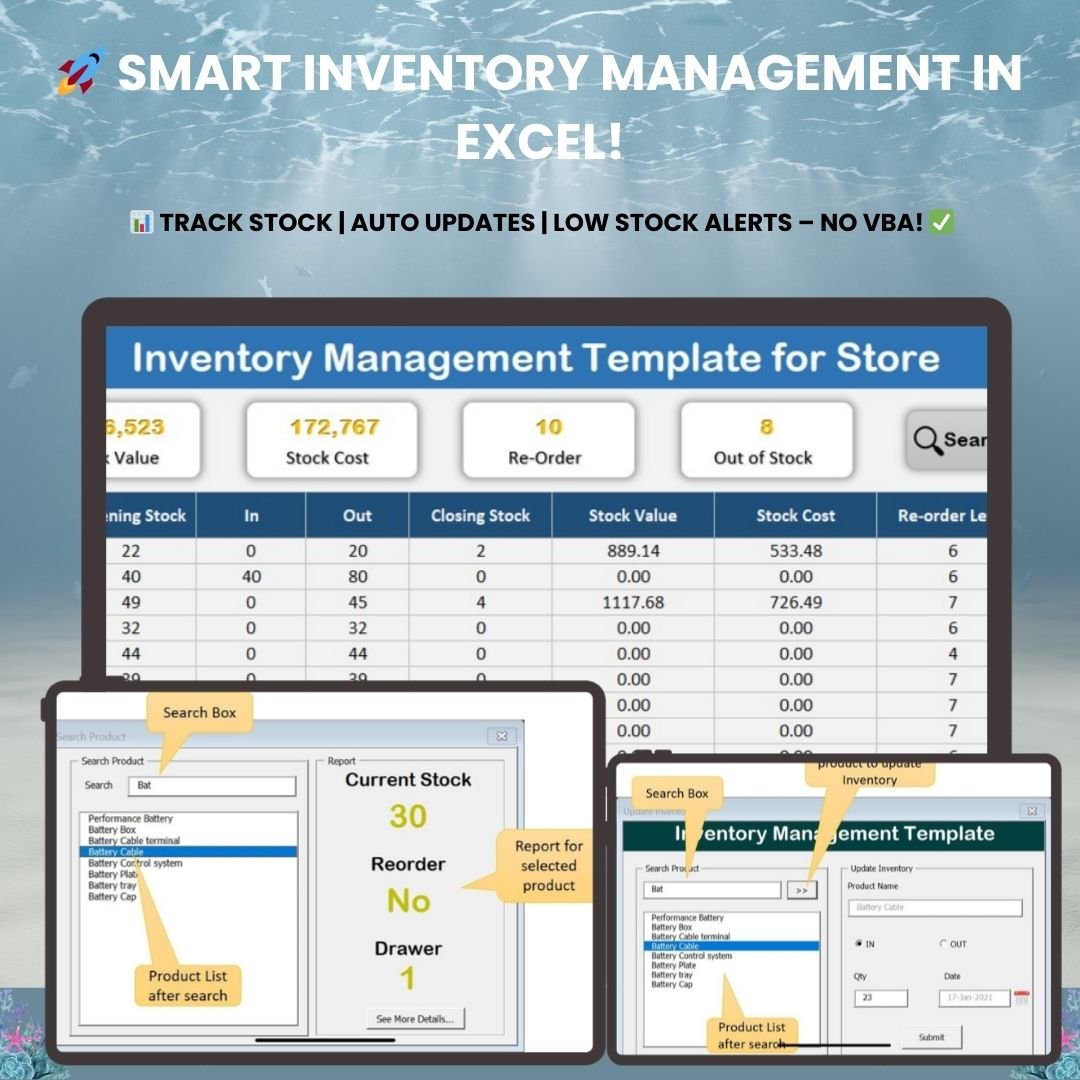
If you’re just getting started with inventory tracking, this Inventory Management Template for Store is the perfect entry-level inventory management excel template. It’s clean, intuitive, and built to eliminate the headaches of manual stock tracking — with no Excel expertise required.
Key Features:
- 📊 Real-Time Inventory Dashboard — Instantly view current stock levels, stock value, costs, and low-stock or out-of-stock alerts in a visually appealing layout.
- 📄 Automated Inventory Tracking Worksheet — Product movements are tracked automatically using built-in formulas. No manual entry, no errors.
- 📥 Stock In-Out Worksheet — Records every stock movement and keeps your data up to date at all times.
- 📦 Product Master Database — Store product names, cost per unit, storage location, and custom reorder levels — all in one place.
- 🔍 Smart Search & Filter Options — Locate any product in seconds. Check stock quantity, reorder status, and storage location instantly.
- 📢 Low Stock & Reorder Alerts — Set custom reorder thresholds and receive automatic notifications before stock runs out.
- 📂 Export & Backup Options — Easily export inventory reports to Excel for sharing, analysis, or audit records.
This inventory management excel template is ideal for retail stores, e-commerce businesses, small manufacturers, and warehouses looking to automate stock tracking without investing in costly software.
👉 Download the Inventory Management Template for Store →
📊 #2 — Inventory Management System V3.0
Best For: Growing Businesses, Wholesalers & Retailers Who Need More Power
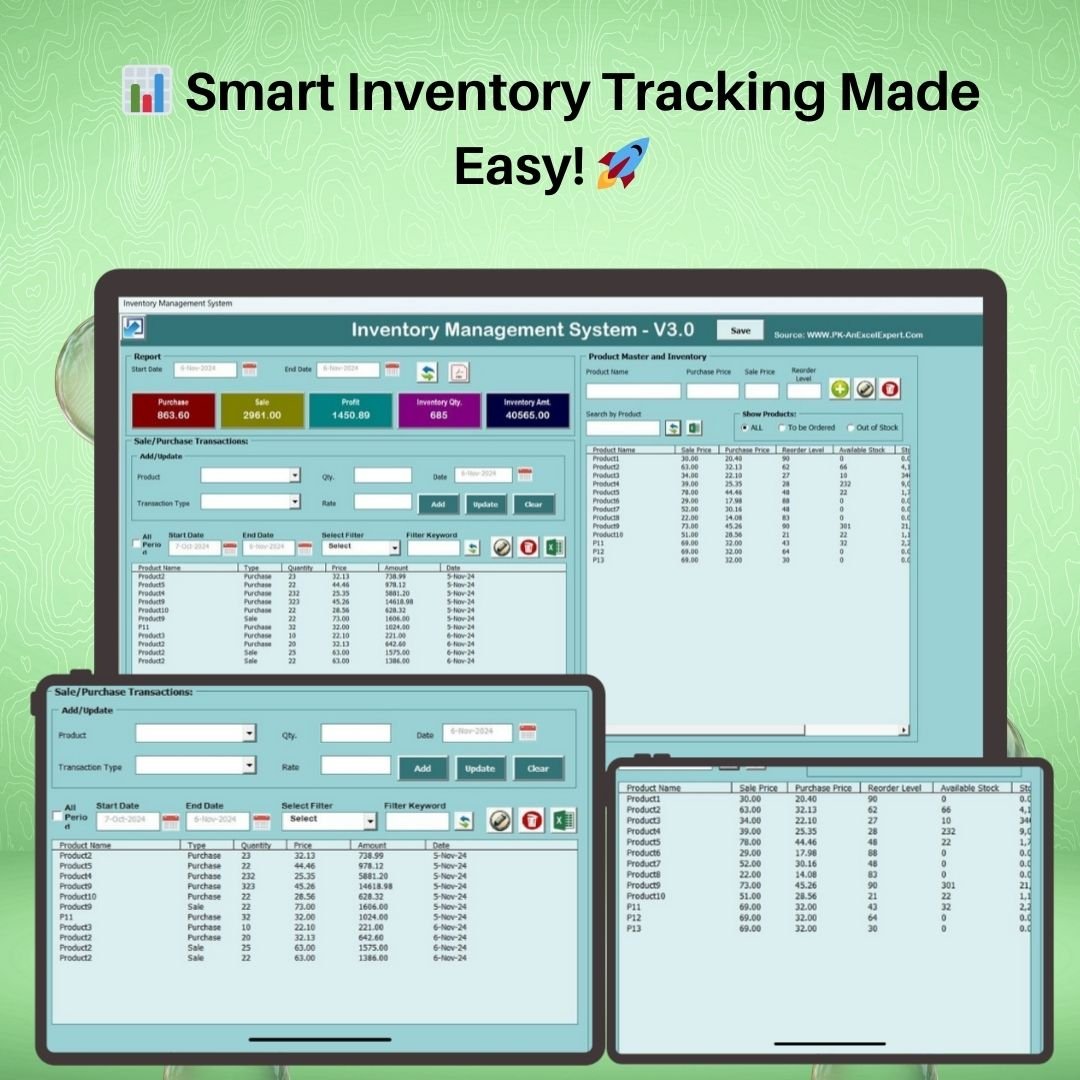
Ready for a more powerful inventory management excel template? The Inventory Management System V3.0 is a feature-rich Excel solution that gives growing businesses a comprehensive view of their stock, sales, purchases, and profitability — all in a single, well-structured file.
What makes V3.0 a standout inventory management excel template is its deep focus on transaction tracking and business analytics. It’s not just about knowing how much stock you have — it’s about understanding where your money is going and how your business is performing over time.
Key Features:
- ✅ Comprehensive Real-Time Dashboard — View total purchases, total sales, profit calculations, inventory quantity, and stock value all in one screen.
- ✅ Sales & Purchase Transaction Tracking — Log every transaction with a date, type, and amount. Stock levels update automatically with each entry.
- ✅ Product Master & Inventory Control — Manage product names, purchase prices, sale prices, reorder levels, and available stock with smart search and filter functions.
- ✅ Automated Reporting & Analysis — Generate reports by date range. Export to Excel or PDF for record-keeping and business forecasting.
- ✅ Smart Filtering & Sorting — Sort data by product, price, quantity, transaction type, or date. Instantly spot out-of-stock items and reorder triggers.
- ✅ No VBA Required — Works seamlessly within standard Microsoft Excel — no macro configuration or technical setup needed.
V3.0 is a solid inventory management excel template for small and medium businesses, retailers, wholesalers, online sellers, and warehouse managers who want comprehensive tracking without complexity.
👉 Download Inventory Management System V3.0 →
⚙️ #3 — Advanced Inventory Management System V1.0
Best For: Medium-to-Large Businesses, Warehouses & Inventory Professionals

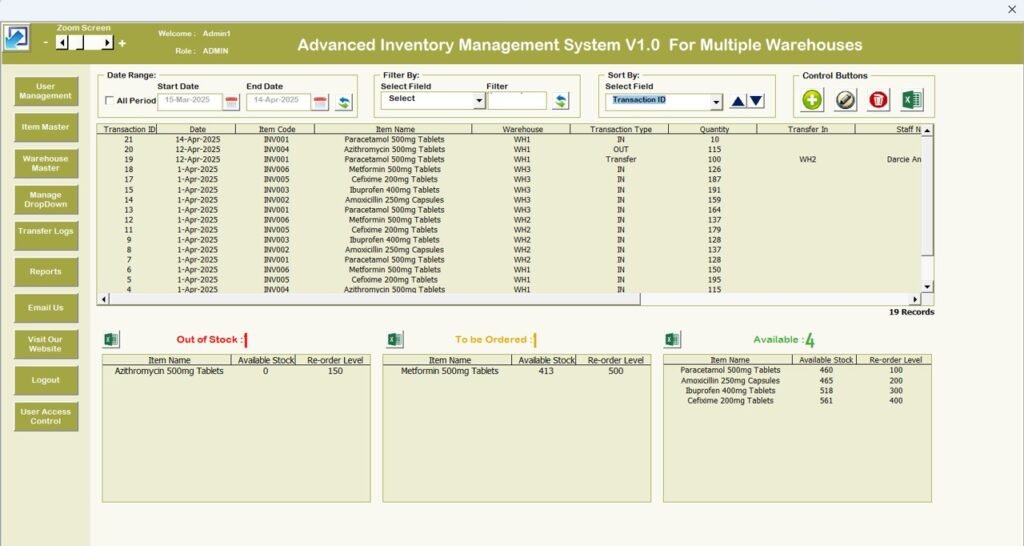
For businesses that need an enterprise-grade inventory management excel template without the enterprise price tag, the Advanced Inventory Management System V1.0 is the most powerful option in this lineup. Driven by VBA automation, this system handles real-time stock tracking, full order management, and advanced analytics — all from inside Microsoft Excel.
Whether you’re managing a retail chain, a distribution warehouse, or a large e-commerce operation, this advanced inventory management excel template is built to scale and keep your operations running smoothly.
Key Features:
- 📦 Real-Time Stock Tracking — Monitor stock levels live. Get instant updates whenever stock is added or removed, preventing both stockouts and overstocking.
- 🛒 Order Management & Tracking — Track incoming orders, deliveries, returns, sales orders, and purchase orders in one centralized system.
- 📊 Stock Replenishment Alerts — Low stock levels and reorder points display directly on the landing page so you never miss a restocking window.
- 💡 Product Categorization & Labeling — Organize inventory by product category, supplier, type, or any criteria that fits your business model.
- 📈 Inventory Analytics & Reports — Generate detailed reports on stock levels, product movement, sales trends, and performance. Identify top sellers and underperforming products instantly.
- ⚙️ Fully Customizable — Tailor fields, settings, and reports to match your exact operational needs — whether retail, warehouse, manufacturing, or e-commerce.
This is the go-to inventory management excel template for larger operations — including SMBs, warehouses, distribution centers, retailers, wholesalers, manufacturers, and supply chain professionals who need a robust, scalable solution.
👉 Download the Advanced Inventory Management System V1.0 →
📋 Quick Comparison: Which Inventory Management Excel Template Is Right for You?
| Feature | Store Template | V3.0 System | Advanced V1.0 |
|---|---|---|---|
| Real-Time Dashboard | ✅ | ✅ | ✅ |
| Automated Stock Tracking | ✅ | ✅ | ✅ |
| Sales & Purchase Transactions | ❌ | ✅ | ✅ |
| Profit Calculation | ❌ | ✅ | ✅ |
| Full Order Management | ❌ | ✅ | ✅ |
| Low Stock Alerts | ✅ | ✅ | ✅ |
| Export to PDF / Excel | ✅ | ✅ | ✅ |
| Product Categorization | Basic | Advanced | Full |
| VBA-Powered Automation | ✅ | ❌ (No VBA) | ✅ |
| Analytics & Reports | Basic | Intermediate | Advanced |
| Fully Customizable | ✅ | ✅ | ✅ (Full) |
| Best For | Small stores & beginners | Growing businesses | Large-scale operations |
🎯 Which Inventory Management Excel Template Should You Choose?
Choosing the right inventory management excel template depends on where your business is right now — and where you want it to go.
If you’re a small retail store, e-commerce startup, or solo entrepreneur who needs a simple, no-fuss stock tracking system, go with the Inventory Management Template for Store. It’s affordable, beginner-friendly, and gets you organized instantly.
If you’re a growing retailer, wholesaler, or manufacturer who needs to track transactions, monitor profit margins, and export reports — without needing VBA knowledge — the Inventory Management System V3.0 hits the sweet spot between power and simplicity.
And if you’re managing a warehouse, distribution center, or large-scale inventory operation and need a fully featured, VBA-powered inventory management excel template — the Advanced Inventory Management System V1.0 is built exactly for you.
✅ Final Thoughts
The right inventory management excel template doesn’t just track your stock — it transforms how your entire business operates. You eliminate errors, prevent stockouts, understand your profit margins, and make faster, smarter decisions every day.
All three templates are available for instant download at NextGenTemplates.com. No subscription. No complicated setup. Just download, open in Excel, and start managing your inventory the smart way — today.
👉 Inventory Management Template for Store — Best for small businesses
👉 Inventory Management System V3.0 — Best for growing businesses
👉 Advanced Inventory Management System V1.0 — Best for large operations