
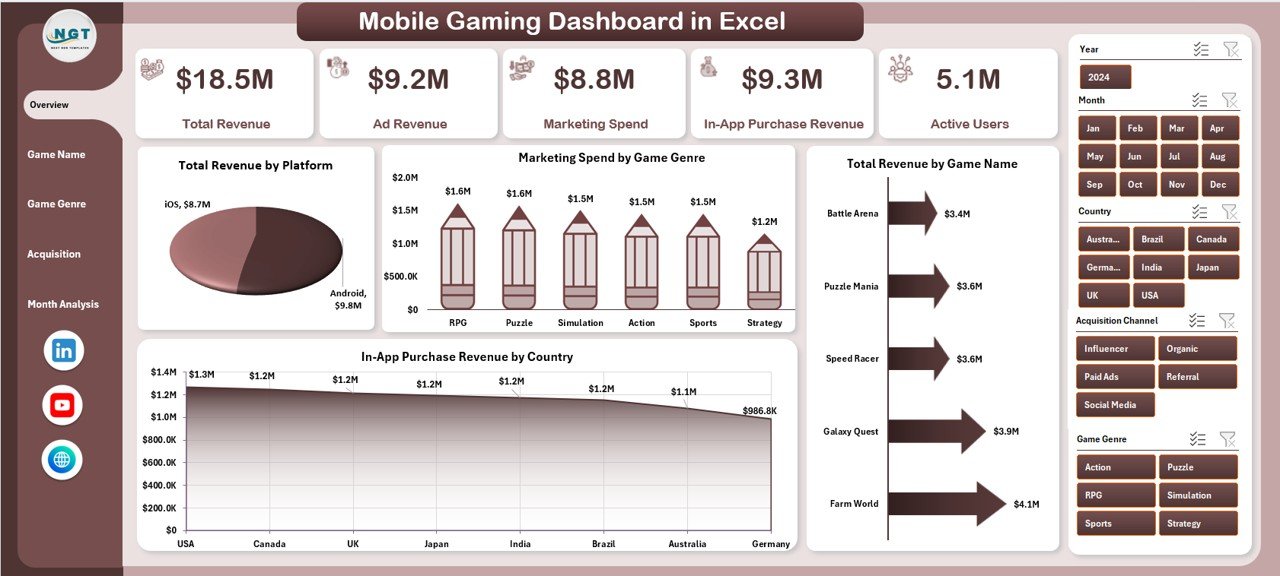
Mobile Gaming Dashboard is no longer just entertainment—it is a fast-growing business driven by data, monetization strategies, and user engagement metrics. Every day, mobile games generate massive volumes of data related to revenue, in-app purchases, ad performance, active users, session duration, platforms, genres, and acquisition channels. However, when this data stays scattered across multiple reports and tools, teams struggle to understand performance clearly.
That is exactly why the Mobile Gaming Dashboard in Excel becomes a powerful and essential analytics solution 🚀.
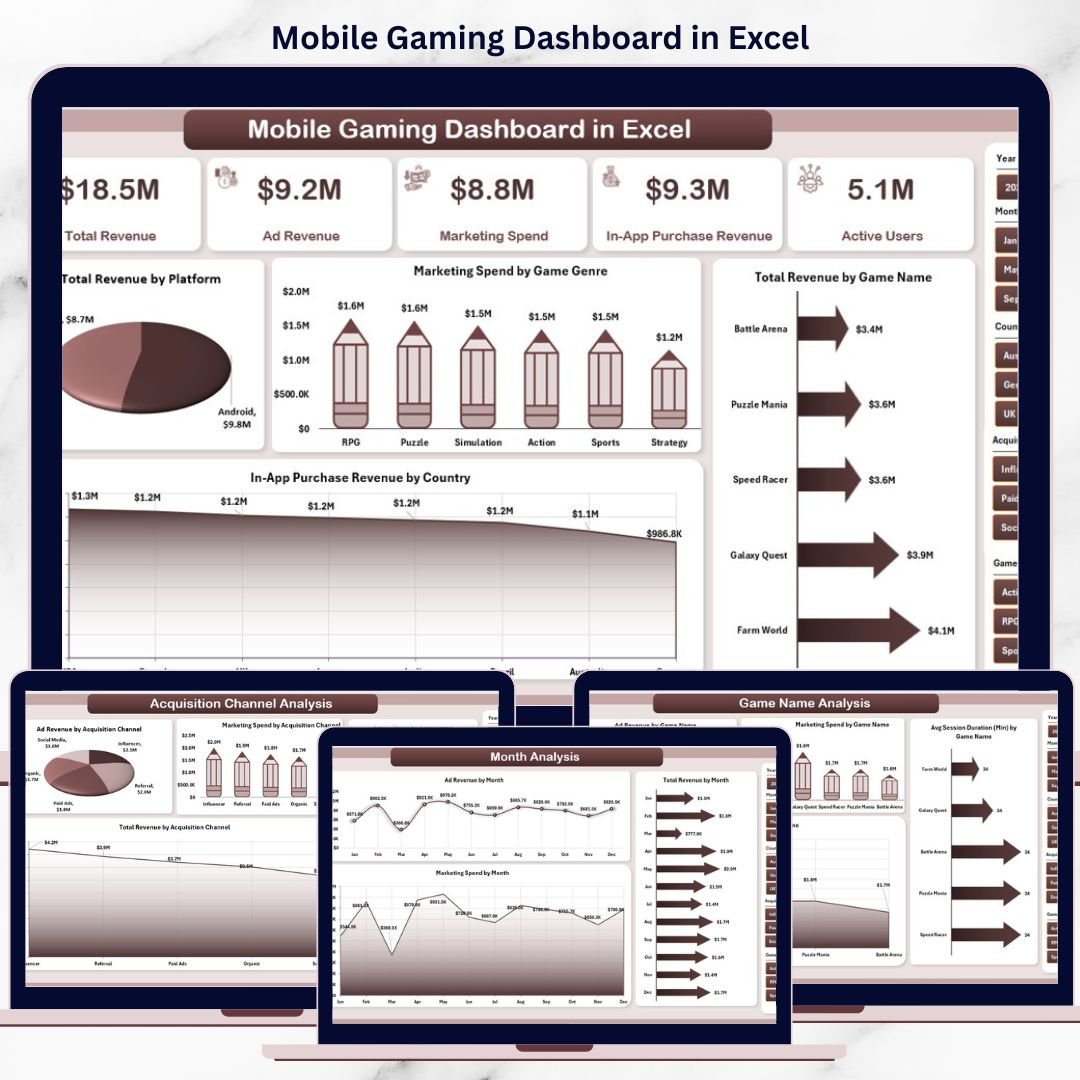
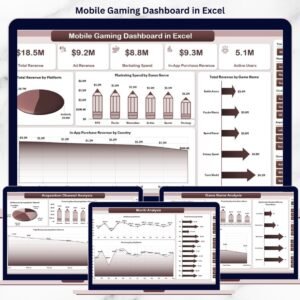
This ready-to-use Excel dashboard converts raw mobile gaming data into clear, visual, and actionable insights. Instead of manually reviewing multiple spreadsheets, game studios, publishers, and marketing teams can track revenue, engagement, marketing spend, and growth trends from a single interactive Excel file.
Because the dashboard is built entirely in Excel, it remains cost-effective, flexible, and easy to maintain. You do not need expensive BI tools or technical expertise. Simply update the data, refresh pivots, and instantly view updated insights. As a result, teams move from guesswork to data-driven gaming decisions.
Whether you manage one mobile game or an entire portfolio across platforms and regions, this dashboard gives you the visibility and control you need to scale performance confidently.
🔑 Key Features of Mobile Gaming Dashboard in Excel
🎮 All-in-One Gaming Performance View – Track revenue, users, and marketing metrics in one place
📊 Interactive Excel Dashboard – Dynamic charts and slicers for instant analysis
🧭 Page Navigator – Seamless navigation across dashboard pages
🎯 Platform & Genre Analysis – Compare Android vs iOS and genre-wise performance
💰 Revenue & Monetization Tracking – Monitor ad revenue and in-app purchases clearly
📈 User Engagement Insights – Analyze active users and session duration
📣 Marketing Spend Analysis – Optimize acquisition channels and campaign ROI
⚡ Fully Customizable Excel Template – Modify KPIs without technical skills
📂 What’s Inside the Mobile Gaming Dashboard in Excel
This digital product includes five professionally designed analytical pages, each focused on a critical gaming performance area:
📌 Overview Page – High-level snapshot with KPI cards and revenue insights
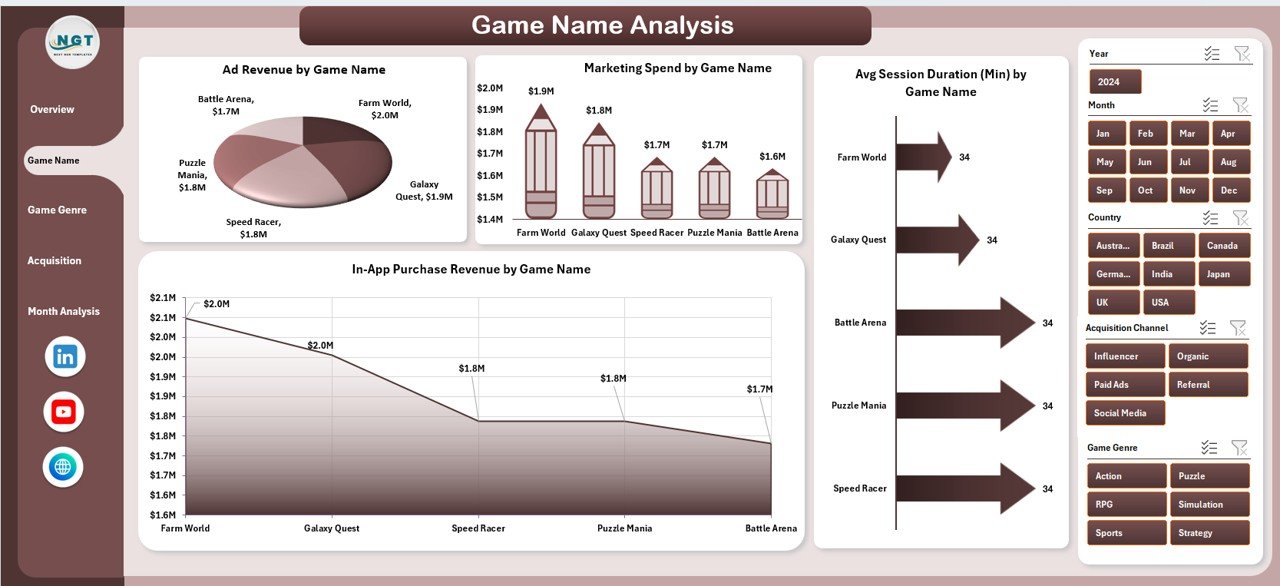
📌 Game Name Analysis – Compare performance across individual games
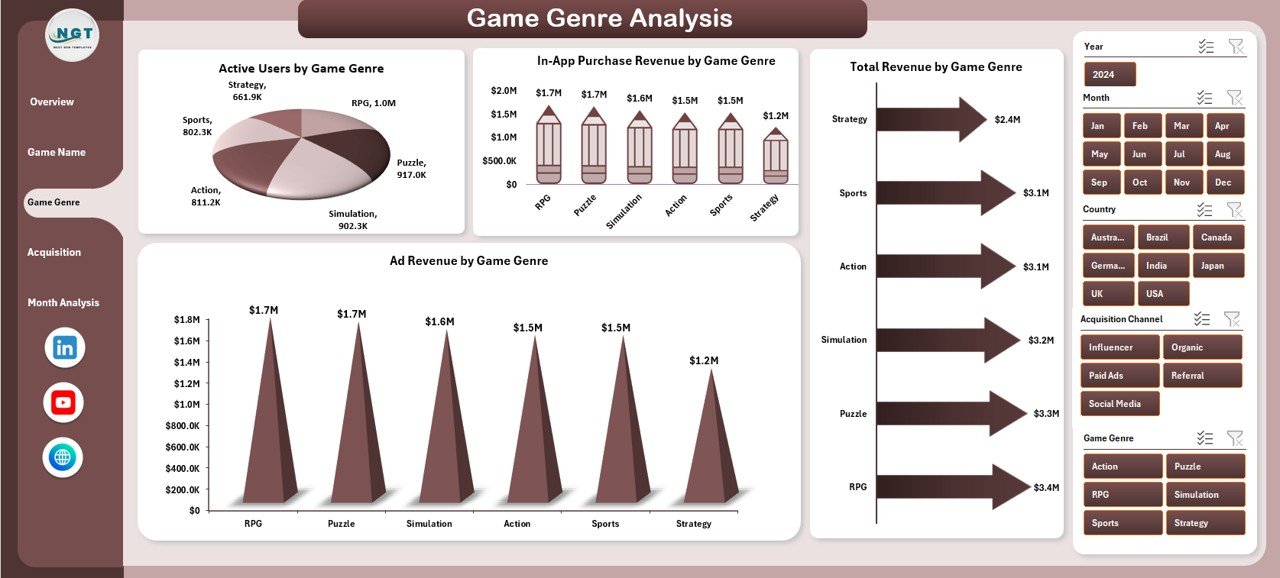
📌 Game Genre Analysis – Identify top-performing genres by users and revenue
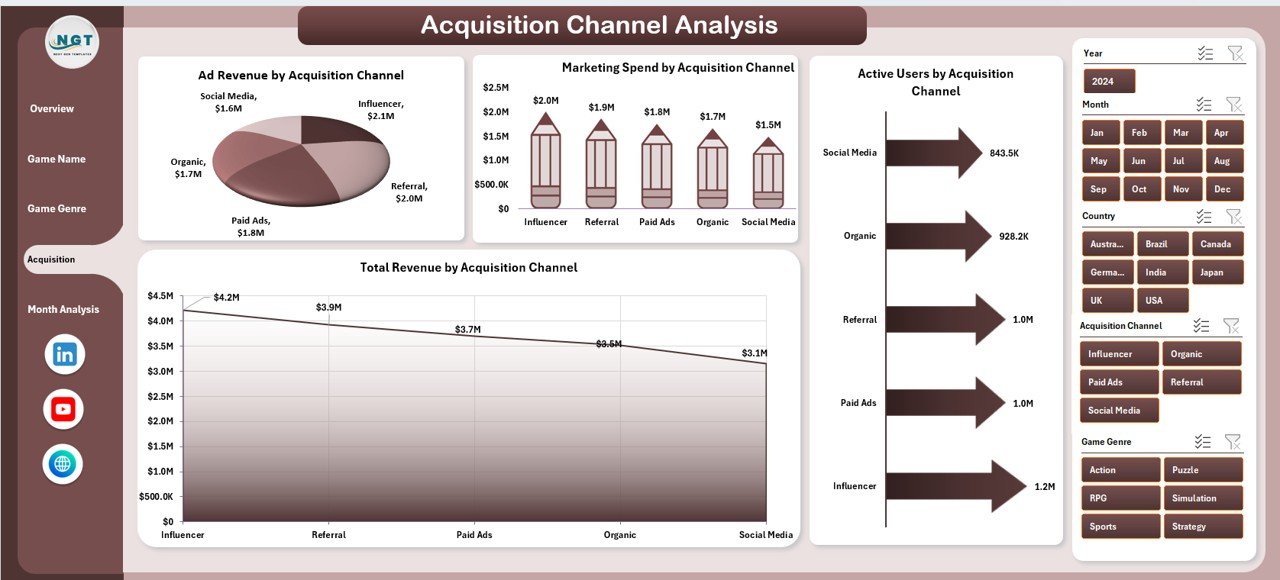
📌 Acquisition Channel Analysis – Evaluate marketing efficiency and user quality
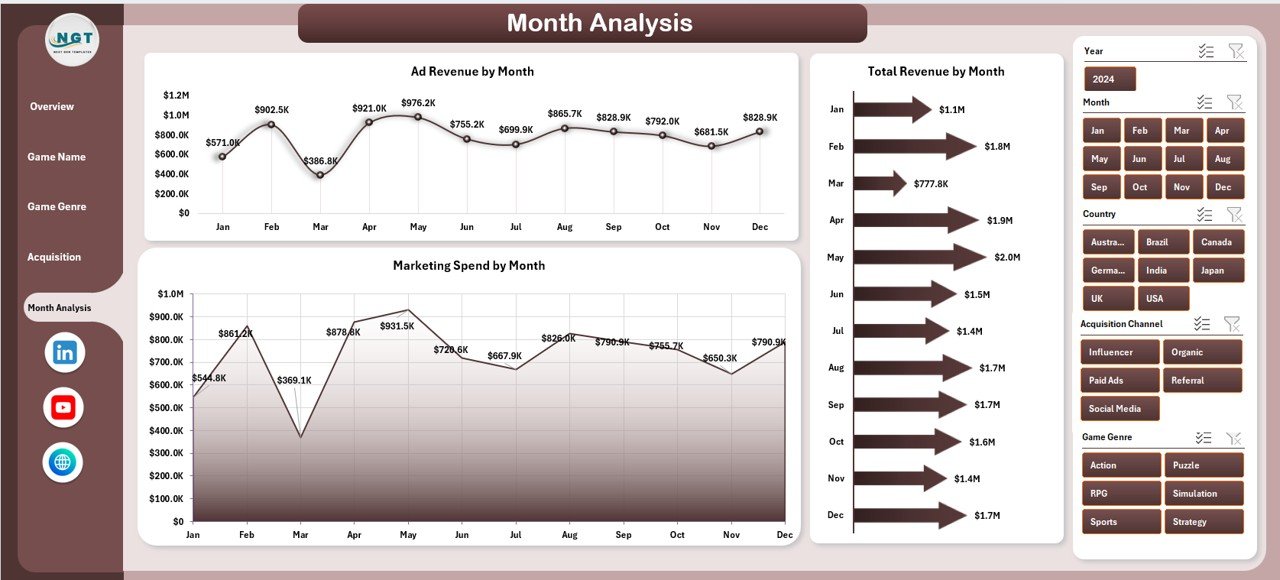
📌 Month Analysis – Track revenue and spend trends over time
In addition, the dashboard includes structured Data Sheets that act as the backbone for all calculations and visuals.
🛠️ How to Use the Mobile Gaming Dashboard in Excel
Using this dashboard is simple and business-friendly:
1️⃣ Enter or import gaming data into the Data Sheet
2️⃣ Refresh pivot tables and charts
3️⃣ Use slicers to filter by game, genre, platform, channel, or month
4️⃣ Start with the Overview Page for instant performance clarity
5️⃣ Drill into game-wise and genre-wise insights
6️⃣ Analyze acquisition channels to optimize marketing spend
7️⃣ Review monthly trends to plan growth strategies
No coding. No complex setup. Just powerful insights in Excel.
👥 Who Can Benefit from This Mobile Gaming Dashboard in Excel
This dashboard is ideal for:
🎮 Mobile Game Developers – Track engagement and monetization
🏢 Game Studios & Publishers – Monitor portfolio performance
📣 Marketing Teams – Optimize acquisition channels and budgets
📊 Product Managers – Understand player behavior and trends
📈 Business Analysts – Deliver structured gaming insights
🚀 Startup Game Founders – Make confident, data-driven decisions
Because Excel is widely used, both technical and non-technical users benefit instantly.
























Reviews
There are no reviews yet.