
The gaming hardware industry moves at lightning speed. Manufacturers and distributors constantly manage gaming laptops, graphics cards, consoles, processors, accessories, and peripherals while trying to meet growing global demand. However, rapid growth also brings operational complexity. Businesses must monitor production efficiency, sales performance, product quality, inventory levels, and profitability all at once.
Without a structured monitoring system, teams often rely on scattered spreadsheets and manual reporting. Consequently, decision-makers spend more time compiling reports than analyzing performance. Important trends remain hidden, and opportunities for improvement are missed.Gaming Hardware KPI Scorecard in Excel
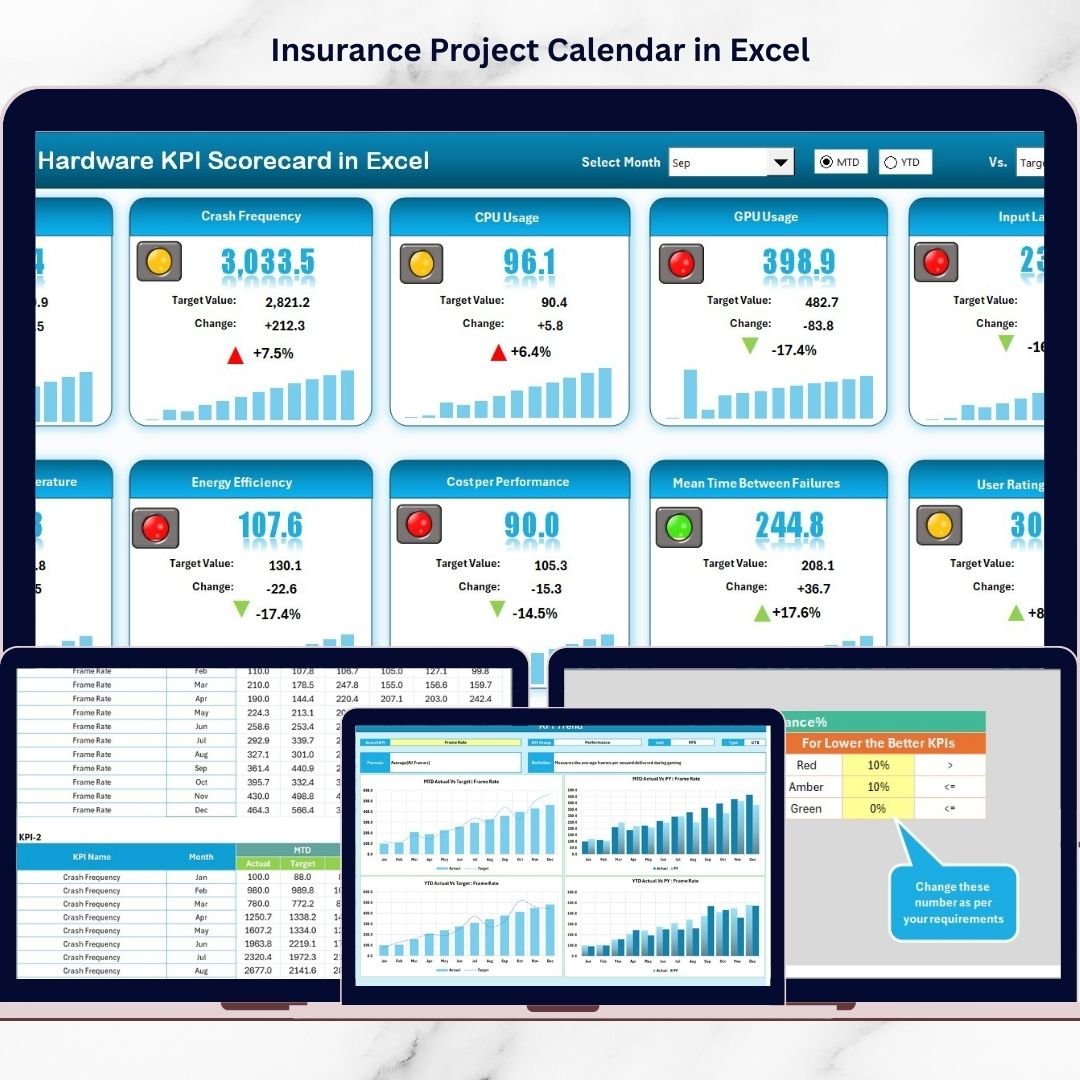
The Gaming Hardware KPI Scorecard in Excel is designed to solve this challenge. This ready-to-use Excel template provides a centralized performance monitoring system that transforms raw data into clear, actionable insights. Instead of juggling multiple files, organizations can track KPIs, compare targets vs actual results, and evaluate performance through a professional dashboard.
Built using familiar Excel functionality, this scorecard allows businesses to implement data-driven management without investing in expensive software solutions.
## 🚀 Key Feature of Gaming Hardware KPI Scorecard in Excel
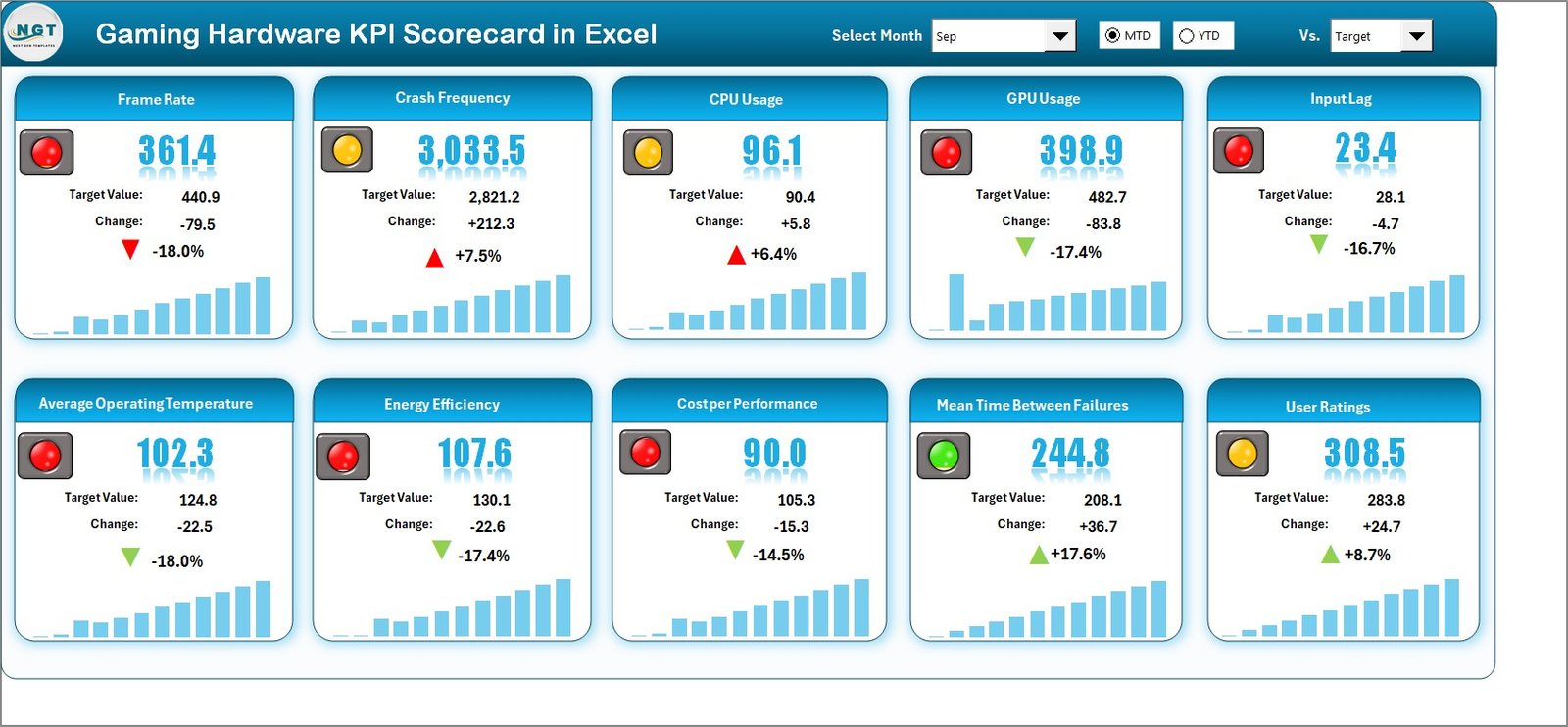
📊 Interactive KPI Scorecard Dashboard – Monitor multiple KPIs in one clean and executive-friendly interface.
🎯 Actual vs Target Comparison – Instantly identify performance gaps and improvement opportunities.
📅 MTD & YTD Analysis – Switch between Month-to-Date and Year-to-Date performance using dropdown selections.
🟢 Smart Visual Indicators – Conditional formatting highlights performance using intuitive color signals.
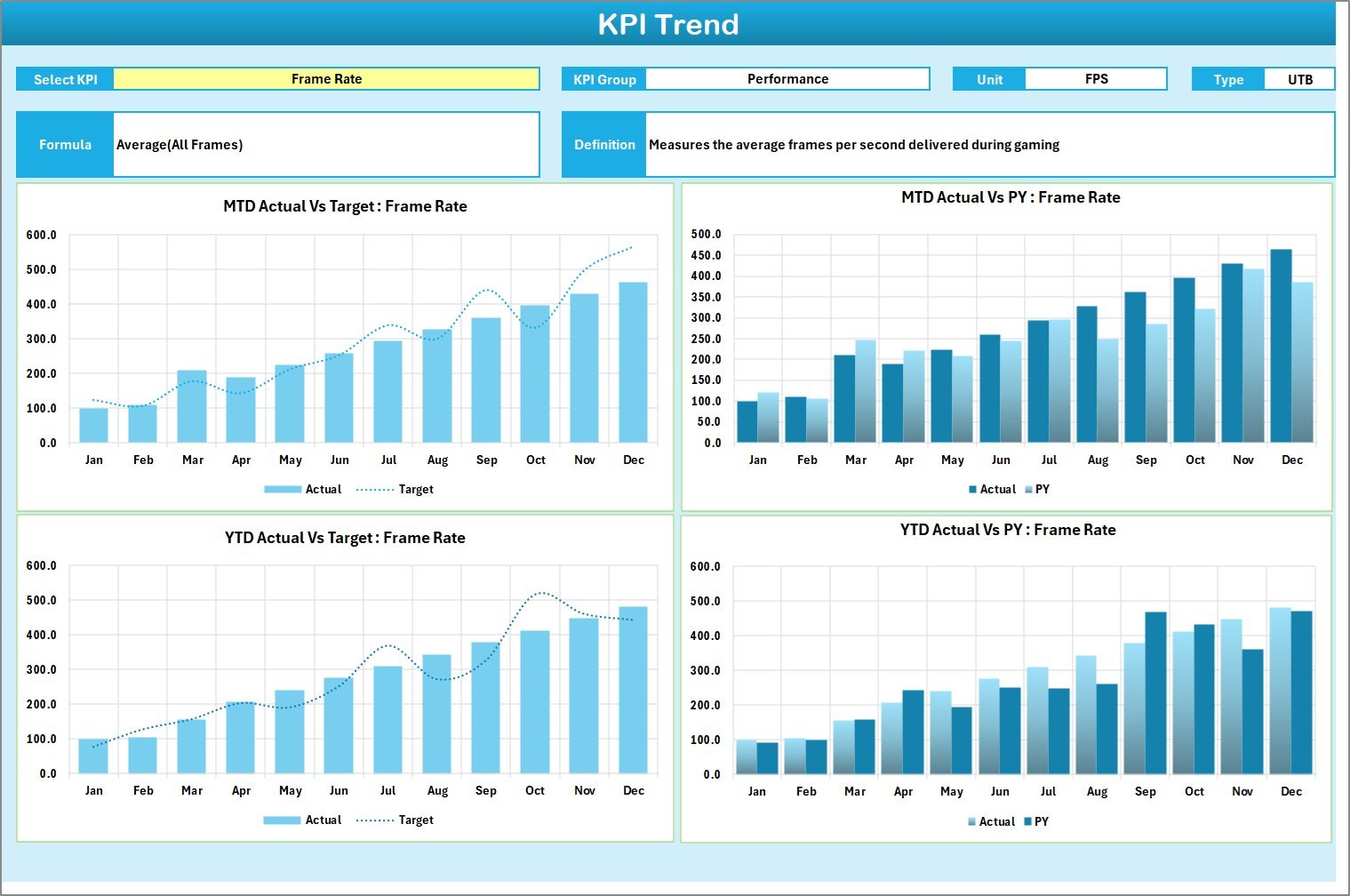
📈 Dynamic KPI Trend Analysis – Analyze historical performance and compare with previous year results.
🧾 Standardized KPI Definitions – Maintain clarity with KPI formulas, units, and definitions stored centrally.
⚡ Automatic Dashboard Updates – Update data once and refresh the entire report instantly.
💼 Executive-Level Monitoring – Designed for fast decision-making and performance reviews.
## 📦 What’s Inside the Gaming Hardware KPI Scorecard in Excel
This professional template includes four structured worksheets:
✅ Scorecard Sheet
The main dashboard displaying KPIs, targets, visual indicators, and performance summaries.
✅ KPI Trend Sheet
Analyze KPI behavior over time with trend charts and performance comparisons.
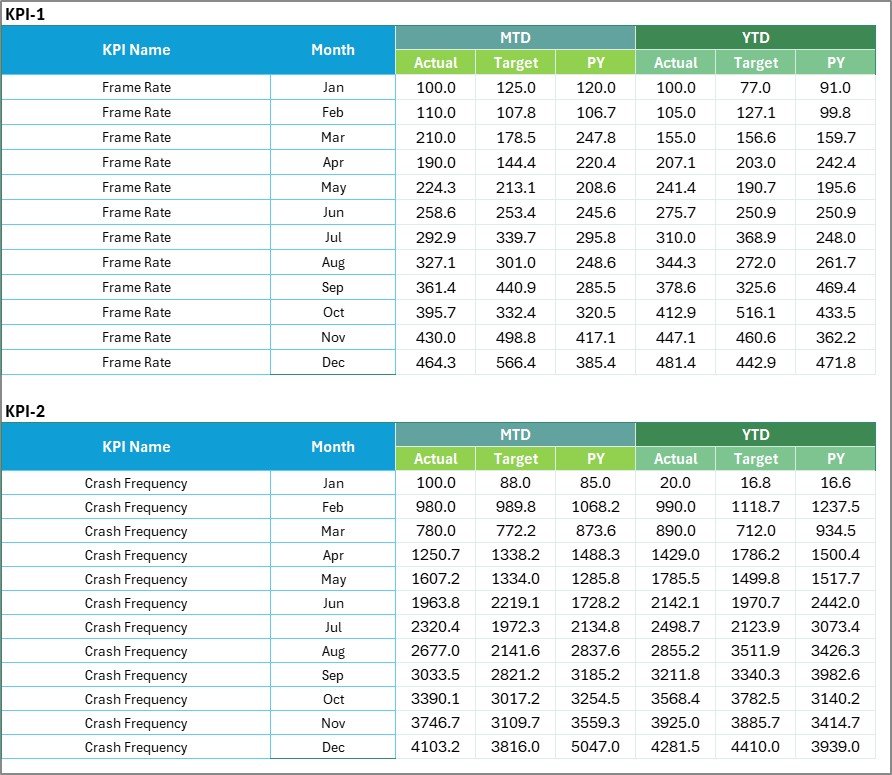
✅ Input Data Sheet
Centralized area for entering monthly actual values and targets.
✅ KPI Definition Sheet
Maintain KPI names, formulas, units, and standardized explanations.
Together, these sheets create a complete KPI management ecosystem within Excel.Gaming Hardware KPI Scorecard in Excel
## 🛠️ How to Use the Gaming Hardware KPI Scorecard in Excel
Using the template is simple and beginner-friendly:
1️⃣ Define your business objectives and performance goals.
2️⃣ Add KPI details in the KPI Definition sheet.
3️⃣ Enter targets and actual data in the Input Data sheet.
4️⃣ Select Month, MTD, or YTD from dropdown menus.
5️⃣ Review dashboard visuals and performance indicators.
6️⃣ Analyze trends using KPI Trend charts.
7️⃣ Conduct monthly reviews to improve performance.
Within minutes, your organization can move from manual reporting to intelligent performance tracking.
## 👥 Who Can Benefit from This Gaming Hardware KPI Scorecard in Excel
This template is ideal for professionals across gaming hardware businesses:
🎮 Gaming hardware manufacturers
📦 Supply chain & inventory managers
💰 Finance and operations teams
📊 Business analysts and planners
🧑💼 Executive leadership teams
🚀 Startups and growing tech companies
Whether you manage production operations or strategic planning, this scorecard provides clear visibility into performance.
The Gaming Hardware KPI Scorecard in Excel empowers organizations to transform operational data into meaningful insights. By combining structured KPI tracking, automated calculations, and visual analytics, businesses gain faster reporting, improved accountability, and smarter decision-making.
Instead of reacting to problems late, teams can identify trends early and take proactive action. The result is improved efficiency, stronger performance alignment, and better competitiveness in the fast-moving gaming hardware market.
Click here to read the Detailed blog post
Watch the step-by-step video tutorial: