Running a successful fitness studio today requires more than great workouts and energetic trainers. Studio owners must track memberships, monitor class performance, evaluate trainer effectiveness, and analyze revenue trends — all at the same time. However, many fitness businesses still rely on scattered spreadsheets and manual reporting, which makes decision-making slow and unclear.
The Fitness Studios Dashboard in Excel solves this challenge with a powerful yet easy-to-use analytics solution.
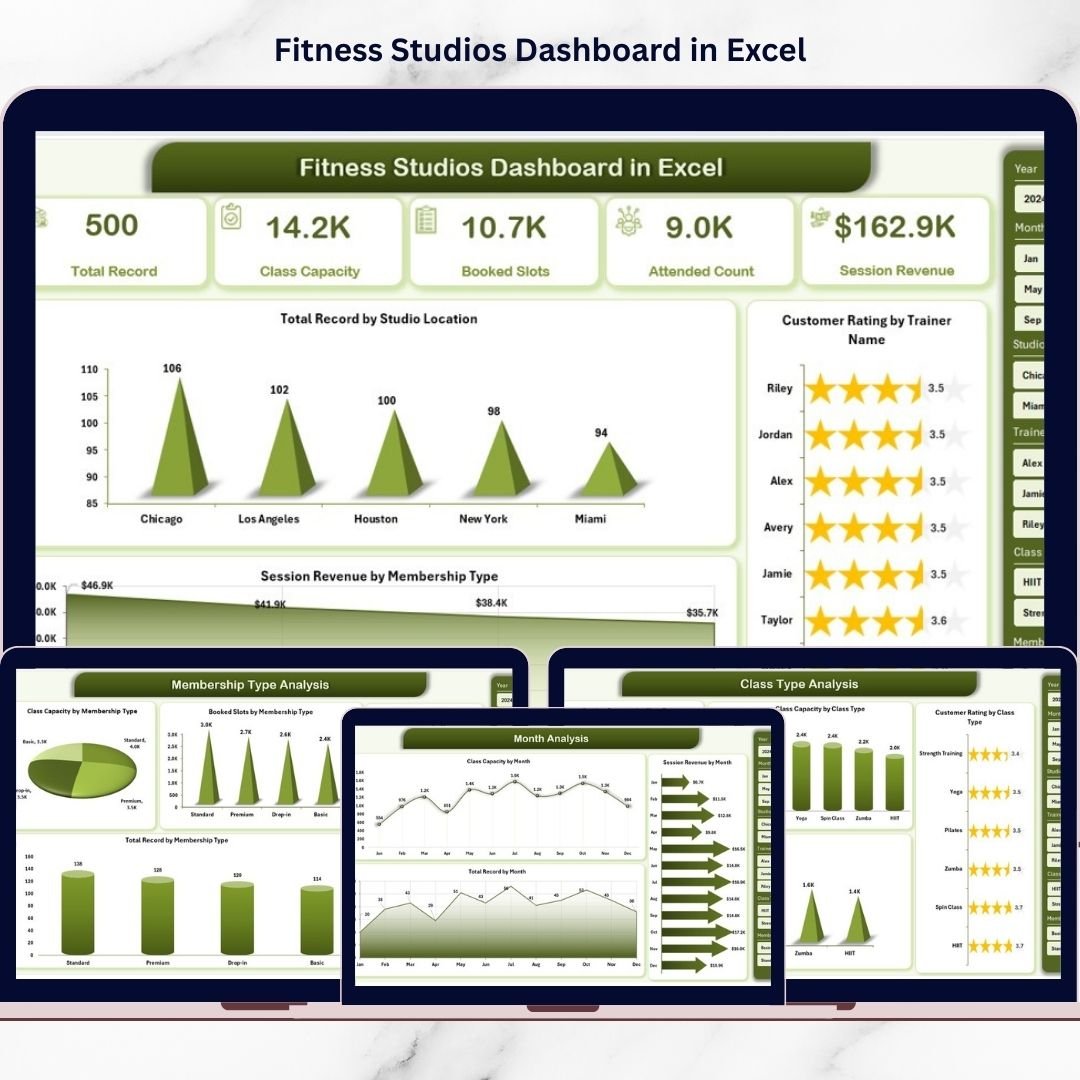
This ready-to-use Excel dashboard converts daily operational data into interactive visual insights. Instead of manually reviewing multiple reports, you can monitor studio performance, customer satisfaction, memberships, and revenue trends from one centralized dashboard.
Designed for fitness studios, gyms, wellness centers, and multi-location fitness businesses, this dashboard helps managers make faster, smarter, and data-driven decisions — without investing in expensive software.
🔑 Key Feature of Fitness Studios Dashboard in Excel
📊 Centralized Performance Monitoring
View memberships, revenue, and studio performance in one dashboard.
🎯 Interactive Slicers & Filters
Analyze performance instantly by location, class type, trainer, or membership.
📈 Revenue & Membership Analytics
Track session revenue and membership performance dynamically.
⭐ Trainer Performance Evaluation
Monitor customer ratings to evaluate trainer effectiveness.
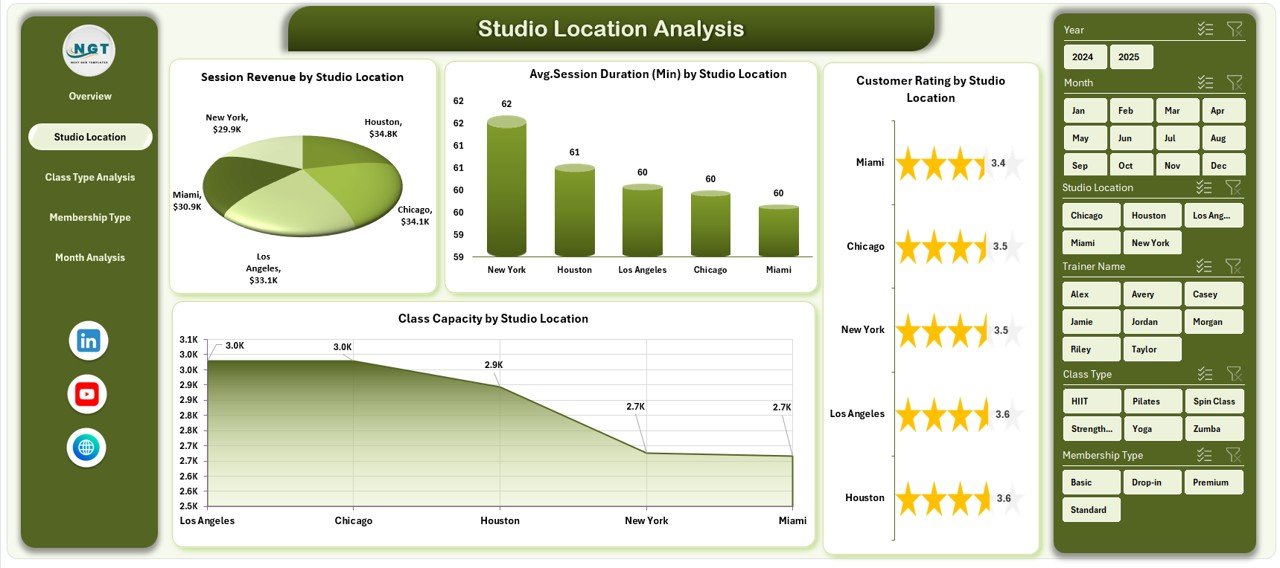
🏢 Multi-Location Analysis
Compare performance across different studio branches.
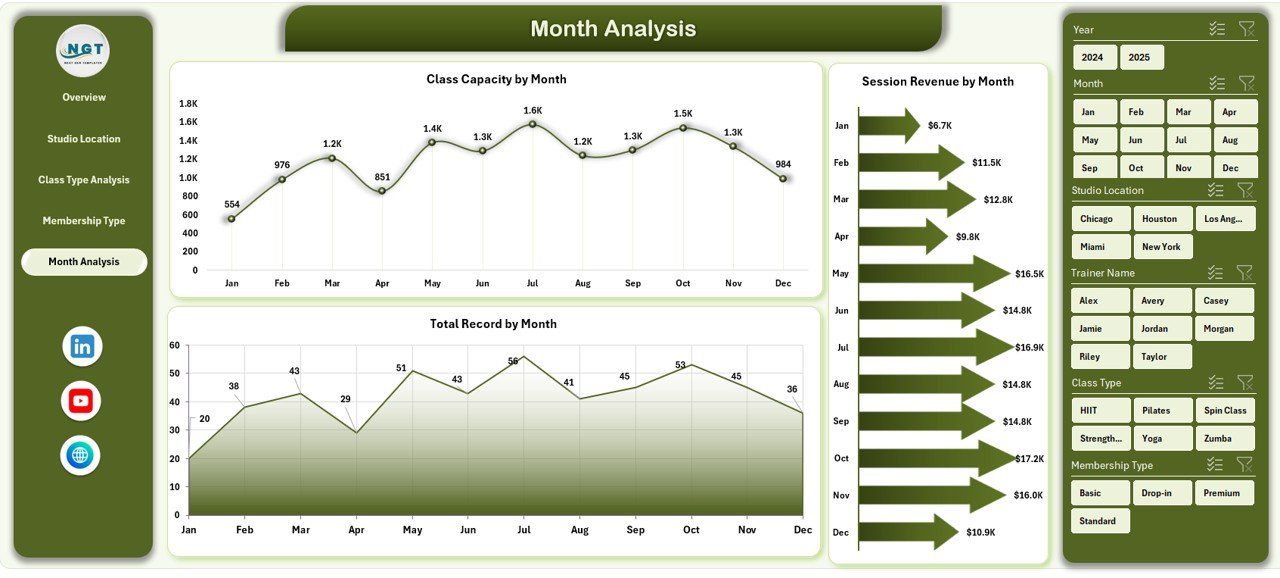
📅 Monthly Trend Tracking
Understand growth patterns and seasonal performance changes.
💺 Class Capacity Utilization Insights
Identify underutilized and high-demand classes quickly.
⚡ Automatic Dashboard Updates
Update the data sheet and refresh all visuals instantly.
🧩 Fully Customizable Excel Template
Modify KPIs, charts, and layouts according to business needs.
📦 What’s Inside the Fitness Studios Dashboard in Excel
This dashboard includes five powerful analytical pages:
✔️ Overview Page – Complete business performance snapshot
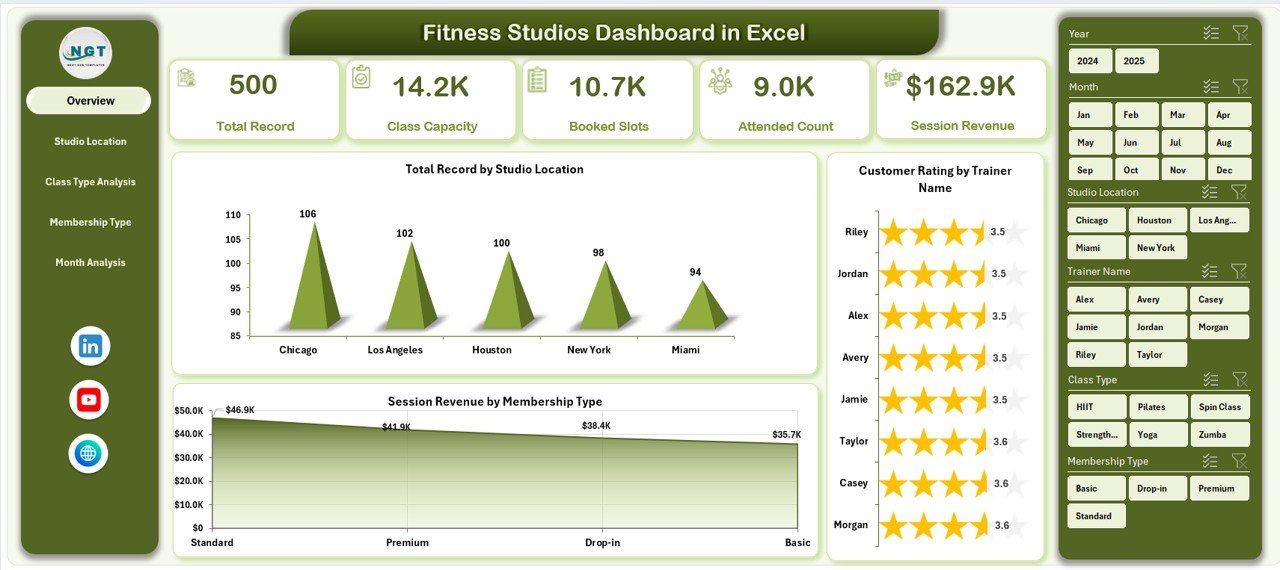
✔️ Studio Location Analysis – Branch performance comparison
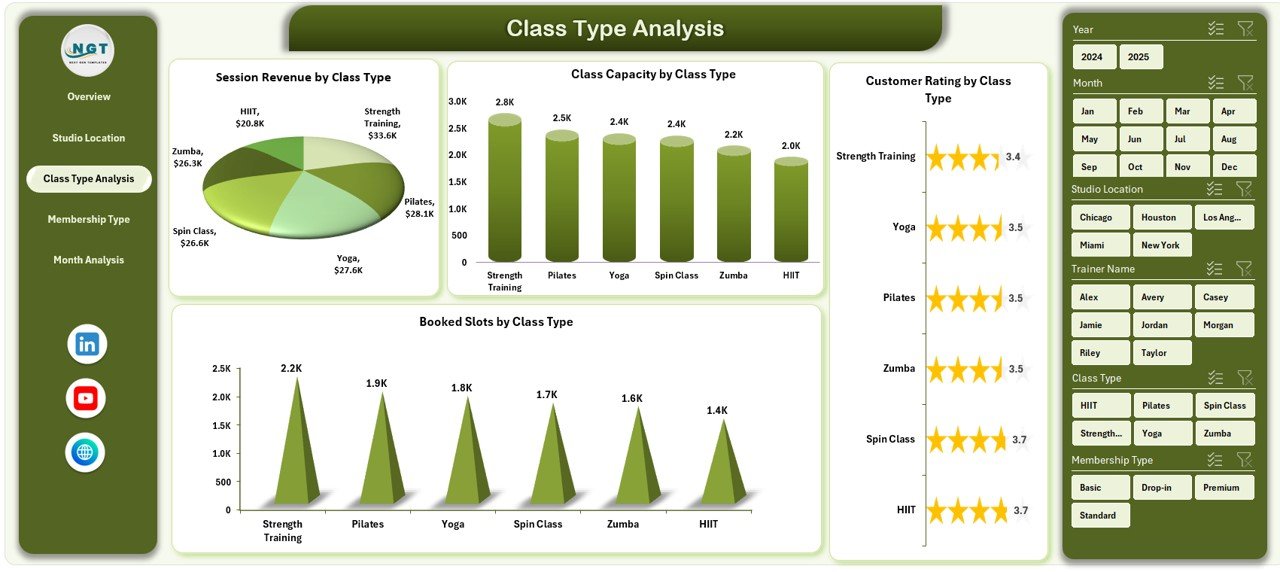
✔️ Class Type Analysis – Class popularity and revenue insights
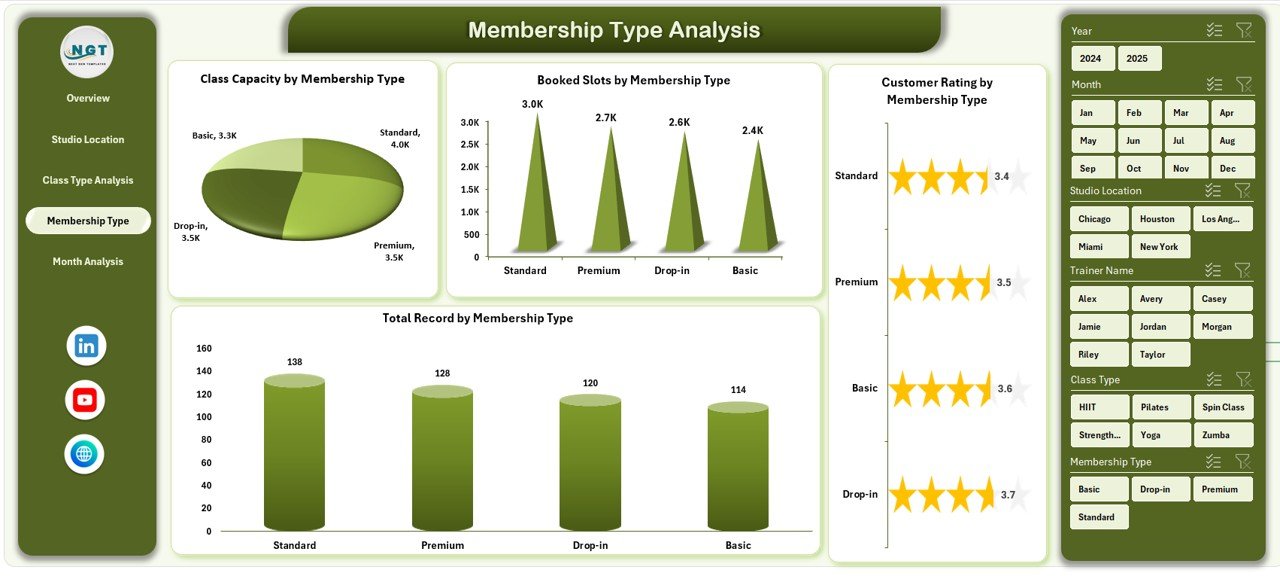
✔️ Membership Type Analysis – Membership engagement tracking
✔️ Month Analysis – Time-based performance trends
Supporting sheets include:
-
Data Sheet – Operational data entry foundation
-
Support Sheet – Lookup tables and backend calculations
Together, these components create a structured and professional fitness analytics system.
🛠️ How to Use the Fitness Studios Dashboard in Excel
Getting started is simple:
Step 1: Enter studio operational data into the Data Sheet
Step 2: Update memberships, bookings, ratings, and revenue
Step 3: Refresh Pivot Tables (if required)
Step 4: Use slicers to filter performance instantly
Step 5: Analyze insights across dashboard pages
Within minutes, you gain clear visibility into your fitness business performance.
🎯 Who Can Benefit from This Fitness Studios Dashboard in Excel
This dashboard is ideal for:
✅ Fitness Studio Owners
✅ Gym Managers & Coordinators
✅ Fitness Franchise Operators
✅ Wellness Center Managers
✅ Business Analysts
✅ Fitness Consultants
Whether managing a single studio or multiple branches, this dashboard supports scalable performance monitoring.
Why This Dashboard Improves Fitness Business Performance
Instead of guessing business trends, you can:
✔️ Identify profitable classes
✔️ Improve trainer accountability
✔️ Optimize schedules based on demand
✔️ Increase membership retention
✔️ Track revenue growth clearly
✔️ Enhance customer satisfaction
As a result, studios operate more efficiently and grow sustainably.
### Click hare to read the Detailed blog post
📺 Visit our YouTube channel to learn step-by-step video tutorials
👉 Youtube.com/@PKAnExcelExpert