Modern libraries and archives manage far more than books. Today, they handle digital collections, memberships, research archives, events, operational costs, and user engagement simultaneously. However, when data is scattered across multiple spreadsheets, administrators struggle to monitor performance and make timely decisions.
The Libraries and Archives Dashboard in Excel provides a powerful, ready-to-use analytical solution that transforms raw operational data into meaningful insights. Instead of preparing manual reports, library managers can track performance, analyze trends, and improve services using interactive visuals — all within Microsoft Excel.
This dashboard centralizes analytics, automates calculations, and helps institutions make smarter, data-driven decisions while saving valuable reporting time.
⭐ Key Feature of Libraries and Archives Dashboard in Excel
📊 Centralized Library Analytics – Monitor memberships, archives, costs, and engagement in one dashboard.
🧭 Easy Page Navigation – Switch between analysis pages instantly using the built-in navigator.
🎯 Interactive Slicers – Filter insights by visit type, branch, material type, archive category, and month.
📈 Visual KPI Cards – Instantly view performance summaries at a glance.
📚 Collection Usage Insights – Identify popular materials and optimize acquisitions.
💰 Operating Cost Monitoring – Track expenses across branches and categories.
📅 Monthly Trend Analysis – Understand seasonal patterns and performance changes.
⚡ Automatic Updates – Dashboard refreshes automatically when data is updated.
📂 What’s Inside the Libraries and Archives Dashboard in Excel
The dashboard includes five analytical pages, each designed to answer key operational questions.
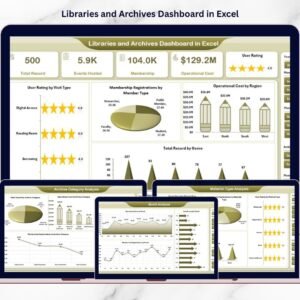
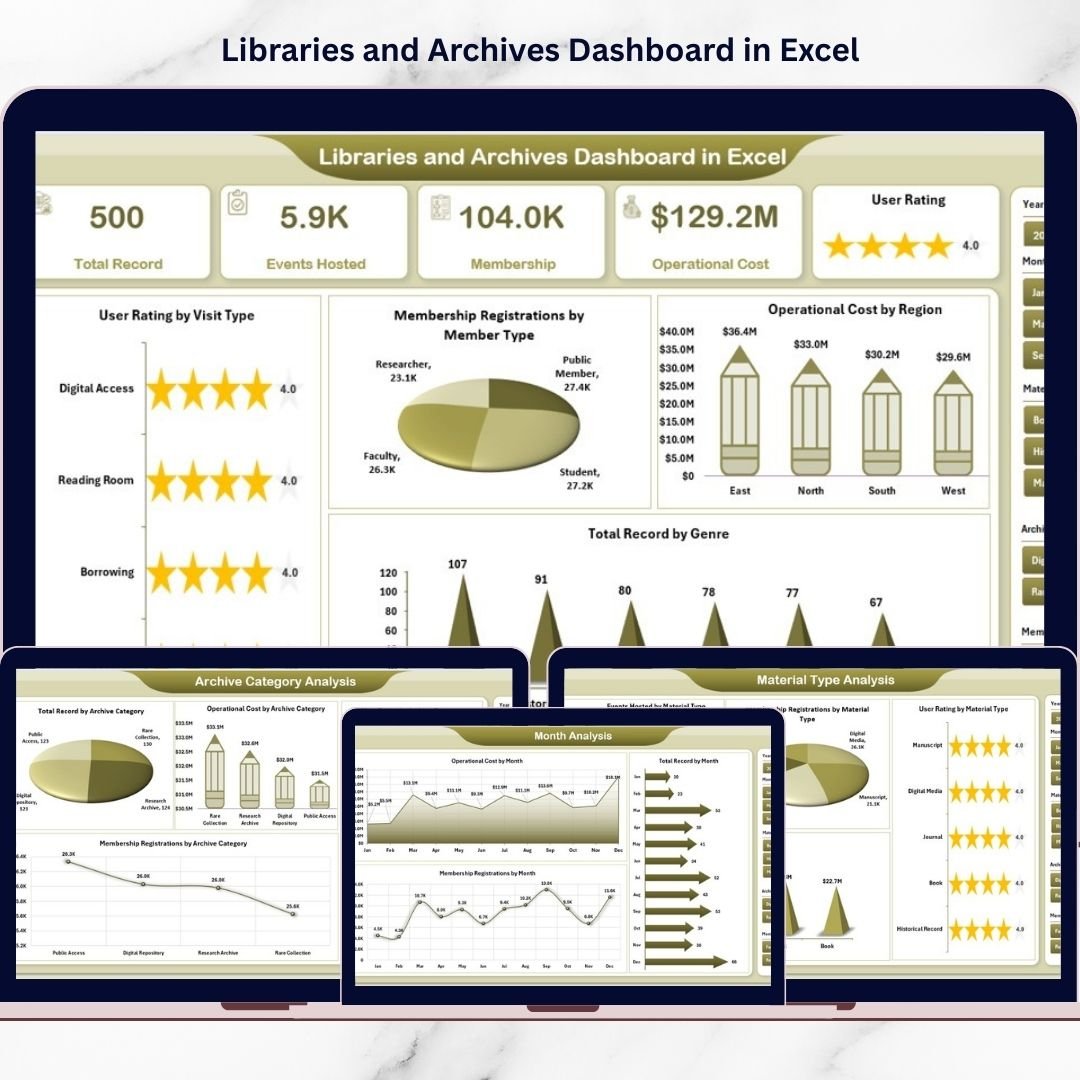
🏠 Overview Page – Overall Library Performance
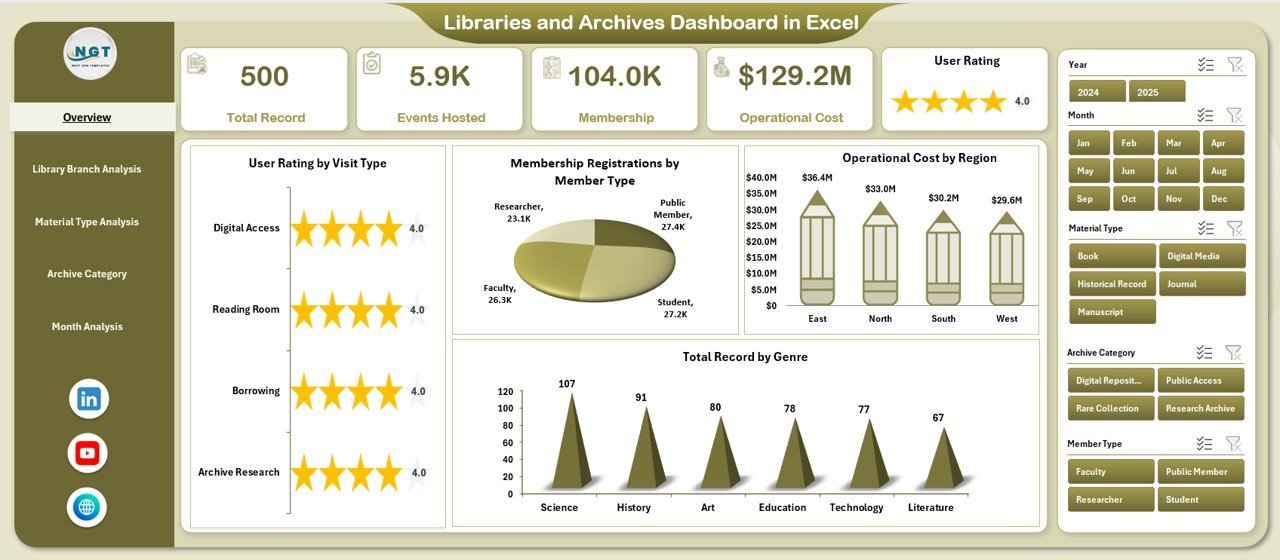
The Overview Page acts as the executive control center.
Key Elements
Interactive slicers on the right
Four KPI summary cards
High-level analytical charts
Charts Included
User Rating by Visit Type
Membership Registration by Member Type
Operating Cost by Region
Total Records by Genre
This page provides instant insight into overall library performance and user engagement.
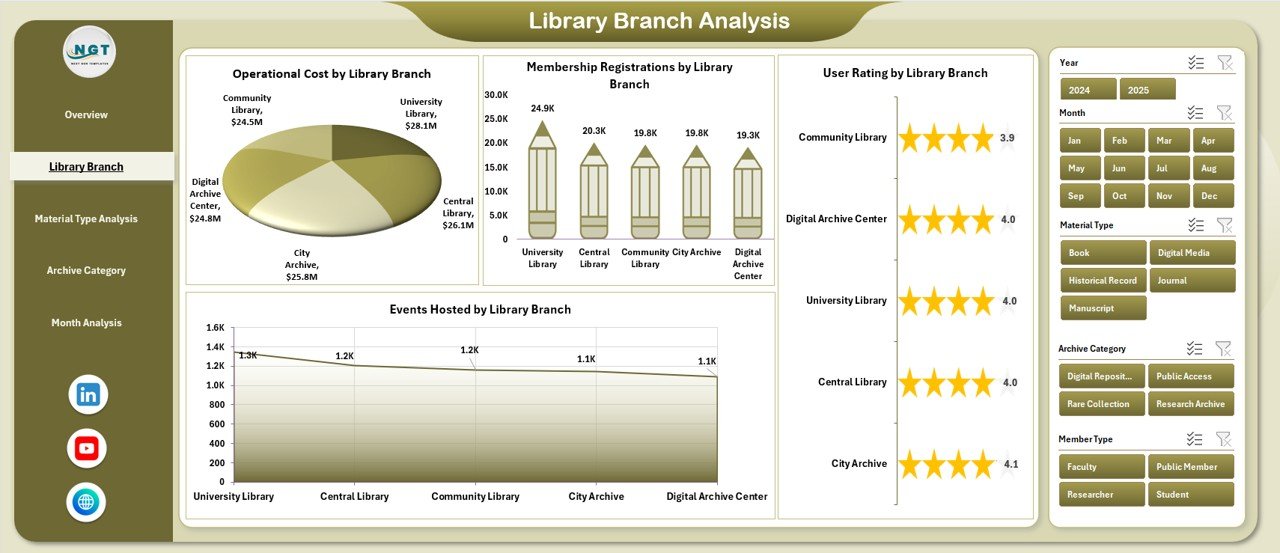
🏢 Library Branch Analysis – Branch Performance Comparison
Designed for multi-branch libraries to evaluate location performance.
Charts Included
User Rating by Library Branch
Membership Registration by Branch
Operating Cost by Branch
Events Hosted by Branch
Insights
Identify high-performing branches
Detect underutilized locations
Optimize staffing and budgets
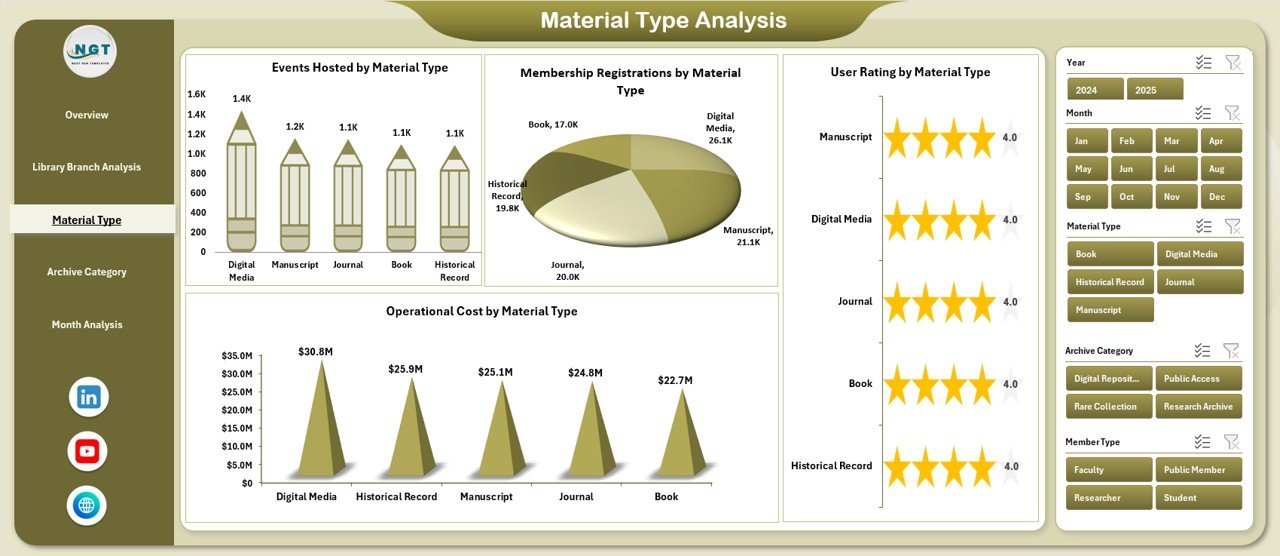
📖 Material Type Analysis – Resource Popularity Insights
Analyzes demand across different resource formats.
Material Types
Books
Journals
Digital Media
Manuscripts
Audio-Visual Content
Charts Included
User Rating by Material Type
Membership Registration by Material Type
Operating Cost by Material Type
Events Hosted by Material Type
Libraries can align investments with user demand effectively.
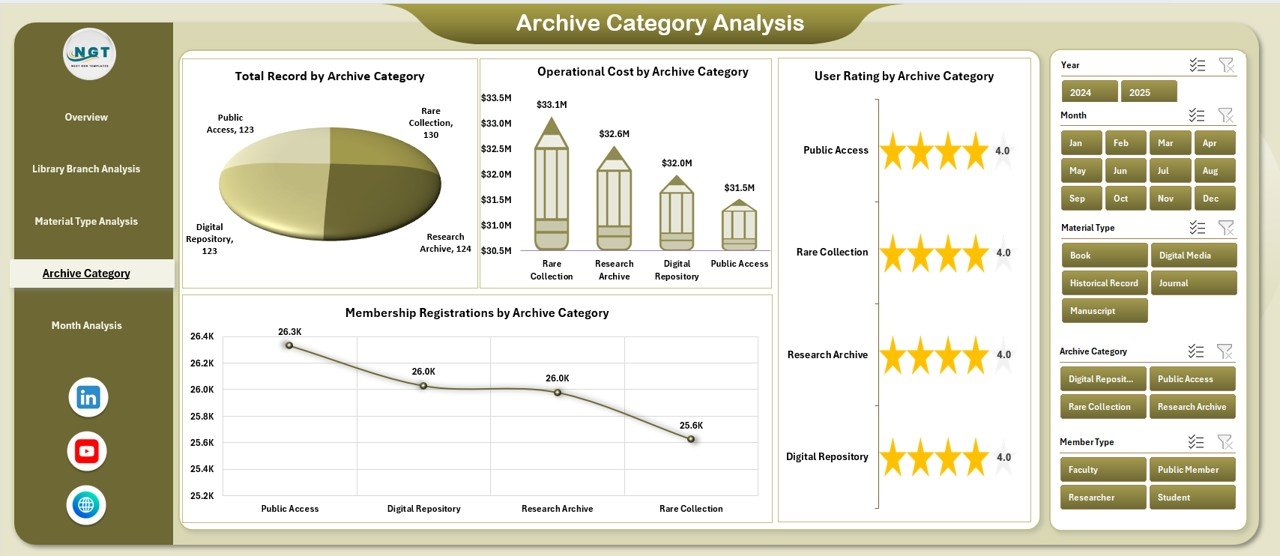
🗂 Archive Category Analysis – Archive Management Performance
Helps archivists monitor preservation and accessibility.
Charts Included
User Rating by Archive Category
Membership Registration by Archive Category
Operating Cost by Archive Category
Total Records by Archive Category
Supports digitization planning and preservation prioritization.
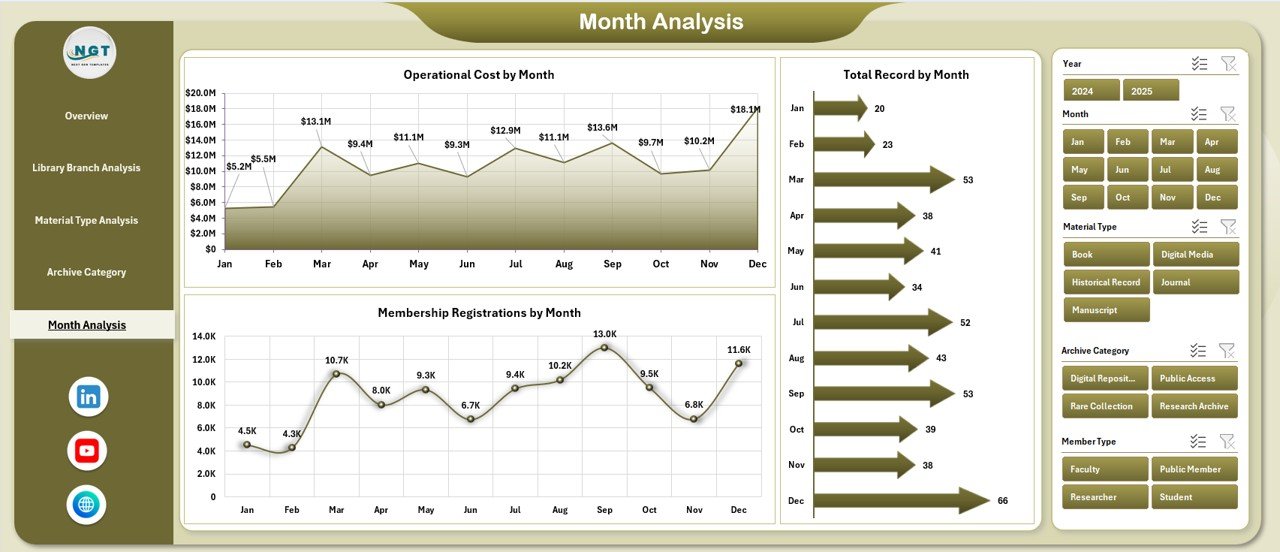
📅 Month Analysis – Trend & Planning Insights
Tracks performance changes over time.
Charts Included
Membership Registration by Month
Operating Cost by Month
Total Records by Month
Helps organizations forecast budgets and plan future initiatives.
🗃 Supporting Sheets
📄 Data Sheet
Stores operational information such as:
Visit details
Membership records
Operating costs
Ratings
Archive data
Updating this sheet automatically refreshes dashboard visuals.
⚙️ Support Sheet
Handles backend formulas, aggregations, and pivot calculations to maintain accuracy.
🚀 How to Use the Libraries and Archives Dashboard in Excel
1️⃣ Enter operational data into the Data Sheet
2️⃣ Refresh pivot tables if required
3️⃣ Apply slicer filters for analysis
4️⃣ Review insights across pages
5️⃣ Identify trends and improvement areas
6️⃣ Take data-driven operational decisions
👥 Who Can Benefit from This Dashboard
Library Administrators
Archivists
Educational Institutions
Government Libraries
Research Centers
Community Knowledge Centers
Any organization managing collections or archives can use this dashboard efficiently.
✅ Advantages of Libraries and Archives Dashboard in Excel
📊 Improved decision-making through real-time insights
⏱ Significant reporting time savings
📈 Better resource allocation strategies
👥 Enhanced user experience monitoring
💰 Improved cost control visibility
📚 Optimized collection development
🔍 Increased organizational transparency
💡 Best Practices for Maximum Value
Maintain standardized data entry formats
Update data weekly or monthly
Use consistent categories and classifications
Review KPIs regularly
Train staff on slicer usage
Backup dashboard files periodically
🧠 How This Dashboard Improves Library Management
With centralized analytics:
Administrators monitor membership growth easily
Archivists track collection usage trends
Finance teams evaluate operating expenses
Event teams analyze participation performance
As a result, libraries shift from manual reporting to proactive service improvement.
🏁 Conclusion
The Libraries and Archives Dashboard in Excel transforms traditional library management into a modern, data-driven system. By combining memberships, operational costs, archive performance, and user satisfaction into one interactive environment, institutions gain complete visibility over operations.
Because Excel remains accessible and flexible, libraries can implement advanced analytics without expensive software investments. Ultimately, this dashboard helps organizations enhance services, optimize resources, and strengthen community impact through smarter decisions.
### Click hare to read the Detailed blog post
Visit our YouTube channel to learn step-by-step video tutorials
👉 Youtube.com/@PKAnExcelExpert