

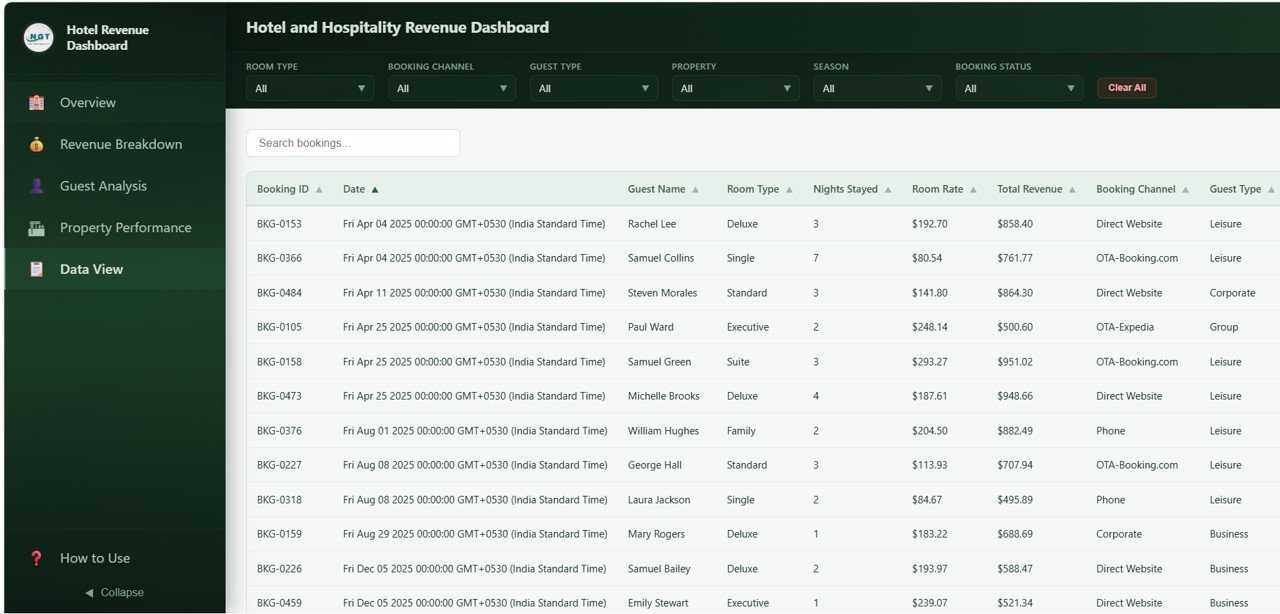
Hotel and Hospitality Revenue Dashboard in HTML is a powerful, interactive, browser-based dashboard template built for hotel managers, revenue analysts, and hospitality professionals who need to monitor property performance, track bookings, analyze revenue streams, and measure guest satisfaction — all from a single self-contained HTML file. This dashboard includes 5 professionally designed pages covering Overview, Revenue Breakdown, Guest Analysis, Property Performance, and a detailed Data View page with search, sort, pagination, and CSV export. Simply unzip, open in any modern browser, replace sample data with your own, and start making data-driven hospitality decisions today.
🔑 Key Features of Hotel and Hospitality Revenue Dashboard in HTML
📌 5 Interactive Dashboard Pages – Overview, Revenue Breakdown, Guest Analysis, Property Performance, and Data View give you a 360-degree view of your hotel operations and revenue streams.
📌 6 Real-Time KPI Cards – Instantly view Total Revenue, Total Bookings, Average Room Rate, Average Nights Stayed, Average Satisfaction, and Occupancy Rate at the top of the Overview page for at-a-glance decision-making.
📌 Dynamic Slicers and Filters – Apply quick filters across all pages to drill down by property, room type, booking channel, guest type, and more — making it easy to see filtered results instantly.
📌 Revenue Stream Tracking – Analyze revenue composition including Room, F&B, Spa, and Other revenue by property, room type, season, and guest type to understand exactly where your money is coming from.
📌 Guest Satisfaction Monitoring – View bookings by guest type, satisfaction score distribution, loyalty tier breakdown, average satisfaction by property, and average nights stayed by guest type to identify your most valuable customer segments.
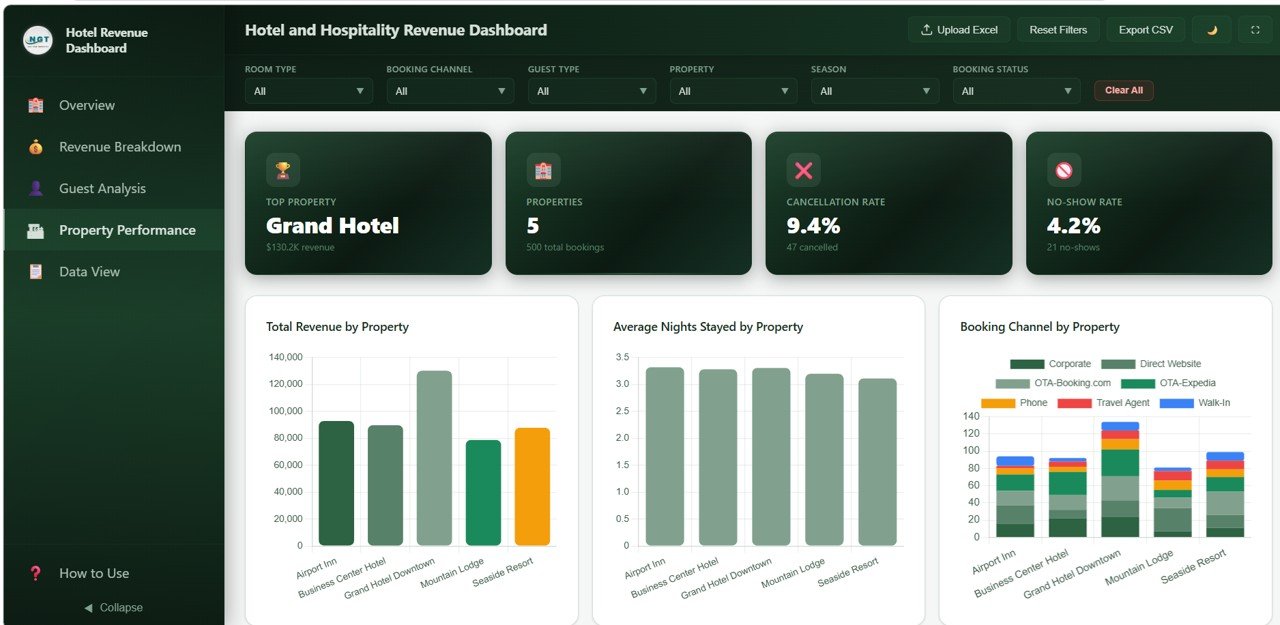
📌 Property Performance Comparison – Compare total revenue, average nights stayed, booking channels, cancellation rates, and monthly booking trends across all your hotel properties to spot top performers and improvement areas.
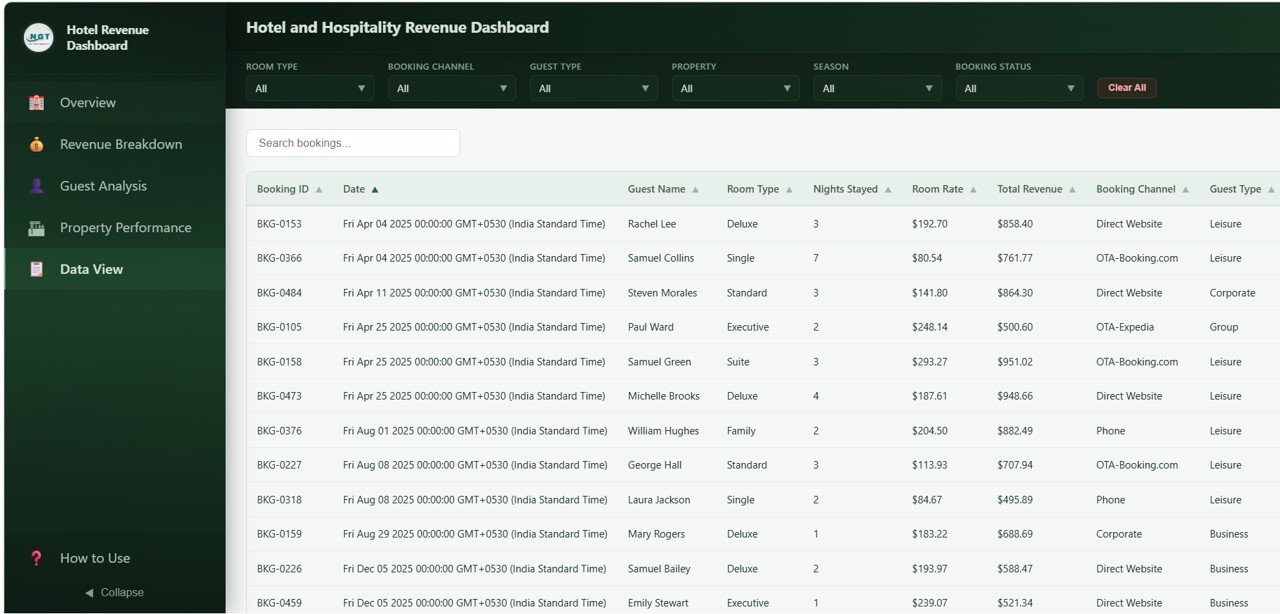
📌 Data Explorer with CSV Export – The Data View page provides a comprehensive data table with search, sort, pagination, and CSV export functionality — giving you full control over your raw booking data.
📌 Browser-Based — No Software Needed – This dashboard runs entirely inside your web browser. No need to install Excel, Power BI, or any other software. Just open the HTML file and you are ready to analyze your hotel performance.
If you are looking for the same dashboard in other platforms, check out the Hotel and Hospitality Revenue Dashboard in Excel, the Hotel and Hospitality Revenue Dashboard in Power BI, or the Hotel Hospitality Revenue Dashboard in Google Sheets. Explore our complete collection of HTML Dashboard Templates for every industry.
📦 What’s Inside the Hotel and Hospitality Revenue Dashboard in HTML
This HTML dashboard contains 5 interactive pages designed to deliver actionable hospitality insights:
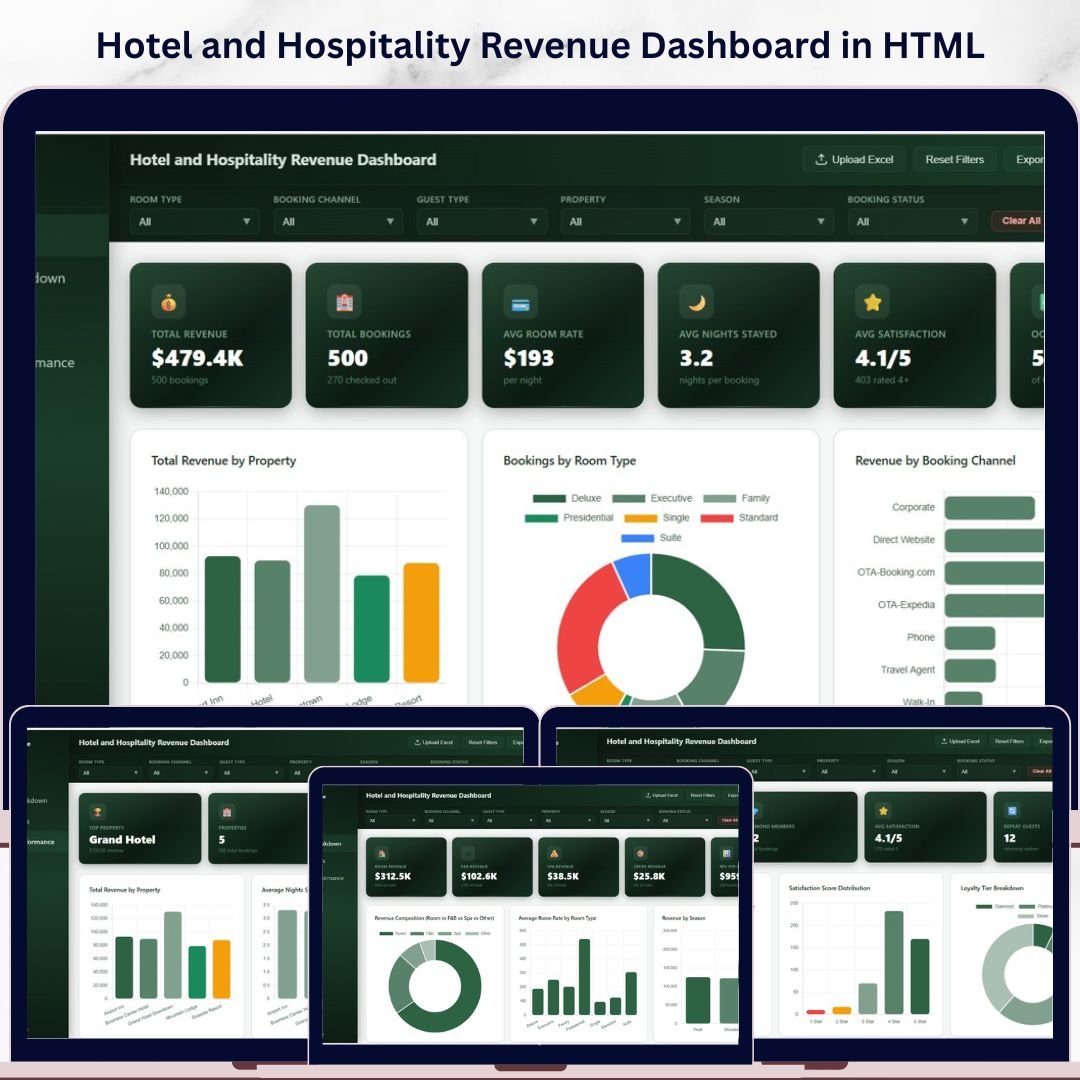
📊 Overview Page – The main landing page displays 6 KPI cards showing Total Revenue, Total Bookings, Average Room Rate, Average Nights Stayed, Average Satisfaction, and Occupancy Rate. Below the cards, interactive charts visualize Total Revenue by Property, Bookings by Room Type, Revenue by Booking Channel, Booking Status Distribution, and Monthly Revenue Trend. Multiple slicers let you filter the entire dashboard quickly.
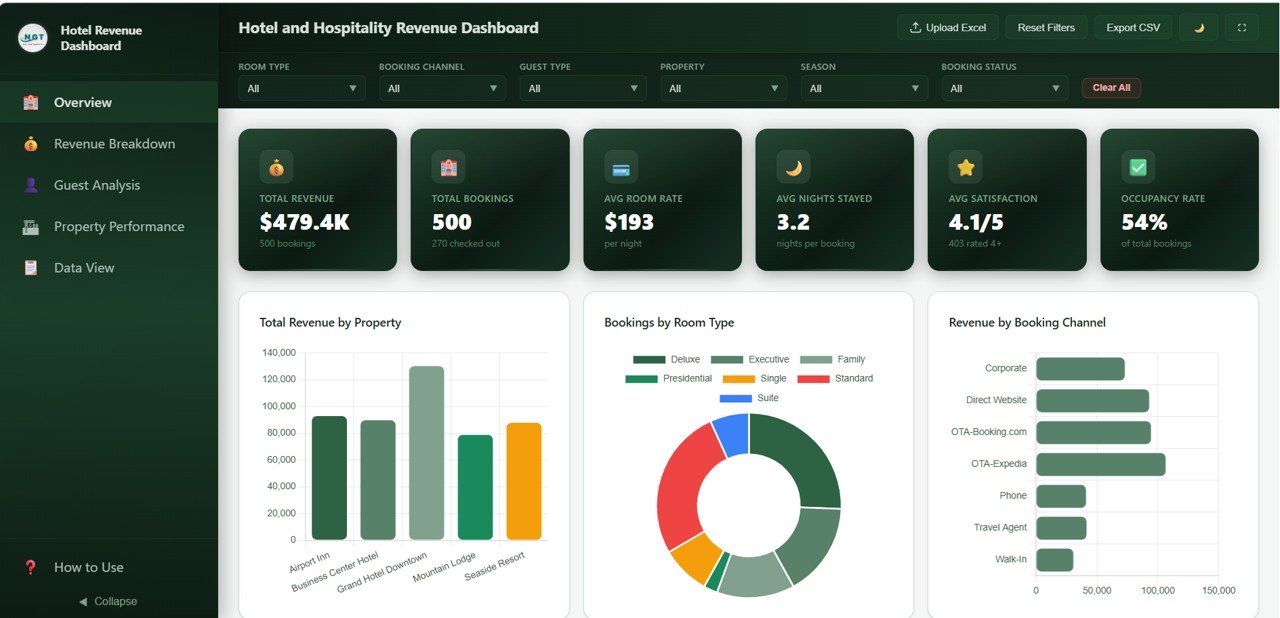
Hotel and Hospitality Revenue Dashboard – Overview
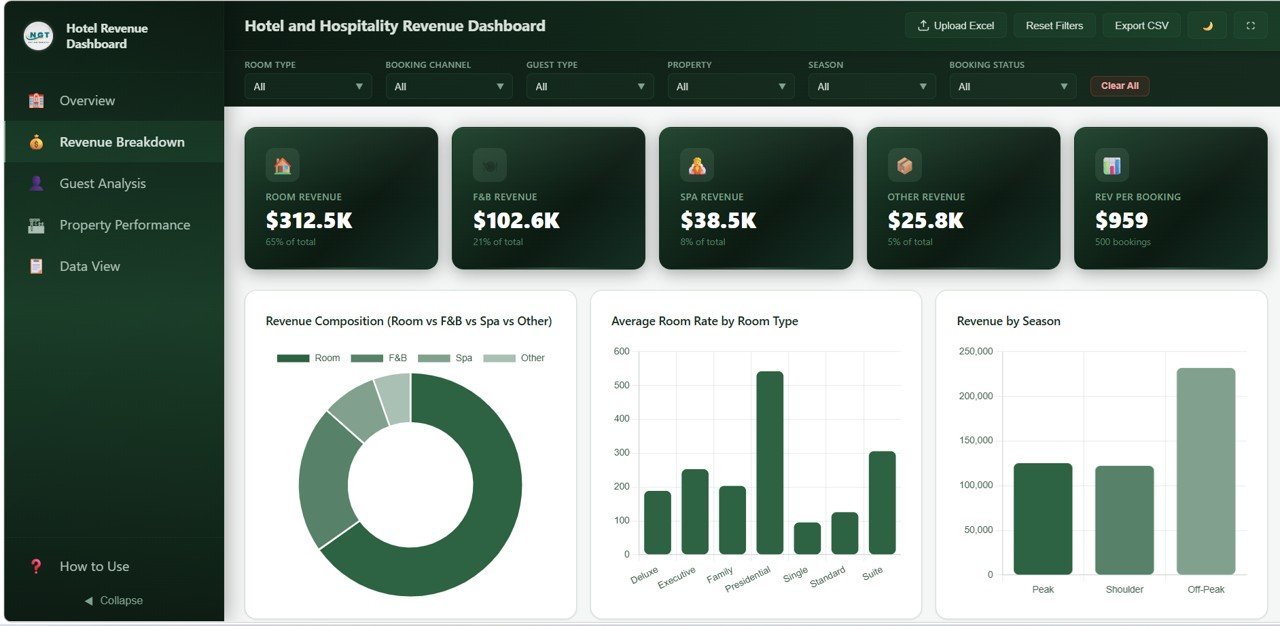
📊 Revenue Breakdown – Dive deeper into revenue segmentation with charts for Revenue Composition covering Room, F&B, Spa, and Other revenue, Average Room Rate by Room Type, Revenue by Season, Revenue by Guest Type, and Revenue by Property and Room Type.
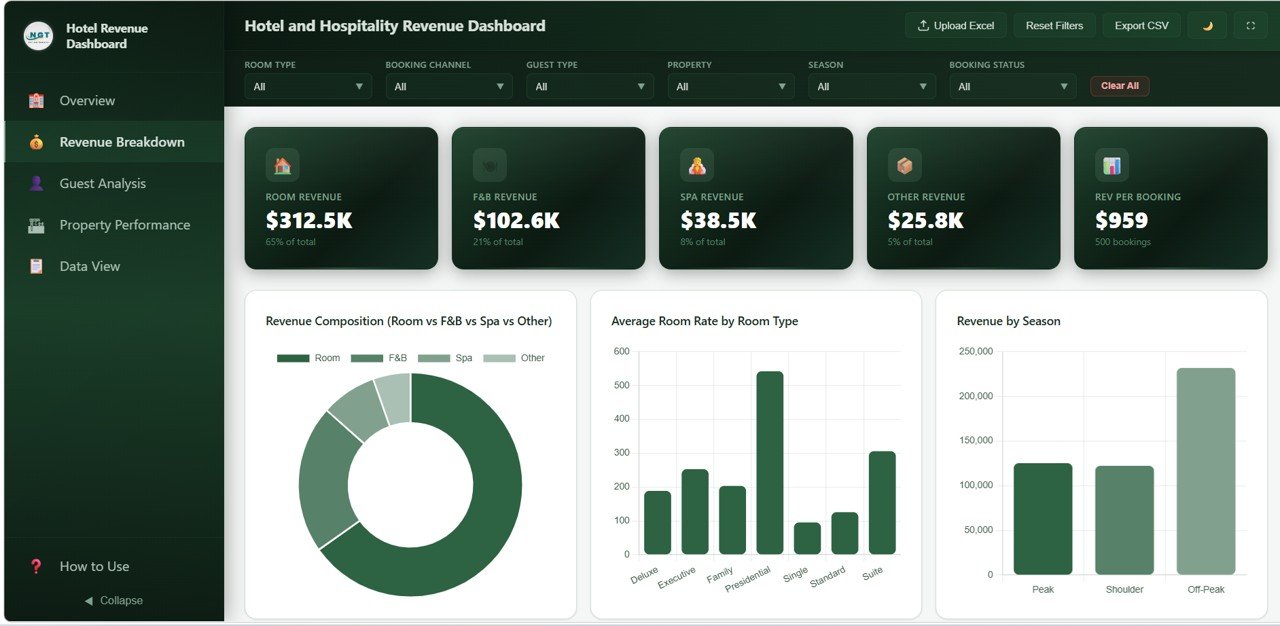
Revenue Breakdown
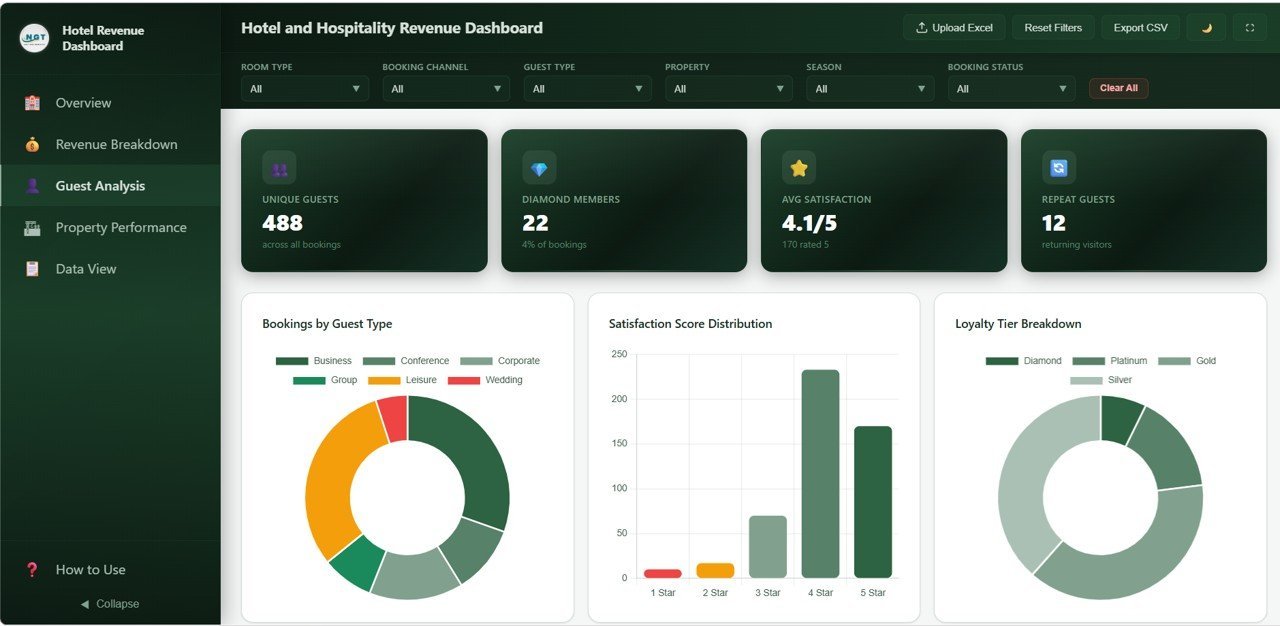
📊 Guest Analysis – Explore guest-level insights through Bookings by Guest Type, Satisfaction Score Distribution, Loyalty Tier Breakdown, Average Satisfaction by Property, and Average Nights Stayed by Guest Type.
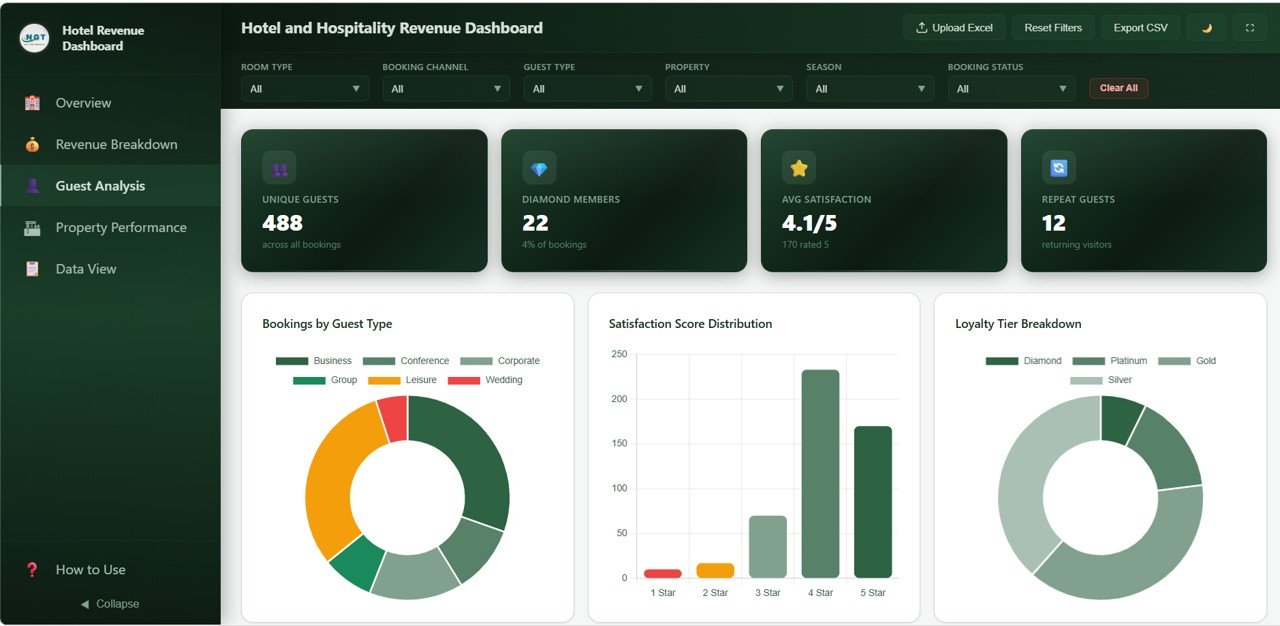
Guest Analysis
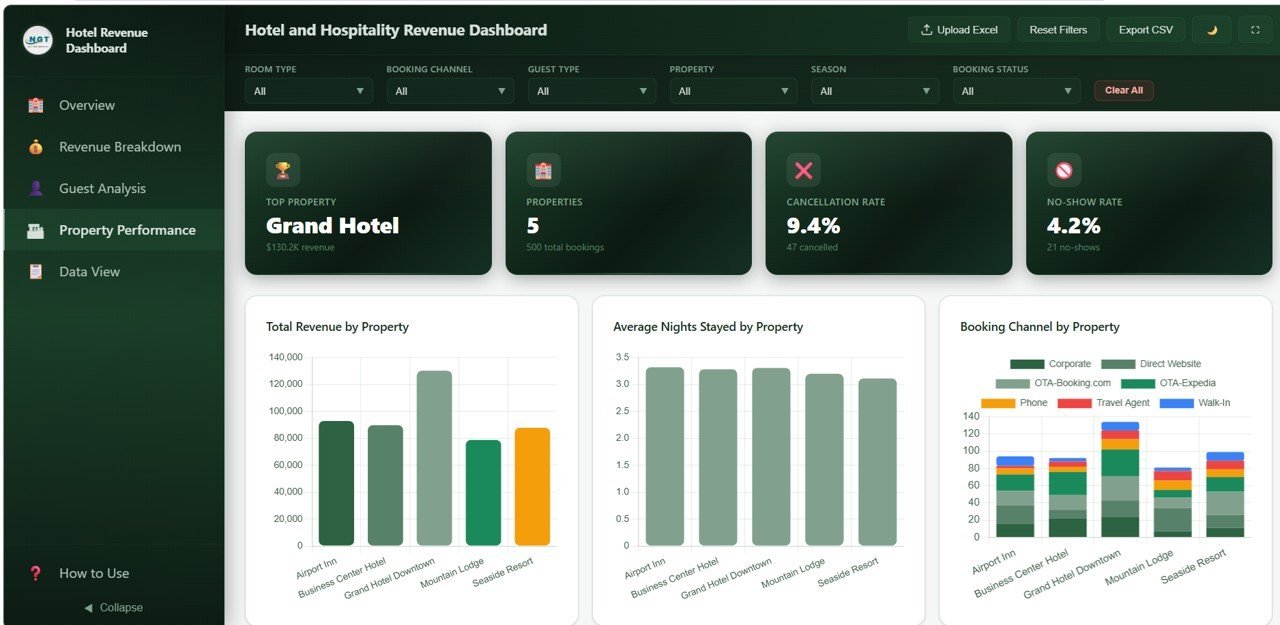
📊 Property Performance – Compare properties head-to-head with Total Revenue by Property, Average Nights Stayed by Property, Booking Channel by Property, Cancellation Rate by Property, and Monthly Bookings by Property.
Property Performance
📊 Data View – A detailed data table page with search, sort, pagination, and CSV export for all booking records.
Data View Tab
⚙️ How to Use the Hotel and Hospitality Revenue Dashboard in HTML
1️⃣ Download and Extract – After purchase, download the ZIP file and extract it on your computer.
2️⃣ Open in Browser – Open the index.html file in any modern browser like Chrome, Firefox, Edge, or Safari.
3️⃣ Explore the Dashboard – Navigate through the 5 tabs to explore your hotel analytics.
4️⃣ Replace with Your Data – Update the sample data with your actual hotel booking records.
5️⃣ Use Filters – Apply slicers and filters on each page to narrow down your analysis.
6️⃣ Export Data – Use the Data View tab to search, sort, and export your filtered data to CSV.
👥 Who Can Benefit from This Hotel and Hospitality Revenue Dashboard in HTML
🏨 Hotel General Managers – Track overall property revenue, bookings, occupancy, and guest satisfaction.
💰 Revenue Managers – Analyze revenue by room type, booking channel, season, and guest type.
📈 Hospitality Analysts – Monitor property-level performance and booking trends.
🏢 Multi-Property Owners – Compare performance across your entire hotel portfolio.
🎯 Marketing Teams – Evaluate booking channel effectiveness and guest satisfaction.
📊 Students and Educators – Use as a learning tool for data analytics courses.
❓ Frequently Asked Questions
What KPIs does the Hotel and Hospitality Revenue Dashboard in HTML track?
This dashboard tracks 6 KPIs: Total Revenue, Total Bookings, Average Room Rate, Average Nights Stayed, Average Satisfaction, and Occupancy Rate across 5 interactive pages.
Do I need any software to use this HTML dashboard?
No. It runs entirely in your web browser. Just unzip and open index.html.
Can I track multiple hotel properties?
Yes. The Property Performance page compares metrics across multiple properties with built-in slicers.
What is the best HTML dashboard for tracking hotel revenue?
The Hotel and Hospitality Revenue Dashboard in HTML includes 5 interactive pages with revenue breakdown, guest analysis, property comparison, and CSV data export.
Can I export data from this dashboard?
Yes. The Data View page includes search, sort, pagination, and CSV export functionality.
🔗 Explore Related Templates
📌 Hotel and Hospitality Revenue Dashboard in Excel
📌 Hotel and Hospitality Revenue Dashboard in Power BI
📌 Hospitality Dashboard in HTML
📖 Click here to read the Detailed Blog Post
🎥 Visit our YouTube channel to learn step-by-step video tutorials
👉 YouTube.com/@NextGenTemplates























Reviews
There are no reviews yet.