
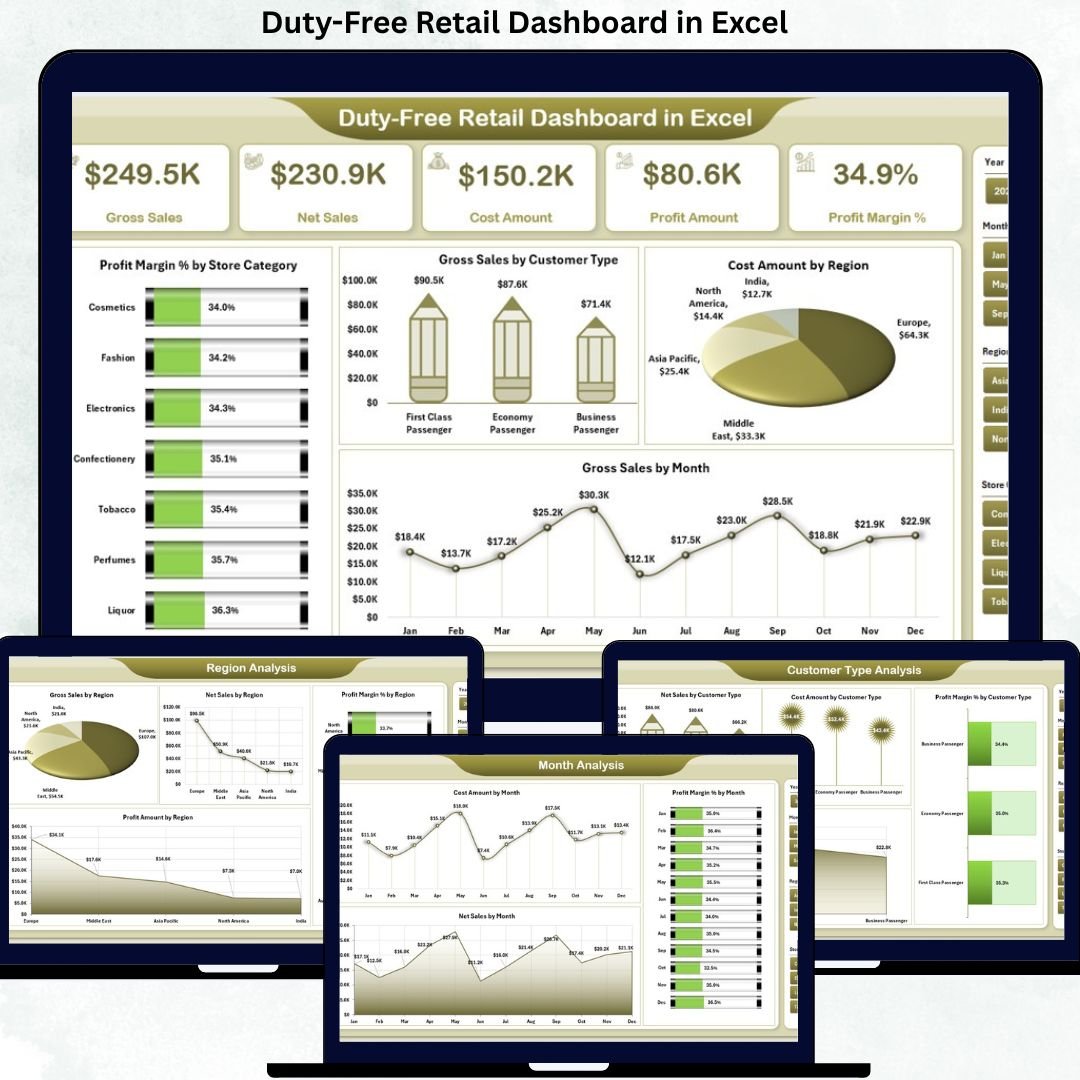
Duty-Free Retail Dashboard operates in a fast-paced and high-value environment where margins shift daily, customer behavior varies by region, and costs demand constant control. From perfumes and cosmetics to liquor and luxury goods, duty-free retailers must monitor sales, costs, profits, and margins continuously. However, many teams still depend on scattered Excel files, manual calculations, and delayed monthly reports. As a result, critical insights arrive too late, and growth opportunities slip away. That is exactly why the Duty-Free Retail Dashboard in Excel becomes an essential performance management tool.
This ready-to-use Excel dashboard transforms complex retail data into a centralized, interactive, and visually clear decision-making system. Instead of managing multiple spreadsheets for store categories, regions, customer types, and months, everything comes together in one structured dashboard. Consequently, retail managers, finance teams, and business leaders gain instant visibility into what is working, what is underperforming, and where profits truly come from.
Because this dashboard works entirely within Microsoft Excel, it remains practical, cost-effective, and easy to adopt. You do not need expensive BI tools or technical expertise. Simply update the Data Sheet, and all KPIs, charts, and insights refresh automatically. Therefore, your team spends less time preparing reports and more time analyzing performance.
🔑 Key Features of Duty-Free Retail Dashboard in Excel
🛍️ Centralized Retail Performance Tracking – View sales, cost, profit, and margin metrics in one Excel file.
📊 Executive KPI Cards – Instantly track Profit Margin %, Gross Sales, Net Sales, and Cost Amount.
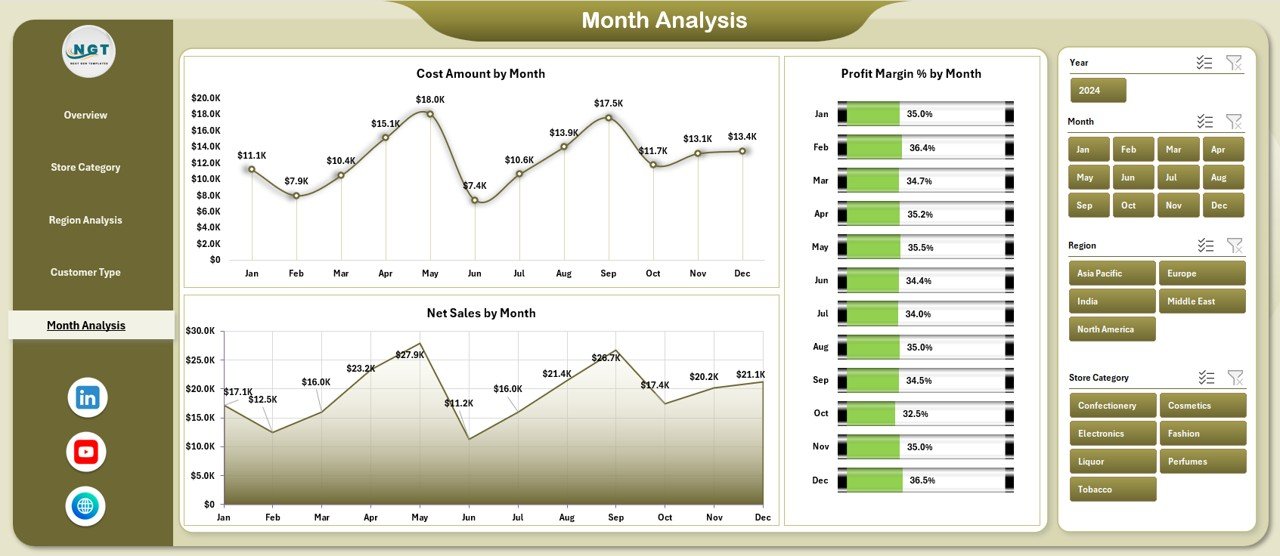
🎛️ Interactive Right-Side Slicers – Filter performance by region, store category, customer type, or month.
📈 Multi-Level Analysis – Compare store categories, regions, customers, and time periods visually.
⚡ Automated Calculations – Eliminate manual profit and margin calculations with Excel automation.
📂 What’s Inside the Duty-Free Retail Dashboard in Excel
This professionally structured dashboard includes five analytical pages, supported by backend data logic:

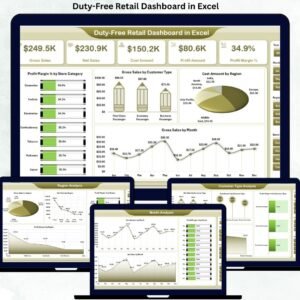
📊 Overview Page – A command-center view with KPI cards and charts such as Profit Margin % by Store Category, Gross Sales by Customer Type, Cost Amount by Region, and Gross Sales by Month.
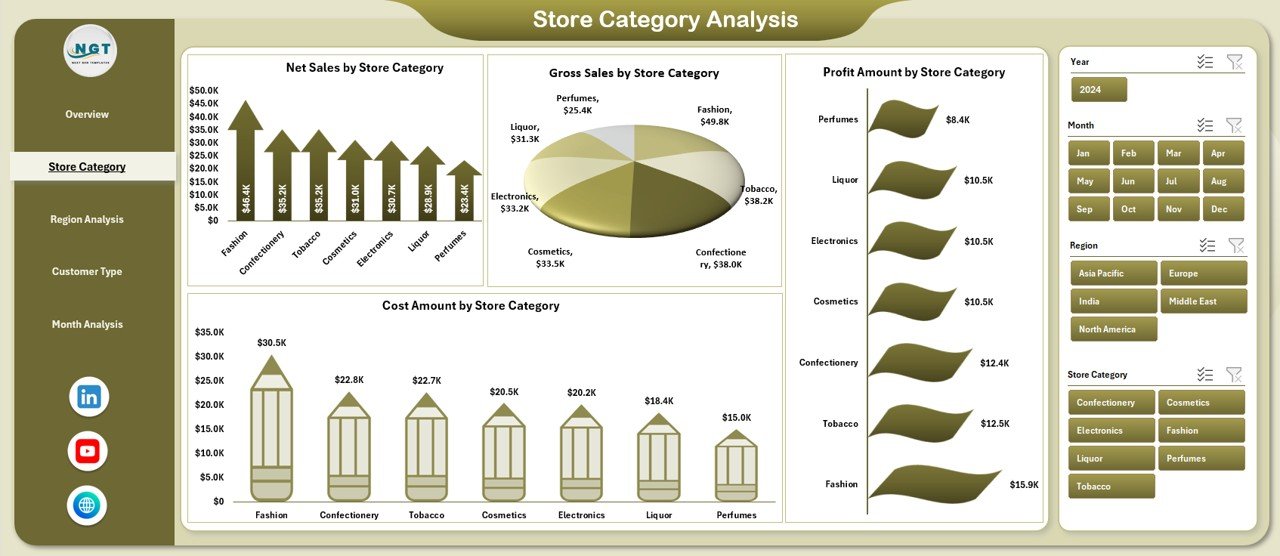
🏷️ Store Category Analysis Page – Track Net Sales, Gross Sales, Profit Amount, and Cost Amount by Store Category to identify high-margin product groups.
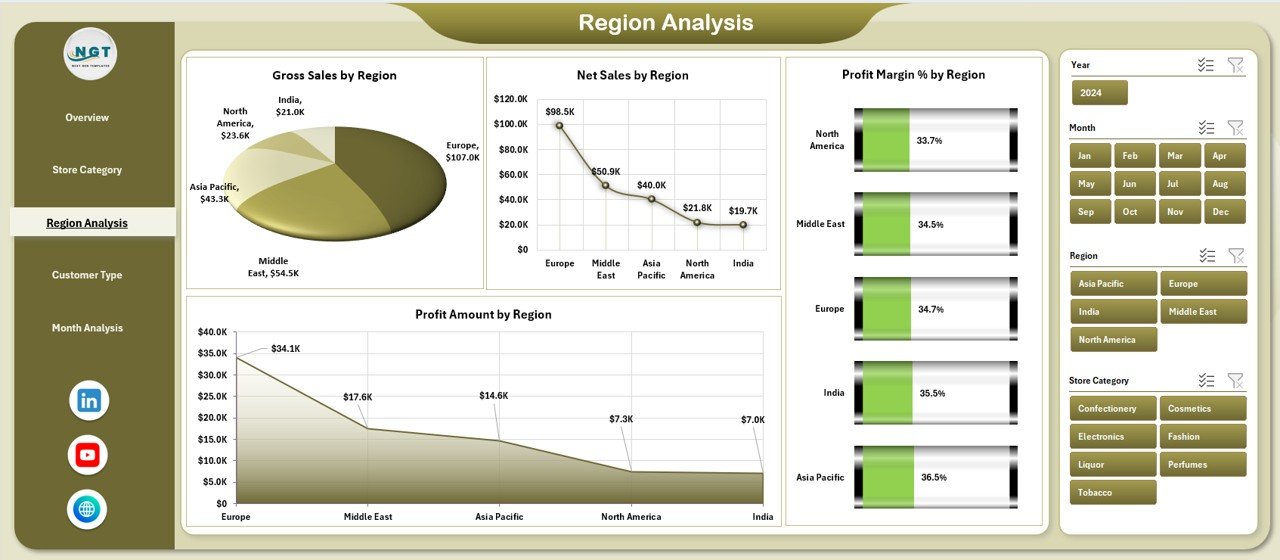
🌍 Region Analysis Page – Analyze Gross Sales, Net Sales, Profit Margin %, and Profit Amount by Region to identify top-performing locations.
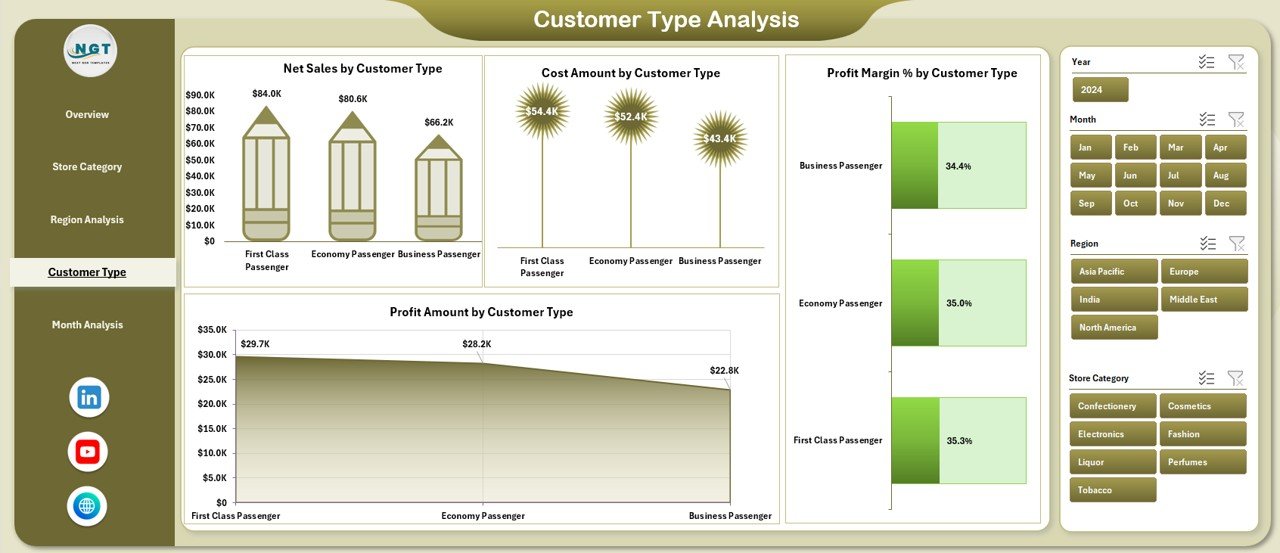
👥 Customer Type Analysis Page – Understand Net Sales, Cost, Profit Margin, and Profit Amount by Customer Type to refine marketing strategies.
📅 Month Analysis Page – Monitor Net Sales, Cost Amount, and Profit Margin % by Month to capture seasonality and trends.
📄 Data Sheet – Central input area where raw transaction data is entered or pasted.
🛠️ Support Sheet – Backend calculations and lookup logic that power slicers and visuals.
All pages respond instantly to slicers, allowing smooth drill-down from high-level insights to detailed analysis.
▶️ How to Use the Duty-Free Retail Dashboard in Excel
Using the dashboard is simple and business-friendly:
1️⃣ Enter or paste retail transaction data into the Data Sheet
2️⃣ Let Excel automatically calculate sales, cost, profit, and margins
3️⃣ Navigate between pages using the page navigator
4️⃣ Apply slicers to analyze specific regions, categories, customers, or months
5️⃣ Use insights to optimize pricing, inventory, and cost control
No advanced Excel skills are required.
👥 Who Can Benefit from This Duty-Free Retail Dashboard in Excel
This dashboard is ideal for:
🛍️ Duty-Free Store Managers
💰 Retail Finance & Accounting Teams
✈️ Airport Retail Operators
📊 Business Analysts
📈 Sales & Strategy Leaders
Each role gains clear, actionable insights without reporting complexity.
### 👉 Click here to read the Detailed Blog Post
Visit our YouTube channel to learn step-by-step video tutorials.




















Reviews
There are no reviews yet.